
1. Киришүү
This manual provides essential information for the proper installation, operation, and maintenance of your Goodmans GSCOUTHD HD Dash Camera. Please read this manual thoroughly before using the device to ensure optimal performance and safety. This dash camera is designed to record video footage while driving, offering features such as 1080p HD recording, a wide-angle lens, GPS tracking, and impact detection.
2. Пакеттин мазмуну
Carefully unpack the box and ensure all items are present. If any items are missing or damaged, please contact your retailer.

Image: All components included in the Goodmans GSCOUTHD Dash Camera package.
- Goodmans GSCOUTHD HD Dash Camera
- Сорох кубогын таһыгар
- Унаа кубаттагыч (USB адаптер)
- USB кабели
- 8 ГБ MicroSD карта
- Колдонуучунун Колдонмосу (бул документ)
3. Продукт бүтүп калдыview
Камеранын компоненттери жана башкаруу элементтери менен таанышыңыз.
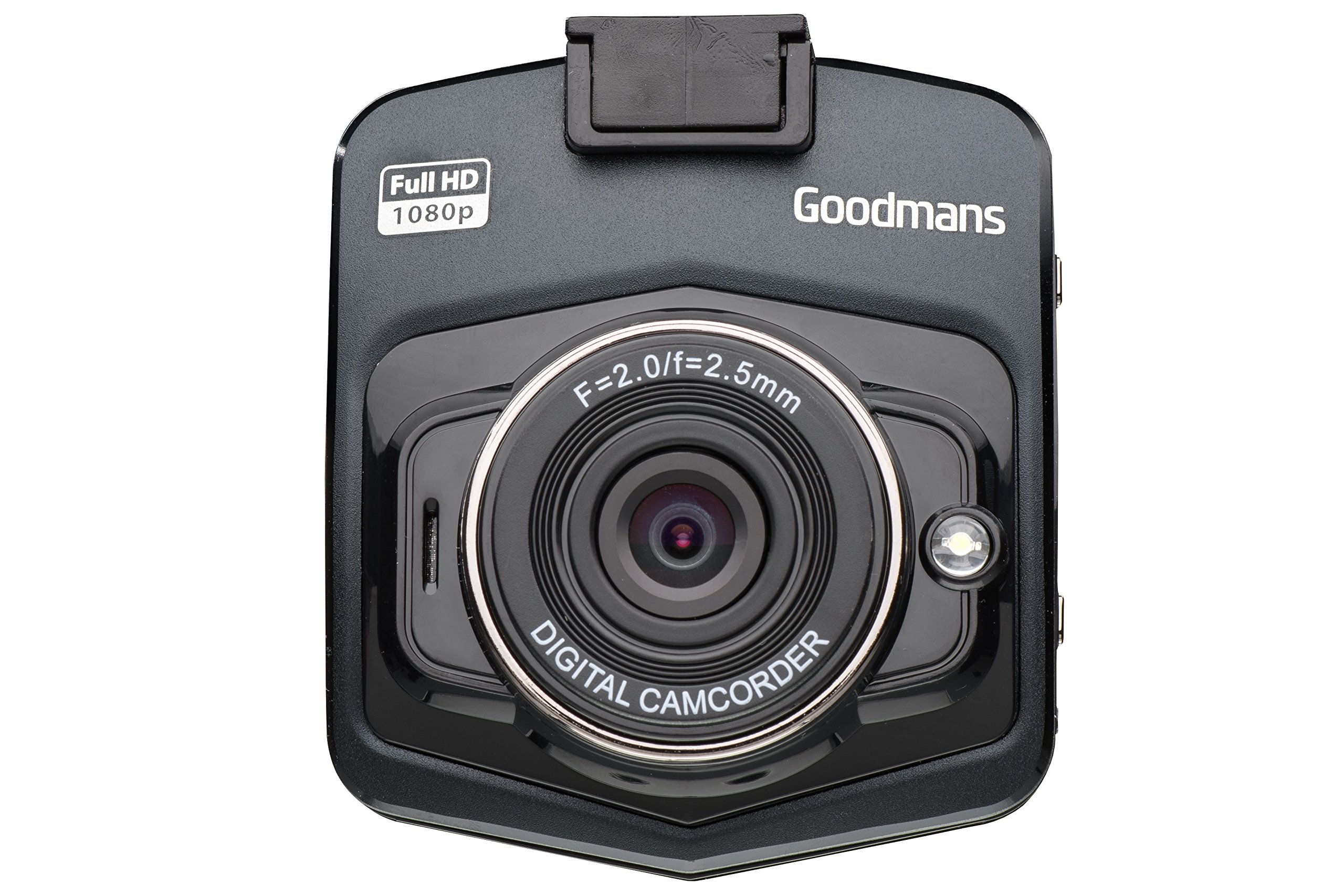
Image: Front and angled view of the dash camera.

Сүрөт: каптал view of the dash camera with control buttons and ports.

Сүрөт: Арткы view of the dash camera displaying the LCD screen.
Камера компоненттери:
- Объектив: Wide-angle lens for capturing a broad view жолдун.
- LCD экран: Түз эфир үчүн 2.4 дюймдук дисплей view, меню навигациясы жана ойнотуу.
- Кубат баскычы: Аппаратты күйгүзөт/өчүрөт.
- Режим баскычы (M): Switches between video recording, still photo, and playback modes.
- OK баскычы: Тандоолорду ырастайт же жаздырууну баштайт/токтотот.
- Өйдө/ылдый баскычтары: Navigates through menu options or playback.
- MicroSD Card Slot (TF): Эстутум картасын салуу үчүн.
- Мини USB порт: For power supply and data transfer.
- Калыбына келтирүү баскычы: (Small pinhole) For factory reset if needed.
- Динамик/микрофон: Аудио жаздыруу жана ойнотуу үчүн.
4. Орнотуу
4.1. Аппаратты заряддоо
Before first use, fully charge the dash camera's internal battery. Connect the camera to the car charger or a USB power source using the provided USB cable. The charging indicator will illuminate during charging and turn off when fully charged.
4.2. MicroSD картасын салуу
The camera requires a MicroSD card (8GB included) for recording. Ensure the camera is powered off before inserting or removing the card.
- Камераңыздын капталынан MicroSD карта уячасын табыңыз.
- MicroSD картаны алтын түстүү контакттары камеранын арткы бетине каратып, ордуна чыкылдаганча салыңыз.
- Чыгаруу үчүн картаны чыкылдагыча акырын түртүңүз, анан коё бериңиз, ошондо ал чыгып калат.
4.3. Камераны орнотуу
The suction cup mount allows for secure attachment to your vehicle's windshield.

Image: Dash camera mounted on the suction cup.
- Clean the area on your windshield where you intend to mount the camera.
- Attach the camera to the suction cup mount.
- Сорулгону алдынкы айнекке бекем басып, аны бекитүү үчүн рычагды которуңуз.
- Тунук болушу үчүн камеранын бурчун тууралаңыз view of the road, avoiding obstruction from wipers or the rearview күзгү.
4.4. Кубатка туташуу
For continuous operation, connect the dash camera to your vehicle's 12V power outlet using the provided car charger.
- Унааңыздын кубаттагычын унааңыздын 12 В кубаттоочу розеткасына (тамеки күйгүзгүчтүн розеткасы) сайыңыз.
- Connect the small end of the USB cable to the camera's Mini USB port and the other end to the car charger.
- The camera will typically power on automatically when the vehicle's ignition is turned on and begin recording.
5. Иштөө нускамалары
5.1. Күйгүзүү/өчүрүү
- Кол менен күйгүзүү: Кубат баскычын бир нече секунд басып, кармап туруңуз.
- Кол менен өчүрүү: Экран өчүкчө кубат баскычын басып, кармап туруңуз.
- Автоматтык түрдө күйгүзүү/өчүрүү: When connected to the car charger, the camera will power on and off with the vehicle's ignition.
5.2. Жазуу режимдери
The camera supports various recording modes:
- Видео жаздыруу: The default mode. Press the OK button to start/stop recording. Videos are saved in segments (e.g., 1, 3, or 5 minutes) to the MicroSD card.
- Цикл жаздыруу: When the memory card is full, the camera will automatically overwrite the oldest unlocked files.
- Impact Detection (G-Sensor): In the event of a sudden impact or collision, the built-in G-sensor will automatically lock the current video file to prevent it from being overwritten. These fileс өзүнчө папкада сакталат.
- Сүрөткө тартуу режими: Press the Mode button to switch to photo mode. Press OK to take a picture.
5.3. Меню навигациясы
To access the camera settings:
- Stop any active recording.
- Менюга кирүү үчүн Mode баскычын басыңыз.
- Use the Up/Down buttons to navigate through options.
- Press OK to select an option or enter a sub-menu.
- Press the Mode button again to exit the menu.
5.4. GPS функциясы
Интеграцияланган GPS модулу сиздин айдоо маршрутуңузду, ылдамдыгыңызды жана жайгашкан жериңиздин маалыматтарын жазып алат. Бул маалыматты viewed using compatible playback software on a computer (software not included, typically available from manufacturer's webсайт).
5.5. Ойнотуу
Кайраview recorded videos or photos on the camera:
- Press the Mode button repeatedly until you enter Playback mode.
- Use the Up/Down buttons to browse through files.
- Press OK to play a selected video or view фотосүрөт.
- Press the Mode button to exit Playback mode.
6. Техникалык тейлөө
6.1. Камераны тазалоо
- Камеранын корпусун тазалоо үчүн жумшак, кургак чүпүрөктү колдонуңуз.
- For the lens, use a lens cleaning cloth and specialized lens cleaning solution to avoid scratches.
- Абразивдүү тазалагычтарды же эриткичтерди колдонбоңуз.
6.2. Эстутум картасын башкаруу
- It is recommended to format the MicroSD card periodically (e.g., once a month) to maintain optimal recording performance and prevent data corruption. This can usually be done through the camera's menu settings.
- Always ensure important fileлар форматтоодон мурун камдык көчүрмөлөрү сакталат.
- Use high-quality MicroSD cards (Class 10 or higher) for reliable recording.
6.3. Батареяга кам көрүү
- Avoid exposing the camera to extreme temperatures, which can degrade battery life.
- If the camera is not used for an extended period, charge it periodically to prevent deep discharge.
7. Кыйынчылыктарды
If you encounter issues with your dash camera, refer to the following common problems and solutions:
| Көйгөй | Мүмкүн болгон себеп / Чечим |
|---|---|
| Камера күйбөйт. |
|
| "Card Error" or "No Memory Card" message. |
|
| Camera does not record. |
|
| Видеонун сапаты начар. |
|
| Suction mount detaches. |
|
8. Техникалык шарттар
| Өзгөчөлүк | Спецификация |
|---|---|
| Бренд | Goodmans |
| Модель номери | GSCOUTHD |
| Түс | Кара |
| Дисплей түрү | LCD |
| Screen Size | 2.4 дюйм |
| Видео жаздыруу чечими | 1080p HD |
| Натыйжалуу дагы эле чечим | 2.1 мегапиксел |
| Өзгөчөлүктөр | Integrated GPS, Impact Detection (G-Sensor), Wide Angle Lens |
| Байланыш технологиясы | USB |
| Шайкеш түзмөктөр | Машина |
| Камтылган компоненттер | Эстутум картасы (8 ГБ) |
| Power Source | Rechargeable Battery, Car Charger |
9. Кепилдик жана колдоо
For warranty information and technical support, please refer to the warranty card included in your product packaging or visit the official Goodmans website. You can find more information about Goodmans in-car cameras at www.goodmans.co.uk/in-car-cameras.