
Introduction
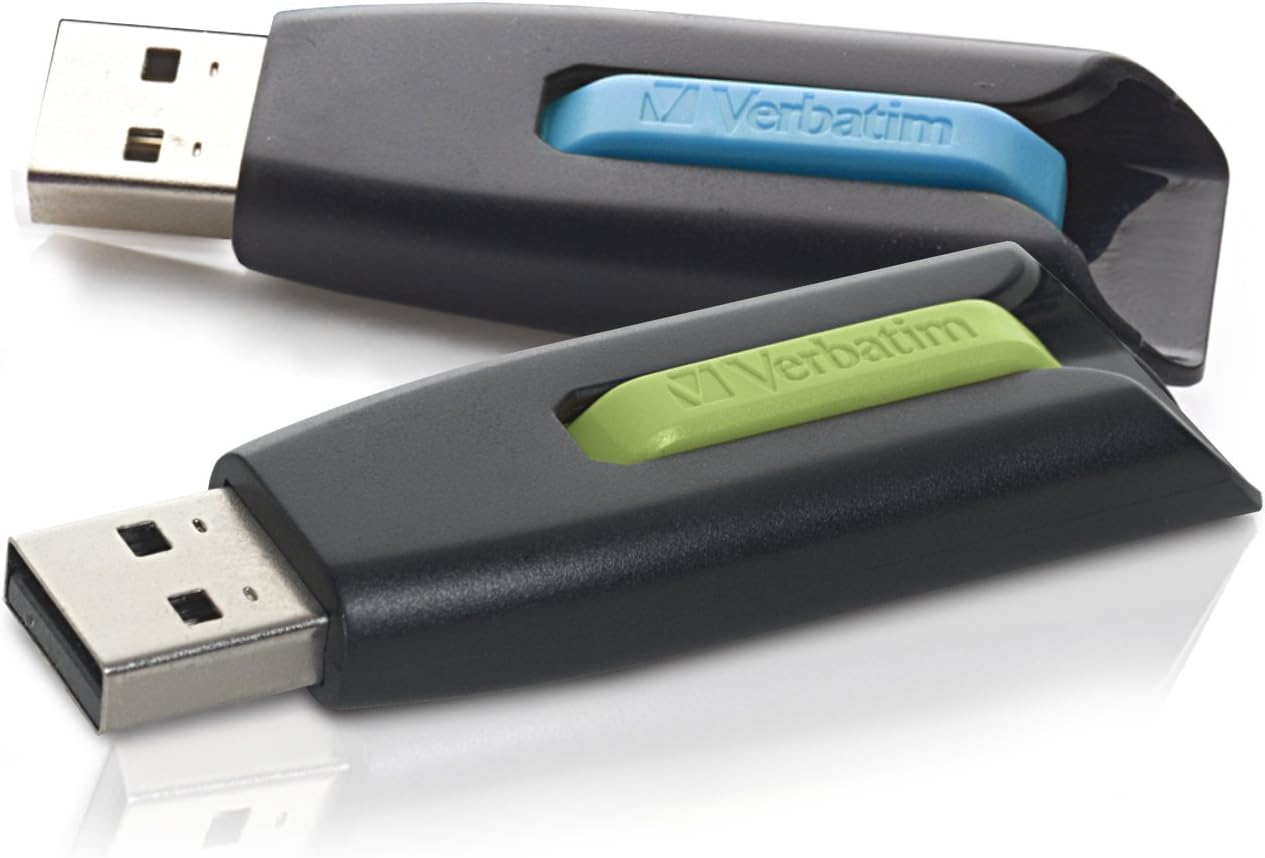
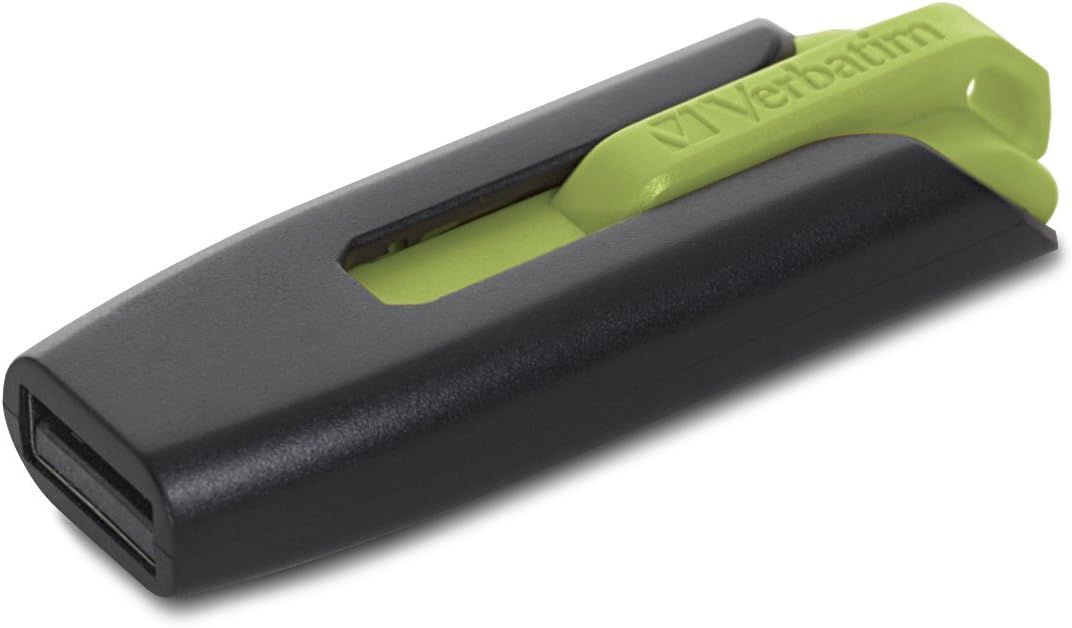
The Verbatim Store 'n' Go V3 USB 3.0 Flash Drive provides a high-speed storage solution for transferring and saving data. Designed for efficiency, its USB 3.0 interface offers significantly faster data transfer rates compared to USB 2.0, facilitating quick movement of large files or multiple documents. The drive features a retractable design that protects the USB connector when not in use, eliminating the need for a cap and reducing the risk of loss or damage. This manual provides essential information for setting up, operating, maintaining, and troubleshooting your Verbatim Store 'n' Go V3 Flash Drive.
Пакеттин мазмуну
- Verbatim Store 'n' Go V3 USB 3.0 Flash Drive (Quantity as purchased)
Жайгашуу
- Дискти салыңыз: Locate an available USB port on your computer (PC or Mac). Gently slide the retractable mechanism on the flash drive to expose the USB connector. Insert the flash drive firmly into the USB port.
- Автоматтык таануу: Your operating system (Windows, macOS, Linux) should automatically detect and install the necessary drivers for the flash drive. A notification may appear indicating that the device is ready for use.
- Дискке кирүү:
- Windows: Open "This PC" or "My Computer." The flash drive will appear as a removable disk drive (e.g., "USB Drive (E:)").
- MacOS: The flash drive icon will appear on your desktop or in the Finder sidebar under "Locations."
- Linux: The drive will typically be mounted automatically and accessible through your file менеджер.
- Optional Password Protection Software: For Windows operating systems, password protection software is available for download from the official Verbatim webсайт. карагыла Колдоо бөлүмү чоо-жайы үчүн.
Иштөө нускамалары
Маалыматтарды өткөрүү
өткөрүп берүү үчүн files флешкага же флешкадан:
- Open the flash drive's folder on your computer.
- жайгашкан жерине өтүңүз fileсиз өткөргүңүз келет.
- Көчүрүү үчүн files to the flash drive: Drag and drop the desired files or folders from your computer into the flash drive's folder. Alternatively, copy the files (Ctrl+C on Windows, Command+C on Mac) and paste them into the flash drive's folder (Ctrl+V on Windows, Command+V on Mac).
- Көчүрүү үчүн files from the flash drive: Drag and drop the desired files же папкаларды флеш-дисктин папкасынан компьютериңиздеги жайгашкан жерге көчүрүңүз.
For optimal performance, connect the drive to a USB 3.0 port. While compatible with USB 2.0 ports, data transfer speeds will be limited to USB 2.0 rates.
Коопсуз алып салуу
Маалыматтын бузулушуна жол бербөө үчүн, аны физикалык түрдө ажыратуудан мурун, ар дайым флэш-дискти коопсуз алып салыңыз.
- Windows: Click the "Safely Remove Hardware and Eject Media" icon in the system tray (bottom-right corner of the taskbar), then select the Verbatim flash drive. Wait for the "Safe to Remove Hardware" message before unplugging.
- MacOS: Drag the flash drive icon from your desktop to the Trash icon in the Dock, or click the Eject button next to the drive name in Finder. Wait for the icon to disappear before unplugging.
- Linux: Right-click the drive icon in your file manager and select "Eject" or "Unmount."
Техникалык тейлөө
- Физикалык коргоо: Utilize the retractable design to shield the USB connector from dust, dirt, and physical damage when the drive is not in use.
- Тазалоо: If necessary, gently wipe the exterior of the drive with a soft, dry, lint-free cloth. Avoid using liquid cleaners or solvents.
- Маалыматтын камдык көчүрмөсү: Күтүлбөгөн көйгөйлөр жаралган учурда маалыматтардын жоголушун алдын алуу үчүн флеш-дискте сакталган маанилүү маалыматтарды башка сактоочу жайга (мисалы, компьютердин катуу диски, булут сактагычы) үзгүлтүксүз камдык көчүрмөсүн сактап туруңуз.
- Температура жана айлана-чөйрө: Дискти салкын, кургак жерде, өтө жогорку температурадан, түз күн нурунан жана күчтүү магнит талааларынан алыс сактаңыз.
Проблемаларды чечүү
- Диск таанылган жок:
- Диск USB портуна толугу менен киргизилгенин текшериңиз.
- Компьютериңиздеги башка USB портун колдонуп көрүңүз.
- Test the drive on another computer to determine if the issue is with the drive or the computer's USB port.
- Check your computer's Device Manager (Windows) or System Information (macOS) to see if the drive is listed, even if not assigned a drive letter.
- Компьютериңизди өчүрүп күйгүзүңүз.
- Жай берилиштерди өткөрүү ылдамдыгы:
- Ensure you are connecting the drive to a USB 3.0 port for optimal performance. USB 3.0 ports are typically blue or marked with a "SS" (SuperSpeed) symbol.
- Көптөгөн майда которуулар files can be slower than transferring one large file бирдей жалпы өлчөмү.
- Тутум ресурстарын колдонуп жаткан башка колдонмолорду жабыңыз.
- Маалыматтын бузулушу же каталары:
- Always use the "Safely Remove Hardware" function before disconnecting the drive.
- If the drive becomes corrupted, you may need to reformat it. Эскертүү: Кайра форматтоо дисктеги бардык маалыматтарды жок кылат. Back up any recoverable data before proceeding.
- To reformat (Windows): Right-click the drive in "This PC," select "Format," choose the desired file system (e.g., exFAT for broad compatibility), and click "Start."
- To reformat (macOS): Open Disk Utility, select the drive, click "Erase," choose a format (e.g., ExFAT), and click "Erase."
Техникалык шарттар
| Өзгөчөлүк | Деталь |
|---|---|
| Бренд | Сөзмө-сөз |
| Модель аты | Store 'n' Go V3 |
| Модель номери | 99127 |
| Эстутум сактоо сыйымдуулугу | 32 ГБ |
| Аппараттык интерфейс | USB 3.0 |
| Окуу ылдамдыгы | 625 МБ/сек чейин |
| Жазуу ылдамдыгы | 625 МБ/сек чейин |
| Өзгөчө өзгөчөлүк | Lightweight, Retractable Design |
| Шайкеш түзмөктөр | PC, Mac, Linux, Television |
| Операциялык системанын шайкештиги | Windows XP, Vista, 7 and higher; Mac OS X 10.1 and higher; Linux kernel 2.6 and higher |
| Элемент Салмагы | 4.54 г |
| Түс | Blue, Green (as per variant) |


Кепилдик маалымат
The Verbatim Store 'n' Go V3 USB 3.0 Flash Drive is covered by a Өмүр бою чектелген кепилдик. This warranty covers defects in materials and workmanship under normal use. For specific terms, conditions, and to make a warranty claim, please refer to the official Verbatim webсайтка же кардарларды тейлөөгө кайрылыңыз.

Колдоо
For further assistance, technical support, driver downloads (including password protection software for Windows), or warranty inquiries, please visit the official Verbatim webсайт:
Ошондой эле алардын колдоо баракчаларынан пайдалуу ресурстарды жана көп берилүүчү суроолорду таба аласыз.