
1. Киришүү
This manual provides detailed instructions for the installation, operation, and maintenance of your Solem WF WI-FI 6-Station IP68 Smart Irrigation Controller. This device allows you to manage your irrigation system remotely via a smartphone or tablet, offering convenience and efficient water management. Please read this manual thoroughly before installation and use to ensure proper functionality and safety.
2. Коопсуздук маалыматы
- Кандайдыр бир орнотууну же техникалык тейлөөнү аткаруудан мурун ар дайым электр кубатын ажыратыңыз.
- Бардык электр байланыштары жергиликтүү коддорго жана эрежелерге ылайык келээрин текшериңиз.
- The device operates on 230/24 Volt. Incorrect voltagал түзмөккө зыян келтириши мүмкүн.
- This controller is rated IP68, meaning it is protected against total dust ingress and long periods of immersion under pressure. However, ensure all connections are sealed properly to maintain this rating.
- Keep the device away from direct sunlight and extreme temperatures to prolong its lifespan.
- Түзмөктү өз алдынча ачууга же оңдоого аракет кылбаңыз. Квалификациялуу тейлөө кызматкерлерине кайрылыңыз.
3. Пакеттин мазмуну
Пакетте бардык буюмдар бар экенин текшериңиз:
- Solem WF WI-FI 6-Station IP68 Irrigation Controller
- External Transformer (230V AC input, 24V AC output)
- Колдонуучунун Колдонмосу (бул документ)
- Монтаждоочу жабдыктар (бурамалар, якорьлор) - (Assumed, typical for such devices)
4. Продукт бүтүп калдыview
The Solem WF WI-FI controller is designed for efficient and remote management of your irrigation system. It features 6 stations, a master valve output, and an input for a rain sensor. The integrated Wi-Fi module allows for seamless connection to your home network and control via the dedicated Solem app.
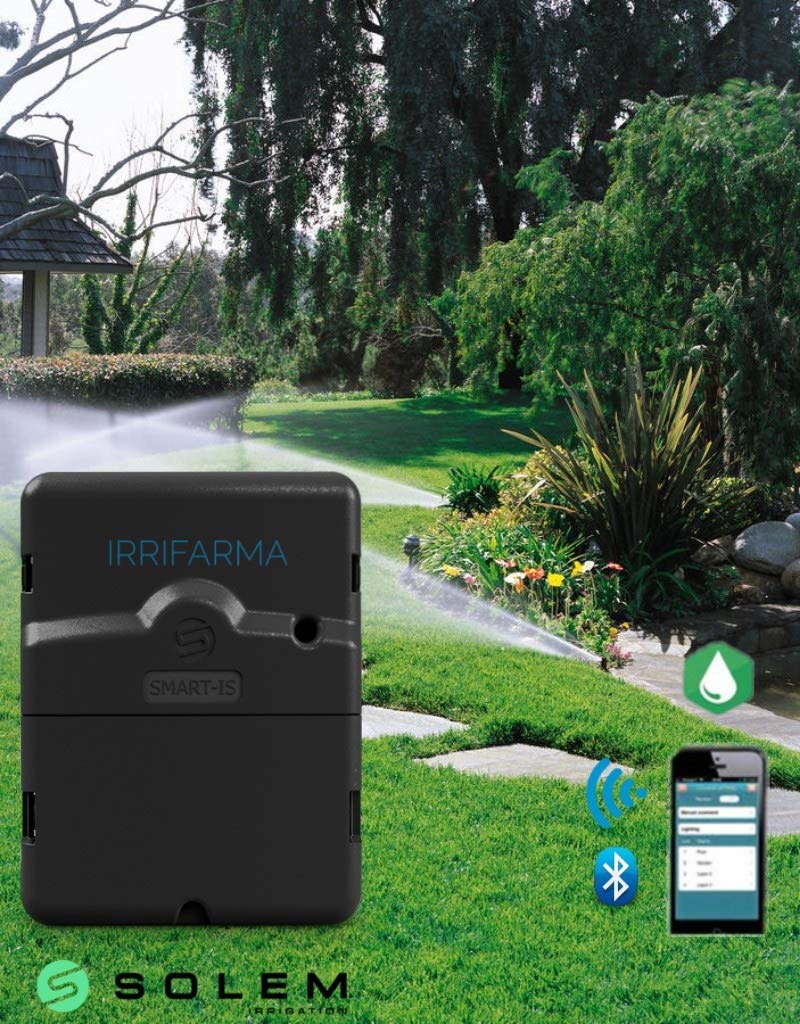
4.1-сүрөт: Solem WF WI-FI 6-Station IP68 Irrigation Controller. This image shows the compact, weather-resistant housing of the controller, designed for outdoor installation. The unit features a robust casing suitable for its IP68 rating.
Негизги өзгөчөлүктөрү:
- 6 Irrigation Stations: Control up to six independent irrigation zones.
- Негизги клапандын чыгышы: Dedicated connection for a master valve or pump start relay.
- Rain Sensor Input: Connect a rain sensor to automatically suspend irrigation during rainfall.
- Wi-Fi туташуусу: Integrated 802.11 b/g module with WPA2-PSK, WPA, WEP security for remote control.
- IP68 рейтинги: Suitable for outdoor installation and protection against water and dust.
- Туруктуу эстутум: Retains programming during power outages.
- Тоскоолдуктан коргоо: Built-in protection against electrical surges.
- LED көрсөткүчү: Provides status feedback on device operation.
5. Орнотуу
5.1. Контроллерди орнотуу
- Choose a suitable location for mounting, ensuring it is within approximately 20 meters of your Wi-Fi router for optimal signal strength.
- Use the provided mounting hardware to securely attach the controller to a wall or other stable surface.
5.2. Wiring the Valves
Connect your 24V AC irrigation valves to the controller terminals. Each station (1-6) requires a separate wire, and all valves share a common wire.
- Connect the common wire from all valves to the terminal labeled "COMMON" or "C".
- Connect the individual control wire from each valve to its corresponding station terminal (e.g., Valve 1 to "ST1", Valve 2 to "ST2", жана башкалар.).
- If using a master valve, connect its control wire to the terminal labeled "MV" or "П" (Pump).
5.3. Rain Sensor Connection
Connect a normally closed (NC) rain sensor to the designated rain sensor input terminals. Consult your rain sensor's manual for specific wiring instructions.
5.4. Power Connection
Connect the external 230V AC to 24V AC transformer to the controller's power input terminals. Plug the transformer into a suitable 230V AC outlet. The LED indicator on the controller should illuminate, indicating power.
5.5. Wi-Fi Connection and App Setup
- Download the official Solem app from your smartphone's app store (iOS or Android).
- Каттоо эсебин түзүү же кирүү үчүн колдонмону ачып, экрандагы нускамаларды аткарыңыз.
- Initiate the device pairing process within the app. The app will guide you through connecting the controller to your home Wi-Fi network. Ensure your Wi-Fi network is 802.11 b/g compatible and uses WPA2-PSK, WPA, or WEP security.
- Enter your Wi-Fi network name (SSID) and password when prompted. The connection is password-protected.
- Once connected, the LED indicator on the controller may change color or pattern to confirm a successful Wi-Fi connection.
6. Иштөө нускамалары
All programming and manual operations are performed through the Solem smartphone/tablet application.
6.1. Programming Irrigation Schedules
- Open the Solem app and select your connected controller.
- Navigate to the "Programs" section. The controller supports 3 independent programs (A, B, C).
- For each program, set the start times, run times for each station, and watering days.
- Utilize the "Water Budget" feature to adjust watering duration for all stations in a program by a percentagд, сезондук өзгөрүүлөр үчүн пайдалуу.
- Save your programs. The controller's non-volatile memory will retain these settings even if power is lost.
6.2. Manual Control Functions
- From the app's main screen, you can manually start or stop individual stations or all stations.
- Select a station and specify a run time for immediate irrigation.
- Manual operations will override scheduled programs temporarily.
6.3. Rain Sensor Operation
If a rain sensor is connected and activated in the app settings, the controller will automatically suspend irrigation when rainfall is detected. Irrigation will resume once the sensor dries out and clears the rain condition.
7. Техникалык тейлөө
- Тазалоо: Periodically wipe the exterior of the controller with a damp кездеме. Катуу химиялык заттарды же абразивдүү тазалагычтарды колдонбоңуз.
- Байланыштары: Жыл сайын бардык зымдардын туташууларынын бекем жана дат баспагандыгын текшерип туруңуз.
- Программалык камсыздоонун жаңыртуулары: Check the Solem app regularly for any available firmware updates for your controller to ensure optimal performance and access to new features.
- Кыштоо: In regions with freezing temperatures, follow standard irrigation system winterization procedures, which may include disconnecting the controller and storing it indoors.
8. Кыйынчылыктарды
| Көйгөй | Мүмкүн себеп | Чечим |
|---|---|---|
| Controller has no power (LED off). | No power from outlet; faulty transformer; loose connection. | Check outlet with another device. Ensure transformer is securely plugged in. Verify power connections to the controller. |
| Wi-Fi'га туташпай жатат. | Incorrect Wi-Fi password; controller out of range; incompatible Wi-Fi settings. | Double-check Wi-Fi password. Move controller closer to router or use a Wi-Fi extender. Ensure your router uses 802.11 b/g and supported security protocols (WPA2-PSK, WPA, WEP). |
| Stations not watering. | Valves not receiving power; rain sensor active; master valve issue; wiring fault. | Check wiring to valves and common wire. Verify rain sensor status in the app. Ensure master valve is functioning. Test individual stations manually via the app. |
| Programs not running. | Programs not enabled; incorrect schedule; rain sensor active; controller not connected to Wi-Fi. | Verify programs are enabled and correctly configured in the app. Check rain sensor status. Ensure controller has a stable Wi-Fi connection. |
9. Техникалык шарттар
- Модел: Solem WF WI-FI 6-Station IP68
- Киргизүү көлөмүtage: 230V AC (via external transformer)
- Output Voltage: 24V AC
- Станциялардын саны: 6
- Негизги клапандын чыгышы: Ооба
- Rain Sensor Input: Ооба
- Wi-Fi стандарты: 802.11 б/г
- Wi-Fi коопсуздугу: WPA2-PSK, WPA, WEP
- Wi-Fi диапазону: Болжол менен 20 метр (65 фут)
- Кирүүдөн коргоонун рейтинги: IP68 (Dust tight, protected against continuous immersion)
- Эстутум: Non-volatile for program retention
- Тоскоолдуктан коргоо: Интеграцияланган
- Өндүрүүчү: Solem
- GTIN/UPC: 701160319765
- ASIN: B0179XPEYM
10. Кепилдик жана колдоо
For warranty information and technical support, please refer to the documentation provided with your purchase or visit the official SOLEM website. Keep your proof of purchase for warranty claims. If you encounter issues not covered in this manual, contact SOLEM customer support for assistance.