
1. Продукт бүтүп калдыview
The Grandstream GXP1630 is a powerful Gigabit IP phone designed for small businesses. This Linux-based, 3-line IP Phone model includes 8 BLF keys and 4-way conferencing. It features a 132x64 backlit LCD screen for clear display, dual HD audio, multi-language support, integrated Power over Ethernet (PoE), and 3 XML programmable soft keys. The GXP1630 incorporates state-of-the-art security encryption technology (SRTP and TLS) and supports various automated provisioning options for easy mass deployment.
Негизги өзгөчөлүктөрү:
- 3 SIP accounts, 3 line keys, 4-way conferencing
- 3 XML programmable context-sensitive soft keys
- HD audio on speakerphone and handset
- Up to 1000 contacts, call history up to 200 records
- Dual-switched Gigabit ports, integrated PoE
- 8 dual-colored BLF/speed dial keys
- EHS support for Plantronics headsets
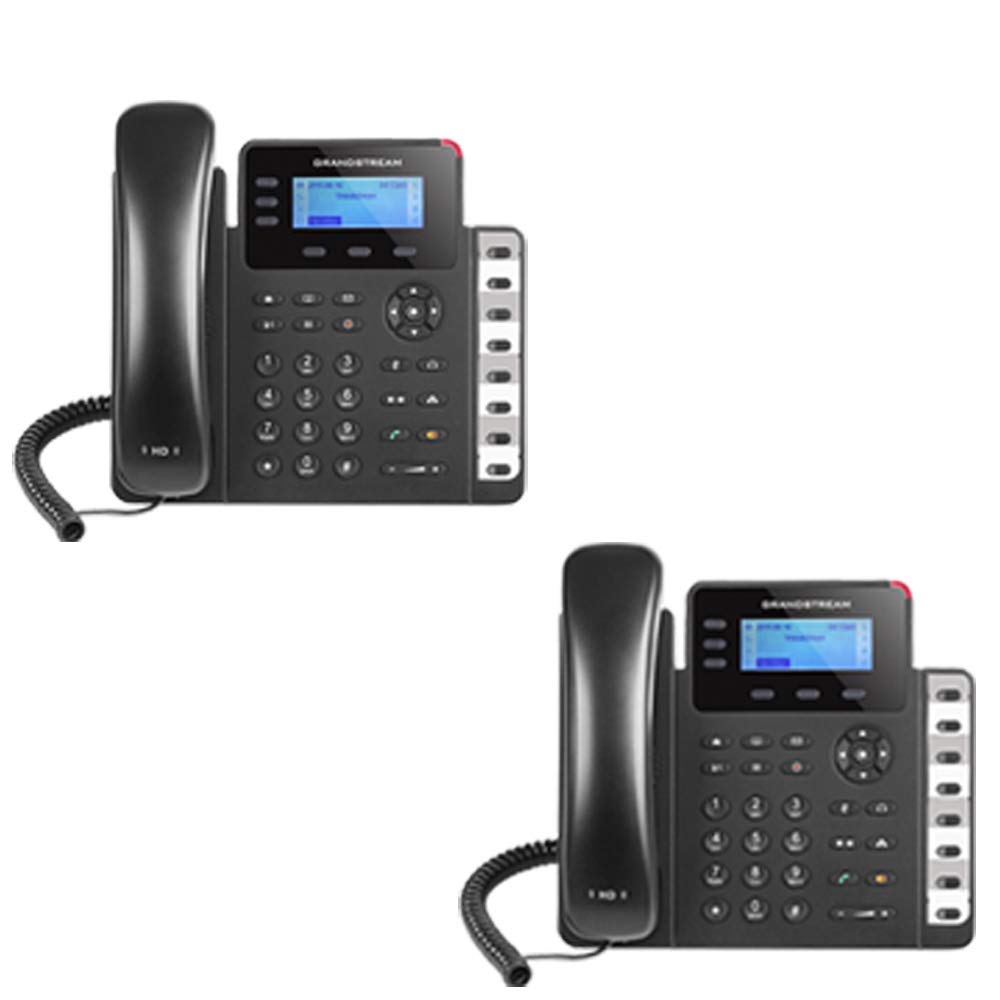
Figure 1: Grandstream GXP1630 Gigabit IP Phone
2. Орнотуу жана орнотуу
2.1 Пакеттин мазмуну
Бардык компоненттердин бар экенин текшериңиз:
- Grandstream GXP1630 IP Phone unit
- Телефон жана оролгон шнур
- Ethernet кабели
- Кубат адаптери (эгер PoE колдонбосо)
- Телефон стенд
2.2 Телефонду туташтыруу
- Connect the coiled cord to the handset and the handset port on the phone base.
- Connect the Ethernet cable from your network switch (with PoE) or router to the LAN port on the phone. If not using PoE, connect the power adapter to the phone and a power outlet.
- Optionally, connect a headset to the headset port.
- Attach the phone stand to the base unit.
2.3 Баштапкы күйгүзүү жана камсыздоо
Once connected, the phone will power on and begin the boot-up sequence. The LCD screen will display status information. The GXP1630 supports automated provisioning options, including zero-configuration with Grandstream’s UCM series IP PBXs, encrypted XML files, and TR-069, to facilitate easy mass deployment and configuration.
3. Телефонду иштетүү
3.1 Using the Headset or Speaker
- To turn the speaker on or off during a call, press the Баяндамачы баскычы.
- To use a connected headset, press the Гарнитура баскычы.
Видео 1: Бүттүview of using headset and speaker functions on Grandstream GXP1600 series IP phones.
3.2 Чалуу
Чакырууну баштоонун үч негизги жолу бар:
- Гарнитура/Гарнитура: Телефонду көтөрүңүз же басыңыз Гарнитура баскычы.
- Динамик: басыңыз Баяндамачы баскычы.
- Сап ачкычын тандоо: Press an available line key.
Once you hear a dial tone (the corresponding line key will turn green), enter the phone number using the keypad. Then, press the Жөнөтүү баскычы же # key to place the call. To use a different SIP account, simply press a different line key before dialing.
3.3 Redialing a Number
Акыркы чалынган номерди кайра терүү үчүн:
- Телефонду көтөрүңүз же басыңыз Баяндамачы баскычы.
- басыңыз Жөнөтүү баскычы же Кайра терүү soft key displayed on the phone screen.
The phone will redial using the same SIP account as the previous call.
3.4 Чакырууга жооп берүү
When an incoming call rings:
- Жалгыз кирүүчү чалуу: Трубканы көтөрүп, басыңыз Баяндамачы button, or press the corresponding flashing line key.
- Бир нече кирүүчү чалуулар (чалууну күтүү): If you are on an active call and another call comes in, you will hear a call waiting tone. The new incoming call's line key will flash red. Press the flashing red line key to answer the new call. Your current call will be placed on hold. You can toggle between calls by pressing the line key corresponding to each call.
3.5 Чалууну аяктоо
Жигердүү чалууну бүтүрүү үчүн:
- Телефонду кой.
- басыңыз Чакырууну аяктоо soft key on the phone screen.
3.6 Hold and Resume a Call
- Активдүү чалууну күтүүгө коюу үчүн, басыңыз кармап туруңуз button. The line key will typically flash.
- To resume a call that was placed on hold, press the corresponding blinking line key.
3.7 Volume Adjustment and Mute
- When the phone is idle, use the Көлөм шакек үнүн тууралоо үчүн баскыч.
- Активдүү чалуу учурунда, басыңыз Көлөм button to adjust the call volume for the handset, headset, or speaker.
- To mute or unmute your microphone during a call, press the Үнсүз баскычы.
4. Техникалык тейлөө
To ensure optimal performance and longevity of your Grandstream GXP1630 IP Phone, consider the following maintenance tips:
- Тазалоо: Телефондун бетин тазалоо үчүн жумшак, кургак чүпүрөктү колдонуңуз. Абразивдүү тазалоочу каражаттарды же эриткичтерди колдонбоңуз.
- Программалык камсыздоонун жаңыртуулары: Regularly check for and apply firmware updates provided by Grandstream. Keeping the firmware up to date can improve performance, add new features, and address security vulnerabilities.
- Экологиялык шарттар: Телефонду бузулуп калбашы үчүн, аны сунушталган температура жана нымдуулук чегинде иштетиңиз.
5. Кыйынчылыктарды
If you encounter issues with your GXP1630 IP Phone, try the following basic troubleshooting steps:
- Терүү сигналы жок/чалууларды жасай албай жатам: Check all cable connections (Ethernet, handset, power). Ensure the phone is properly registered with your SIP server.
- Кубат жок: Verify the power adapter is securely connected to both the phone and a working power outlet, or that your network switch is providing Power over Ethernet (PoE).
- Начар аудио сапаты: Check network connectivity. Ensure the handset/headset cord is properly connected. Adjust the call volume using the volume buttons.
- Телефон жооп бербей жатат: As with any electronic device, occasional reboots can resolve minor issues. Disconnect the power for a few seconds and then reconnect it.
- Дисплей маселелери: If the screen is blank or frozen, try rebooting the phone.
For more advanced issues, consult your IT administrator or Grandstream's official support resources.
6. Техникалык шарттар
| Өзгөчөлүк | Description |
|---|---|
| SIP эсептери | 3 |
| Line Keys | 3 |
| Конференция | 4-жол |
| BLF/Speed Dial Keys | 8 dual-colored |
| Аудио | HD audio on speakerphone and handset |
| Тармак интерфейси | Dual-switched Gigabit ports |
| Poe | Integrated Power over Ethernet |
| Дисплей | 132x64 backlit LCD |
| Өлчөмдөр | 8 x 12 x 6 дюйм |
| Салмагы | 6 фунт |
| Түс | Кара |
| Материал | Пластик |
| Шайкеш түзмөктөр | Grandstream IP phones, Plantronics headsets with EHS feature, devices supporting TR-069 and XML config files |
7. Кепилдик жана колдоо
7.1 Өндүрүүчүнүн кепилдиги
The Grandstream GXP1630 IP Phone comes with a 1 жылдык Өндүрүүчүнүн Кепилдиги. Кепилдик дооматтары үчүн сатып алганыңыздын далилин сактап коюңуз.
7.2 Техникалык колдоо
For technical assistance, product registration, or to access additional resources, please visit the official Grandstream website or contact your product vendor. Support resources often include FAQs, knowledge bases, and community forums.