
Introduction
Thank you for choosing the Perixx PERIMICE-608II Wireless Vertical Mouse. This manual provides essential information for setting up, operating, and maintaining your new ergonomic mouse. Designed for right-handed users, this mouse promotes a natural hand position to enhance comfort during extended use. Please read this manual thoroughly before using the product.
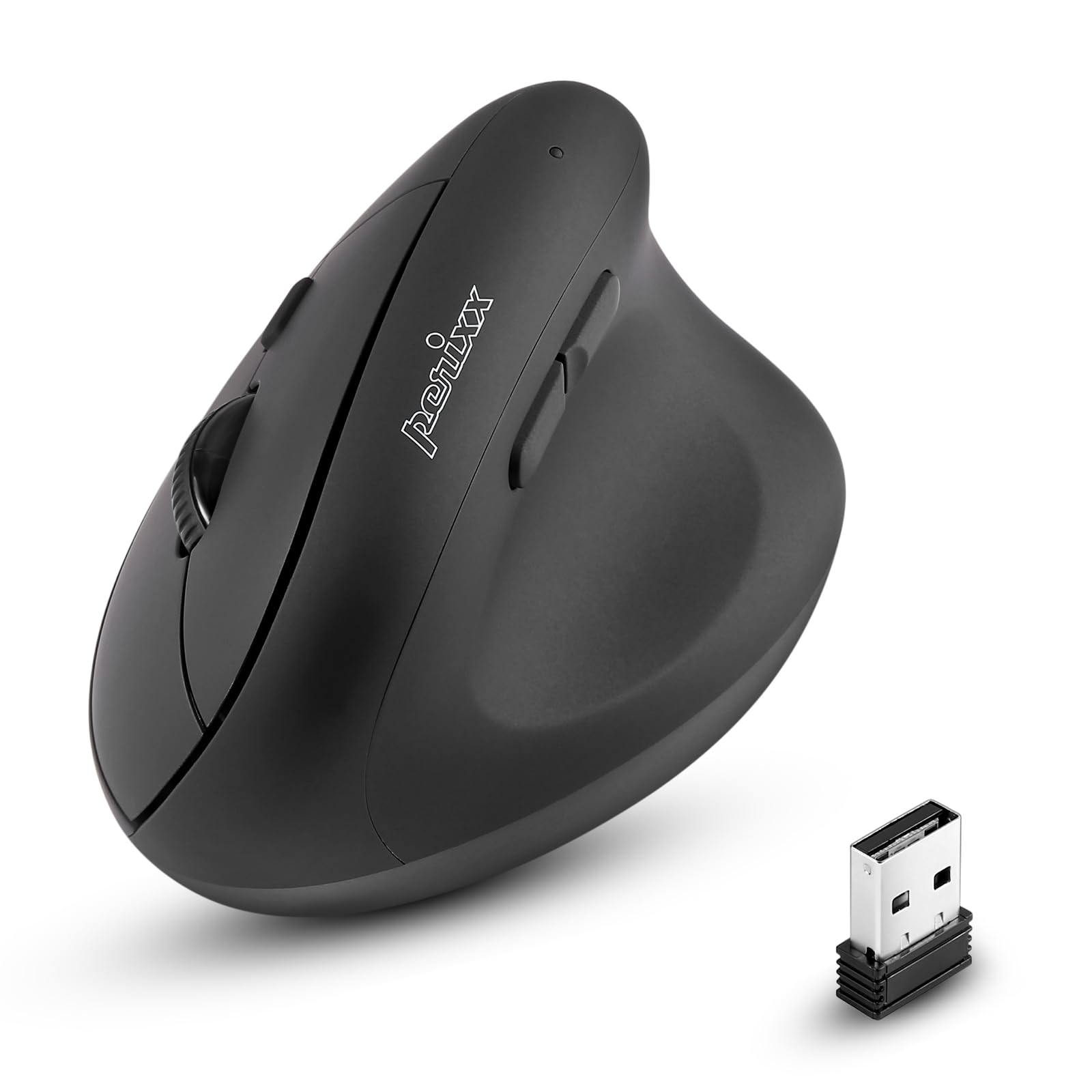
Фронт view of the Perixx PERIMICE-608II Wireless Vertical Mouse.
Кутуда эмне бар
Пакетиңизде бардык буюмдар бар экенин текшериңиз:
- 1 x Perixx PERIMICE-608II Wireless Vertical Mouse
- 1 USB Receiver х
- 1 х Колдонуучунун колдонмосу (бул документ)
Орнотуу нускамалары
- Батареяны орнотуу: Locate the battery compartment on the underside of the mouse. Insert one AA battery (not included) according to the polarity indicators.
- USB кабылдагычты салыңыз: Remove the USB receiver from its storage slot on the mouse's underside. Plug the USB receiver into an available USB port on your computer.
- Күйгүзүү: Slide the ON/OFF switch on the bottom of the mouse to the "ON" position. The mouse should now be recognized by your computer and ready for use.

Underside of the mouse, illustrating the battery compartment and ON/OFF switch.

The mouse positioned next to a laptop, demonstrating the USB receiver plugged into a port.
Иштөө нускамалары
Эргономикалык дизайн
The PERIMICE-608II features a vertical design that positions your hand in a natural handshake posture, reducing wrist strain and promoting comfort.

Demonstration of a relaxed, neutral grip on the vertical mouse.
Баскыч функциялары
- Сол чыкылдатуу: Стандарттык тандоо жана активдештирүү.
- Оң чыкылдатуу: Контексттик менюларга кирет.
- Жылдыруу дөңгөлөгү: Документтерди жылдырат жана web барактар тигинен жайгаштырылган. Ортоңку чыкылдатуу функциясы үчүн да басууга болот.
- Алдыга/Артка баскычтары: Located on the side for convenient web серептөө жана навигация.
DPI тууралоо
The mouse features a DPI (Dots Per Inch) button to adjust cursor sensitivity. Press the DPI button located on the top of the mouse to cycle through the available settings: 800, 1200, 1600, and 2400 DPI. An LED indicator will briefly light up to confirm the change.

The DPI switch on the mouse, allowing for quick sensitivity adjustments.
Техникалык тейлөө
Тазалоо
Чычканыңызды тазалоо үчүн, анын бетин жумшак, d менен акырын сүртүңүзamp cloth. Avoid using harsh chemicals or abrasive materials, as these can damage the finish. Ensure no liquid enters the mouse's internal components.
Батареяны алмаштыруу
When the mouse performance degrades or it stops responding, it may be time to replace the AA battery. Follow the battery installation steps in the Setup section.
Проблемаларды чечүү
- Чычкан жооп бербей жатат:
- Ensure the mouse is switched to the "ON" position on its underside.
- Check if the USB receiver is securely plugged into a working USB port on your computer.
- AA батарейканы жаңысына алмаштырыңыз.
- USB ресиверди башка USB портуна сайып көрүңүз.
- Курсордун туура эмес кыймылы:
- Чычкан таза, чагылдырылбаган жерде колдонулушун камсыз кылыңыз.
- Adjust the DPI setting using the DPI button to find a suitable sensitivity.
- Туташуу маселелери:
- Move the mouse closer to the USB receiver to ensure a strong 2.4GHz wireless connection.
- Avoid using the mouse near other wireless devices that might cause interference.
Техникалык шарттар
| Бренд | Perixx |
| Модель номери | 12383 |
| Сериялар | PERIMICE-608 II |
| Байланыш технологиясы | 2.4 ГГц зымсыз (USB кабыл алуучу) |
| DPI деңгээли | 800 / 1200 / 1600 / 2400 |
| баскычтардын саны | 6 |
| Колдун багыты | Оң колдуу |
| Power Source | Батарея менен иштейт (1 x AA батареясы талап кылынат) |
| Батареянын орточо иштөө мөөнөтү | 100 саат |
| Элемент Салмагы | 4.4 унция (болжол менен 125 грамм) |
| Продукциянын өлчөмдөрү (LxWxH) | 4.87 x 2.67 x 2.43 дюйм (болжол менен 123.7 x 67.8 x 61.7 мм) |
| Операциялык системанын шайкештиги | Linux, Windows 7, Windows XP (жана андан кийинки версиялары) |

Detailed dimensions and weight of the Perixx PERIMICE-608II mouse.
Кепилдик жана колдоо
For detailed warranty information, technical support, and frequently asked questions, please visit the official Perixx website or contact Perixx customer service. You can find more information at the Amazon'догу Perixx дүкөнү.