1. Киришүү
Thank you for choosing the Paulmann 70621 MaxLED RGB Controller. This device allows you to control RGB LED strips, offering color changing, dimming, and remote control functionalities. Please read this manual carefully before installation and operation to ensure proper use and longevity of the product.
2. Коопсуздук маалыматы
- Орнотуудан же техникалык тейлөөдөн мурун электр кубаты өчүрүлгөнүн текшериңиз.
- Бул продукт имараттын ичинде гана колдонуу үчүн иштелип чыккан (IP20 рейтинги). Нымдуулукка же өтө жогорку температурага дуушар кылбаңыз.
- Only use with compatible 24V DC LED strips and power supplies. Exceeding the maximum wattage of 144W can damage the device.
- Аппаратты балдардан алыс кармаңыз.
- Do not attempt to open or modify the controller or remote control. This will void the warranty.
3. Пакеттин мазмуну
Пакетте бардык компоненттер бар экенин текшериңиз:
- 1x Paulmann 70621 MaxLED RGB Controller
- 1x 2.4 GHz RGB Remote Control
- 1x Assembly Instructions (this manual)
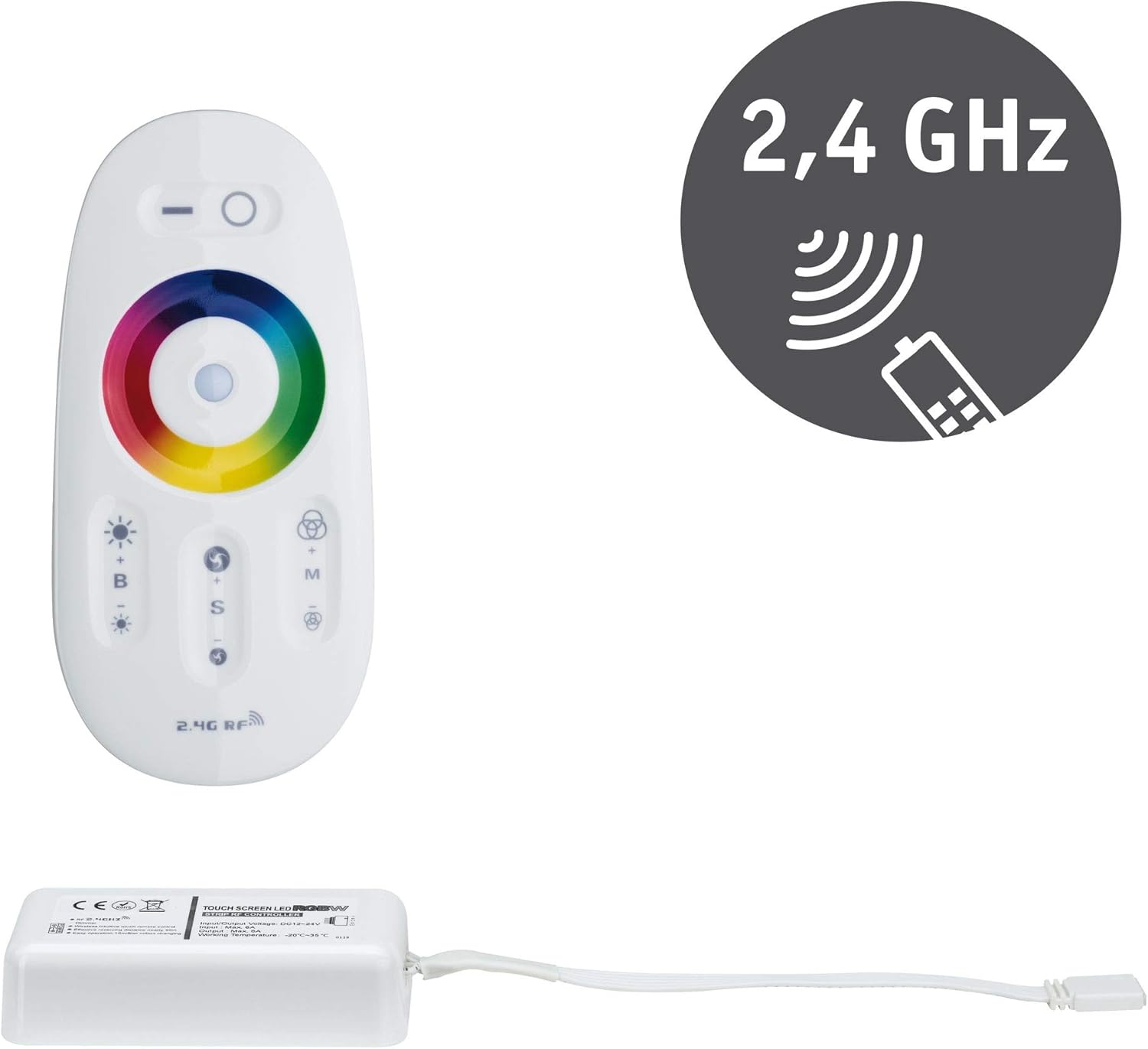
Image 3.1: Paulmann 70621 MaxLED RGB Controller and its accompanying 2.4 GHz remote control. The controller is a white rectangular unit with a cable, and the remote is an oval white unit with a color wheel and various buttons.
4. Орнотуу жана орнотуу
Follow these steps to install your MaxLED RGB Controller:
- Алыстан башкарууну даярдаңыз: The remote control requires 2 AAA batteries (not included). Open the battery compartment on the back of the remote and insert the batteries, observing the correct polarity.
- LED тилкесин туташтыруу: Connect your 24V DC RGB LED strip to the output connector of the MaxLED RGB Controller. Ensure the connections are secure and correctly aligned according to the strip's markings (e.g., R, G, B, V+).
- Кубат булагына туташтыруу: Connect a compatible 24V DC power supply (not included) to the input connector of the MaxLED RGB Controller. Ensure the power supply is capable of providing sufficient wattage for your LED strip (up to 144W maximum for the controller).
- Күйгүзүү: Once all connections are secure, connect the power supply to a mains outlet. The LED strip should briefly illuminate or be ready for control.
- Жупташтыруу (зарыл болсо): The controller and remote are usually pre-paired. If the remote does not respond, power off the controller, then power it back on. Within 3 seconds of powering on, press and hold the 'ON' button (top right circle) on the remote control until the LED strip flashes, indicating successful pairing.

Image 4.1: The Paulmann 70621 MaxLED RGB Controller and its remote, illustrating the components involved in the setup process.
5. Иштөө нускамалары
The 2.4 GHz remote control provides intuitive operation of your MaxLED RGB strip:

Image 5.1: Close-up of the Paulmann 70621 MaxLED RGB Remote Control, highlighting its various buttons and the color wheel.
- Power On/Off (Top Left/Right Buttons): Press the top left button (line icon) to turn off the LED strip. Press the top right button (circle icon) to turn on the LED strip.
- Color Selection (Color Wheel): Touch the color wheel to select your desired static color.
- Brightness Adjustment (B+/-): Use the 'B+' button to increase brightness and 'B-' button to decrease brightness.
- Режимди тандоо (M): Press the 'M' button to cycle through various dynamic color changing modes.
- Speed Adjustment (S+/-): When a dynamic mode is active, use the 'S+' button to increase the speed of the color change and 'S-' button to decrease it.
6. Техникалык тейлөө
The Paulmann 70621 MaxLED RGB Controller requires minimal maintenance:
- Тазалоо: Wipe the controller and remote control with a soft, dry cloth. Do not use abrasive cleaners or solvents.
- Батареяны алмаштыруу: When the remote control's range decreases or it becomes unresponsive, replace the 2 AAA batteries. Ensure correct polarity.
7. Кыйынчылыктарды
If you encounter issues with your MaxLED RGB Controller, refer to the following common problems and solutions:
| Көйгөй | Мүмкүн себеп | Чечим |
|---|---|---|
| LED тилкеси күйбөйт. | No power, incorrect connections, faulty LED strip or power supply. | Check power supply connection. Verify LED strip and controller connections. Test with a known working LED strip/power supply. |
| Алыстан башкаруу жооп бербей жатат. | Dead batteries, remote not paired, out of range. | Replace AAA batteries. Re-pair the remote (see Section 4). Ensure remote is within range of the controller. |
| Түстөр туура эмес же дал келбеген. | Incorrect wiring of RGB channels, faulty LED strip. | Double-check the RGB wiring between the controller and the LED strip. Ensure R, G, B, V+ are connected correctly. |
| LED strip flickers. | Insufficient power supply, loose connection. | Wt электр менен камсыздоону камсыз кылууtage is adequate for the LED strip. Check all connections for tightness. |
8. Техникалык шарттар
| Модель номери | 70621 |
| Бренд | Полман |
| Продукциянын өлчөмдөрү (L x W x Y) | 8.5 x 4.5 x 2.25 см |
| Салмагы | 104 г |
| Материал | Пластик |
| Түс | Ак |
| Киргизүү көлөмүtage | 24 вольт DC |
| Макс. Чыгуу күчү | 144 Ватт |
| Өзгөчөлүктөр | RGB Color Change, Dimmable, Remote Control |
| Алыстан башкаруу жыштыгы | 2.4 ГГц |
| Алыстан башкаруунун батареялары | 2 AAA (киргизилген эмес) |
| Коргоо рейтинги | IP20 (Ичинде гана колдонуу) |
9. Кепилдик жана колдоо
Information regarding specific warranty terms and customer support for the Paulmann 70621 MaxLED RGB Controller is not available in this document. Please refer to the product packaging, the official Paulmann website, or contact your retailer for detailed warranty information and support options.