
Introduction
Thank you for choosing the OldShark Dash Cam. This 1080P Full HD dashboard camera is designed to provide reliable and high-quality video recording of your journeys, enhancing driving safety and providing crucial evidence in case of incidents. Equipped with a 3-inch display, 170° wide-angle lens, G-Sensor, and loop recording, it's an essential companion for every driver.
Please read this manual thoroughly before operating the device to ensure proper usage and to maximize its performance and lifespan.
Пакеттин мазмуну
Таңгактан чыгарганда, таңгагыңызда төмөнкү нерселердин бардыгы бар экенин текшериңиз:
- OldShark Dash Cam Unit
- Унаа заряддагыч
- Соруу Тоосу
- 32 ГБ микро SD карта
- USB маалымат кабели
- Колдонуучунун Колдонмосу (бул документ)

Image: All components included in the OldShark Dash Cam package, neatly laid out.
Продукт өзгөчөлүктөрү
- Ultra HD Video Recording: Captures clear 1080P Full HD video, ensuring detailed footagал тургай, оор жарык шарттарында да.
- 170° Super Wide Angle Lens: Кеңири чөйрөнү камсыз кылат view, minimizing blind spots and capturing more of the road.
- Камтылган G-сенсор: Капыстан болгон соккуларды же кагылышууларды автоматтык түрдө аныктап, учурдагы видеону бекитетtage to prevent overwriting, serving as crucial accident evidence.
- Үзгүлтүксүз цикл жазуусу: Эң эски кулпусу ачылган фудду кайра жазатtage when the memory card is full, ensuring continuous recording without manual intervention.
- 24 сааттык унаа токтотуучу монитор: Records short video clips when vibrations are detected while the vehicle is parked, offering surveillance even when you're away.
- Супер түнкү көрүнүш: Equipped with F1.6 large aperture, WDR (Wide Dynamic Range), and HDR (High Dynamic Range) technology for enhanced clarity in low-light conditions.
- Оңой орнотуу: Simple plug-and-play setup with included suction mount and car charger.
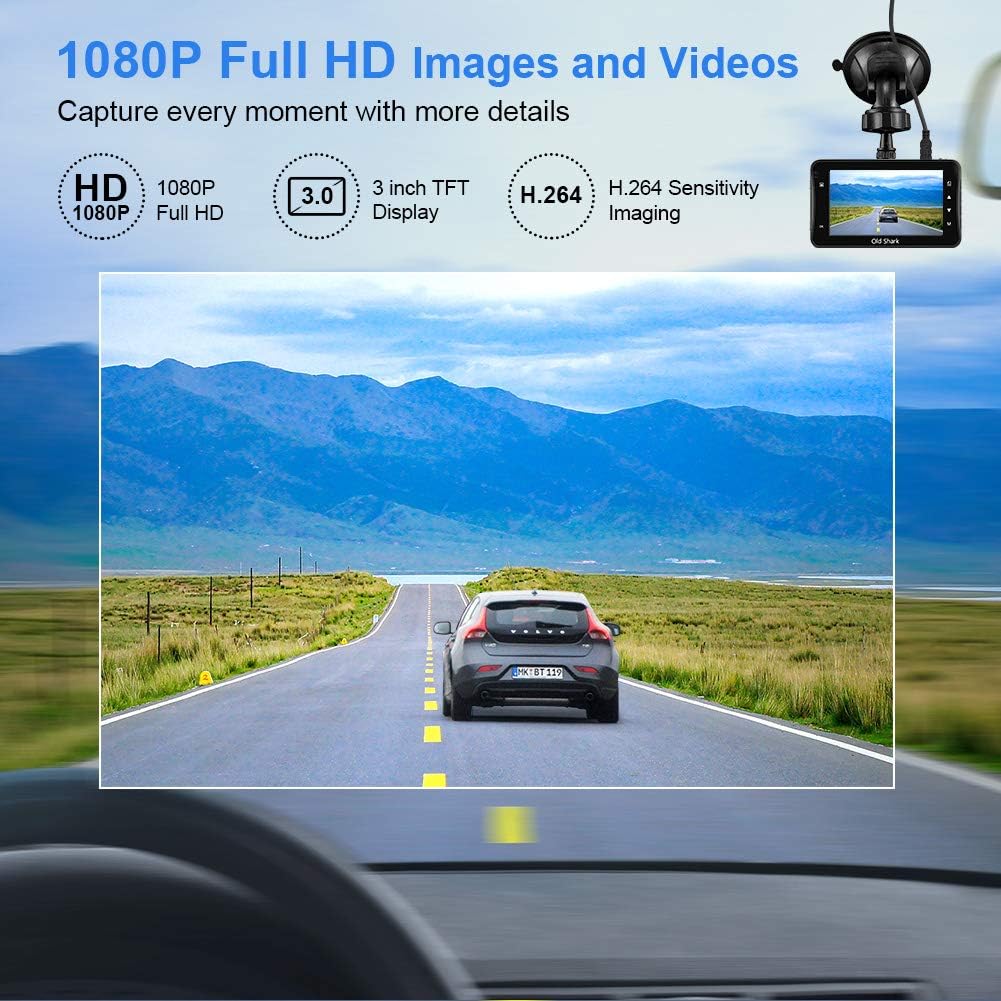
Image: Visual representation of the dash cam's 1080P Full HD video capabilities and display features.

Image: The G-Sensor feature, which automatically locks video footage during an impact to secure accident evidence.

Image: The 24-Hour Parking Monitor feature, which activates recording upon detecting vibrations while parked.

Image: The Super Night Vision capability, demonstrating improved low-light performance with its F1.6 aperture.

Image: The 170° wide-angle lens providing a broad view, мурунку мененampжаздырылган азык-түлүктүн аз бөлүгүtage during day and night.
Орнотуу колдонмосу
1. Камераны орнотуу
- Камераны орното турган алдыңкы айнекти тазалаңыз. Анын чаң жана май жок экенин текшериңиз.
- Attach the suction mount to the dash cam unit.
- Соргучту алдыңкы айнекке бекем басып, аны бекитүү үчүн рычагын бураңыз. Камераны тунук кылып коюңуз view сиздин айдоо көрүнүшүңүзгө тоскоол болбостон жолду.
2. Micro SD картаны салуу
- Камеранын капталындагы Micro SD карта уячасын табыңыз.
- Insert the provided 32GB Micro SD card into the slot until it clicks into place. Ensure the card is inserted correctly with the gold contacts facing the back of the camera.
- For optimal performance, it is recommended to format the SD card within the dash cam's settings before first use and periodically thereafter.
3. Күйгүзүү
- Унаа кубаттагычты камеранын электр киргизүү портуна туташтырыңыз.
- Унааңыздын кубаттагычынын экинчи учун унааңыздын тамеки күйгүзгүч розеткасына сайыңыз.
- The dash cam will automatically power on and begin recording when your vehicle's ignition is turned on. It will also power off automatically when the ignition is turned off.

Image: The OldShark Dash Cam, showing its compact design, the included suction mount for windshield attachment, and the 32GB Micro SD card for storage.
Иштөө нускамалары
Негизги операция
- Күйгүзүү/өчүрүү: The camera powers on/off automatically with the car ignition. You can also manually power it on/off by pressing and holding the Power button.
- Жаздыруу: Once powered on, the dash cam automatically starts loop recording. A red flashing dot or similar indicator on the screen confirms recording is active.
- Жаздырууну токтотуу: Press the OK button to stop recording. Press it again to resume.
- Которуу режими: Use the Mode button to switch between Video Recording, Still Photo, and Playback modes.
- Ойнотуу: In Playback mode, use the Up/Down buttons to navigate through recorded files. Press OK to play a selected video.
Меню Багыттоо
- Press the Menu button to access settings.
- Use the Up/Down buttons to scroll through menu options.
- Press OK to select an option or confirm a setting.
- Press Menu again to exit the menu.
Негизги функциялар
- Цикл жаздыруу: Set the duration for video segments (e.g., 1, 3, 5 minutes). When the card is full, the oldest unlocked file үстүнөн жазылат.
- G-сенсордун сезгичтиги: Adjust the sensitivity of the G-Sensor (Low, Medium, High). A higher sensitivity means the camera will lock footage more easily upon detecting bumps or impacts.
- Унаа токтотуучу жай: Enable this feature to allow the dash cam to automatically record a short video when it detects a vibration while the car is parked and turned off.
- Кыймылды аныктоо: When enabled, the camera will start recording automatically if it detects movement in front of the lens while parked.
- Дата/убакыт Stamp: Ensure the correct date and time are set in the menu for accurate timestampжаздырууларыңыздагы s.
Техникалык тейлөө
- Тазалоо: Камера линзасын жана экранын тазалоо үчүн жумшак, кургак чүпүрөктү колдонуңуз. Абразивдүү тазалоочу каражаттарды же эриткичтерди колдонуудан алыс болуңуз.
- SD картага кам көрүү: Regularly format the Micro SD card (at least once a month) within the dash cam's settings to maintain optimal recording performance and prevent data corruption. Use only high-quality Class 10 or higher Micro SD cards.
- Температура: Avoid exposing the dash cam to extreme temperatures (very hot or very cold) for extended periods, as this can affect battery life and component integrity.
- Программалык камсыздоонун жаңыртуулары: Check the official OldShark webВидеорегистраторуңузда эң акыркы функциялар жана каталарды оңдоо бар экенине ынануу үчүн, мезгил-мезгили менен сайттагы микропрограмманын жаңыртууларын карап туруңуз.
Проблемаларды чечүү
| Көйгөй | Чечим |
|---|---|
| Dash камерасы күйбөйт. | Ensure the car charger is securely connected to both the dash cam and the vehicle's cigarette lighter. Check if the vehicle's cigarette lighter is receiving power. Try a different power source if available. |
| Жаздыруу күтүлбөгөн жерден токтойт. | Check if the Micro SD card is full. Format the SD card. Ensure you are using a Class 10 or higher SD card. Reduce G-Sensor sensitivity if it's triggering too often. |
| Video footage бүдөмүк же түшүнүксүз. | Clean the camera lens and your car's windshield. Ensure the protective film has been removed from the lens. Check video resolution settings. |
| Видеорегистратор токтоп калат же жооп бербей калат. | Press the reset button (if available, usually a small pinhole) or disconnect and reconnect the power. Format the Micro SD card. |
| Дата жана убакыт туура эмес. | Go to the system settings menu and manually set the correct date and time. Save the settings. |
Техникалык шарттар
| Өзгөчөлүк | Деталь |
|---|---|
| Модель аты | GS505 |
| Элемент моделинин номери | A1OS-GS505-T032 |
| Видео тартуунун резолюциясы | 1080p толук HD |
| Lens Angle | 170° кең бурч |
| Дисплей өлчөмү | 3 дюйм |
| Өзгөчөлүктөр | G-Sensor, Loop Recording, Parking Guard, Motion Detection, Auto On/Off, Time Stamp, Screensaver, Night Vision (F1.6 Aperture) |
| Байланыш технологиясы | USB |
| Монтаж түрү | Соруу Тоосу |
| Продукциянын өлчөмдөрү | 3.46 x 1 x 0.59 дюйм |
| Элемент Салмагы | 4.4 унция |
| Өндүрүүчү | Old Shark |
Кепилдик маалымат
OldShark products are manufactured with high-quality standards. For specific warranty terms and conditions, please refer to the warranty card included in your product packaging or contact OldShark customer support. The warranty typically covers manufacturing defects for a specified period from the date of purchase.
Сураныч, кепилдик дооматтар үчүн сатып алуунун далили катары сатып алуу дүмүрчөгүңүздү сактап коюңуз.
Кардарларды колдоо
If you encounter any issues or have questions regarding your OldShark Dash Cam that are not covered in this manual, please do not hesitate to contact our customer support team.
For the most up-to-date contact information and support resources, please visit the official OldShark store on Amazon or their official webсайт.
Онлайн ресурстар:
- OldShark Amazon Store: Дүкөнгө кириңиз