
Introduction
This manual provides detailed instructions for the SADES SA-708GT Gaming Headset. Designed for multi-platform compatibility, this headset offers clear audio and communication for an enhanced gaming experience. Please read this manual thoroughly before using the product to ensure proper setup and operation.
1. Орнотуу нускамалары
1.1 Таңгактан чыгаруу жана баштапкы туташуу
The SADES SA-708GT headset is designed for plug-and-play functionality, requiring no complex software installation. Simply connect the headset to your device using the appropriate cable or adapter.

1.1-сүрөт: Headset with included adapters for Xbox 360 and PC/Notebook, and the 3.5mm audio cable.
1.2 Connecting to Gaming Consoles and PCs
- PlayStation 4 / PC / Mac / Smart Phones: Use the standard 3.5mm jack for direct connection. For PCs with separate audio and microphone ports, use the included PC adapter (P2 adapter for PC and Notebook) to split the 3.5mm jack into two separate plugs for microphone and audio.
- Xbox 360: Connect the headset using the dedicated Xbox 360 adapter. This adapter plugs into the Xbox 360 controller, allowing both audio and microphone functionality.

1.2-сүрөт: Demonstrates the in-line remote, connection to an Xbox 360 controller, and a smartphone.
1.3 Video Guide: Multi-Platform Setup
Видео 1.1: Official SADES video demonstrating the setup and compatibility of the gaming headset across multiple platforms.
2. Иштөө нускамалары
2.1 Ыңгайлуулук үчүн тууралоо
The headset features a soft leather cushion head pad and ear pads for comfortable extended use. The headband is adjustable to fit various head sizes. Gently slide the earcups up or down along the headband to find a secure and comfortable fit.

2.1-сүрөт: Demonstrates the adjustable headband for a personalized fit.

2.2-сүрөт: Жакын план view of the soft, durable earcups designed for comfort.
2.2 Микрофонду колдонуу
The SA-708GT features an omnidirectional microphone with noise cancellation for clear communication. The microphone is designed to be hidden and foldable, allowing it to be adjusted 120 degrees or tucked away when not in use.

2.3-сүрөт: Illustrates the microphone's rotational and foldable design for convenience.
2.3 Катардагы алыстан башкаруу пульту
An in-line remote control is integrated into the cable for easy access to volume adjustments and microphone muting. Locate the remote on the headset cable to control your audio settings without interrupting your game.
2.4-сүрөт: Detail of the in-line remote for volume control and microphone mute.
3. Техникалык тейлөө
3.1 Тазалоо
- Гарнитуранын сыртын сүртүү үчүн жумшак, кургак чүпүрөктү колдонуңуз.
- For ear pads, gently wipe with a slightly damp cloth and allow to air dry completely before use. Avoid harsh chemicals or abrasive cleaners.
- Keep the connectors clean and free of dust.
3.2 Сактоо
- Гарнитураны күн нурунан жана экстремалдык температурадан алыс салкын, кургак жерде сактаңыз.
- Зыян келтирбөө үчүн кабелдерди чаташтырбоо керек.
- The headset features a flexible and resistant design, allowing for safe storage without damage.
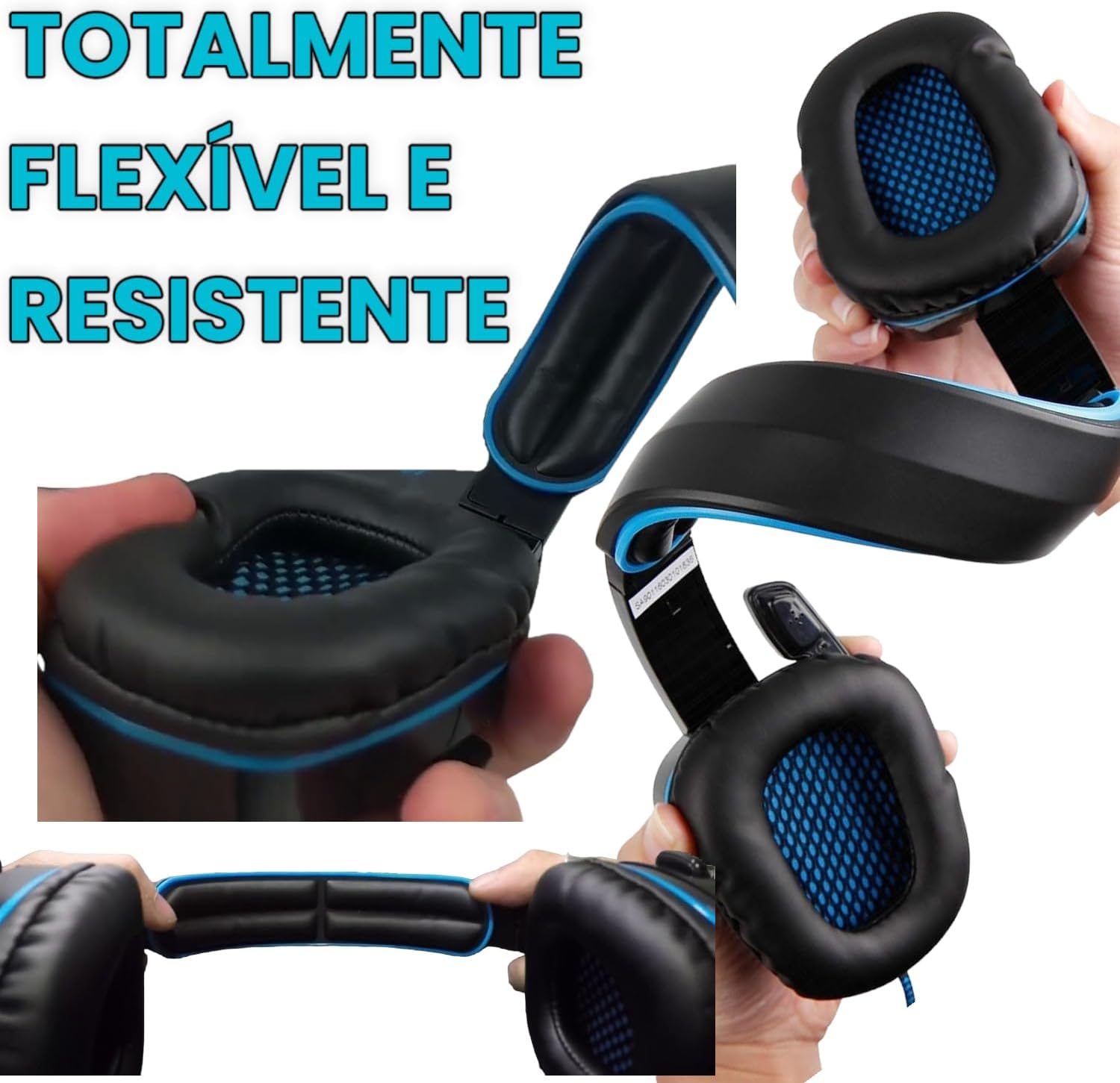
3.1-сүрөт: The headset's flexible and resistant construction for durability and easy storage.
4. Кыйынчылыктарды
4.1 No Audio or Low Volume
- Байланыштарды текшерүү: Ensure the 3.5mm jack or adapter is fully inserted into the correct port on your device.
- Үндү көзөмөлдөө: Verify that the in-line volume control on the headset cable is turned up. Also, check the volume settings on your connected device (console, PC, smartphone).
- Түзмөктүн жөндөөлөрү: On PCs, ensure the headset is selected as the default audio output device in your sound settings.
4.2 Микрофон иштебейт
- Үнсүз которуштуруу: Check the in-line remote control to ensure the microphone mute switch is not activated.
- Микрофондун абалы: Ensure the microphone boom is lowered and positioned correctly towards your mouth.
- Түзмөктүн жөндөөлөрү: On PCs and consoles, verify that the headset microphone is selected as the default input device in your audio or communication settings.
- Xbox 360 Adapter: If using with Xbox 360, ensure the adapter is securely connected to both the controller and the headset.
4.3 Interference or Static
- The headset features EMI/RFI shielding to minimize interference. If you experience static, try moving away from other electronic devices that might be causing electromagnetic interference.
- Бардык кабелдик байланыштар коопсуз экенин текшериңиз.
5. Продукттун спецификациялары
| Өзгөчөлүк | Деталь |
|---|---|
| Бренд | SADES |
| Модель аты | SA-708GT (Model Number: FBA_6453998) |
| Түс | Кара жана көк |
| Кулак жайгаштыруу | Кулак үстүндө |
| Форма фактору | Кулак үстүндө |
| Импеданс | 32 Ом |
| Элемент Салмагы | 4.8 унция |
| Noise Control | Активдүү ызы-чууну жокко чыгаруу |
| Жыштык диапазону | 20 Гц - 20 000 Гц |
| Аудио драйвер түрү | Динамикалык драйвер |
| Байланыш технологиясы | Wired (RF Wireless option also available for some models) |
| Наушник уясы | 3.5 мм Джек |
| Шайкеш түзмөктөр | PlayStation 4, Xbox 360, PC, Mac, iPhone, Smart Phones |
| Кошумча функциялар | Microphone Included, Foldable Design, 120° Adjustable Microphone |
| Материал | Plastic (Enclosure), Leather (Ear Cushions) |
| UPC | 751570407330, 718760120639 |
6. Кепилдик маалыматы
SADES products are manufactured to the highest quality standards. This product is covered by a limited warranty against defects in materials and workmanship from the date of original purchase. Please retain your proof of purchase for warranty claims.
The warranty does not cover damage caused by accident, misuse, abuse, unauthorized modification, or normal wear and tear. For specific warranty terms and conditions, please refer to the warranty card included with your product or contact customer support.
7. Кардарларды колдоо кызматы
If you encounter any issues or have questions regarding your SADES SA-708GT Gaming Headset that are not addressed in this manual, please contact our customer support team.
- Онлайн колдоо: Visit the official SADES webКөп берилүүчү суроолор, драйверлерди жүктөө жана колдоо булактары үчүн сайт.
- Электрондук почта колдоо: For support inquiries, please refer to the contact information provided on the official SADES webсайт.
- Телефондук колдоо: For immediate assistance, please refer to the contact information provided on the official SADES webсайт.
When contacting support, please have your product model (SA-708GT) and proof of purchase ready.