
1. Киришүү
This manual provides comprehensive instructions for the installation, operation, and maintenance of the HP Aruba 2930F 24G 4SFP+ Switch (Model JL253A). Please read this manual thoroughly before using the device to ensure proper setup and optimal performance. Retain this manual for future reference.
2. Продукт бүтүп калдыview
The HP Aruba 2930F 24G 4SFP+ Switch is a high-performance network switch designed for enterprise edge deployments. It features 24 Gigabit Ethernet ports and 4 SFP+ ports for high-speed uplinks, providing reliable and secure connectivity.

Сүрөт 2.1: Алдыңкы view of the HP Aruba 2930F 24G 4SFP+ Switch, showing 24 RJ45 Gigabit Ethernet ports, 4 SFP+ uplink ports, and LED indicators.

2.2-сүрөт: Бурчтуу view of the HP Aruba 2930F 24G 4SFP+ Switch, highlighting its compact design suitable for rack mounting.
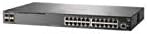
2.3-сүрөт: Каптал view of the HP Aruba 2930F 24G 4SFP+ Switch, showing ventilation slots for heat dissipation.
3. Орнотуу
3.1 Пакеттен чыгаруу жана мазмунун текшерүү
Коммутаторду этияттык менен ачып, бардык компоненттердин бар экенин текшериңиз. Пакетте төмөнкүлөр болушу керек:
- HP Aruba 2930F 24G 4SFP+ Switch (Model JL253A)
- Электр кабели
- Стойкага орнотуу үчүн топтом
- Консолдук кабель
Эгерде кандайдыр бир буюмдар жок же бузулуп калса, дароо сатуучуга кайрылыңыз.
3.2 Физикалык орнотуу
- Стойкага орнотуу: Use the provided rack-mount kit to secure the switch in a standard 19-inch equipment rack. Ensure adequate ventilation around the switch.
- Кубат туташуу: Connect the power cable to the switch's power input and then to a grounded AC power outlet.
- Баштапкы тармактык туташуу: Connect a computer to the switch's console port using the console cable for initial configuration, or connect to any RJ45 port for network access if DHCP is available.
Ensure all cables are securely connected and routed to prevent accidental disconnections.
4. Иштөө нускамалары
4.1 Күйгүзүү жана баштапкы жүктөө
Once the power cable is connected, the switch will automatically power on. Observe the LED indicators on the front panel. The Power LED should illuminate, indicating the device is receiving power. Other LEDs will indicate port status and activity.
4.2 Port Connectivity
- RJ45 Ports (10/100/1000BASE-T): Connect standard Ethernet cables (Cat5e or higher) to these ports for connecting network devices such as computers, servers, and other switches. These ports support auto-negotiation for speed and duplex settings.
- SFP+ Ports (10 Gigabit Ethernet): Use compatible SFP+ transceivers and fiber optic cables for high-speed uplinks to core switches or servers.
- PoE+ (Ethernet аркылуу кубаттоо плюс): If your model supports PoE+, these ports can provide power to compatible devices like IP phones, wireless access points, and security cameras, eliminating the need for separate power supplies.
4.3 LED көрсөткүчтөрү
The front panel LEDs provide visual status of the switch and its ports:
- Power LED: Кубаттын абалын көрсөтөт (күйгүзүү/өчүрүү).
- Ката LED: Indicates system errors or malfunctions.
- Порт шилтемеси/активдүүлүк LED индикаторлору: Indicate link status (solid green for link) and network activity (flashing green). Different colors or patterns may indicate different speeds (e.g., amber for 100Mbps, green for 1Gbps). Refer to the device's specific LED guide for detailed interpretation.
5. Техникалык тейлөө
5.1 Тазалоо
Коммутатордун сыртын жумшак, кургак чүпүрөк менен үзгүлтүксүз тазалап туруңуз. Суюк же аэрозоль тазалагычтарды колдонбоңуз. Аба агымынын туура болушун камсыз кылуу үчүн желдетүү тешиктери чаңдан жана тоскоолдуктардан тазаланганын текшериңиз.
5.2 Микропрограмма жаңыртуулары
Periodically check the Hewlett Packard (Aruba) support webмикропрограммалык камсыздоону жаңыртуу сайты. Микропрограмманы жаңыртып туруу оптималдуу иштөөнү, коопсуздукту жана жаңы функцияларга жетүүнү камсыз кылат. Микропрограммалык камсыздоону жаңыртуу топтому менен берилген көрсөтмөлөрдү кылдаттык менен аткарыңыз.
6. Кыйынчылыктарды
This section addresses common issues you might encounter with your HP Aruba 2930F switch.
- Кубат жок:
- Verify the power cable is securely connected to both the switch and a working power outlet.
- Розетканын иштеп жатканын текшерүү үчүн аны башка түзмөк менен текшериңиз.
- Портто шилтеме жок:
- Ethernet кабелинин эки учунда тең туура туташтырылганын текшериңиз.
- Башка Ethernet кабелин колдонуп көрүңүз.
- Test the connected device with another port or switch to isolate the issue.
- Туташкан түзмөктүн күйгүзүлгөнүн жана туура иштеп жатканын текшериңиз.
- Slow Network Connection:
- Check for excessive network traffic or bottlenecks.
- Ensure cables are Cat5e or higher for Gigabit speeds.
- Verify duplex settings on connected devices match the switch's auto-negotiated settings.
- Consider updating the switch firmware.
For more advanced troubleshooting or persistent issues, consult the official Hewlett Packard (Aruba) support documentation or contact technical support.
7. Техникалык шарттар
| Өзгөчөлүк | Нарк |
|---|---|
| Бренд | HEWLETT PACKARD |
| Модель номери | JL253A |
| Элемент Салмагы | 2.4 килограмм (5.28 фунт) |
| Продукциянын өлчөмдөрү (LxWxH) | 17.42 x 7.88 x 1.73 дюйм |
| Тtage | 200 вольт |
| Interface Type | RJ45, SFP+, PoE+ |
| Маалыматтарды өткөрүү ылдамдыгы | 100 Megabits Per Second (per port, supports Gigabit on RJ45 and 10 Gigabit on SFP+) |
| RAM | 1024 MB |
| Порттардын саны | 24 Gigabit Ethernet, 4 SFP+ (Total 28 logical ports) |
| Камтылган компоненттер | Power cable, rack-mount kit, console cable |
| Түс | Кара |
| Шайкеш түзмөктөр | Desktop (general network devices) |
Note: Data Transfer Rate of "100 Megabits Per Second" may refer to a baseline or specific port type; the switch supports Gigabit Ethernet on RJ45 ports and 10 Gigabit Ethernet on SFP+ ports.
8. Кепилдик жана колдоо
This HP Aruba 2930F 24G 4SFP+ Switch is manufactured by HEWLETT PACKARD. For warranty information, please refer to the warranty card included with your product or visit the official Hewlett Packard Enterprise (Aruba) website. Technical support and additional resources can be found on their support portal.
Жардам алуу үчүн төмөнкү дарекке кайрылыңыз: Аруба тармактарын колдоо