
Introduction
The HyperGear Rave Wireless Stereo Speaker delivers high-fidelity sound with an interactive multi-colored LED light show. It features Bluetooth connectivity, a built-in speakerphone, and an FM radio, making it suitable for various audio needs.
Пакеттин мазмуну
- Rave Wireless Speaker
- 3.5mm Stereo Auxiliary Cable
- Микро USB заряддоо кабели
- Колдонуучунун Колдонмосу (бул документ)

Продукт бүттүview
Динамиктин башкаруу элементтери жана порттору менен таанышып алыңыз.

Башкаруу баскычтары
- Кубат баскычы: Динамикти күйгүзүү же өчүрүү үчүн басып туруңуз.
- Режим баскычы (M): Bluetooth, FM Radio жана AUX режимдеринин ортосунда которулуу үчүн басыңыз.
- Play/Pause Button (►/∕): Аудиону ойнотуу же тындыруу үчүн басыңыз. Чалуу режиминде, чалууларга жооп берүү/аяктоо үчүн басыңыз.
- Volume Down / Previous Track (-/◀◀): Үндү азайтуу үчүн басыңыз. Мурунку трекке өтүү үчүн басып кармап туруңуз.
- Volume Up / Next Track (+/►►): Үндү катуулатуу үчүн басыңыз. Кийинки трекке өтүү үчүн басып кармап туруңуз.
- Жарык режиминин баскычы (*): Press to cycle through different LED light patterns or turn off the light show.
Порттар
- Микро USB кубаттоочу порт: Динамиктин ички батареясын заряддоо үчүн.
- 3.5 мм AUX киргизүү: For connecting external audio devices via the auxiliary cable.
Жайгашуу
Спикерди заряддоо
Before first use, fully charge the speaker. Connect the Micro USB charging cable to the speaker's charging port and the other end to a USB power adapter (not included) or a computer's USB port. The charging indicator light will illuminate during charging and turn off when fully charged. A full charge takes approximately 3-4 hours and provides up to 8 hours of playback.
Күйгүзүү/өчүрүү
басып, кармап туруңуз Кубат баскычы динамикти күйгүзүү же өчүрүү үчүн болжол менен 3 секунд басыңыз. Үн сигналы кубаттуулуктун абалын көрсөтөт.
Иштөө нускамалары
Bluetooth Жупташтыруу
- Динамик күйгүзүлүп, Bluetooth режиминде экенин текшериңиз. Болбосо, басыңыз Режим баскычы (M) until you hear the Bluetooth pairing prompt. The LED indicator will flash, indicating it is ready to pair.
- Мобилдик түзмөгүңүздө Bluetooth иштетип, жеткиликтүү түзмөктөрдү издеңиз.
- Select "HyperGear Rave" from the list of devices.
- Once paired, the speaker will emit a confirmation tone, and the LED indicator will stop flashing.

Музыка ойнотуу
Bluetooth режими
After successful pairing, you can play music from your connected device. Use the speaker's Ойнотуу/Тыныгуу, Көлөмдү жогорулатуу/Кийинки трек, жана Көлөмдү төмөндөтүү/Мурунку трек баскычтар ойнотууну башкаруу же түз түзмөгүңүздөн башкаруу.
AUX режими
Connect one end of the 3.5mm auxiliary cable to the speaker's AUX input and the other end to the audio output of your external device. Press the Режим баскычы (M) to switch to AUX mode. Audio will play directly from your connected device.
Hands-Free Чалуу
When connected via Bluetooth, the speaker can be used as a speakerphone. When a call comes in, the music will pause. Press the Ойнотуу/тындыруу баскычы to answer an incoming call. Press it again to end the call. Press and hold the Ойнотуу/тындыруу баскычы келген чалууну четке кагуу.
FM радиосунун иштеши
басыңыз Режим баскычы (M) to switch to FM Radio mode. The speaker will automatically scan and save available stations. Use the Көлөмдү жогорулатуу/Кийинки трек жана Көлөмдү төмөндөтүү/Мурунку трек buttons to navigate between saved stations. Press and hold these buttons to fine-tune the frequency.
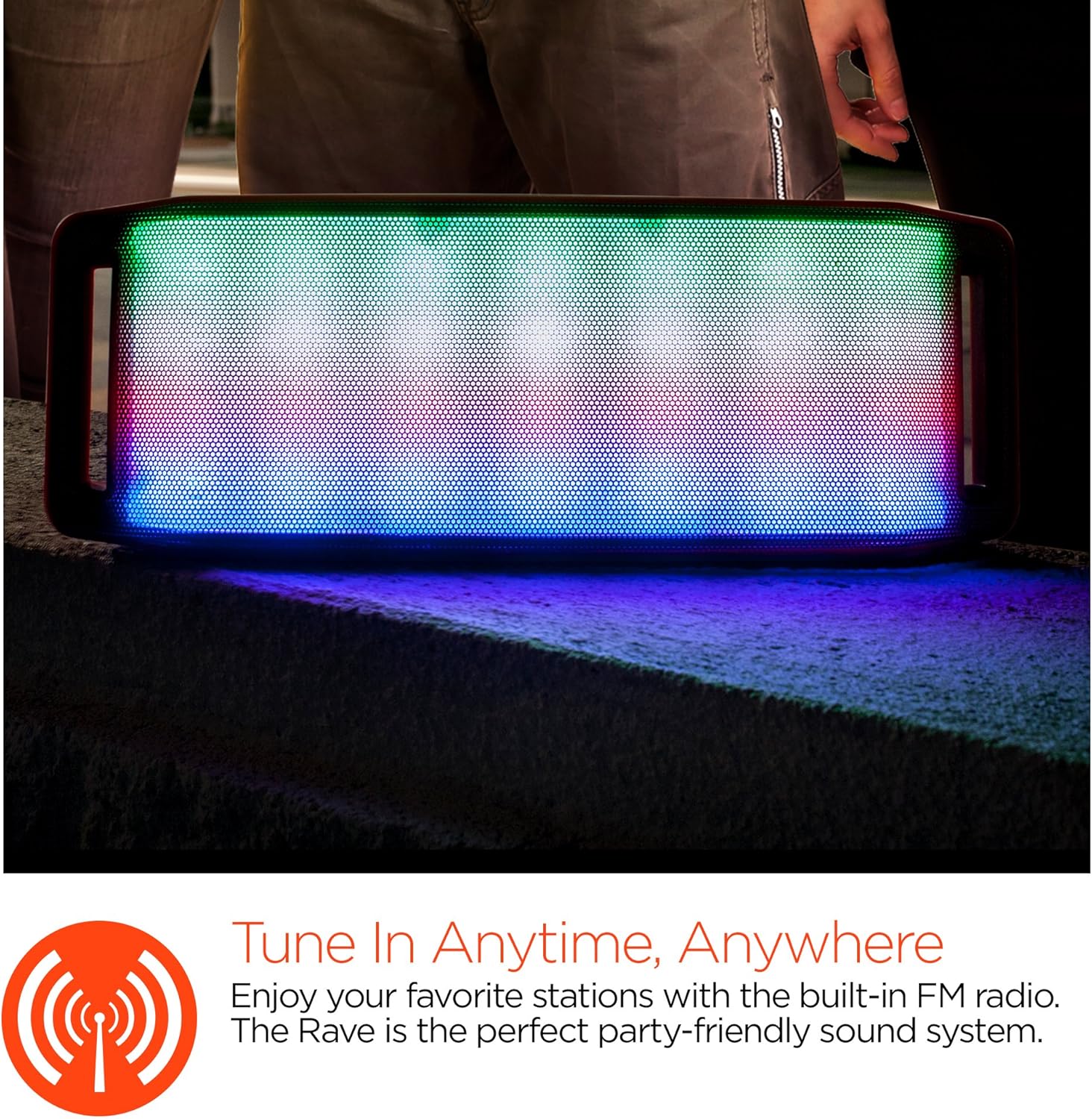
LED жарык шоу
The speaker features an interactive multi-colored LED light show. Press the Light Mode Button (*) to cycle through different light patterns or to turn the light show off.

Техникалык тейлөө
Тазалоо
Wipe the speaker with a soft, dry cloth. Do not use abrasive cleaners or solvents. Avoid exposing the speaker to excessive moisture.
Сактагыч
Динамикти салкын, кургак, күн нуру түз тийбеген жана өтө жогорку температурадан алыс жерде сактаңыз. Эгер узак убакытка сактасаңыз, батареянын иштөө мөөнөтүн сактоо үчүн аны мезгил-мезгили менен кубаттап туруңуз.
Батареяга кам көрүү
To prolong battery life, avoid fully discharging the speaker frequently. Charge the speaker regularly, even if not in use, to prevent deep discharge.
Проблемаларды чечүү
| Көйгөй | Мүмкүн себеп | Чечим |
|---|---|---|
| Динамик күйбөйт. | Батарея түгөнүп калды. | Динамикти Micro USB кабели аркылуу кубаттаңыз. |
| Bluetooth аркылуу жупташтыруу мүмкүн эмес. | Динамик жупташтыруу режиминде эмес; түзмөктө Bluetooth өчүк; аппарат өтө алыс. | Ensure speaker is in Bluetooth pairing mode (flashing LED). Turn on Bluetooth on your device. Move device closer to speaker (within 10 meters). |
| Үн жок. | Volume is too low; incorrect mode selected; device not playing. | Increase volume on both speaker and connected device. Ensure correct mode (Bluetooth/AUX/FM) is selected. Verify audio is playing on the source device. |
| Үндүн бузулушу. | Үн өтө жогору; аз батарея; кийлигишүү. | Үнүн азайтыңыз. Динамикти заряддаңыз. Динамикти башка электрондук шаймандардан алыстатыңыз. |
| FM радиосун кабыл алуу начар. | Алсыз сигнал; экологиялык кийлигишүү. | Relocate the speaker to an area with better reception. Extend the charging cable (if connected) as it can act as an antenna. |
Техникалык шарттар
| Өзгөчөлүк | Деталь |
|---|---|
| Модель номери | 13604 |
| Bluetooth версиясы | 3.0 ± EDR |
| Динамик чыгаруу күчү | 2 x 5W (жалпысынан 10W) |
| Сигнал-ызы-чуу катышы (S/N) | 80дБ |
| Батарея сыйымдуулугу | 1500mAh |
| Ойнотуу убактысы | 8 саатка чейин |
| Bluetooth диапазону | 33 фут / 10 м чейин |
| Байланыш технологиясы | Bluetooth, зымсыз |
| Аудио чыгаруу режими | Стерео |
| Башкаруу ыкмасы | тийүү |
| Салмагы | 2.25 фунт |
| Өзгөчөлүктөр | Bass Boost, Display, Multi-colored LED Light Show, Built-in Speakerphone, FM Radio |
Кепилдик жана колдоо
For warranty information or technical support, please refer to the contact details provided on the product packaging or visit the official HYPERGEAR webсайт. Сатып алганыңыздын далили катары сатып алуу дүмүрчөгүңүздү сактаңыз.