
1. Продукт бүтүп калдыview
The PWR+ 6-Foot 3-Prong AC Laptop Power Cord (Model: 3PR-UL) is a universal replacement power cable designed for a wide range of electronic devices. This cable features an IEC-60320 C5 connector (often referred to as a "Mickey Mouse" connector) on one end and a NEMA 5-15P (standard US 3-prong wall plug) on the other. It is engineered with high-quality materials to ensure reliable power delivery.

Image 1.1: The PWR+ 6-Foot 3-Prong AC Laptop Power Cord, showing both the C5 and NEMA 5-15P connectors.
This power cord is compatible with many laptop AC adapters, monitors, TVs, printers, scanners, game consoles, and other electronics that utilize a 3-slot C5 input. Its 6-foot length provides flexibility in various setups.

Сүрөт 1.2: Жакын план view of the IEC-60320 C5 "Mickey Mouse" connector, which plugs into your device's power adapter.

Image 1.3: Diagram illustrating the internal construction of the power cord, highlighting high-grade copper, wire insulation, aluminum foil shield, protective tinned copper braid, and PVC cable jacket for durability and safety.
2. Орнотуу нускамалары
Setting up your PWR+ power cord is a straightforward process. Ensure that both the power source and the device are turned off before making any connections.
- Туташтыргычтарды аныктоо: Locate the IEC-60320 C5 (3-slot "Mickey Mouse") connector on your device's power adapter or the device itself, and the NEMA 5-15P (standard 3-prong) plug for the wall outlet.
- Түзмөккө туташуу: Insert the C5 connector end of the PWR+ power cord firmly into the corresponding port on your laptop's AC adapter or other compatible electronic device.
- Розеткага туташуу: Plug the NEMA 5-15P end of the power cord into a standard 3-prong grounded AC wall outlet.
- Байланышты текшерүү: Кабелдин эки учу тең бекем туташтырылганын текшериңиз.
Once connected, you may power on your device. The cable is designed for immediate use without additional configuration.
3. Иштөө нускамалары
The PWR+ power cord functions as a direct replacement or spare for your existing power cable. It is designed for continuous use within its specified electrical ratings.
- Кубат жеткирүү: The cable facilitates the transfer of AC power from a wall outlet to your compatible electronic device's power adapter.
- Коопсуздук: This cable is UL/CE/FCC/RoHS certified, ensuring it meets safety and quality standards. Always use the cable with devices that match its voltage жана учурдагы спецификациялар.
- Колдонуу чөйрөсү: Use the power cord in dry, indoor environments. Avoid exposing it to moisture, extreme temperatures, or direct sunlight.
Video 3.1: An official PWR+ video demonstrating the features and quality of the power cord, including its construction and various lengths available.
4. Техникалык тейлөө
Proper care and maintenance will extend the lifespan of your PWR+ power cord.
- Тазалоо: Disconnect the power cord from the wall outlet and your device before cleaning. Wipe the cable and connectors with a dry, soft cloth. Do not use liquid cleaners or abrasive materials.
- Сактагыч: When not in use, coil the cable loosely. Avoid tight coiling, kinking, or bending the cable sharply, especially near the connectors, as this can damage the internal wires. Store in a cool, dry place away from direct sunlight.
- Текшерүү: Periodically inspect the cable for any signs of damage, such as cuts, fraying, or exposed wires. If damage is observed, discontinue use immediately and replace the cable.
5. Кыйынчылыктарды
If you encounter issues with your PWR+ power cord, refer to the following common troubleshooting steps:
| Көйгөй | Мүмкүн себеп | Чечим |
|---|---|---|
| Түзмөк электр кубатын албай жатат. | Loose connection at the wall outlet or device. | Ensure both ends of the power cord are securely plugged in. |
| Түзмөк электр кубатын албай жатат. | Дубал розетка активдүү эмес. | Test the wall outlet with another known working device. Check circuit breaker if necessary. |
| Түзмөк электр кубатын албай жатат. | Бузулган электр зымы. | Inspect the cable for visible damage (cuts, fraying). If damaged, replace the cord. |
| Cable feels warm during use. | Normal operation or device drawing high power. | A slight warmth is normal. If the cable becomes excessively hot or emits a burning smell, disconnect immediately and contact support. Ensure the device's power requirements do not exceed the cable's specifications. |
If these steps do not resolve the issue, please contact PWR+ customer support for further assistance.
6. Продукттун спецификациялары
- Модель номери: 3PR-UL
- Бренд: PWR+
- Түсү: Кара
- Элемент узундугу: 6 Фут
- Туташтыргычтын жынысы: Male-to-Female (NEMA 5-15P to IEC-60320 C5)
- Plug Format: B түрү (NEMA 5-15P)
- Plug түрү: B түрү
- Тtage: 125 вольт (AC)
- Киргизүү агымы: 7 Amps
- Ватtage: 20 ватт
- ченегич: 18 AWG (америкалык зым өлчөгүч)
- Number Of Conductors: 3
- Соода түйүндөрүнүн саны: 1 (C5 connector)
- UL тизмеси: Ооба
- Элемент Салмагы: 4.8 унция

Image 6.1: The UL certification mark, indicating the product meets safety standards.
7. Кепилдик жана Кардарларды колдоо
PWR+ stands behind the quality of its products. This power cord comes with a comprehensive warranty and dedicated customer support.
- Кепилдик мөөнөтү: 30 Days Refund - 24 Months Exchange.
- Кардарларды колдоо: PWR+ is a WA, USA-based company committed to providing friendly and expert customer support. For any inquiries, issues, or warranty claims, please contact our support team.
- Сапатты камсыздоо: Our products are manufactured with uncompromising dedication to quality and feature verifiable safety certification by UL (USA).
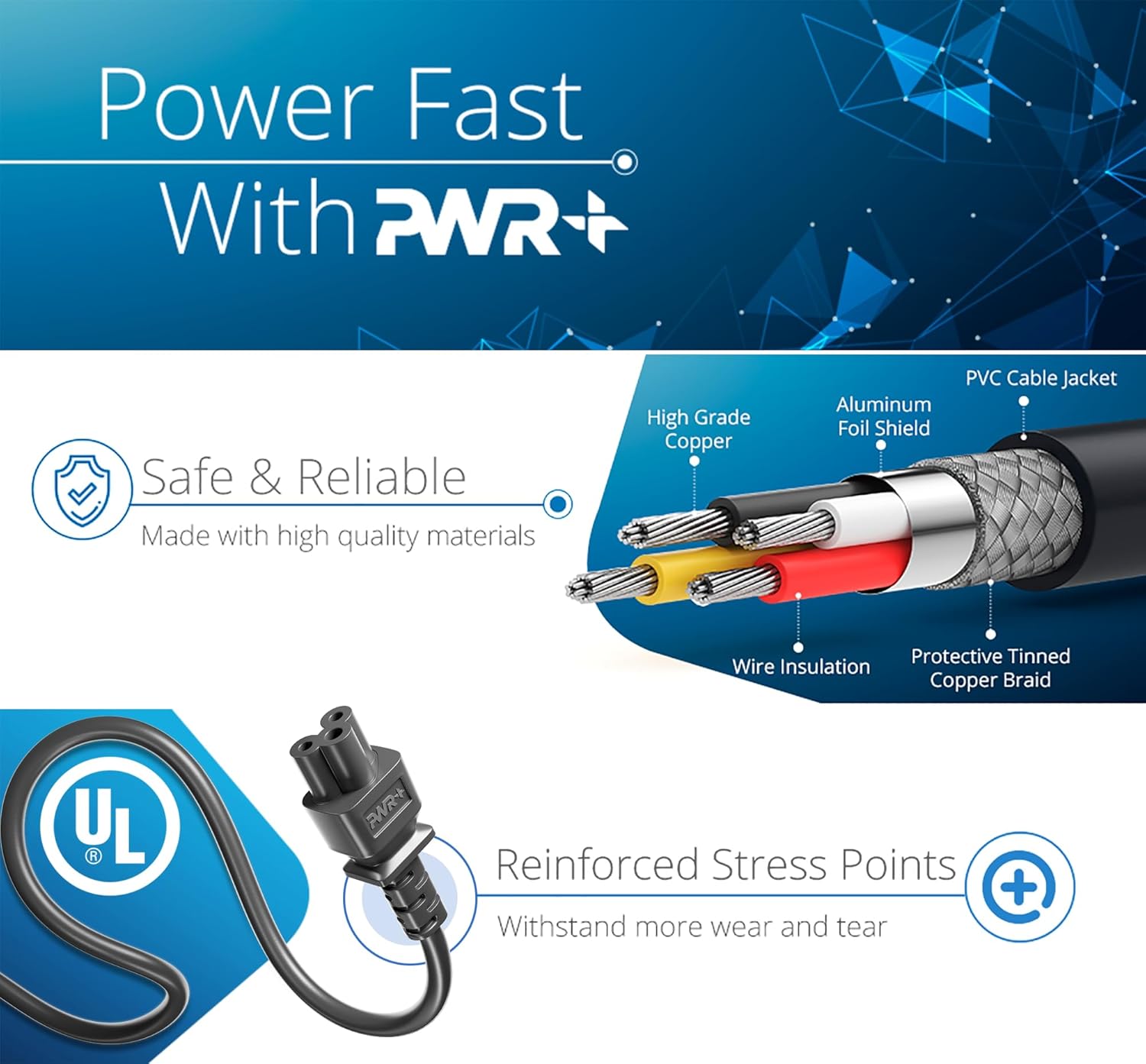
Image 7.1: The PWR+ power cord, showing the UL Listed tag for safety assurance.