
Introduction
The ARRIS SURFboard TM822G is a high-performance DOCSIS 3.0 cable modem and a 2-port telephony modem, designed for use with XFINITY from Comcast Internet & Voice service. This device provides a reliable connection for your internet and supports two Voice over IP (VoIP) telephone lines. By owning your modem, you can avoid monthly rental fees from your service provider.
Пакеттин мазмуну
Продукцияңыздын таңгагында бардык элементтер бар экенин текшериңиз:
- ARRIS SURFboard TM822G Cable Modem
- Ethernet кабели
- Coaxial Cable Splitter
- Эки коаксиалдык кабель
- Электр кабели
- Колдонуучунун Колдонмосу (бул документ)
Түзмөк бүттүview
Familiarize yourself with the ARRIS SURFboard TM822G's components and indicators.
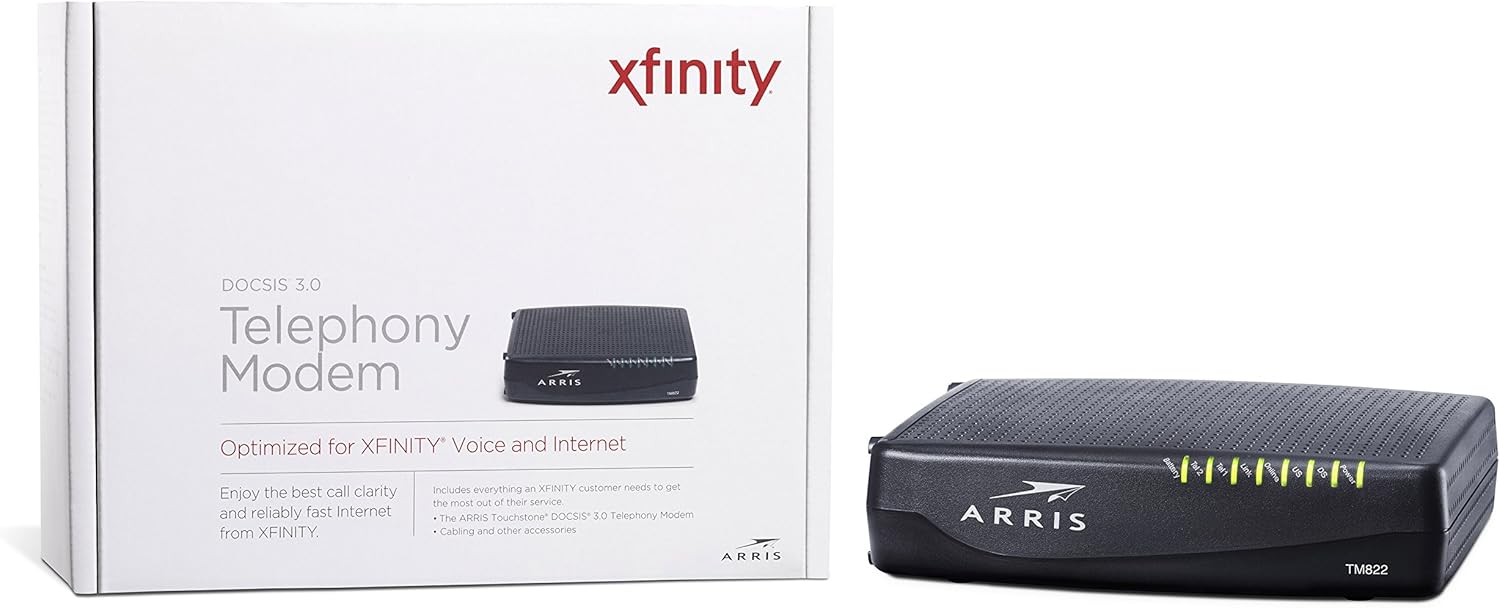
Сүрөт 1: Алдыңкы View of ARRIS SURFboard TM822G
This image shows the front panel of the ARRIS SURFboard TM822G cable modem, highlighting the status indicator lights.

2-сүрөт: Арткы View of ARRIS SURFboard TM822G
This image displays the rear panel of the ARRIS SURFboard TM822G, detailing the coaxial input, Ethernet port, and two telephone line ports.
LED абалынын көрсөткүчтөрү
Алдыңкы панелдин диоддору модемдин иштөө абалы жөнүндө маалымат берет:
- Күч: Indicates the modem's power status.
- DS (төмөн агым): Төмөнкү каналдын байланышын көрсөтөт.
- АКШ (жогорку агым): Жогорку каналдын байланышын көрсөтөт.
- Онлайн: Интернетке ийгиликтүү туташууну көрсөтөт.
- Шилтеме: Ethernet туташуусунун абалын көрсөтөт.
- Tel1 / Tel2: Indicate the status of the two telephone lines.
- Батарея: Indicates the status of an optional battery backup (sold separately).
Жайгашуу
Follow these steps to set up your ARRIS SURFboard TM822G cable modem:
- Коаксиалдык кабелди туташтыруу: Коаксиалдык кабелдин бир учун дубалдагы кабелдик розеткага, ал эми экинчи учун модемдин арткы бетиндеги "Cable In" портуна туташтырыңыз. Туташуунун манжаңыз менен бекем туташтырылганын текшериңиз.
- Ethernet кабелин туташтыруу: Connect one end of the Ethernet cable to the Ethernet port on the back of the modem and the other end to your computer or wireless router.
- Телефон линияларын туташтыруу: If you have Xfinity Voice service, connect your telephone(s) to the "Tel1" and/or "Tel2" ports on the back of the modem.
- Туташуу кубаты: Plug the power cord into the modem's power port and then into an electrical outlet.
- Күйгүзүү: Wait for the modem to power on and for the front panel LEDs (Power, DS, US, Online, Link, Tel1/Tel2) to become solid green or blue, indicating a stable connection. This may take several minutes.
- Кызматты иштетүү:
- For Xfinity Users: ачуу а web туташкан түзмөктөгү серепчиге өтүңүз xfinity.com/activate. Follow the on-screen instructions to activate your modem. You may need your Xfinity account information.
- For Other ISPs: Refer to your Internet Service Provider's activation instructions or contact their customer support.
Иштөө нускамалары
Once successfully set up and activated, your ARRIS SURFboard TM822G will provide internet and telephone service. The modem operates continuously to maintain your connection. Monitor the front panel LEDs to ensure proper operation. Solid lights typically indicate a stable connection, while blinking lights or specific color changes may indicate activity or a problem.
For optimal performance, ensure the modem is placed in a well-ventilated area, away from direct sunlight or heat sources, and not obstructed by other objects.
Техникалык тейлөө
Regular maintenance helps ensure the longevity and optimal performance of your modem:
- Тазалоо: Periodically wipe the exterior of the modem with a soft, dry cloth. Avoid using liquid cleaners or abrasive materials.
- Вентиляция: Модемдин ысып кетишинин алдын алуу үчүн анын желдетүү тешиктери бүтөлүп калбагандыгын текшериңиз.
- Программалык камсыздоонун жаңыртуулары: Микропрограммалык камсыздоону жаңыртуулар, адатта, интернет провайдериңиз тарабынан автоматтык түрдө башкарылат. Интернет провайдериңиз көрсөтмө бермейинче, микропрограммалык камсыздоону кол менен жаңыртууга аракет кылбаңыз.
- Кайра жүктөлүүдө: If you experience connectivity issues, a simple reboot of the modem (unplugging the power for 30 seconds and plugging it back in) can often resolve minor problems.
Проблемаларды чечүү
If you encounter issues with your ARRIS SURFboard TM822G, refer to the following common troubleshooting tips:
| Көйгөй | Мүмкүн себеп | Чечим |
|---|---|---|
| Power LED жок | Modem is not receiving power. | Check power cord connections to the modem and electrical outlet. Ensure the outlet is functional. |
| DS/US/Online LEDs are blinking or off | No connection to the cable network or internet. | Ensure coaxial cable is securely connected. Check for service outages in your area. Contact your ISP if the issue persists. |
| Link LED is off | No Ethernet connection to your computer/router. | Verify the Ethernet cable is securely connected to both the modem and your device/router. Try a different Ethernet cable. |
| Tel1/Tel2 LEDs are off or blinking | Telephone service issue. | Ensure telephone lines are correctly connected. Contact your Xfinity Voice service provider. |
| Жай Интернет ылдамдыгы | Network congestion, outdated router, or ISP issue. | Reboot the modem and router. Ensure your router is capable of handling your internet speed plan. Contact your ISP to check line quality and service plan. |
The ARRIS SURFboard TM822G supports Loop Diagnostics for remote testing and troubleshooting of in-house wiring, which can be utilized by your service provider.
Техникалык шарттар
Key technical specifications for the ARRIS SURFboard TM822G:
- Бренд: ARRIS
- Модел: TM822G
- Модем түрү: Cable Modem with Telephony Adapter
- DOCSIS стандарты: DOCSIS 3.0
- Downstream Channels: 8 байланыштырылган канал
- Upstream Channels: 4 байланыштырылган канал
- Maximum Downstream Speed: 343 Мбит/сек чейин
- Maximum Upstream Speed: 131 Мбит/сек чейин
- Ethernet порттору: 1 Gigabit Ethernet порту
- Телефон порттору: 2 (for Voice over IP)
- Compatible ISP: Certified for Comcast Xfinity Internet & Voice service only.
- Байланыш технологиясы: Ethernet
- Түсү: Кара
Кепилдик жана колдоо
The ARRIS SURFboard TM822G comes with a 2 жылдык чектелген тетиктер жана жумушчу күчү кепилдиги. For technical assistance or warranty claims, please contact ARRIS customer support. You can find contact information and additional resources on the official ARRIS support webсайт.