
cellularline BTMOSQUITOK
Cellularline BTMOSQUITOK MOTION In-Ear Bluetooth Stereo Earphone User Manual
Model: BTMOSQUITOK
1. Киришүү
Thank you for choosing the Cellularline BTMOSQUITOK MOTION In-Ear Bluetooth Stereo Earphone. This manual provides essential information for the safe and efficient use of your new earphones. Please read it thoroughly before use and keep it for future reference.
These in-ear Bluetooth earphones feature perfect fit technology, a built-in microphone with an answer button, and remote control, making them ideal for listening to music and managing calls. They also include a simple magnetic closure for convenient portability.
2. Пакеттин мазмуну
Пакетте бардык буюмдар бар экенин текшериңиз:
- Cellularline BTMOSQUITOK MOTION In-Ear Bluetooth Stereo Earphone
- USB заряддоо кабели
- 3 sets of earbuds (various sizes)
- User Manual
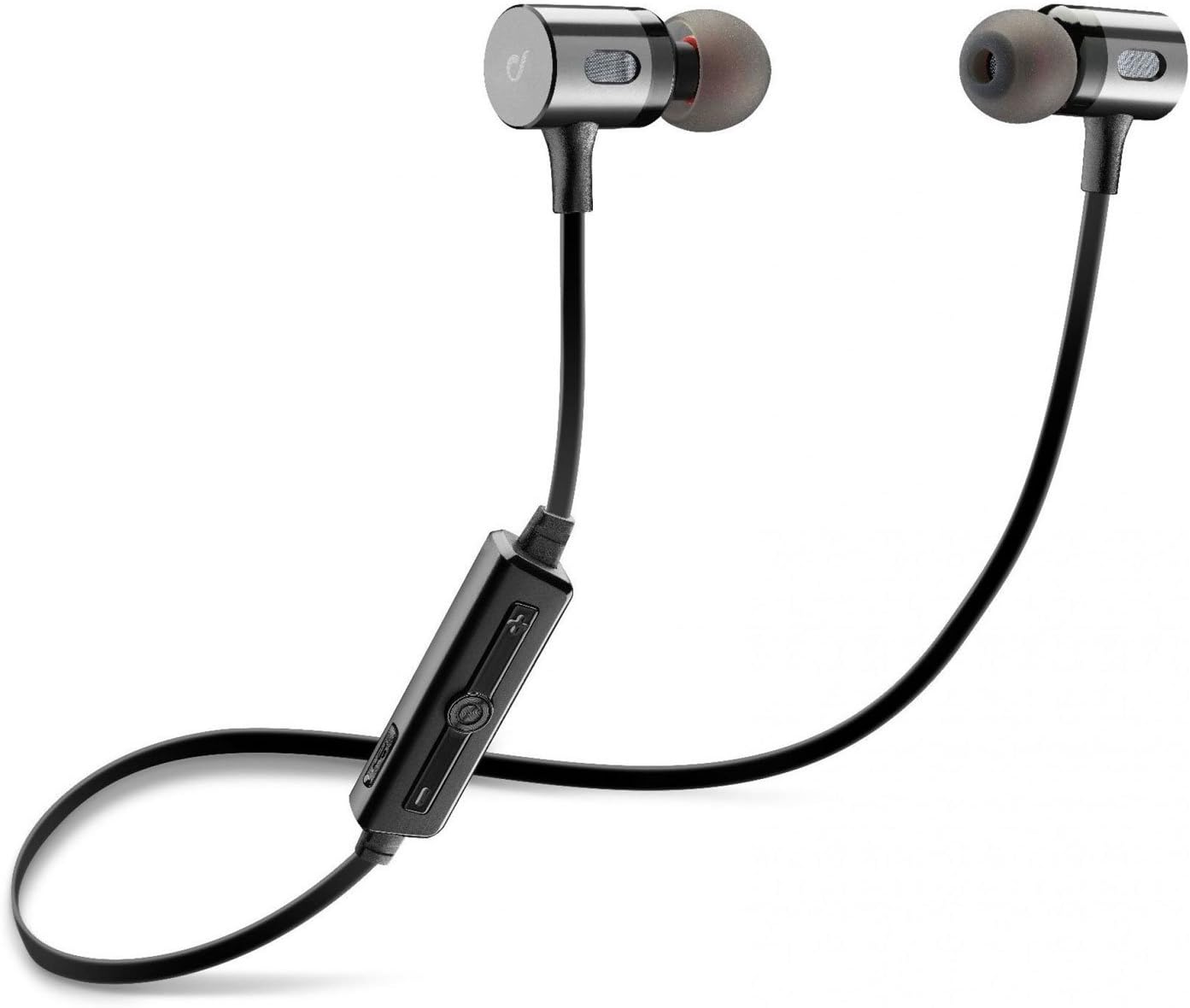
Image: The Cellularline BTMOSQUITOK MOTION In-Ear Bluetooth Stereo Earphone, showing the earbuds, cable, and inline remote.
3. Коопсуздук маалыматы
- Наушниктерди өтө температурага, нымдуулукка же суюктукка тийгизбеңиз.
- Кулакчындарды түшүрүүдөн же катуу таасирлерден сактаныңыз.
- Do not attempt to disassemble or repair the earphones yourself. Refer to qualified service personnel.
- Катуу үндөрдүн узакка созулушу угуунун бузулушуна алып келиши мүмкүн. Үндү орточо деңгээлге тууралаңыз.
- Балдар жетпеген жерде сактаңыз.
4. Орнотуу жана биринчи колдонуу
4.1. Наушниктерди заряддоо
Before first use, fully charge the earphones. Connect the supplied USB charging cable to the charging port on the inline remote control and the other end to a USB power source (e.g., computer USB port or USB wall adapter).
- Адатта, заряддоо учурунда кызыл индикатор күйөт.
- The light will turn blue or off when charging is complete.

Image: Close-up of the inline remote control on the Cellularline BTMOSQUITOK earphones, showing buttons and charging port location.
4.2. Bluetooth түзмөгү менен жупташуу
- Кулакчындардын заряддалганын жана өчүрүлгөнүн текшериңиз.
- Press and hold the multi-function button (usually the center button on the remote) until the indicator light flashes red and blue alternately, indicating pairing mode.
- On your Bluetooth device (smartphone, tablet, etc.), enable Bluetooth and search for new devices.
- Select "BTMOSQUITOK" or similar name from the list of available devices.
- Once paired, the indicator light on the earphones will typically flash blue slowly or turn off, and you may hear a confirmation tone.
Note: If a passcode is required, enter "0000".
5. Иштөө нускамалары
5.1. Күйгүзүү/өчүрүү
- Күйгүзүү: Press and hold the multi-function button for approximately 3 seconds until the blue indicator light flashes.
- Өчүрүү: Press and hold the multi-function button for approximately 5 seconds until the red indicator light flashes and then turns off.
5.2. Музыканы ойнотуу
- Ойнотуу/тындыруу: Көп функциялуу баскычты бир жолу басыңыз.
- Кийинки трек: Press and hold the "+" volume button.
- Мурунку трек: Press and hold the "-" volume button.
- Көлөмү: Short press the "+" volume button.
- Үнүн азайтуу: Short press the "-" volume button.
5.3. Чалууларды башкаруу
- Чалууга жооп берүү/аяктоо: Көп функциялуу баскычты бир жолу басыңыз.
- Чакырууну четке кагуу: Көп функциялуу баскычты болжол менен 2 секунд басып туруңуз.
- Акыркы номерди кайра терүү: Көп функциялуу баскычты эки жолу басыңыз.

Image: The magnetic closure feature of the Cellularline BTMOSQUITOK earbuds, allowing them to snap together for secure carrying.
6. Техникалык тейлөө жана кам көрүү
- Clean the earphones regularly with a soft, dry cloth.
- Абразивдүү тазалагычтарды же эриткичтерди колдонбоңуз.
- Remove and clean the ear tips periodically to prevent wax buildup.
- Store the earphones in a cool, dry place when not in use. The magnetic closure helps keep them tangle-free.
7. Кыйынчылыктарды
| Көйгөй | Мүмкүн себеп | Чечим |
|---|---|---|
| Кулакчындар күйбөйт. | Батарея аз. | Наушниктерди толук заряддаңыз. |
| Түзмөк менен жупташтыруу мүмкүн эмес. | Кулакчындар жупташтыруу режиминде эмес; түзмөктө Bluetooth өчүк; түзмөк өтө алыс. | Ensure earphones are in pairing mode (flashing red/blue). Turn on Bluetooth on your device. Move device closer to earphones. |
| Үн жок же үнү төмөн. | Volume too low; earphones not connected; incorrect audio output selected on device. | Increase volume on earphones and device. Re-pair earphones. Check audio output settings on your device. |
| үзгүлтүктүү байланыш. | кийлигишүү; аппарат өтө алыс; аз батарея. | Move away from sources of interference (Wi-Fi routers, other Bluetooth devices). Keep device within range. Charge earphones. |
8. Техникалык шарттар
| Модель аты | BTMOSQUITOK MOTION |
| Бренд | Cellularline |
| Type | In-Ear Bluetooth Stereo Earphone |
| Түс | Кара |
| Микрофон | Built-in with answer button and remote control |
| Батарея түрү | Литий-ион (1 керек) |
| Продукциянын өлчөмдөрү | 9.2 x 2 x 17.5 см |
| Салмагы | 65 г |
| Noise Control | Үн изоляциясы |
9. Кепилдик жана колдоо
For warranty information and technical support, please refer to the warranty card included with your product or visit the official Cellularline webсайт. Кепилдик дооматтар үчүн сатып алганыңыздын далилин сактаңыз.
Manufacturer: Cellularline
Ask a question about this manual
Ask about setup, troubleshooting, compatibility, parts, safety, or missing instructions. Manuals+ will review the question and use this page’s manual context to help answer it.