
Introduction
The UGREEN USB External Stereo Sound Card Audio Adapter (Model 30521) provides a convenient solution for connecting audio devices to your computer or gaming console via a USB port. This adapter features 3.5mm auxiliary ports for headphones and microphones, as well as 2RCA outputs for speakers, enhancing your audio experience with superior sound quality and broad compatibility. It is designed for plug-and-play operation, requiring no additional drivers for most operating systems.
Жайгашуу
Пакеттин мазмуну
- 1 x UGREEN USB External Stereo Sound Card Audio Adapter
Системалык талаптар
- Operating Systems: Windows 11/10/8.1/8/7/Vista/XP, Mac OS 8.6 or above, Linux
- Gaming Consoles: PS5, PS4
- Available USB 2.0 Type-A Port
Аппаратты туташтыруу
- Connect to Computer/Console: Insert the USB-A connector of the UGREEN audio adapter into an available USB port on your computer (desktop or laptop) or gaming console (PS5/PS4). The device is plug-and-play and should be automatically recognized by your system within seconds.
- Наушниктерди/Спикерлерди туташтыруу:
- For headphones, plug your 3.5mm headset or earphones into the green 3.5mm female jack on the adapter.
- For speakers or audio receivers, connect your RCA cables (red for right, white for left) to the corresponding 2RCA female ports on the adapter.
- Микрофонду туташтыруу: If using an external microphone, plug its 3.5mm connector into the pink 3.5mm female jack on the adapter.
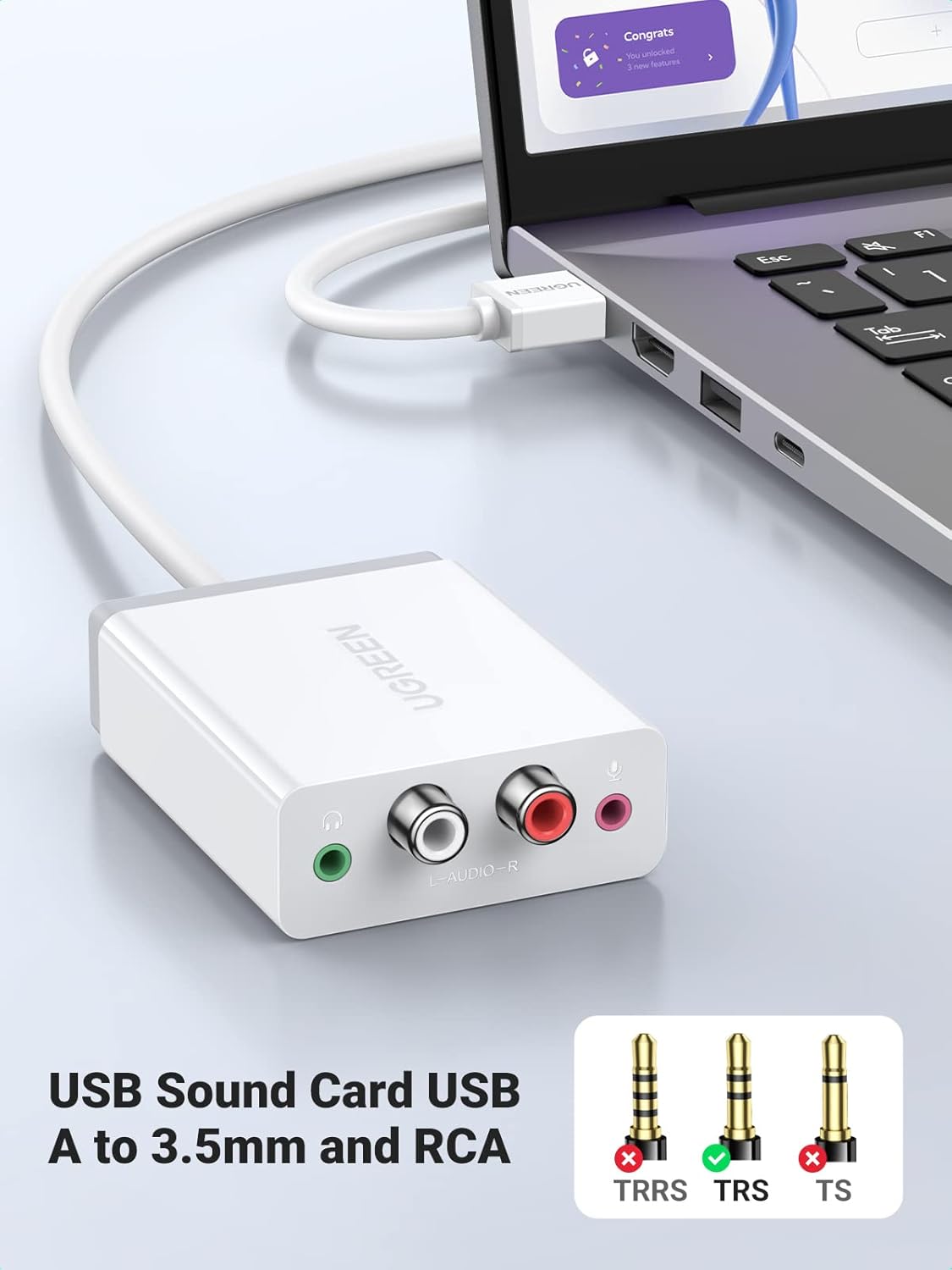
Image: The UGREEN USB External Stereo Sound Card connected to a laptop, demonstrating its compact size and ease of integration into a portable setup.
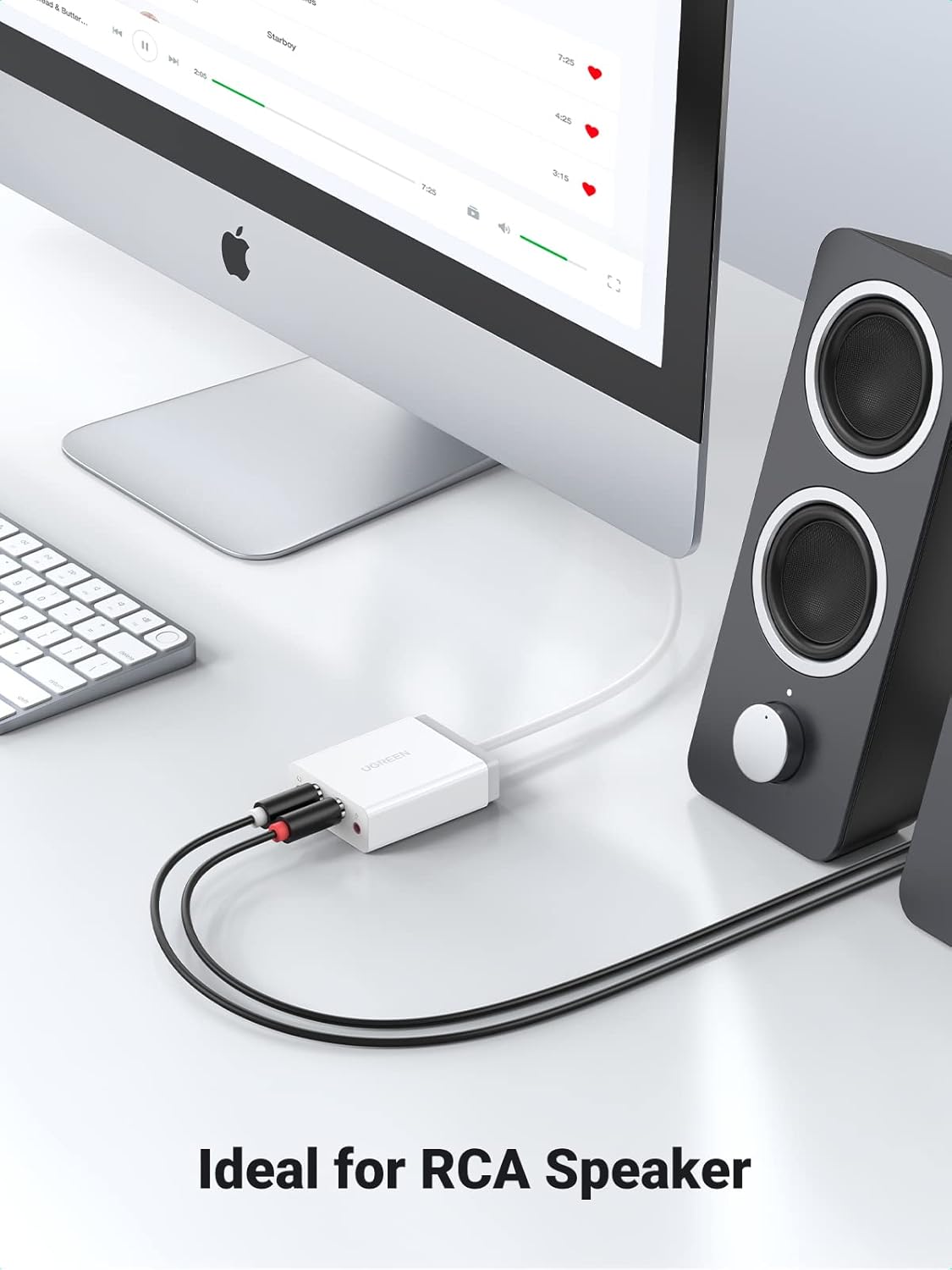
Image: The UGREEN USB External Stereo Sound Card connected to a computer and a pair of RCA speakers, illustrating its use for desktop audio output.

Image: A user playing a video game with headphones connected to the UGREEN USB External Stereo Sound Card, highlighting its suitability for headphone use.
Иштөө нускамалары
Selecting the Audio Device
After connecting the adapter, your operating system should automatically detect it. You may need to manually select it as the default audio playback and recording device in your system's sound settings.
- Windows: Right-click the speaker icon in the taskbar, select 'Sound settings' or 'Playback devices', and choose 'UGREEN USB Audio Device' as your default playback and recording device.
- MacOS: Go to 'System Preferences' > 'Sound', and select 'UGREEN USB Audio Device' under the 'Output' and 'Input' tabs.
- Linux: Access your distribution's sound settings and select the UGREEN device.
- PS5/PS4: Navigate to 'Settings' > 'Sound' > 'Audio Output' and select the USB audio device.
Аудио сапаты
The UGREEN adapter features an advanced CM6533 chipset, supporting high-quality audio:
- Наушник: Up to 24bit/96KHz sampling rate for clear and detailed audio playback.
- Микрофон: Up to 16bit/48KHz sampling rate for crisp voice input.
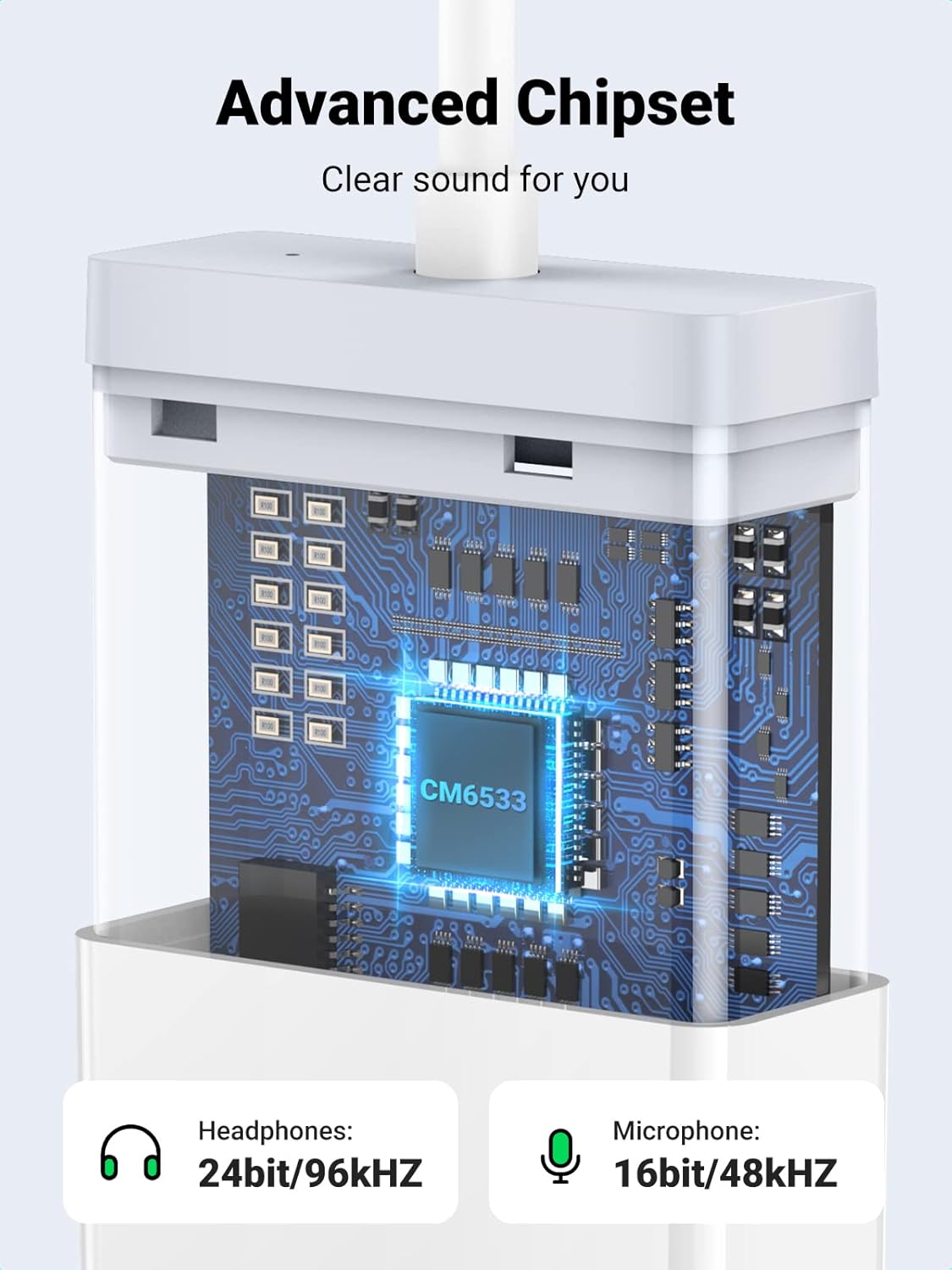
Сүрөт: ички view of the UGREEN USB Sound Card highlighting the advanced CM6533 chipset, which enables high-quality audio processing for both headphones and microphones.

Image: A diagram showing the audio ports (headphones, microphone, speaker) and compatible operating systems (Windows, Mac OS, Linux) for the UGREEN USB External Stereo Sound Card.
Техникалык тейлөө
To ensure the longevity and optimal performance of your UGREEN USB External Stereo Sound Card, follow these simple maintenance guidelines:
- Тазалоо: Use a soft, dry cloth to wipe the exterior of the device. Avoid using liquid cleaners or abrasive materials, as they may damage the surface or internal components.
- Сактагыч: Колдонулбаганда, адаптерди салкын, кургак жерде, тике күндүн нурунан жана өтө температурадан алыс сактаңыз.
- Колдонуу: Avoid bending or pulling the cable excessively, especially near the connectors, to prevent internal wire damage. Do not drop the device or subject it to strong impacts.
- Байланыш: Ensure that the USB port and audio jacks are free from dust and debris before connecting the adapter or audio devices.
Проблемаларды чечүү
If you encounter issues with your UGREEN USB External Stereo Sound Card, please refer to the following common troubleshooting steps:
- Үн чыгышы жок:
- Ensure the adapter is securely plugged into a working USB port.
- Verify that the headphones or speakers are correctly connected to the adapter's output jacks.
- Check your system's sound settings to confirm that 'UGREEN USB Audio Device' is selected as the default playback device and that the volume is not muted or set too low.
- Try connecting the adapter to a different USB port on your computer/console.
- Микрофон иштебейт:
- Confirm the microphone is plugged into the pink 3.5mm jack.
- In your system's sound settings, ensure 'UGREEN USB Audio Device' is selected as the default recording device and that the microphone volume/gain is appropriately set.
- Test the microphone with another device if possible to rule out a microphone issue.
- Үн сапатынын начардыгы (статикалык, бурмалоо, төмөн үн):
- Ensure all cables (USB, 3.5mm, RCA) are fully inserted and not damaged.
- Башка электрондук шаймандардын кийлигишүүсүн текшериңиз.
- s текшериңизampling rate in your system's sound settings. While the device supports up to 24bit/96KHz, some applications or system configurations might default to lower settings.
- If using with RCA speakers, ensure the correct input is selected on your ampкөтөргүч/алуучу.
- Түзмөк таанылган жок:
- Компьютериңизди же консолуңузду өчүрүп күйгүзүңүз.
- Башка USB портун колдонуп көрүңүз.
- On Windows, check Device Manager for any unrecognized devices or driver issues. Although plug-and-play, sometimes a system restart or USB port change can resolve detection problems.
Техникалык шарттар
| Өзгөчөлүк | Деталь |
|---|---|
| Бренд | UGREEN |
| Модель номери | 30521 |
| Аппараттык интерфейс | USB 2.0 Type-A |
| Аудио чыгаруу режими | Стерео |
| Наушник Сampling Rate | 24bit/96KHz чейин |
| Микрофон Sampling Rate | 16bit/48KHz чейин |
| Туташтыргычтар | 1x USB-A Male, 1x 3.5mm Female (Headphone), 1x 3.5mm Female (Microphone), 2x RCA Female (L/R Audio) |
| Шайкеш түзмөктөр | PC, Laptop, PS4, PS5 |
| Операциялык системалар | Windows XP/Vista/7/8/8.1/10/11, Mac OS X, Linux |
| Кабелдин узундугу | Approximately 3ft (1m) |
| Өлчөмдөрү (LxWxH) | 2.76 x 2.17 x 0.87 дюйм (70 x 55 x 22 мм) |
| Элемент Салмагы | 3.52 унция |
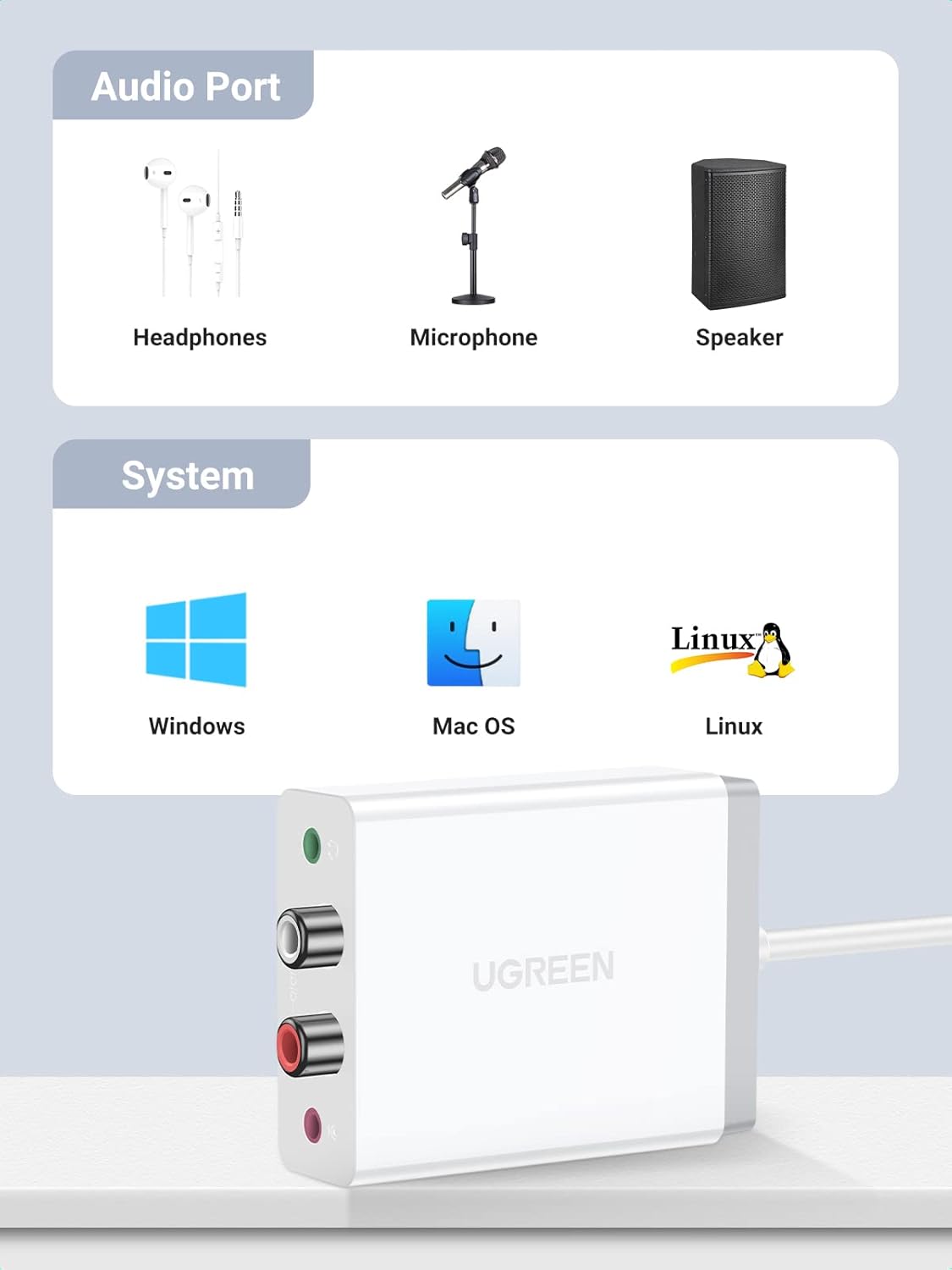
Image: A visual representation of the UGREEN USB Sound Card's mini size, including its dimensions (70mm length, 55mm width, 22mm height) and cable length (1 meter or 3.3 feet).
Кепилдик жана колдоо
For detailed warranty information and customer support, please refer to the official UGREEN webсайтка же түздөн-түз кардарларды тейлөөгө кайрылыңыз. Кепилдик дооматтар үчүн сатып алуу дүмүрчөгүңүздү сактаңыз.
UGREEN расмий Webсайт: www.ugreen.com


