
Introduction
Thank you for choosing the ROLINE Cable Cover Organizer. This manual provides essential information for the proper installation, operation, and maintenance of your cable management solution. Designed to keep your workspace tidy, this under-desk mount cable tray effectively hides wires, power cords, and power strips, ensuring a clean and organized environment.
Коопсуздук маалыматы
- Ensure all mounting hardware is securely fastened to prevent the organizer from falling.
- Do not overload the organizer with excessive weight beyond its structural capacity.
- Keep hands clear of moving parts during installation.
- Use appropriate tools for installation to avoid injury or damage to the product or mounting surface.
Пакеттин мазмуну
Сураныч, орнотууну баштоодон мурун бардык компоненттер бар экендигин текшериңиз:
- 2 x ROLINE Cable Cover Organizer sections
- Mounting Screws (quantity may vary, typically 4-6 screws per section)
Орнотуу жана орнотуу
The ROLINE Cable Cover Organizer is designed for easy under-desk mounting. Follow these steps for secure installation:
- Монтаждоо ордун аныктоо: Choose a suitable location under your desk where the organizer will not interfere with legroom or desk functionality. Ensure the surface is sturdy enough to support the organizer and its contents.
- Position the Organizer: Hold one section of the cable organizer against the underside of your desk at the desired mounting position. Use a pencil to mark the locations for the mounting screws through the pre-drilled holes.
- Pre-drill Pilot Holes (Recommended): For wood or composite desks, it is recommended to pre-drill small pilot holes at the marked locations. This helps prevent wood splitting and ensures easier screw insertion. Ensure the drill bit size is smaller than the screw diameter.
- Secure the Organizer: Align the organizer with the pilot holes (if drilled) and use the provided mounting screws to firmly attach it to the underside of the desk. Ensure each screw is tightened securely.
- Экинчи бөлүм үчүн кайталаңыз: If using both sections, repeat steps 2-4 to install the second organizer section, ensuring proper alignment and spacing as needed for your cable management requirements.

Бул view shows the side profile of the cable organizer, illustrating the design for cable routing and the pre-drilled holes for secure mounting under a desk.
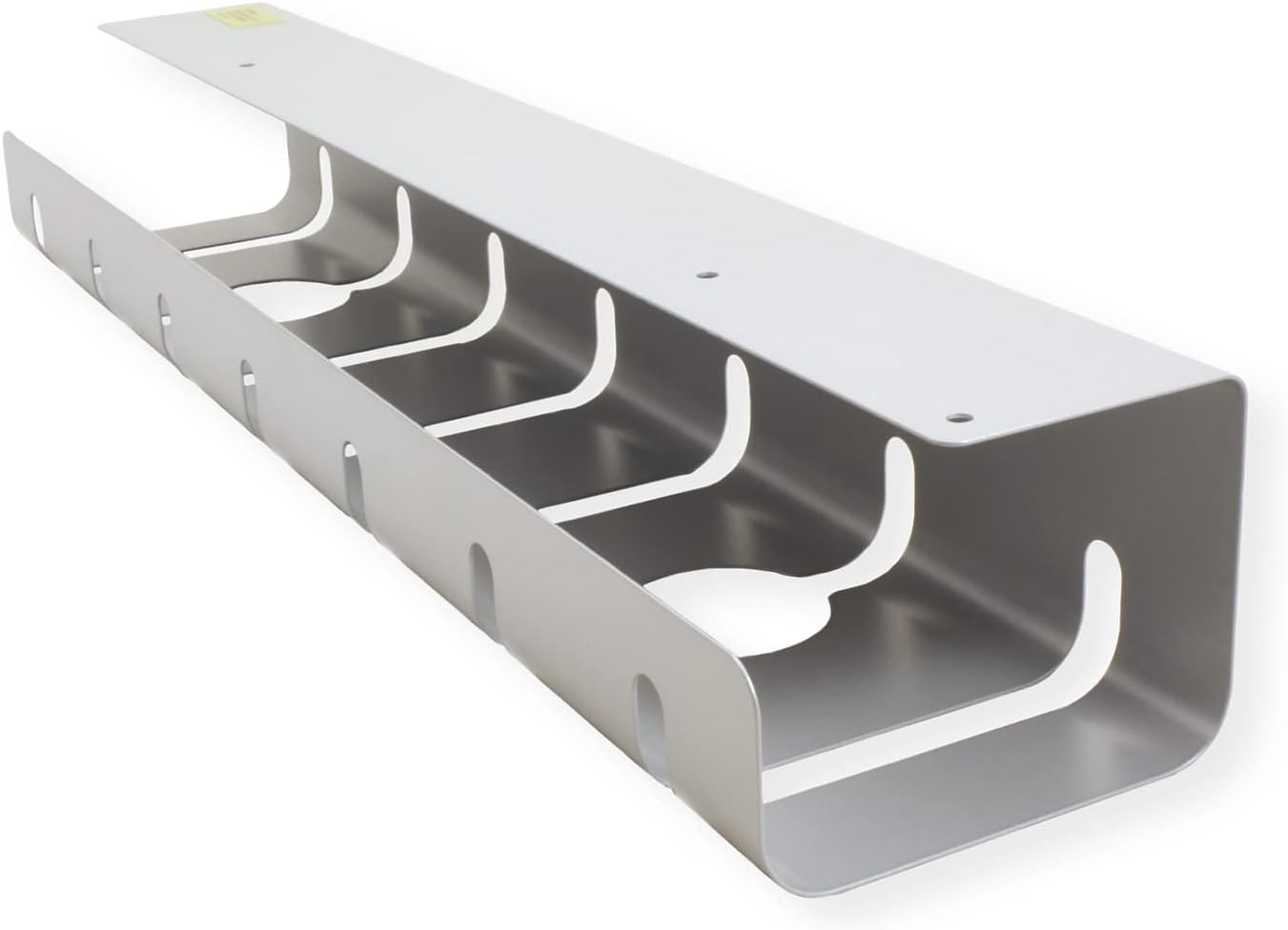
The ROLINE Cable Cover Organizer, designed for under-desk mounting, provides a neat solution for managing cables and power strips.
Иштөө нускамалары
Once installed, the ROLINE Cable Cover Organizer provides ample space for various cables and power strips:
- Кабель багыттоо: Guide your power cables, network cables, and other computer cabling through the open slots and along the tray.
- Power Strip Placement: Place power strips or surge protectors directly into the tray. The design allows for easy access while keeping them out of sight.
- Кабелди уюштуруу: Utilize the various cutouts and the open design to route cables neatly, preventing tangles and improving airflow.
Техникалык тейлөө
To ensure the longevity and continued performance of your cable organizer:
- Тазалоо: Periodically wipe the organizer with a soft, damp чаңды жана калдыктарды тазалоо үчүн кездеме. Абразивдүү тазалагычтардан алыс болуңуз.
- Текшерүү: Regularly check the mounting screws to ensure they remain tight. Re-tighten if necessary.
- Cable Management Review: Кээде кайраview your cable setup within the organizer to ensure cables are not pinched or excessively strained.
Проблемаларды чечүү
- Organizer feels loose after installation: Ensure all mounting screws are fully tightened. If the desk material is soft, consider using larger screws or washers for better grip (ensure they are appropriate for your desk thickness).
- Cables do not fit: The organizer is designed for standard power strips and cables. If specific adapters or large power bricks do not fit, consider alternative routing or placement outside the tray if safe to do so.
Техникалык шарттар

A technical diagram displaying the precise measurements of the ROLINE Cable Cover Organizer in millimeters, including length, width, and height.
| Өзгөчөлүк | Деталь |
|---|---|
| Модель номери | 17031302 |
| Product Dimensions (each section) | 20.87 x 3.15 x 4.33 дюйм (530 x 80 x 110 мм) |
| Элемент Салмагы | 4.62 pounds (total for 2 sections) |
| Материал | Алюминий |
| Түс | Silver |
| Даана саны | 2 |
| Орнотуу түрү | Table Mount (Under Desk) |
| Өндүрүүчү | Roline |
Кепилдик жана колдоо
For warranty information, technical support, or further inquiries regarding your ROLINE Cable Cover Organizer, please refer to the official Roline webсайтка же түздөн-түз кардарларды тейлөөгө кайрылыңыз. Кепилдик дооматтар үчүн сатып алуу дүмүрчөгүңүздү сактаңыз.