
1. Киришүү
The Generation Guard GM-800A is an automatic upper arm blood pressure monitor designed for convenient and accurate home use. This device measures systolic and diastolic blood pressure, as well as heart rate, providing essential health information. It features an advanced measuring technique for accuracy and includes a heartbeat detector and hypertension indicator for comprehensive monitoring.

Image 1: The Generation Guard GM-800A monitor with its arm cuff, displaying blood pressure and heart rate readings.
2. Продукциянын өзгөчөлүктөрү
- Instant Monitoring: Provides quick and easy measurements of systolic, diastolic blood pressure, and heart rate.
- Клиникалык жактан так: Utilizes an advanced measuring technique for reliable and precise readings.
- Heartbeat Detector & Hypertension Indicator: Alerts users to irregular heart rates and indicates if readings exceed internationally recognized guidelines for normal home blood pressure levels.
- Эстутумду кайра чакыруу: Stores up to 90 previous readings, allowing for tracking of blood pressure fluctuations over time.
- Чоң экран дисплей: Features a clear, easy-to-read display for all measurement results.
- Adjustable Arm Cuff: Designed to fit a range of arm sizes (22-32 cm).
- Портативдик дизайн: Compact and easy to transport, ideal for home or travel.

Image 2: Visual representation of the monitor's key features.
3. Пакеттин мазмуну
Пакетте бардык буюмдар бар экенин текшериңиз:
- Generation Guard GM-800A Blood Pressure Monitor Unit
- Upper Arm Cuff (22-32 cm)
- Ташуу кутусу
- 4 АА батарейкалар
- Колдонуучунун Колдонмосу (бул документ)

Image 3: The monitor, cuff, and included carrying case.
4. Орнотуу
4.1 Батареяны орнотуу
- Монитордун артындагы батарея бөлүкчөсүнүн капкагын ачыңыз.
- Төрт (4) AA батарейкасын туура полярдуулукту (+/-) камсыз кылуу менен кыстарыңыз.
- Батарея уясынын капкагын бекем жабыңыз.
4.2 Манжеттин туташуусу
- Locate the air tube connector on the arm cuff.
- Insert the air tube connector firmly into the air jack on the side of the monitor unit.
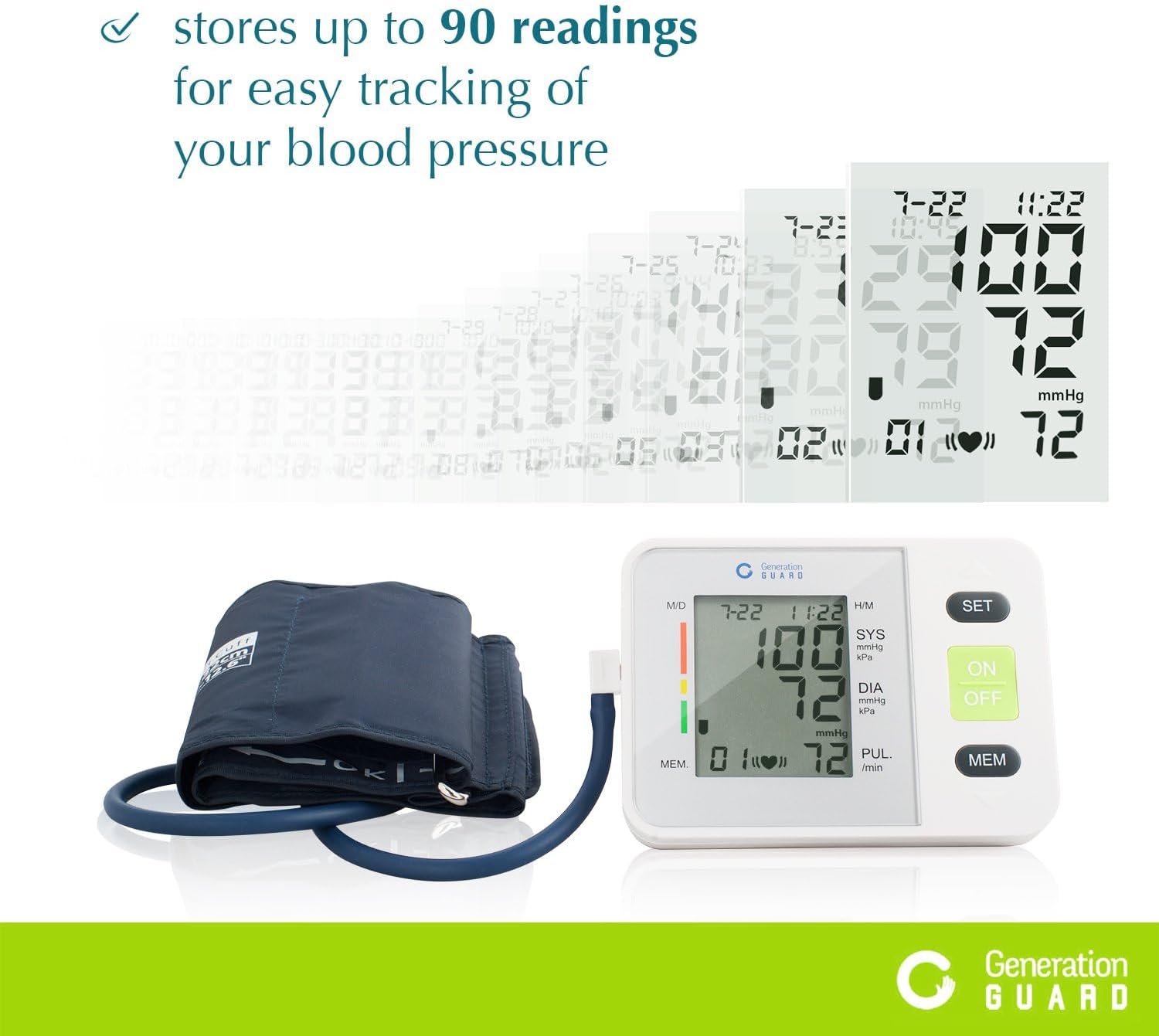
Image 4: The monitor unit with the arm cuff properly connected.
5. Иштөө нускамалары
5.1 Өлчөө алдында
- Avoid eating, drinking alcohol, smoking, exercising, or bathing for 30 minutes before measurement.
- Өлчөөнүн алдында жок дегенде 5 мүнөт эс алыңыз.
- Ыңгайлуу абалда отуруңуз, аркаңызды көтөрүп, бутуңузду полго тегиз кылып отуруңуз.
5.2 Манжетаны колдонуу
- Slide the cuff onto your bare left upper arm, approximately 1-2 cm above the elbow joint.
- Аба түтүгү колуңуздун ортоңку бөлүгүнөн ылдый агып, ортоңку манжаңыз менен бир сызыкта болушун камсыз кылыңыз.
- Wrap the cuff snugly around your arm, securing it with the Velcro closure. The index mark on the cuff should fall within the 'OK' range.
- Колуңузду столдун үстүнө коюңуз, манжет жүрөгүңүздүн деңгээлинде болсун.
5.3 Ченөө
- басыңыз КҮЙГҮЗҮҮ/ӨЧҮРҮҮ button to power on the monitor.
- басыңыз КҮЙГҮЗҮҮ/ӨЧҮРҮҮ button again to start the measurement. The cuff will automatically inflate.
- Remain still and silent during the measurement. Do not talk or move your arm.
- Once the measurement is complete, the cuff will deflate, and your readings will be displayed on the screen.
- басыңыз КҮЙГҮЗҮҮ/ӨЧҮРҮҮ button to turn off the monitor, or it will automatically shut off after a period of inactivity.
Video 1: A demonstration of how to set up and take a blood pressure reading using the Generation Guard GM-800A monitor.
6. Reading Your Results
Монитор үч негизги маанини көрсөтөт:
- SYS (Систоликалык басым): Жүрөгүңүз согуп жатканда артерияларыңыздагы басымды көрсөтүүчү эң жогорку сан.
- DIA (диастоликалык басым): Төмөнкү сан, кагуунун ортосундагы артерияларыңыздагы басымды көрсөтөт.
- PUL (пульстун ылдамдыгы): Жүрөгүңүздүн кагышынын ылдамдыгы, мүнөтүнө согуу менен өлчөнөт.
The monitor also includes a color-coded hypertension indicator on the left side of the display, which visually represents your blood pressure category based on established guidelines. An irregular heartbeat detector will display a symbol if an irregular heartbeat is detected during the measurement.
7. Эстутум функциясы
The GM-800A monitor can store up to 90 sets of readings, allowing you to track your blood pressure trends over time. Each stored reading includes the blood pressure values, pulse rate, and the date/time of the measurement.
7.1 Accessing Memory
- Монитор өчүк менен, басыңыз MEM баскычы.
- Эң акыркы көрсөткүч биринчи көрсөтүлөт.
- басыңыз MEM Мурунку көрсөткүчтөрдү карап чыгуу үчүн баскычты кайталап басыңыз.

Image 5: The monitor's display showing stored readings for easy tracking.
8. Техникалык тейлөө
8.1 Тазалоо
- Монитор блогун жана манжетті жумшак, кургак чүпүрөк менен сүртүңүз.
- Зарыл болсо, бир аз колдонуу damp жумшак самын менен сүртүңүз, андан кийин кургатып аарчыңыз.
- Do not use abrasive cleaners, solvents, or immerse the unit or cuff in water.
8.2 Сактоо
- Store the monitor and cuff in the provided carrying case when not in use.
- Аппаратты салкын, кургак жерде, тике күндүн нурунан жана экстремалдык температурадан алыс сактаңыз.
- Ийилүүдөн же крелден качыңызasinаба түтүгүн ашыкча.
9. Кыйынчылыктарды
Эгерде сизде кан басымы мониторунда көйгөйлөр пайда болсо, төмөнкү жалпы көйгөйлөрдү жана аларды чечүү жолдорун караңыз:
| Көйгөй | Мүмкүн себеп | Чечим |
|---|---|---|
| "E" or Error Message on Display | Манжет туура эмес тагылган, өлчөө учурунда кыймылдаган же аба агып жаткан. | Re-apply the cuff correctly, remain still and silent, check for secure cuff connection. |
| Туура эмес окуулар | Incorrect cuff size/placement, talking/moving during measurement, or insufficient rest before measurement. | Ensure proper cuff placement and size, rest for 5 minutes, avoid talking/moving. Take multiple readings with a few minutes in between. |
| Monitor Does Not Turn On | Өлүк же туура эмес орнотулган батарейкалар. | Туура полярдуулукту камсыз кылуу менен батарейкаларды жаңы AA батарейкалары менен алмаштырыңыз. |
10. Техникалык шарттар
- Модель аты:
- GM-800A
- Бренд:
- Generation Guard
- Кубат булагы:
- 4 АА батарейкалар (кошулган)
- Манжеттин көлөмү:
- 22-32 cm (Upper Arm)
- Дисплей түрү:
- Чоң санариптик дисплей
- Memory дараметин:
- 90 XNUMX окууга чейин
- Элемент Салмагы (болжол менен):
- 0.01 унция
- Камтылган компоненттер:
- Monitor Unit, Cuff, Carrying Case
- Биринчи жеткиликтүү болгон күнү:
- 7-февраль, 2017-жыл
11. Коопсуздук боюнча маанилүү маалымат
Please read all instructions carefully before using this device. This blood pressure monitor is intended for home use to measure blood pressure and pulse rate. It is not intended to be a substitute for professional medical advice, diagnosis, or treatment. Always consult with a healthcare professional for interpretation of your blood pressure readings and for any health concerns.
ЭСКЕРТҮҮ: This product can expose you to chemicals including [List known chemicals if available, otherwise state 'chemicals known to the State of California to cause cancer and birth defects or other reproductive harm.'], which is/are known to the State of California to cause cancer and birth defects or other reproductive harm. For more information go to www.P65Warnings.ca.gov.
12. Кепилдик жана колдоо
For warranty information, technical support, or service inquiries, please refer to the documentation included with your product or visit the official Generation Guard webсайт. Сатып алуу квитанциясын кепилдик дооматтары үчүн сатып алуунун далили катары сактаңыз.