
1. Киришүү
This manual provides instructions for the installation, operation, and maintenance of your FreedConn TCOM VB Bluetooth Motorcycle Intercom. Please read this manual thoroughly before use to ensure proper functionality and safety.
2. Негизги өзгөчөлүктөрү
- Bluetooth V5.0 for stable connectivity.
- Intercom communication for 2-3 riders with an 800m range.
- Universal pairing with most Bluetooth headsets.
- Hands-free calling for mobile phones.
- Stereo music playback and music sharing with a passenger.
- Камтылган FM радио.
- CVC noise reduction technology for clear audio.
- IP65 суу өткөрбөйт рейтинги.
- LCD screen for easy information display.
- Long battery life: up to 10 hours talk time, 7 hours intercom, 300 hours standby.

Сүрөт: бүттүview of FreedConn TCOM VB Intercom key features.
3. Пакеттин мазмуну
Пакетиңизде бардык буюмдар бар экенин текшериңиз:
- TCOM-VB Main Unit (x2 for this package)
- Boom Microphone / Button Microphone (x2 sets)
- Speaker Pads (x12)
- Clip Bracket (x2)
- 3M Adhesive Mount (x2)
- Аллен ачкычы (x2)
- USB Data Cable (x2)
- Колдонуучунун колдонмосу (x1)

Image: Contents of the FreedConn TCOM VB package.
4. Орнотуу жана орнотуу
4.1 Домофон блогун орнотуу
The TCOM VB unit can be mounted using either the clip bracket or the adhesive mount.
- Жайгашкан жерди тандоо: Туулгаңыздын сол жагына ылайыктуу тегиз бетти тандаңыз.
- Clip Bracket Installation:
- Loosen the screws on the clip bracket.
- Slide the bracket between the helmet shell and the inner padding.
- Tighten the screws to secure the bracket.
- Желим орнотуу:
- Clean the helmet surface thoroughly.
- Peel off the protective film from the 3M adhesive mount.
- Press the mount firmly onto the helmet surface for at least 30 seconds. Allow 24 hours for the adhesive to cure before use.
- Негизги блокту тиркөө: Slide the TCOM VB main unit onto the installed bracket until it clicks into place.
4.2 Динамикти жана микрофонду орнотуу
Install the speakers and microphone inside your helmet.
- Спикердин жайгашуусу: Attach the speakers to the inside of the helmet, aligning them with your ears. Use the provided speaker pads for comfort and optimal sound.
- Микрофон тандоо: Choose between the boom microphone (for open-face helmets) or the button microphone (for full-face helmets).
- Микрофондун жайгашуусу: Position the microphone close to your mouth for clear voice transmission.
- Кабелдерди туташтыруу: Plug the speaker and microphone cables into the corresponding ports on the TCOM VB main unit.

Image: Hard and soft cable microphone options for helmet installation.
Image: Step-by-step installation guide for the intercom unit.
5. Иштөө нускамалары
5.1 Күйгүзүү/өчүрүү
- Күйгүзүү: Press and hold the Power button for approximately 3 seconds until the blue indicator light flashes.
- Өчүрүү: Press and hold the Power button for approximately 3 seconds until the red indicator light flashes and the unit powers down.
5.2 Bluetooth жупташтыруу (Телефон/GPS)
To connect your TCOM VB to a mobile phone or GPS device:
- Ensure the TCOM VB unit is powered off.
- Press and hold the Power button for approximately 5-7 seconds until the red and blue indicator lights flash alternately. This indicates pairing mode.
- On your phone or GPS, enable Bluetooth and search for new devices.
- Select "FreedConn TCOM VB" from the list of available devices.
- Эгер суралса, "0000" PIN кодун киргизиңиз.
- Once paired, the blue indicator light will flash slowly.

Image: Bluetooth pairing with smartphone and GPS.
5.3 Intercom Pairing and Communication
The TCOM VB supports intercom communication for up to 3 riders, with 2 riders communicating simultaneously.
- Pairing Two Units (A & B):
- Ensure both units A and B are powered off.
- Press and hold the Power button on both units A and B simultaneously for 5-7 seconds until they enter pairing mode (red and blue lights flash alternately).
- Press the Power button on either unit A or B once. The units will search and pair with each other. Once paired, the blue light will flash slowly on both.
- Pairing Three Units (A, B, & C):
- First, pair units A and B as described above. Turn off both A and B after successful pairing.
- Next, pair units B and C. Turn off both B and C after successful pairing.
- To initiate a 3-way intercom: Power on all three units. Press the Power button on unit C once to connect to B. Then, press the Power button on unit B once to connect to A. All three units should now be connected.
- Initiate Intercom Call: After pairing, a short press of the Power button will initiate or end an intercom call.
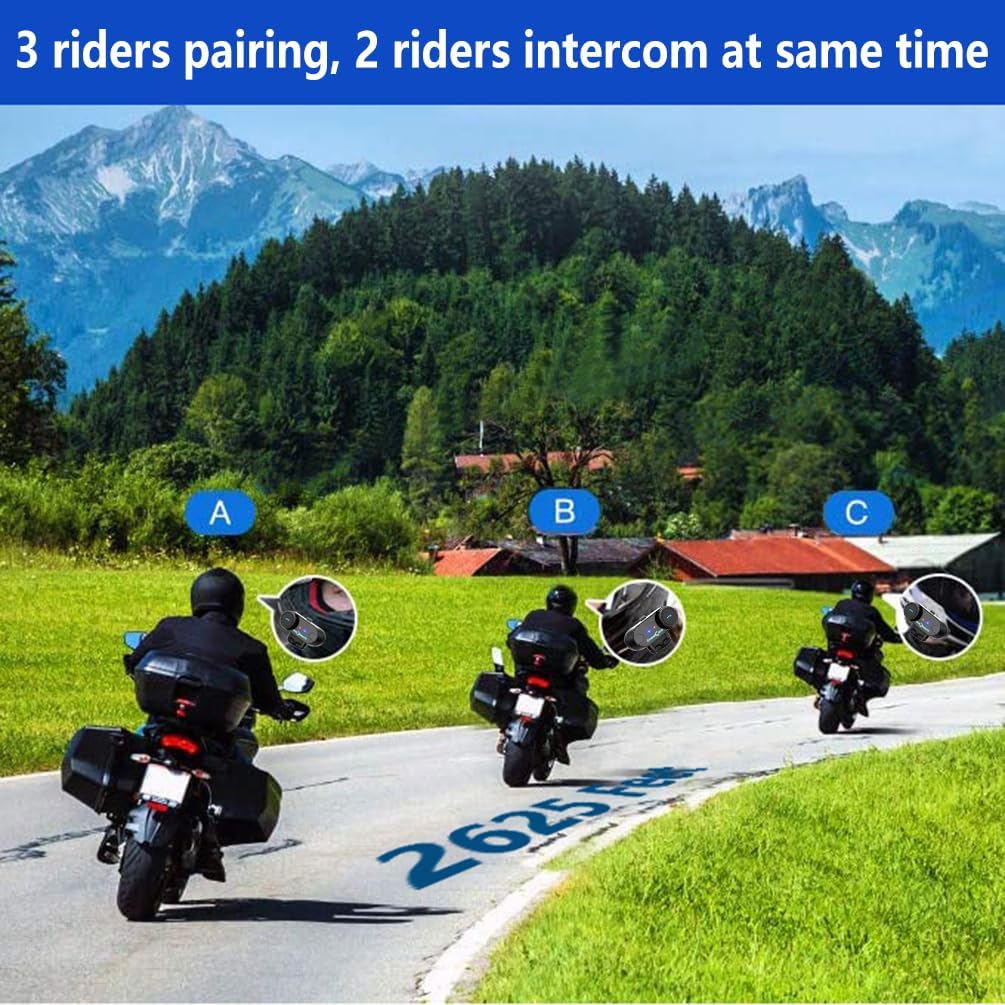
Image: 3 riders pairing, 2 riders intercom at the same time.

Image: Universal pairing feature.
Video: This video demonstrates the pairing process for three T-COMSC intercom units. The pairing steps are generally similar for TCOM VB models. First, pair two devices (A and B), then turn them off. Next, pair device B with device C. Finally, power on all three and initiate connections from C to B, then B to A for a three-way intercom.
5.4 Телефон функциялары
- Чакырууга жооп берүү: Short press the Phone button.
- Чакырууну аяктоо: Short press the Phone button.
- Чакырууну четке кагуу: Телефон баскычын 2 секунд басып туруңуз.
- Акыркы номерди кайра терүү: Телефон баскычын эки жолу басыңыз.
- Voice Assistant (Siri/S-Voice): Short press the Voice Assistant button (if available) or a specific button combination as per your device's manual.
5.5 Музыканы ойнотуу
- Ойнотуу/тындыруу: Play/Pause баскычын кыска басыңыз.
- Кийинки трек: Short press the "Next" button or rotate the multi-function knob clockwise.
- Мурунку трек: Short press the "Previous" button or rotate the multi-function knob counter-clockwise.
- Музыка бөлүшүү: While playing music, activate the music sharing function (refer to specific button combination in the full manual) to share audio with a paired intercom unit.
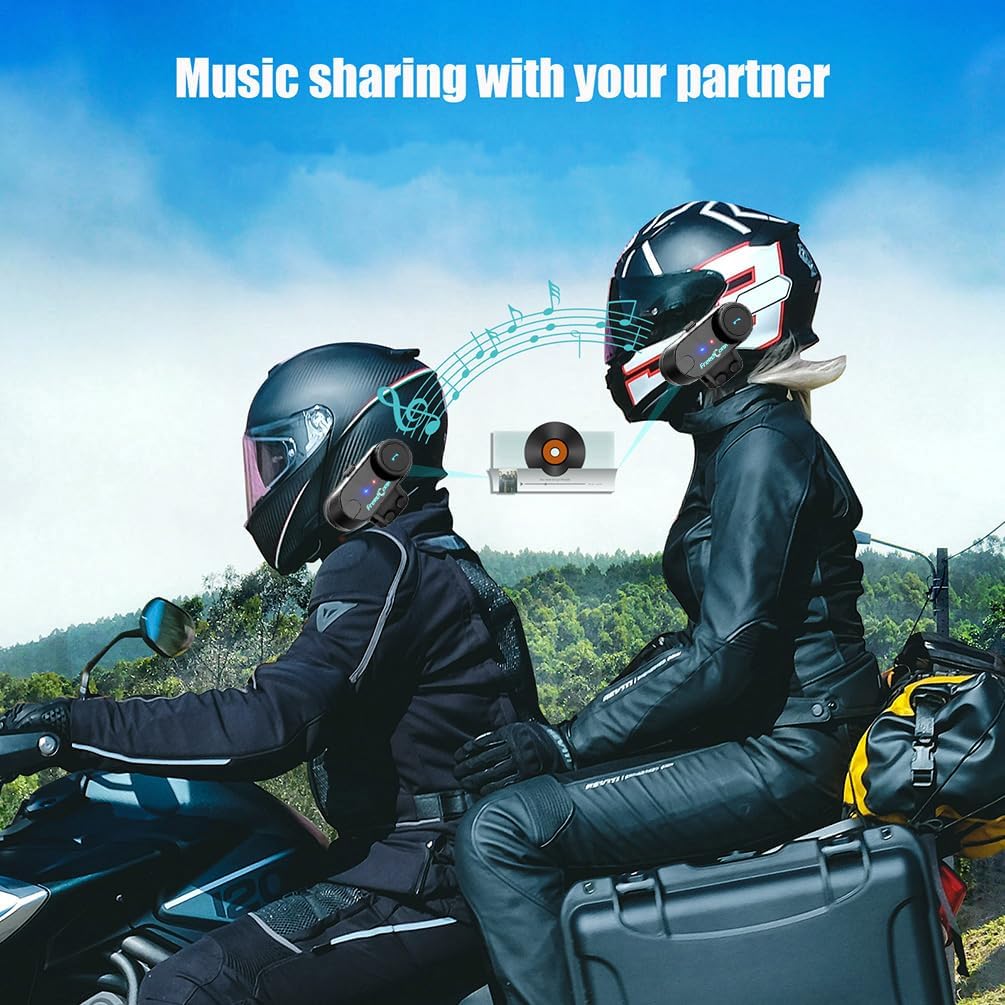
Image: Music sharing with a partner.
5.6 FM радиосу
- FM радиосун күйгүзүү/өчүрүү: FM баскычын 2 секунд басып, кармап туруңуз.
- Скандоо станциялары: Short press the "Next" or "Previous" button to scan for available FM stations.

Image: Built-in FM Radio feature.
5.7 Үндү башкаруу
Adjust the volume using the multi-function knob or dedicated volume buttons (if present).
- Көлөмүн жогорулатуу: Rotate the multi-function knob clockwise or press the Volume Up button.
- Көлөмдү азайтуу: Rotate the multi-function knob counter-clockwise or press the Volume Down button.
6. Техникалык тейлөө
- Тазалоо: Аппаратты жумшак менен сүртүңүз, гamp кездеме. Катуу химиялык заттарды же абразивдүү тазалагычтарды колдонбоңуз.
- Суу каршылык: The unit is IP65 waterproof, meaning it is protected against low-pressure water jets from any direction. It is not designed for submersion. Ensure the USB port cover is securely closed when not charging.
- Заряддоо: Charge the unit using the provided USB cable. A full charge takes approximately 2.5 hours. The indicator light will change to indicate charging status (e.g., red during charging, blue when fully charged).
- Сактагыч: Агрегатты узак убакытка колдонбогондо салкын, кургак жерде сактаңыз.

Image: Battery life and waterproof features.
7. Кыйынчылыктарды
| Көйгөй | Мүмкүн себеп | Чечим |
|---|---|---|
| Күч жок | Батарея аз | Аппаратты 2.5 саатка заряддаңыз. |
| Cannot pair with phone/GPS | Unit not in pairing mode; Bluetooth disabled on device | Ensure unit is in pairing mode (red/blue flashing). Enable Bluetooth on your device. |
| Домофон туташпай жатат | Units not paired correctly; out of range | Repeat intercom pairing steps. Ensure units are within 800m range. |
| Low audio volume or no sound from speakers | Speakers not positioned correctly; volume too low; cable loose | Adjust speaker position closer to ears. Increase volume. Ensure speaker cable is fully inserted. |
| Poor microphone quality / background noise | Microphone not positioned correctly; wind noise | Position microphone closer to mouth. Ensure CVC noise reduction is active. Consider using a different microphone type if applicable. |
Эскертүү: If your two speakers or one side speaker are not working, ensure the headset cable is completely inserted into the interface and that the speaker is inserted into the correct port. If the volume is low, adjust the speaker placement as close to your ears as possible.
8. Техникалык шарттар
| Модел: | T-COMVB-800M |
| Bluetooth версиясы: | 5.0 |
| Домофон диапазону: | Up to 800 meters (between 2 riders) |
| Max Riders: | 3 (2 simultaneous communication) |
| Батарея сыйымдуулугу: | 400 мАч |
| Заряддоо убактысы: | Болжол менен 2.5 саат |
| Сүйлөшүү убактысы: | 10 саатка чейин |
| Домофон убактысы: | 7 саатка чейин |
| Күтүү убактысы: | 300 саатка чейин |
| Суу каршылык: | IP65 |
| Динамиктин диаметри: | 40 мм |
| Импеданс: | 32 Ом |
| Жыштык диапазону: | 20 Гц - 20 000 Гц |
| Ызы-чууну көзөмөлдөө: | Активдүү ызы-чууну жокко чыгаруу (CVC) |
| Шайкеш түзмөктөр: | Mobile phones, MP3 players, GPS devices |
9. Кепилдик жана колдоо
For warranty information and technical support, please refer to the official FreedConn webсайтка кайрылыңыз же жергиликтүү дистрибьютериңиз менен байланышыңыз. Сатып алуу квитанциясын кепилдик дооматтары үчүн сатып алуунун далили катары сактаңыз.
For common issues, please consult the troubleshooting section of this manual or the online FAQ resources provided by FreedConn.