
1. Киришүү
The Satechi USB C Hub Adapter is a versatile 7-in-1 dongle designed to expand the connectivity of your MacBook Pro/Air. This compact and sleek adapter provides essential ports for charging, data transfer, and external display connectivity, transforming your laptop into a powerful workstation. It is engineered to seamlessly integrate with your Apple devices, offering both performance and style.
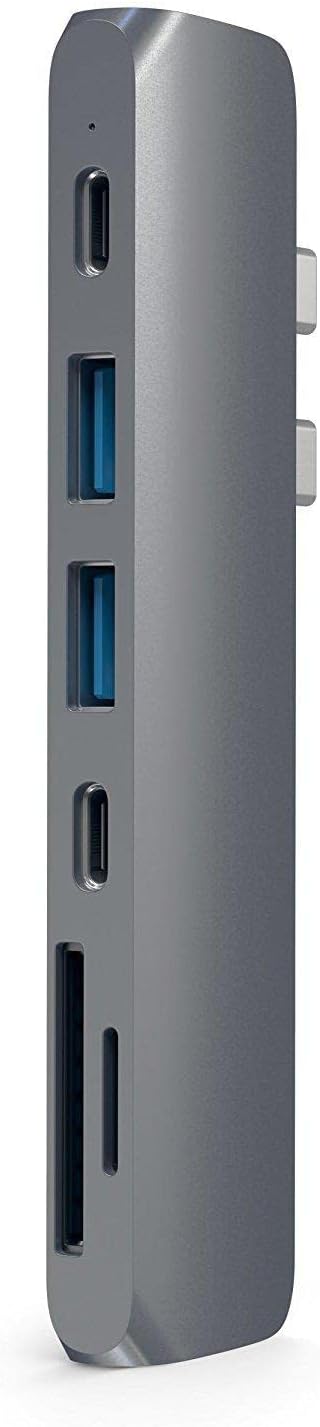
Figure 1: Satechi USB C Hub Adapter (Space Gray)
2. Негизги өзгөчөлүктөрү
The Satechi USB C Hub Adapter offers a comprehensive set of ports to enhance your productivity:
- USB-C Power Delivery (PD) заряддоо: Supports up to 87W pass-through charging to keep your MacBook powered while using other peripherals.
- 4K HDMI видео чыгышы: Connect to an external monitor or TV with resolutions up to 4K at 60Hz for crisp, clear visuals.
- High-Speed USB-C Data Port: Offers data transfer speeds up to 40Gbps, ideal for quickly moving large files.
- Кош USB 3.0 порттору: Provides two standard USB-A ports with data speeds up to 5Gbps for connecting traditional USB devices like keyboards, mice, or external hard drives.
- Микро/SD картаны окугучтар: Equipped with UHS-I compatible slots for convenient access to photos and videos from your camera's memory cards.

2-сүрөт: Каптал view illustrating the various ports on the hub.

Figure 3: The hub connected to various devices, showcasing анын ар тараптуулугу.
3. Орнотуу жана орнотуу
The Satechi USB C Hub Adapter is designed for plug-and-play functionality, requiring no additional drivers or software installation.
3.1 Хабды туташтыруу
- Ensure your MacBook Pro/Air is powered on.
- Align the two USB-C connectors on the Satechi Hub with the corresponding USB-C (Thunderbolt 3/4) ports on the side of your MacBook.
- Gently push the hub firmly into the MacBook's ports until it is securely seated. The hub is designed to sit flush against the side of your laptop.
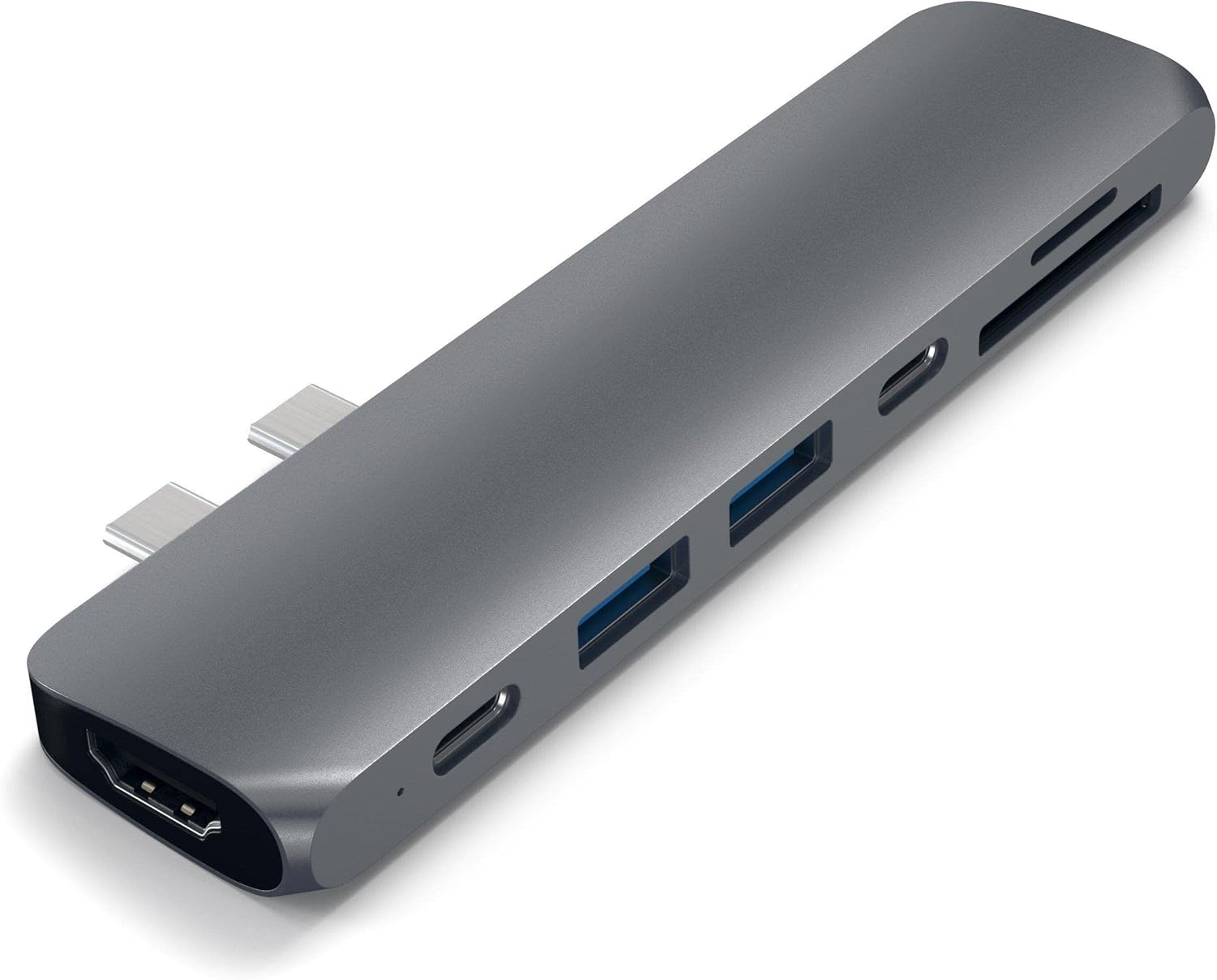
Figure 4: The hub seamlessly connected to a MacBook Pro.
3.2 Шайкештик боюнча эскертүүлөр
- MacBook Pro (16", M1 Pro/Max, 2021) Users: For 140W charging, please use the MagSafe 3 port directly, as the Pro Hub blocks this port.
- Apple 2020 M1 Macs: Dual display output is not supported on these models.
- Single USB-C Port MacBooks: Not compatible with MacBook models that feature only a single USB-C port.
- iPhone 15 Models: Not compatible with iPhone 15 models.
4. Иштөө нускамалары
4.1 Using the USB-C Power Delivery Port
Connect your MacBook's original USB-C charging cable to the USB-C PD port on the hub. This allows your MacBook to charge while the hub is connected and in use.
4.2 Connecting an External Display (HDMI)
Plug an HDMI cable from your external monitor or TV into the HDMI port on the Satechi Hub. Your MacBook should automatically detect the display. Adjust display settings (resolution, mirroring/extending) via your MacBook's System Settings.

Figure 5: Extending your workspace with dual external monitors.
4.3 Utilizing USB Data Ports
The hub features one high-speed USB-C data port and two USB 3.0 (USB-A) ports. Connect your USB-C compatible devices (e.g., external SSDs) to the USB-C data port for rapid transfers. Use the USB 3.0 ports for standard USB peripherals like flash drives, keyboards, or mice.

Figure 6: Connecting multiple USB devices and memory cards simultaneously.
4.4 Using SD/MicroSD Card Readers
Insert your SD or MicroSD card into the corresponding slot on the hub. The card will appear as an external drive on your MacBook, allowing you to access and transfer files.
4.5 Расмий продукт Video
Video 1: Official Satechi overview of the Aluminum Type-C Pro Hub Adapter, demonstrating its features and connectivity with MacBook Pro models.
5. Кыйынчылыктарды
- Дисплей чыгышы жок: Ensure the HDMI cable is securely connected to both the hub and the monitor. Verify that your monitor is set to the correct input source. For Apple 2020 M1 Macs, note that dual display is not supported.
- кубаттоо маселелери: Confirm that your MacBook's original power adapter is connected to the hub's USB-C PD port. If using a 2021 MacBook Pro 16-inch, use the MagSafe 3 port directly for 140W charging.
- Перифериялык түзүлүштөр таанылбайт: Disconnect and reconnect the hub to your MacBook. Ensure all peripheral cables are securely plugged into the hub. Try connecting the peripheral directly to your MacBook (if possible) to rule out device issues.
- Hub Overheating: While normal for hubs to warm up during heavy use, excessive heat may indicate an issue. Disconnect all peripherals and allow the hub to cool down. Reduce the number of high-power devices connected simultaneously.
- Үзгүлтүктүү туташуу: Ensure the hub is firmly seated in your MacBook's USB-C ports. Avoid placing the hub in a position where it might be bumped or jostled.
6. Техникалык шарттар
| Өзгөчөлүк | Деталь |
|---|---|
| Продукциянын өлчөмдөрү | 4.5 x 1.1 x 0.4 дюйм |
| Элемент Салмагы | 1.44 унция |
| Модель номери | ST-CMBPM |
| Түс | Space Gray |
| Аппараттык интерфейс | USB түрү C |
| Өзгөчө өзгөчөлүк | Plug and Play |
| Шайкеш түзмөктөр | MacBook Pro 14-inch, 16-inch (M2 & Max), Pro/Air M2, (M1 M1, 2019/2018/2017, Air 2018 |
| USB-C PD кубаттоо | 87 Вт чейин |
| HDMI чыгышы | 4K @ 60 Гц |
| USB-C Data Speed | 40 Гбит/сек чейин |
| USB 3.0 маалымат ылдамдыгы | 5 Гбит/сек чейин |
| Micro/SD Card Readers | UHS-I |
7. Кароо жана тейлөө
- Тазалоо: Use a soft, dry cloth to clean the surface of the hub. Avoid using harsh chemicals or abrasive materials.
- Сактагыч: Түздөн-түз күндүн нурунан жана экстремалдык температурадан алыс салкын, кургак жерде борборду сактаңыз.
- Колдонуу: Бордду этияттык менен кармаңыз. Аны түшүрүп албоодон же катуу соккуга дуушар кылбоодон сак болуңуз.
8. Кепилдик жана колдоо
Satechi продуктылары менен капталган 2 жылдык чектелген кепилдик against defects in materials and workmanship under normal use. For prompt customer service and support, please refer to the contact information provided in your product packaging or visit the official Satechi webсайт.
An official User Guide PDF is also available for download: Колдонуучунун колдонмосун жүктөп алыңыз (PDF)