
Introduction
The Panasonic SC-UX102E-K is a compact mini audio system designed to deliver powerful and clear sound. Featuring a 2-way speaker system with 13 cm woofers, it offers versatile audio playback options including CD, CD-R/RW, Bluetooth, USB, DAB/DAB+ radio, FM radio with RDS, and an AUX input. This manual provides essential information for the proper setup, operation, and maintenance of your system.
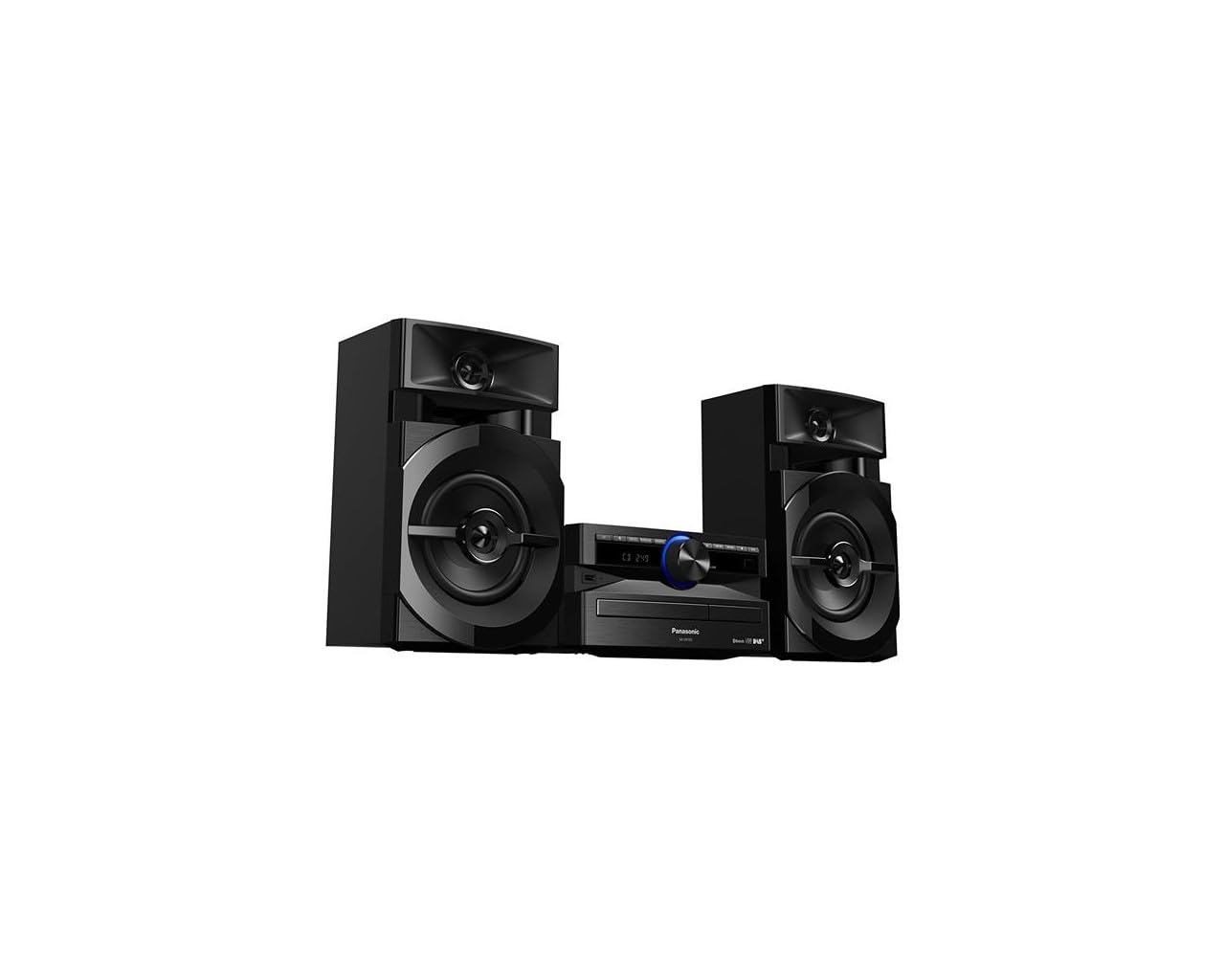
Image: The Panasonic SC-UX102E-K Mini System, featuring the central unit and two speakers.
Коопсуздук маалыматы
Сураныч, бул продуктуну колдонуудан мурун бардык коопсуздук нускамаларын кылдат окуп чыгыңыз. Бул колдонмону келечекте маалымат алуу үчүн сактаңыз.
- Кубат булагы: Агрегатты көрсөтүлгөн кубат булагына гана туташтырыңыз.
- Вентиляция: Агрегаттын айланасында жетиштүү желдетүүнү камсыз кылыңыз. Вентиляция тешиктерин жаап албаңыз.
- Суу жана ным: Do not expose the unit to rain, moisture, or dripping/splashing liquids.
- Жылуулук: Аппаратты радиаторлор, жылуулук регистрлери, мештер же жылуулук чыгарган башка аппараттар сыяктуу жылуулук булактарынан алыс кармаңыз.
- Тейлөө: Бул продуктту өзүңүз тейлөөгө аракет кылбаңыз. Бардык тейлөөнү квалификациялуу тейлөө кызматкерлерине тапшырыңыз.
Жайгашуу
1. таңгактан чыгаруу
Carefully remove all components from the packaging. Ensure all accessories are present: main unit, two speakers, remote control, power cord, and FM/DAB antenna.
2. Speaker Connection
Connect the speaker wires to the corresponding terminals on the main unit and speakers. Ensure correct polarity (+ to + and - to -) for optimal sound quality. The left speaker connects to the LEFT terminals, and the right speaker to the RIGHT terminals.
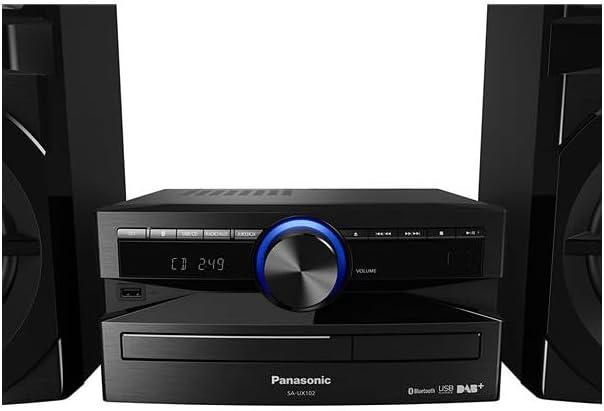
Сүрөт: Арткы view of the main unit, illustrating speaker wire connections.
3. Антенна туташтыруу
Connect the supplied FM/DAB antenna to the antenna terminal on the rear of the main unit. Extend the antenna fully and position it for best reception.
4. Power Connection
Plug the power cord into the AC IN terminal on the main unit, then plug the other end into a wall outlet.
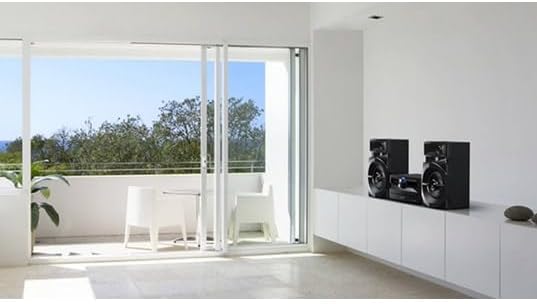
Image: The Panasonic SC-UX102E-K Mini System positioned in a living space.
Иштөө нускамалары
1. Негизги операция
- Күйгүзүү/өчүрүү: басыңыз [БИЙЛИК] түзмөктөгү же алыстан башкаруу пультундагы баскычты басыңыз.
- Үндү көзөмөлдөө: айлантыңыз [VOLUME] баскычын колдонуңуз же [VOL +/-] пульттагы баскычтар.
- Булак тандоо: басыңыз [ФУНКЦИЯ] button repeatedly to cycle through CD, Bluetooth, USB, DAB/DAB+, FM, and AUX.

Image: Front panel of the main unit, showing the display and control buttons.
2. CD ойнотуу
- Басыңыз [ФУНКЦИЯ] to select the CD source.
- басыңыз [АЧУУ/ЖАБУУ] баскычын басыңыз.
- Place a CD with the label side up and close the tray.
- Ойнотуу автоматтык түрдө башталат. Колдонуу [ОЙНОО/ТЫНЫТТЫРУ], [ӨТКӨРҮП ЖИБЕРҮҮ], жана [ТОКТОТУУ] башкаруу үчүн баскычтар.
3. Bluetooth туташуусу
- Басыңыз [ФУНКЦИЯ] to select the Bluetooth source. The display will show "PAIRING".
- Bluetooth түзмөгүңүздө (смартфон, планшет) Bluetooth иштетиңиз жана жеткиликтүү түзмөктөрдү издеңиз.
- Select "SC-UX102E-K" from the list. Once connected, the display will show "CONNECTED".
- Түзмөгүңүздөн аудиону ойнотуңуз.
4. USB ойнотуу
- USB түзмөгүн түзмөктүн алдыңкы жагындагы USB портуна салыңыз.
- Басыңыз [ФУНКЦИЯ] USB булагын тандоо үчүн.
- The unit will automatically detect and begin playing supported audio files (e.g., MP3, WAV).
- колдонуу [ӨТКӨРҮП ЖИБЕРҮҮ] buttons to navigate tracks or folders.
5. DAB/DAB+ радиосу
- Басыңыз [ФУНКЦИЯ] to select the DAB source.
- The unit will perform an auto-scan for available DAB/DAB+ stations upon first use.
- колдонуу [TUNING] станцияны тандоо үчүн баскычтарды басыңыз.
- To save a station as a preset, press and hold a numbered preset button until the display confirms.
6. FM радиосу
- Басыңыз [ФУНКЦИЯ] to select the FM source.
- Авто Тюнинг: басып, кармап туруңуз [TUNING] buttons to automatically search for the next available station.
- Кол менен жөндөө: басыңыз [TUNING] баскычтарын баскыч-баскыч менен жөнгө салуу үчүн.
- To save a station as a preset, press and hold a numbered preset button until the display confirms.
7. AUX киргизүү
- Connect an external audio device (e.g., MP3 player, PC) to the AUX IN jack on the main unit using a 3.5mm audio cable.
- Басыңыз [ФУНКЦИЯ] to select the AUX source.
- Туташкан түзмөгүңүздөн аудио ойнотуңуз.
Техникалык тейлөө
1. Агрегатты тазалоо
Wipe the exterior of the unit with a soft, dry cloth. Do not use abrasive cleaners, waxes, or solvents as they can damage the finish.
2. Cleaning the CD Lens
If CD playback becomes erratic, use a commercially available CD lens cleaner to clean the lens. Follow the instructions provided with the cleaner.
Проблемаларды чечүү
| Көйгөй | Мүмкүн себеп | Чечим |
|---|---|---|
| Күч жок | Электр зымы коопсуз туташкан эмес. | Электр шнурунун түзүлүшкө жана розеткага туташуусун текшериңиз. |
| Үн жок | Volume is too low or muted. Speaker wires are incorrectly connected. | Increase volume. Check speaker wire connections and polarity. |
| Bluetooth жупташтыруу ишке ашпай калды | Bluetooth түзмөгү өтө алыс же жупташтыруу режиминде эмес. | Ensure device is within 10 meters. Put the unit in pairing mode and retry. |
| USB device not recognized (NO DEVICE) | USB device is not formatted correctly or unsupported. | Ensure USB device is formatted to FAT16 or FAT32. Try a different USB device. |
| Радио кабыл алуу начар | Antenna is not properly positioned or connected. Interference from other devices. | Adjust antenna position. Move the unit away from other electronic devices. |
| CD playback skips or stops | CD is dirty or scratched. CD lens is dirty. | Clean the CD. Use a CD lens cleaner. |
Техникалык шарттар
- Бренд: Panasonic
- Модель номери: SC-UX102E-K
- Байланыш технологиясы: USB, Bluetooth
- Түсү: Кара
- Динамик түрү: Stereo, 2-way speakers with 13 cm woofers
- Элементтин өлчөмдөрү (LxWxH): 22.7 x 25 x 13.2 cm (main unit)
- Кубат булагы: Электр
- Шайкеш түзмөктөр: Smartphone, Tablet, MP3 Player, PC
- Чыгуу кубаттуулугу: 300 W (Total RMS, approximate)
- Колдоого алынган стандарттар: CD-DA, CD-R/RW
- Audio Format колдоо: CD-DA, MP3, WAV (via USB)
- Баяндамачылардын саны: 2
- Аудио чыгаруу режими: Стерео
- Радио тюнер: DAB/DAB+, FM (30FM/15AM RDS presets)
- Салмагы: 3.7 килограмм (негизги бирдик)
Кепилдик маалымат
This Panasonic product is covered by a standard manufacturer's warranty. The specific terms and duration of the warranty may vary by region. Please refer to the warranty card included with your product or visit the official Panasonic webкепилдик камтуу жана дооматтар тууралуу толук маалымат алуу үчүн сайт.
Кардарларды колдоо
For technical assistance, troubleshooting beyond this manual, or service inquiries, please contact Panasonic customer support. You can find contact information, including phone numbers and online support resources, on the official Panasonic website for your region. Please have your model number (SC-UX102E-K) and serial number ready when contacting support.