
1. Киришүү
This manual provides detailed instructions for the safe and proper installation, operation, and maintenance of your MANHATTAN Universal Flat-Panel TV Articulating Wall Mount, Model 461399. This single-arm mount is designed to securely hold flat-panel televisions ranging from 13 to 42 inches and weighing up to 20 kg (44 lbs). It offers adjustable tilt, swivel, and level functionalities to optimize your viewтажрыйбасы.

Сүрөт 1.1: Бурчтуу view of the MANHATTAN Universal Flat-Panel TV Articulating Wall Mount.
2. Коопсуздук маалыматы
ЭСКЕРТҮҮ: Read all instructions carefully before installation. Improper installation can result in property damage, serious injury, or death. If you do not understand these instructions or have doubts about the safety of the installation, contact a qualified installer.
- Монтаждоо бети монтаждын жана телевизордун биргелешкен салмагын коопсуз көтөрө аларын текшериңиз.
- 20 кг (44 фунт) максималдуу салмактан ашпаңыз.
- Бул продукт ички колдонуу үчүн гана арналган.
- Use only the provided mounting hardware. If any parts are missing or damaged, contact customer support.
- Always use a stud finder to locate wall studs for secure mounting in wood stud walls.
- Wear appropriate safety gear during installation, including eye protection.
3. Пакеттин мазмуну
Verify that all components are present and undamaged before beginning installation. If any parts are missing or defective, do not proceed with installation and contact customer support.
- Wall Mount Assembly (Single Arm)
- TV Mounting Brackets (VESA Plate)
- Hardware Kit (Screws, Washers, Spacers, Wall Anchors)
- Instruction Manual
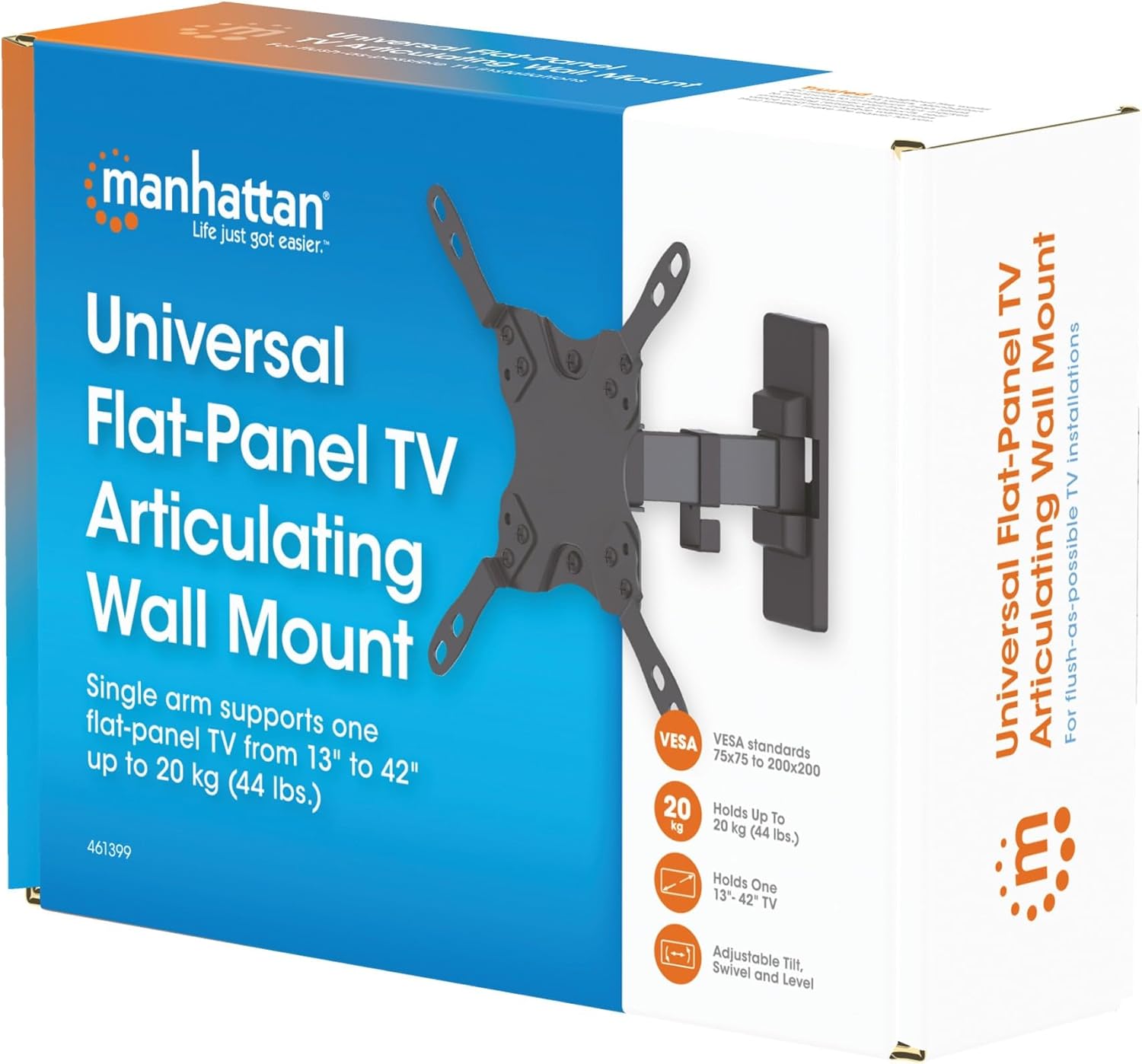
Image 3.1: Packaging of the MANHATTAN Universal Flat-Panel TV Articulating Wall Mount.
4. Орнотуу жана орнотуу
4.1 Орнотууга чейинки текшерүүлөр
- TV шайкештиги: Ensure your TV's weight is within 20 kg (44 lbs) and its screen size is between 13 and 42 inches. Check the VESA mounting pattern on your TV (typically 75x75mm, 100x100mm, 200x100mm, or 200x200mm).
- Дубал түрү: Determine your wall type (wood stud, concrete, brick). Different wall types require specific mounting hardware and techniques.
- Керектүү куралдар: Pencil, drill, stud finder (for wood walls), level, Phillips head screwdriver, socket wrench.
4.2 Телевизордун кронштейндерин телевизорго бекитүү
- Экрандын бузулуп калышына жол бербөө үчүн, телевизоруңуздун бетин ылдый каратып жумшак, таза бетке этияттык менен коюңуз.
- Сыналгыңыздын артындагы VESA орнотуу тешиктерин аныктаңыз.
- Телевизоруңуздун монтаждоо тешиктерине туура келген бурамаларды, шайбаларды жана жабдыктар топтомун тандаңыз.
- Attach the TV mounting brackets to the back of your TV using the selected hardware. Ensure they are securely fastened but do not overtighten.

Сүрөт 4.2.1: Арткы view of the VESA plate, showing mounting holes for TV attachment.

Сүрөт 4.2.2: Алдыңкы view of the VESA plate, showing mounting holes for TV attachment.
4.3 Дубал плитасын орнотуу
- Determine the desired height and position for your TV. Use a pencil to mark the top center of where the mount will be.
- Place the wall plate against the wall at the marked position and use a level to ensure it is perfectly horizontal. Mark the drill holes.
- Жыгачтан жасалган дубалдар үчүн: Use a stud finder to locate the center of a wood stud. Drill pilot holes (recommended size in manual, typically 5mm) into the stud. Secure the wall plate using the lag bolts and washers.
- Бетон/кыш дубалдар үчүн: Drill pilot holes (recommended size in manual, typically 10mm) into the solid concrete or brick. Insert wall anchors into the holes. Secure the wall plate using the lag bolts and washers.
- Ensure the wall plate is firmly and securely attached to the wall.

Сүрөт 4.3.1: Каптал view of the mount, illustrating its extension from the wall.
4.4 Телевизорду илип коюу
- With assistance, carefully lift the TV with the attached brackets and hook them onto the wall plate.
- Телевизордун дубалга орнотулган пластинага бекем орнотулганын текшериңиз.
- Tighten any safety screws or locking mechanisms to prevent accidental dislodgement.
5. Колдонуу боюнча нускамалар (Оңдоолор)
This articulating wall mount allows for flexible positioning of your TV to achieve optimal viewбурчтар.
- Эңкейүүнү тууралоо: Loosen the tilt knobs on the VESA plate, adjust the TV to the desired vertical angle (+5° to -12°), and then retighten the knobs.
- Айланууну жөндөө: Gently push or pull the TV to swivel it horizontally (up to 180° depending on TV size and wall distance).
- Деңгээлди тууралоо: If your TV is slightly unlevel after installation, there may be a mechanism to adjust the horizontal level (typically +/-3°). Consult the specific diagram for your model.

Image 5.1: Technical diagram showing dimensions and available adjustment angles (tilt, swivel, level).
5.1 Кабелди башкаруу
Utilize the integrated cable clips on the arm to route and organize your TV cables, ensuring a neat appearance and preventing damage.

Image 5.1.1: Detail of the mount arm showing cable management clips.
6. Техникалык тейлөө
- Мезгил-мезгили менен бардык бурамалар менен байланыштарды текшерип туруңуз, алар бекем жана бекем бойдон калууда.
- Монтажды жумшак, кургак чүпүрөк менен тазалаңыз. Абразивдүү тазалагычтардан же эриткичтерден качыңыз.
- If the mount becomes stiff, a small amount of silicone-based lubricant can be applied to the articulating joints.
7. Кыйынчылыктарды
| Көйгөй | Мүмкүн себеп | Чечим |
|---|---|---|
| Телевизор тегиз эмес | Wall plate not level during installation; level adjustment needed. | Re-check wall plate level and adjust if necessary. Use the mount's level adjustment feature if available. |
| Тоо бош же туруксуз сезилет | Mounting screws are not fully tightened; wall anchors not properly installed; wall surface is inadequate. | Ensure all mounting screws are securely tightened. Verify wall anchors are correctly installed for your wall type. If the wall is inadequate, consult a professional. |
| Difficulty moving/adjusting TV | Муундар өтө катуу же майлоону талап кылат. | Loosen adjustment screws slightly. Apply silicone-based lubricant to articulating joints if needed. |
8. Техникалык шарттар
| Модель номери | 461399 |
| Бренд | МАНХЕТТАН |
| Монтаж түрү | Артикуляциялык дубалга монтаждоо |
| Кыймыл түрү | Артикуляциялоо |
| Материал | Металл |
| Түс | Кара |
| Шайкеш түзмөктөр | Television (13" - 42") |
| Максималдуу Салмак сыйымдуулугу | 20 кг (44 фунт) |
| VESA шайкештиги | 75x75mm, 100x100mm, 200x100mm, 200x200mm |
| Тилтүү диапазону | +5°тан -12°ка чейин |
| Айналма тоо | 180° чейин (телевизордун өлчөмүнө жараша) |
| Деңгээлди тууралоо | +/-3° |
| Продукциянын өлчөмдөрү | 7.48 x 8.66 x 8.66 inches (approximate, folded) |
| Элемент Салмагы | 2.31 фунт |
9. Кепилдик жана колдоо
For warranty information or technical support, please refer to the documentation included with your purchase or visit the official MANHATTAN webсайт. Кепилдик дооматтар үчүн сатып алганыңыздын далилин сактаңыз.
Өндүрүүчү: МАНХЕТТАН
Биринчи жеткиликтүү болгон күнү: 9-июнь, 2017-жыл