
1. Киришүү
The WeMo F7C059 Dimmer Wi-Fi Light Switch allows you to control and dim your lights from anywhere using the WeMo app, voice commands, or directly from the wall switch. This device integrates with your existing Wi-Fi network, eliminating the need for a separate hub. It is compatible with Amazon Alexa, Google Assistant, and Apple HomeKit, offering flexible control options for your smart home lighting.

Сүрөт: алдыңкы view of the WeMo F7C059 Dimmer Wi-Fi Light Switch, showing its sleek white design with a vertical dimming strip and a circular power button.
2. Коопсуздук боюнча маанилүү маалымат
Please read and understand all safety instructions before installation and use. Failure to follow these instructions may result in electric shock, fire, or property damage.
- Электр шок коркунучу: Коммутаторду орнотуудан же тейлөөдөн мурун ар дайым автоматтык өчүргүчтү өчүрүңүз.
- Нейтралдуу зым талап кылынат: This device requires a neutral wire for operation. If your existing switch box does not have a neutral wire (typically white), this dimmer is not compatible.
- Single-Pole Installation Only: This dimmer is designed for single-pole light switches only. It is not compatible with 3-way (multi-location control) switches.
- Avoid Metal Faceplates: Not recommended for use with metal faceplates, as this may interfere with Wi-Fi signal.
- Үй ичинде гана колдонуу: Бул аппарат кургак жерлерде имараттын ичинде колдонуу үчүн арналган.
- Максималдуу Wattage: Белгиленген максималдуу ватты карманыңызtage: 400W Incandescent (single-gang), 250W Incandescent (multi-gang), 150W CFL/LED (single or multi-gang).
3. Пакеттин мазмуну
Пакетиңизде бардык буюмдар бар экенин текшериңиз:
- WeMo Wi-Fi Smart Dimmer (F7C059)
- Ыкчам баштоо колдонмосу (бул санариптик колдонмодо камтылган эмес)
- Wire Nuts (typically included for installation)
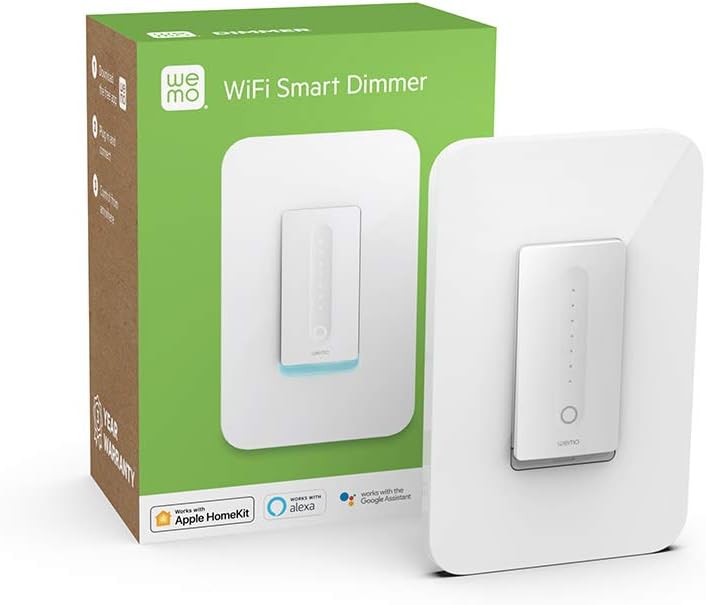
Image: The WeMo Wi-Fi Smart Dimmer shown alongside its retail packaging, highlighting the product and its box.
4. Орнотуу (Орнотуу)
This section guides you through the physical installation of your WeMo Dimmer. If you are unsure about any steps, consult a qualified electrician.
4.1 Орнотууга чейинки текшерүүлөр
- Шайкештикти текшерүү: Ensure your existing switch is a single-pole switch (controls lights from one location) and that a neutral wire is present in the electrical box.
- Керектүү куралдар: You will need a screwdriver, wire strippers, and electrical tape.
4.2 Электр зымдары боюнча нускамалар
- Кубатты өчүрүү: Locate your circuit breaker panel and turn off the power to the light switch you are replacing. Verify the power is off by attempting to turn on the light.
- Эски которгучту алып салуу: Бар болгон дубал плитасын кылдаттык менен алып салыңыз жана эски өчүргүчтү электр кутусунан чыгарыңыз. Зымдарды ажыратып, алардын туташуусун белгилеңиз.
- Зымдарды аныктоо:
- Линия (ысык) зым: Адатта кара, электр өчүргүчтөн кубат алат.
- Жүктөө зымы: Typically black, sends power to the light fixture.
- Нейтралдуу зым: Typically white, required for the WeMo Dimmer.
- Жер зымы: Адатта, жашыл же жылаңач жез.
- Connect WeMo Dimmer:
- Connect the WeMo Dimmer's кара зым to the electrical box's Line (Hot) wire.
- Connect the WeMo Dimmer's кызыл зым to the electrical box's Зымды жүктөө.
- Connect the WeMo Dimmer's ак зым to the electrical box's Нейтралдуу зым.
- Connect the WeMo Dimmer's жашыл зым to the electrical box's Жер зымы.
- Диммерди орнотуу: Carefully push the wired dimmer into the electrical box. Screw the dimmer into place.
- Дубал плитасын орнотуу: Attach your existing or a new standard rocker-style wall plate.
- Күчтү калыбына келтирүү: Return to your circuit breaker panel and turn the power back on.
Сүрөт: жакын план view of the WeMo Dimmer with its wires (black, red, white, green) extending, ready for electrical connection. This illustrates the wiring process.
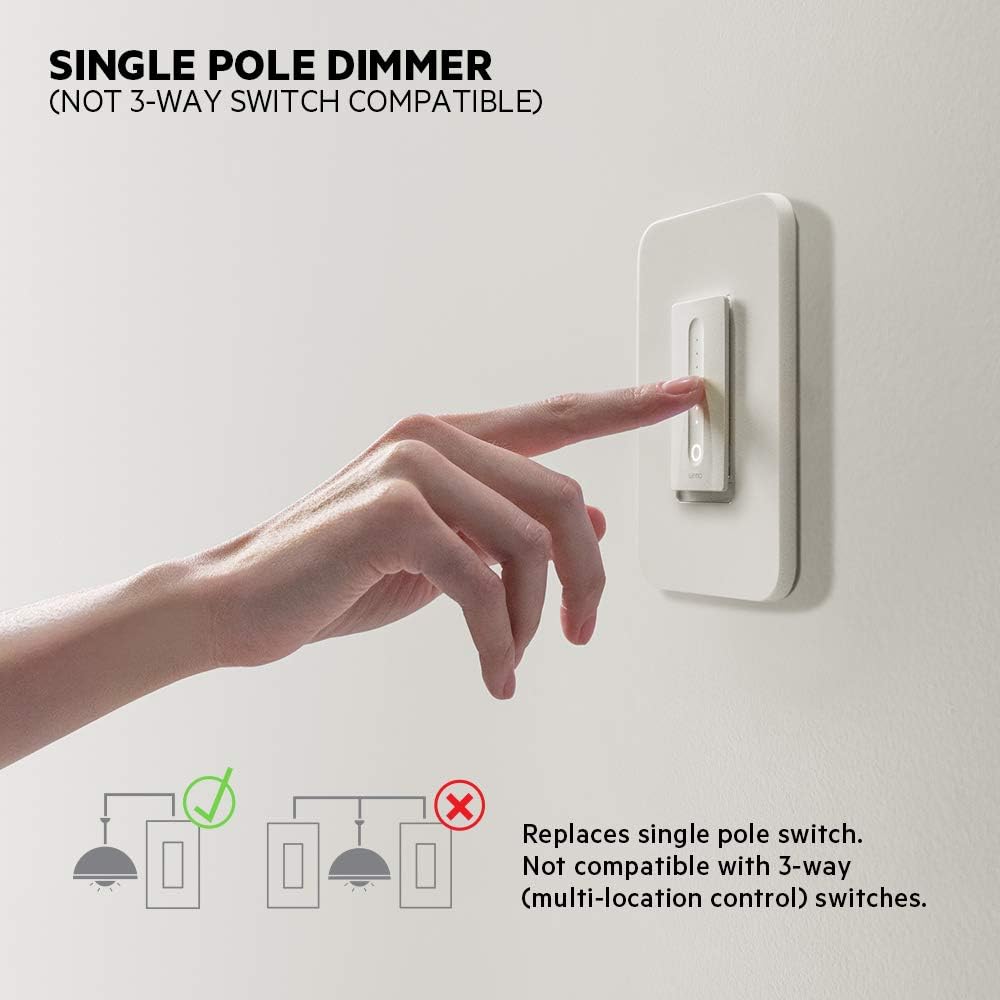
Image: Diagram illustrating that the WeMo Dimmer is compatible with single-pole switches (one switch controlling one light) and not with 3-way switches (multiple switches controlling one light).
5. WeMo App Setup
After physical installation, set up your WeMo Dimmer using the WeMo app to enable smart features.
- Download the WeMo App: Download the free WeMo app from the Apple App Store (for iOS) or Google Play Store (for Android).
- Launch App and Add Device: Open the WeMo app and follow the on-screen instructions to add a new device.
- Connect to WeMo Wi-Fi: Your phone will temporarily connect to the WeMo Dimmer's Wi-Fi network during setup.
- Connect to Home Wi-Fi: Select your home 2.4GHz Wi-Fi network and enter the password when prompted.
- Name Your Dimmer: Give your dimmer a descriptive name (e.g., "Living Room Lights").
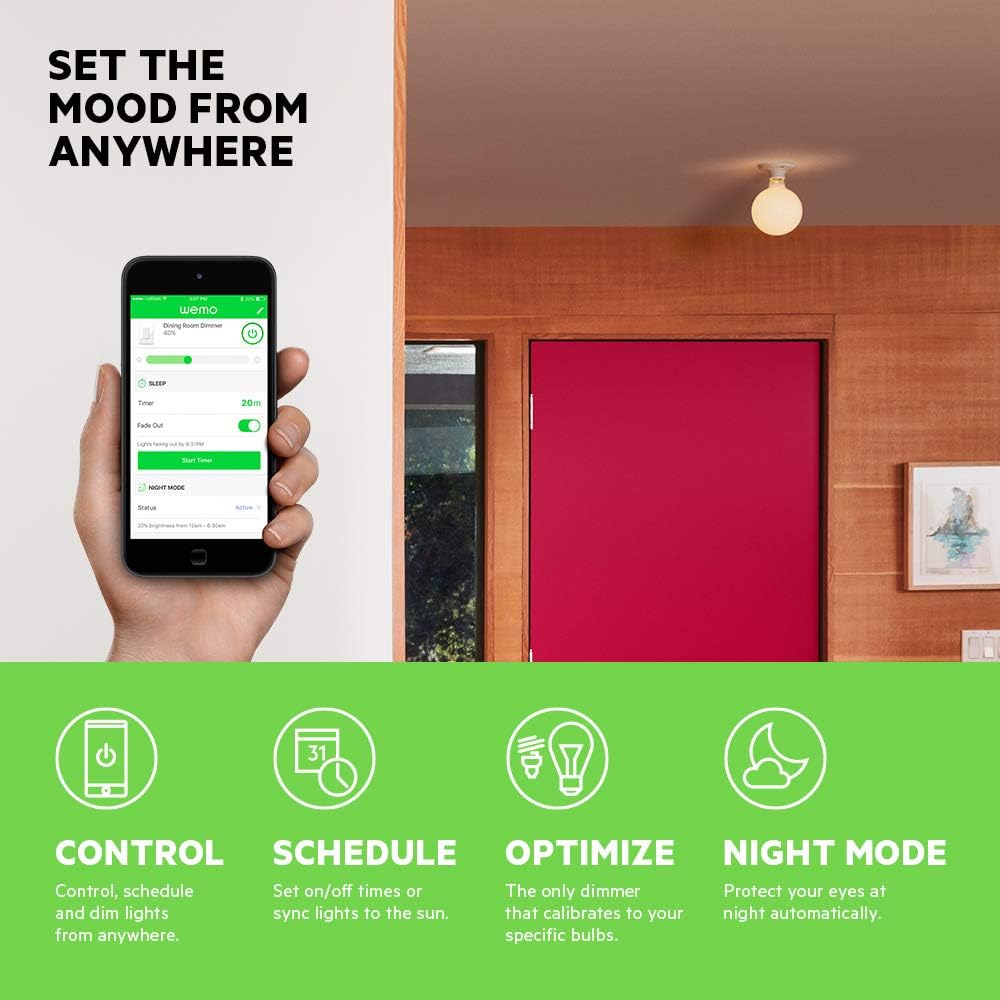
- Calibrate Dimmer: The app will guide you through a calibration process to optimize dimming for your specific bulbs (incandescent, CFL, or LED) and prevent flickering.

Image: A smartphone displaying the WeMo app interface, showing controls for dimming, scheduling, and night mode settings for a connected light switch.
6. Операция
Control your lights using the physical switch, the WeMo app, or voice commands.
6.1 Кол менен башкаруу
- Күйгүзүү/өчүрүү: Press the main circular button to turn the lights on or off.
- алсыздатуу: Slide your finger along the vertical touch-sensitive strip to adjust brightness levels.
6.2 Колдонмону башкаруу
The WeMo app provides advanced control features:
- Алыстан башкаруу: Turn lights on/off and adjust brightness from anywhere with an internet connection.
- Графиктер жана таймерлер: Set custom schedules for lights to turn on/off or dim at specific times, or sync with sunrise/sunset.
- Түнкү режим: Configure a low-light setting for specific hours to protect your eyes from bright lights during the night.

Image: A couple relaxing on a couch, watching television, with the text "Set the mood from anywhere" suggesting remote control of lighting.
7. Үн менен башкаруу интеграциясы
Integrate your WeMo Dimmer with popular voice assistants for hands-free control.
- Amazon Alexa: Enable the WeMo skill in the Alexa app and discover devices. You can then say commands like, "Alexa, dim the living room lights to 50%."
- Google Жардамчысы: Link your WeMo account in the Google Home app. Use commands such as, "Hey Google, turn off the bedroom light."
- Apple HomeKit: While advertised as compatible, some users may experience issues with HomeKit setup. Ensure your WeMo Dimmer firmware is up to date. If a HomeKit code is not present on the device or packaging, direct integration may not be immediately available.
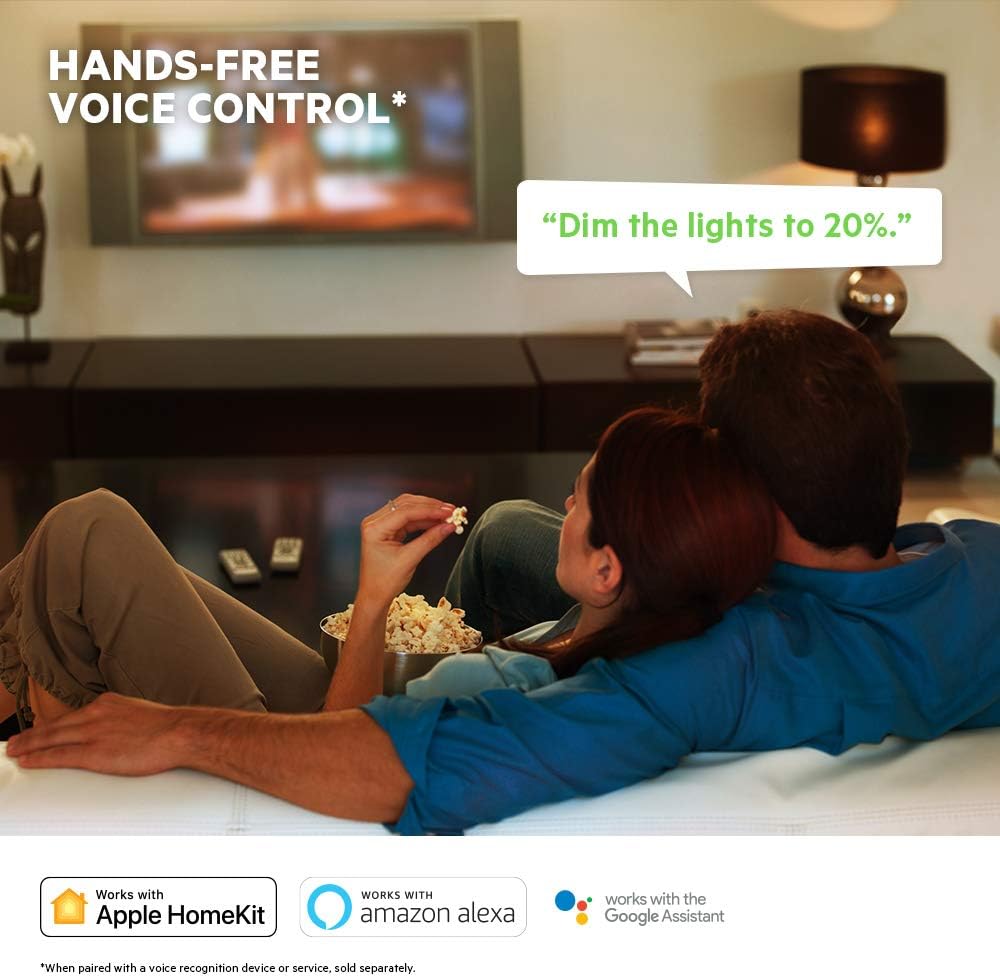
Image: A visual representation of voice control, showing a speech bubble with "Dim the lights to 20%." and logos for Apple HomeKit, Amazon Alexa, and Google Assistant.
8. Техникалык тейлөө
To ensure optimal performance and longevity of your WeMo Dimmer:
- Тазалоо: Wipe the dimmer and wall plate with a soft, dry cloth. Do not use abrasive cleaners or solvents.
- Программалык камсыздоонун жаңыртуулары: Regularly check the WeMo app for available firmware updates. These updates can improve performance, add features, and enhance security.
- Power Cycling: If the dimmer becomes unresponsive, try turning off the power at the circuit breaker for 10 seconds, then turning it back on.
9. Кыйынчылыктарды
If you encounter issues with your WeMo Dimmer, refer to the following common problems and solutions:
| Көйгөй | Мүмкүн болгон себеп / Чечим |
|---|---|
| Dimmer does not turn on/off or dim. |
|
| Cannot connect to WeMo app or Wi-Fi. |
|
| Lights flicker or dimming range is poor. |
|
| Үн башкаруу иштебейт. |
|
10. Техникалык шарттар
| Өзгөчөлүк | Деталь |
|---|---|
| Модель номери | F7C059 |
| Бренд | WeMo |
| Operating Voltage | 120 VAC |
| Макс Ватtage (Incandescent) | 400W (single-gang), 250W (multi-gang) |
| Макс Ватtage (CFL/LED) | 150W (single or multi-gang) |
| Connectivity Protocol | Wi-Fi (2.4 ГГц 802.11б/г/н) |
| Башкаруу ыкмасы | App, Voice, Manual |
| Controller Type | Amazon Alexa, Google Assistant, HomeKit, WeMo App |
| Circuit Type | 1 тараптуу (Бир уюлдуу) |
| Нейтралдуу зым | Талап кылынат |
| Продукциянын өлчөмдөрү | 3.3 x 1.7 x 5 дюйм |
| Элемент Салмагы | 8 унция |
| Түс | Ак |
11. Кепилдик жана колдоо
For warranty information, technical support, or further assistance, please visit the official WeMo support website or contact their customer service. Details are typically available on the product packaging or the WeMo webсайт.
Онлайн колдоо: www.wemo.com/support (Чыгampшилтеме, чыныгы шилтеме ар кандай болушу мүмкүн)