
1. Киришүү
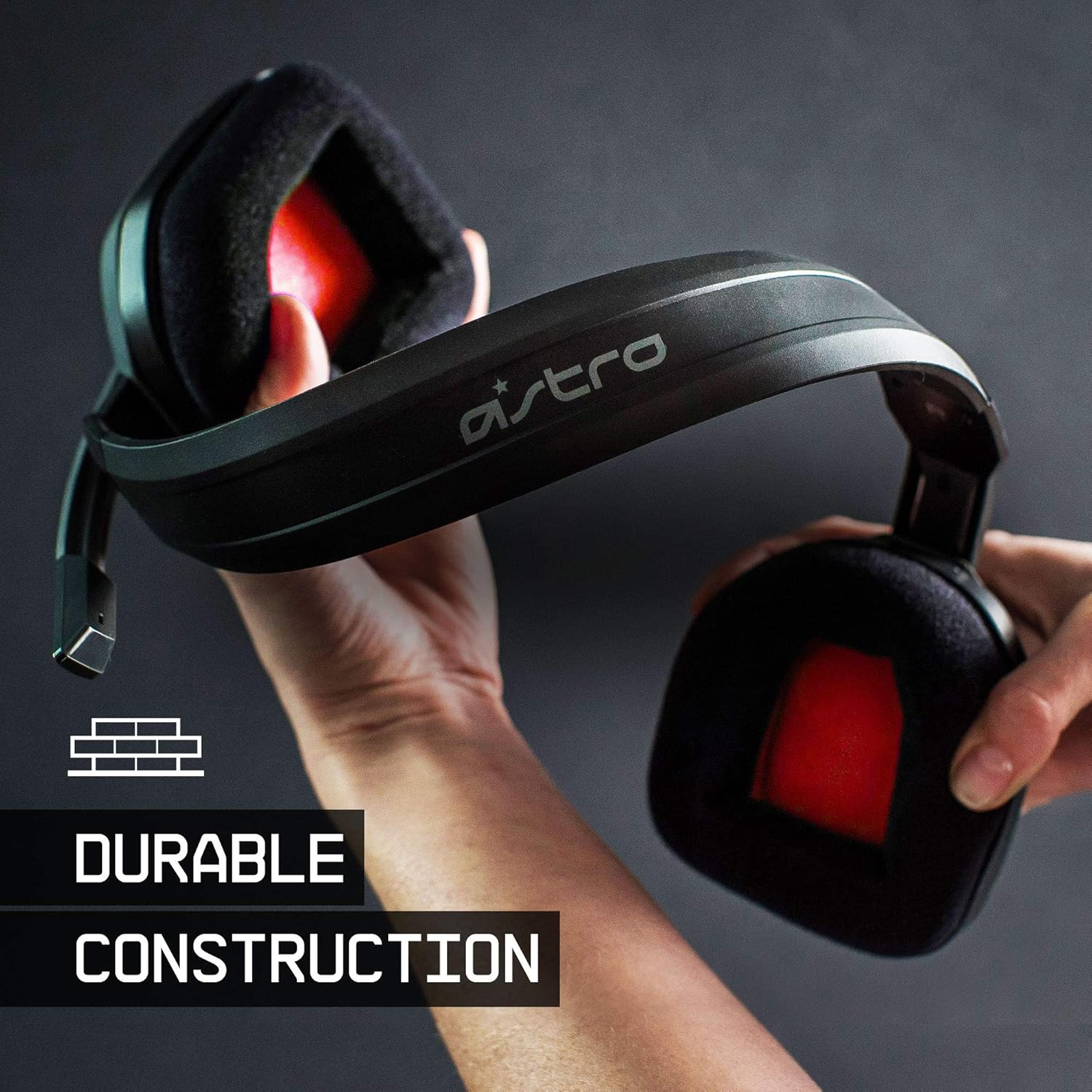
The ASTRO Gaming A10 Headset is engineered for gaming, offering durable construction and extended comfort for prolonged use. It features ASTRO Audio for clear and precise sound, an omnidirectional microphone with flip-up mute functionality, and in-line volume control for a comprehensive audio experience.
2. Кутуда эмне бар
Upon unboxing your ASTRO Gaming A10 Headset, you should find the following components:
- ASTRO Gaming A10 Headset
- A10 Volume Cable (3.5mm jack)

3. Продукциянын өзгөчөлүктөрү
- Узактыгы: The A10 Headset is constructed with a durable headband made of anodized aluminum and a damage-resistant polycarbonate blend, designed to withstand rigorous use.
- Комфорт: Featuring extended comfort memory foam ear-cushions, the headset is designed to minimize fatigue during long gaming sessions.
- Байланыш: An omnidirectional microphone with flip-up mute functionality and in-line volume control ensures clear communication with teammates.
- Үн сапаты: Tuned with ASTRO Audio, the A10 delivers immersive and accurate audio, providing low latency and precise voice communication.
- Шайкештик: The headset is compatible with multiple platforms including PS5, PC/MAC, XBOX SERIES X|S, NINTENDO SWITCH, VR, and streaming devices.



4. Орнотуу нускамалары
- Connect the A10 Volume Cable: Insert the smaller end of the A10 Volume Cable into the 3.5mm port located on the left earcup of the ASTRO A10 Headset. Ensure it is securely connected.
- Түзмөккө туташуу: Plug the larger end of the A10 Volume Cable into the 3.5mm headphone jack on your gaming controller (e.g., Xbox, PlayStation), PC, Mac, Nintendo Switch, or other compatible device.
- Үндү тууралоо: Use the in-line volume control wheel on the A10 Volume Cable to adjust the audio level to your preference.
- Микрофондун орду: Lower the microphone boom arm to activate the microphone. Position it appropriately for clear voice capture.

5. Иштөө нускамалары
Microphone Usage (Flip-to-Mute)
The ASTRO A10 Headset features a convenient flip-to-mute microphone. To activate the microphone, simply lower the boom arm into the speaking position. To mute the microphone, flip the boom arm upwards until it clicks into the vertical position. This action instantly mutes your voice input.
Үндү көзөмөлдөө
Adjust the audio volume using the in-line control wheel located on the A10 Volume Cable. Rotate the wheel upwards to increase volume and downwards to decrease volume.
6. Шайкештик
The ASTRO Gaming A10 Headset is designed for broad compatibility across various gaming and media platforms:
- PlayStation 5 (PS5)
- PlayStation 4 (PS4)
- Xbox Series X|S
- Xbox One
- Nintendo Switch
- PC
- Mac
- VR devices
- Агым аппараттары
- Most mobile phones and tablets with a 3.5mm jack

7. Техникалык тейлөө
- Тазалоо: Гарнитураны тазалоо үчүн жумшак, кургак чүпүрөктү колдонуңуз. Катуу химиялык заттарды же абразивдүү материалдарды колдонуудан алыс болуңуз.
- Сактагыч: Гарнитураны күн нурунан жана экстремалдык температурадан алыс салкын, кургак жерде сактаңыз.
- Кабельге кам көрүү: Зыяндын алдын алуу үчүн кабелди курч ийилүүдөн же ашыкча тартуудан качыңыз.
- Кулак жаздыктары: Кулак жаздыкчаларынын эскиргендигин мезгил-мезгили менен текшерип туруңуз. Алмаштыруучу жаздыкчаларды өндүрүүчүдөн алууга болот.
8. Кыйынчылыктарды
- Аудио жок / Үнү начар:
- 3.5 мм кабелдин гарнитурага да, түзмөккө да толугу менен сайылганын текшериңиз.
- Check the in-line volume control and ensure it is turned up.
- Verify that the audio output settings on your device are correctly configured for the headset.
- Түзмөккө тиешелүү маселени болтурбоо үчүн гарнитураны башка түзмөк менен сынап көрүңүз.
- Микрофон иштебейт:
- Ensure the microphone boom arm is fully lowered into the speaking position (not flipped up for mute).
- Check the microphone input settings on your device to ensure the headset microphone is selected and not muted.
- Микрофонду башка колдонмо же түзмөк менен сынап көрүңүз.
- Статикалык же бурмаланган аудио:
- Ensure the 3.5mm cable connections are secure and free from debris.
- Try using a different 3.5mm cable if available, to rule out a faulty cable.
- Reduce the volume on your device or headset if the audio is clipping.
9. Техникалык шарттар
| Өзгөчөлүк | Деталь |
|---|---|
| Бренд | ASTRO Gaming |
| Модель аты | ASTRO Gaming A10 |
| Модель номери | 939-001508 |
| Байланыш технологиясы | Зымдуу |
| Наушник уясы | 3.5 мм Джек |
| Элемент Салмагы | 12.35 унция |
| Жыштык диапазону | 20 Гц - 20 кГц |
| Аудио драйвер түрү | Динамикалык драйвер |
| Коргоочу материал | Алюминий |
| Кошумча функциялар | Microphone Included, Volume Control |
| Шайкеш түзмөктөр | PS5, PC/MAC, XBOX SERIES X|S, NINTENDO SWITCH, VR, STREAMING, most mobile phones, tablets |
10. Кепилдик жана колдоо
The ASTRO Gaming A10 Headset comes with a 2 жылдык өндүрүүчүнүн кепилдиги. For warranty claims, technical support, or additional product information, please visit the official ASTRO Gaming webсайтка же түздөн-түз кардарларды тейлөөгө кайрылыңыз.
11. Продукт видеолору
ASTRO A10 Experience
Video: An official video showcasing the overall experience and key aspects of the ASTRO A10 Headset. This video provides a visual overview продуктунун дизайны жана функционалдуулугу жөнүндө.