
Introduction
This manual provides essential information for the safe and efficient use of your Nextech USB Type-C 2.0 Fast Sync & Charge Cable (Model NC66). This cable is designed for fast charging and data syncing with a wide range of USB-C compatible devices. It supports up to 3A fast charging and data transfer speeds of 480Mbps. The cable features a durable construction, a reversible USB-C connector for easy use, and built-in protection against overcharging.
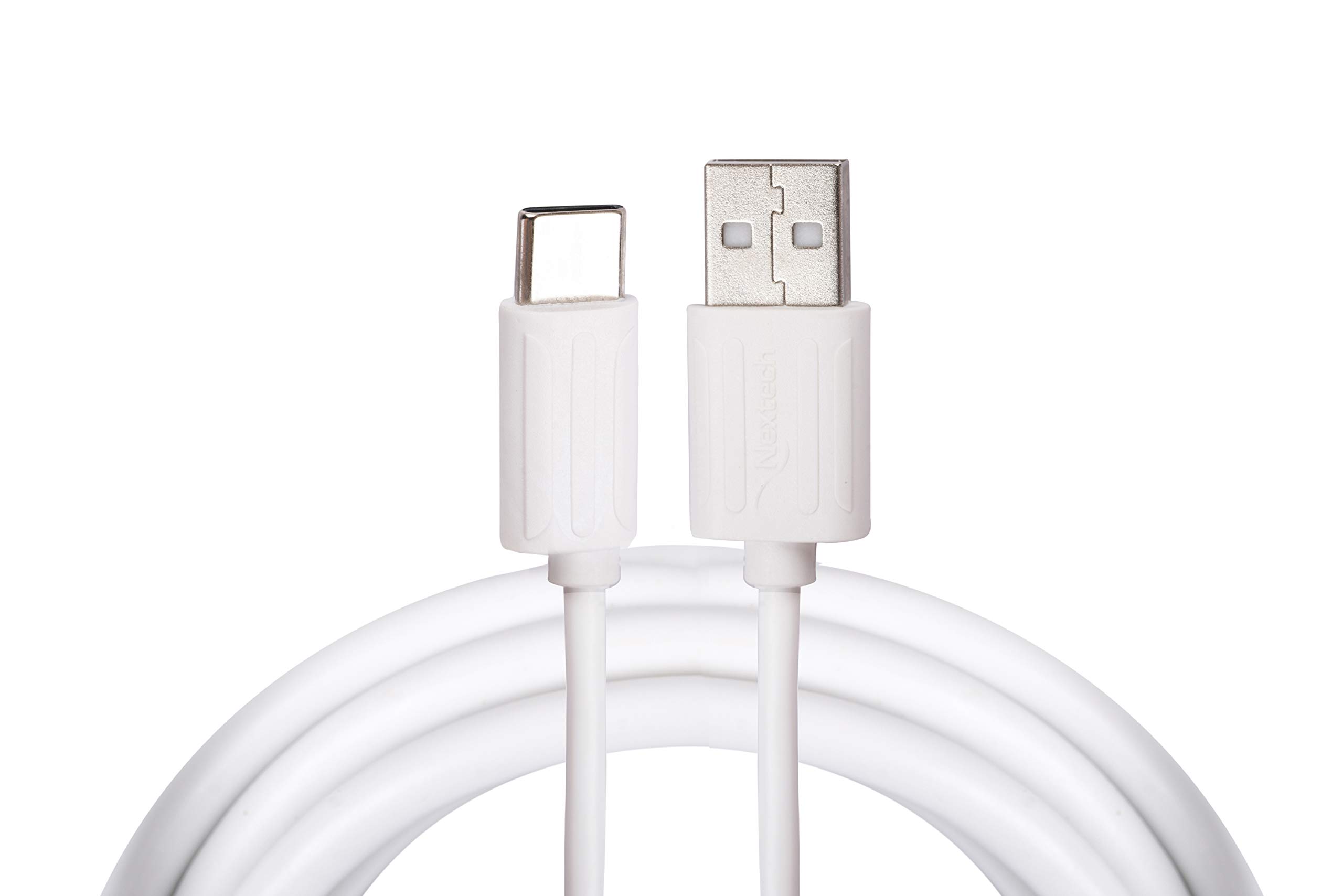
This image displays the Nextech USB Type-C 2.0 Fast Sync & Charge Cable, highlighting its USB Type-A connector on one end and the reversible USB Type-C connector on the other. The cable is white.
Жайгашуу
Follow these steps to connect your Nextech USB Type-C cable:
- Портторду аныктоо: Locate the USB Type-A port on your power adapter, computer, or power bank. Identify the USB Type-C port on your smartphone, tablet, or laptop.
- Кубат булагына/Компьютерге туташуу: Insert the USB Type-A connector of the cable firmly into the corresponding USB Type-A port on your power source or computer.
- Түзмөккө туташуу: Insert the USB Type-C connector of the cable firmly into your device's USB Type-C port. The reversible design of the USB-C connector allows it to be plugged in either orientation.

А деталдуу view of the Nextech cable's connectors, showing the USB Type-A plug and the USB Type-C plug. This illustrates the design for connecting to various devices and power sources.
Иштөө нускамалары
Туташтырылгандан кийин, кабель эки негизги функцияны аткарат:
- Аспабыңызды кубаттоо: When connected to a compatible power adapter or power bank, the cable will initiate charging for your device. Ensure your power source is active and provides sufficient power for fast charging if desired.
- Маалыматтарды өткөрүү: When connected to a computer, your device should typically prompt you to select a connection mode (e.g., 'File Transfer', 'Photo Transfer', 'Charging Only'). Select the appropriate data transfer mode to access files on your device from your computer. The cable supports data transfer speeds up to 480Mbps.
Техникалык тейлөө
To ensure the longevity and optimal performance of your Nextech USB Type-C cable, follow these maintenance guidelines:
- Тазалоо: Keep the cable and its connectors clean and free from dust, lint, and debris. Use a soft, dry cloth for cleaning. Avoid using liquids or abrasive cleaners.
- Колдонуу: Avoid sharp bends, kinks, or excessive pulling on the cable, especially near the connectors. Always grasp the connector head when plugging or unplugging, rather than pulling on the cable itself.
- Сактагыч: Store the cable in a cool, dry place when not in use. Avoid extreme temperatures or direct sunlight.
- Курчап турган чөйрөнүн таасири: Do not expose the cable to water, high humidity, or corrosive substances.
Проблемаларды чечүү
If you encounter issues with your cable, refer to the following common solutions:
- Түзмөк кубатталбай жатат:
- Кабелдин эки учу тең бекем туташтырылганын текшериңиз.
- Try using a different power adapter or power bank.
- Түзмөккө тиешелүү көйгөйдү жокко чыгаруу үчүн кабелди башка шайкеш келген түзмөк менен сынап көрүңүз.
- Жай кубаттоо:
- Verify that your power adapter and device both support fast charging protocols.
- Ensure the power adapter provides sufficient output (e.g., 3A for optimal performance).
- Маалыматтарды өткөрүү маселелери:
- Confirm that your device is set to 'File Transfer' or 'Data Transfer' mode when connected to a computer.
- Компьютериңиздеги башка USB портуна туташып көрүңүз.
- Компьютериңиздеги USB түзмөктөрүнүн драйверлери жаңыртылганын текшериңиз.
Техникалык шарттар

An infographic summarizing key features of the Nextech USB-C 2.0 Sync & Charge Cable, including its sync and charge capability, USB 2.0 high-speed data transfer (480Mbps), 3K insertion test pass, auto cut circuit, and 1-meter cable length. It also indicates 'Made In India'.
| Бренд | Nextech |
| Модель аты | Type-C Cable (NC66) |
| Туташтыргыч түрү | USB Type A, USB Type C |
| Кабель түрү | USB |
| Кабелдин узундугу | 1 метр |
| Маалыматтарды өткөрүү ылдамдыгы | секундасына 480 мегабайт |
| Максималдуу ток | 3 Amps |
| Ватtage | 15 Ватт |
| Шайкеш түзмөктөр | Smartphones, Tablets, Laptops, Power Banks, Charging Adapters |
| Өзгөчөлүктөр | Durable build, reversible connector, auto cut-off circuit, 5K insertion test pass |
| Элемент Салмагы | 30 грамм |
| Келип чыккан өлкө | Индия |
Кепилдик жана колдоо
Кепилдик жөнүндө маалымат, техникалык колдоо же өнүмгө байланыштуу суроолор боюнча, өндүрүүчүгө түздөн-түз кайрылыңыз:
- Өндүрүүчү: Amson Interconnect Pvt Ltd
- Байланыш телефону: +91-9953694939
- Байланыш электрондук почтасы: Social@amson.in
Кепилдик боюнча дооматтар үчүн сатып алуу квитанцияңызды сактап коюңуз.