
1. Киришүү
This manual provides detailed instructions for the installation, operation, and maintenance of your Amcrest AGPS18E16P-AT-190M 18-Port PoE+ Gigabit Ethernet Switch. This managed switch is designed for efficient network management, offering Power over Ethernet (PoE+) capabilities for various network devices such as IP cameras, wireless access points, and VoIP phones. Please read this manual thoroughly before using the device to ensure proper setup and functionality.
Видео: An official Amcrest video providing an overview of the product's reliability and security features, demonstrating its application in various settings.
2. Продукциянын өзгөчөлүктөрү
The Amcrest AGPS18E16P-AT-190M switch offers a robust set of features for demanding network environments:
- 18-Port POE+ 802.3at Desktop Power Ethernet Switch with 16-Port POE+ and Gigabit Uplink (10/100/1000mbps).
- Supports maximum 30W power (POE+ 802.3at) and 10/100mbps to each POE port.
- 190W total power available to all POE ports.
- 10/100/1000mbps Gigabit Ethernet Uplink and SFP Optical Fiber Uplink.
- Enterprise-level managed switch capability.
- Rack-mountable design for flexible installation.
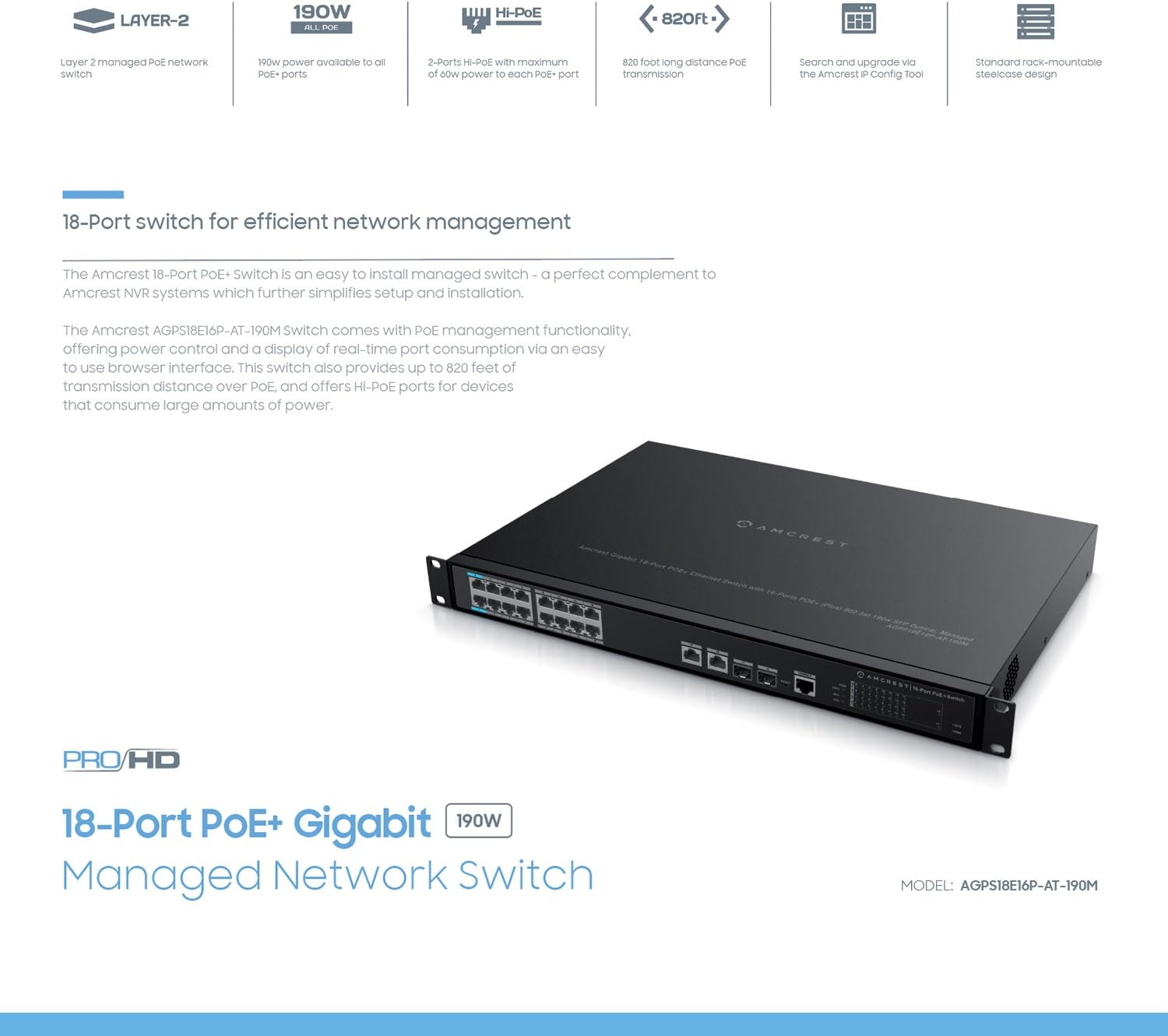
Сүрөт: Diagram highlighting key features of the Amcrest 18-Port PoE+ Switch, including 190W power, Hi-PoE, 820ft long distance PoE transmission, and rack-mountable design.
3. Пакеттин мазмуну
Пакетиңизде бардык буюмдар бар экенин текшериңиз:
- Amcrest AGPS18E16P-AT-190M 18-Port PoE+ Gigabit Ethernet Switch
- Электр кабели
- Rackmount Ears (with screws)
- Колдонуучунун колдонмосу (бул документ)
4. Физикалык мүнөздөмө
Familiarize yourself with the ports and indicators on the switch.
Front Panel
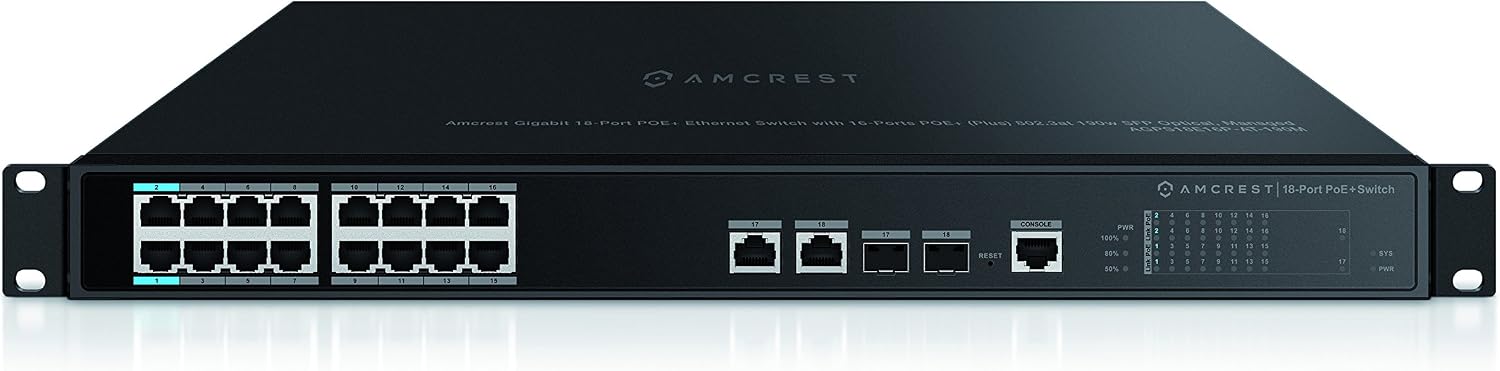
Сүрөт: Фронт view of the Amcrest 18-Port PoE+ Switch. This image shows the 16 PoE+ ports, 2 Gigabit uplink ports, 2 SFP ports, console port, reset button, and LED indicators.
- PoE+ порттору (1-16): 10/100Mbps ports supporting 802.3at/af PoE+.
- Gigabit Uplink Ports (17-18): 10/100/1000Mbps Ethernet ports for connecting to a core network or other switches.
- SFP порттору (17-18): Shared with Gigabit Uplink ports, these slots are for SFP fiber optic modules for long-distance connections.
- Консол порту: For command-line interface (CLI) management.
- Калыбына келтирүү баскычы: Заводдун демейки жөндөөлөрүн калыбына келтирүү үчүн колдонулат.
- LED көрсөткүчтөрү: Provide status for Power (PWR), System (SYS), Link/Act, and PoE status for each port.
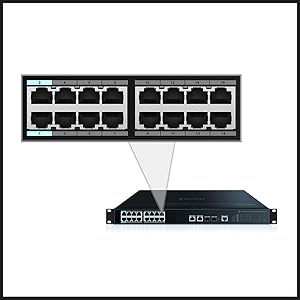
Сүрөт: Close-up image of the ports on the Amcrest 18-Port PoE+ Switch, providing a clearer view of the Ethernet and SFP connections.
Өлчөмдөр

Сүрөт: Деталдаштырылган view of the Amcrest 18-Port PoE+ Switch showing its dimensions (17.3 inches wide, 1.7 inches high) and a clear layout of all ports and indicators.
5. Орнотуу
Follow these steps to set up your Amcrest PoE+ switch:
- Монтаждоо: The switch is rack-mountable. Attach the included rackmount ears to the sides of the switch using the provided screws. Secure the switch into a standard 19-inch equipment rack. Ensure adequate ventilation around the switch.
- Кубат туташуу: Connect the power cord to the AC power inlet on the rear panel of the switch and then to a grounded electrical outlet.
- Тармактык байланыштар:
- PoE түзмөктөрү: Connect your PoE-compatible devices (e.g., IP cameras, access points) to ports 1-16 using standard Ethernet cables. The switch will automatically detect and provide power to these devices.
- Uplink порттору: Connect the Gigabit uplink ports (17 or 18) to your router, NVR, or main network switch using an Ethernet cable.
- SFP модулдары: If using fiber optic connections, insert compatible SFP modules into the SFP slots (shared with ports 17-18) and connect fiber optic cables.
- Баштапкы конфигурация: For managed features, connect a computer to any non-PoE port or a Gigabit uplink port. The switch typically has a default IP address (refer to the included quick start guide or Amcrest support for the specific default IP and login credentials). Access the web- негизделген башкаруу интерфейси аркылуу web browser to configure advanced settings.

Сүрөт: Illustrative image showing various network devices, such as IP cameras and access points, connected to the Amcrest PoE+ Switch, demonstrating its application in a network setup.
6. Иштөө нускамалары
Күйгүзүү/өчүрүү
Once the power cord is connected, the switch will power on automatically. The PWR LED indicator will illuminate. To power off, disconnect the power cord from the electrical outlet.
LED көрсөткүчтөрү
- PWR: Коммутатор күйгүзүлгөндө жашыл түстө жанат.
- SYS: Indicates system status (e.g., solid for normal operation, blinking for activity).
- Шилтеме/Акт (ар бир порт үчүн): Solid green when a device is connected and a link is established. Blinking green indicates data activity.
- PoE (ар бир порт үчүн): Туташкан түзмөккө PoE кубаты берилип жатканда жашыл түстө күйөт.
Managed Features
As a managed switch, the AGPS18E16P-AT-190M offers advanced configuration options via its web-based interface. These include:
- Тармакты сегменттөө үчүн VLAN конфигурациясы.
- Quality of Service (QoS) settings to prioritize network traffic.
- Port Aggregation (LACP) for increased bandwidth and redundancy.
- PoE management, including power scheduling and monitoring.
- System logs and diagnostics.
Refer to the switch's online documentation or Amcrest support for detailed instructions on configuring these advanced features.
7. Техникалык тейлөө
Proper maintenance ensures the longevity and optimal performance of your switch:
- Тазалоо: Которгучтун сыртын жумшак, кургак чүпүрөк менен дайыма тазалап туруңуз. Суюктук же аэрозолдук тазалоочу каражаттарды колдонбоңуз. Вентиляция тешиктери чаңдан жана тоскоолдуктардан таза болушун камсыз кылыңыз.
- Программалык камсыздоонун жаңыртуулары: Periodically check the Amcrest official website for available firmware updates. Applying updates can improve performance, add features, and address security vulnerabilities. Follow the instructions provided with the firmware update carefully.
- Экологиялык шарттар: Operate the switch within its specified temperature and humidity ranges. Avoid exposing the switch to direct sunlight, excessive heat, or moisture.
8. Кыйынчылыктарды
Которуууңузда көйгөйлөргө туш болсоңуз, төмөнкү жалпы көйгөйлөрдү жана чечимдерди караңыз:
- Кубат жок:
- Кубат шнуру өчүргүчкө да, иштеп жаткан электр розеткасына да бекем туташтырылганын текшериңиз.
- Башка аспапка сайып, розетка иштеп жатканын текшериңиз.
- Байланыш/байланыш жок:
- Check that Ethernet cables are securely connected to both the switch port and the connected device.
- Туташкан аппараттын күйгүзүлгөнүн жана туура иштегенин текшериңиз.
- Башка Ethernet кабелин же портту колдонуп көрүңүз.
- For SFP connections, ensure the SFP module is correctly inserted and compatible.
- PoE Not Delivering Power:
- Verify the connected device is PoE-compatible (802.3at/af).
- Check the PoE LED for the specific port; if it's off, power is not being supplied.
- Ensure the total power consumption of all PoE devices does not exceed the switch's 190W budget.
- кирүү web management interface to check PoE settings and status for the port.
- Жай тармак ылдамдыгы:
- Кабелдердин же байланыштардын бузулгандыгын текшериңиз.
- Ensure connected devices are operating at their expected speeds (e.g., 100Mbps devices on 10/100 ports).
- Review QoS settings in the management interface if traffic prioritization is configured.
- Которгучту баштапкы абалга келтирүү: If issues persist, you may need to reset the switch to factory default settings. With the switch powered on, use a paperclip or similar pointed object to press and hold the Reset button for approximately 5-10 seconds until the LEDs flash. The switch will then reboot with default settings.
9. Техникалык шарттар
Detailed technical specifications for the Amcrest AGPS18E16P-AT-190M switch:
| Өзгөчөлүк | Спецификация |
|---|---|
| Бренд | Amcrest |
| Модель номери | AGPS18E16P-AT-190M |
| Порттардын саны | 18 (16 PoE+, 2 Gigabit Uplink/SFP) |
| PoE стандарты | IEEE 802.3at/af |
| Порт үчүн максималдуу PoE кубаттуулугу | 30 Вт |
| Жалпы PoE кубаттуулугу бюджети | 190 Вт |
| Ethernet порт ылдамдыгы | 10/100Mbps (PoE+ ports), 10/100/1000Mbps (Uplink ports) |
| Uplink Interface | Gigabit Ethernet, SFP |
| Которуу түрү | Башкарылган |
| Иштин материалы | Металл |
| Стойкага орнотулган | Ооба |
| Электр камсыздоо | AC 100-240V |
| Өлчөмдөрү (W x Y x D) | 17.3 x 1.7 x [Depth not specified, typical for 1U rackmount] inches |
| Иштөө нымдуулугу | 10% - 90% RH (конденсацияланбайт) |
| Кепилдик | 1 жыл |
10. Кепилдик жана колдоо
The Amcrest AGPS18E16P-AT-190M switch comes with a 1 жылдык кепилдик сатып алынган күндөн тартып. Бул кепилдик нормалдуу колдонуудагы материалдардагы жана жасалгадагы кемчиликтерди камтыйт.
For technical support, warranty claims, or additional product information, please contact Amcrest customer service through their official website or the contact information provided with your purchase. Ensure you have your product model number (AGPS18E16P-AT-190M) and proof of purchase available when contacting support.
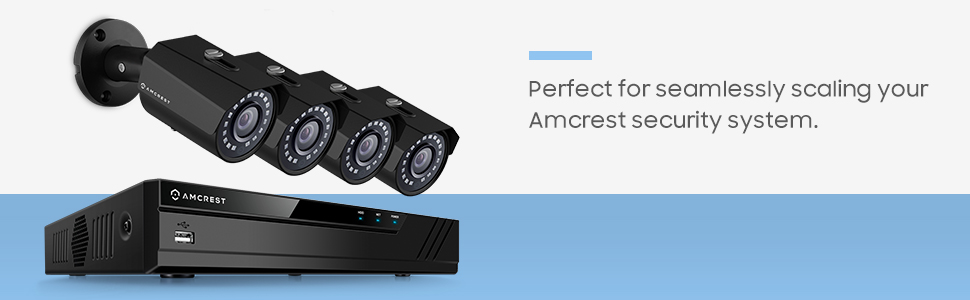
Сүрөт: An image depicting the Amcrest PoE+ Switch as part of a larger security system, connecting multiple surveillance cameras.