iLuv Metal Forge Air 2 Wireless Bluetooth Earphones User Manual
Model: MFAIR2SI
Introduction
The iLuv Metal Forge Air 2 are wireless Bluetooth in-ear earphones designed for a comfortable listening experience. They feature a durable metallic design, noise-isolating ear tips, and a multi-functional remote for hands-free control of music and calls. This manual provides instructions for setup, operation, maintenance, and troubleshooting to ensure optimal performance of your earphones.
Пакеттин мазмуну
Пакетиңизде бардык буюмдар бар экенин текшериңиз:
iLuv Metal Forge Air 2 Wireless Bluetooth Earphones
USB заряддоо кабели
Multiple Sizes of Noise-Isolating Ear Tips (Small, Medium, Large)
Колдонуучунун Колдонмосу (бул документ)
Image: The retail packaging for the iLuv Metal Forge Air 2 earphones, showing the earphones, remote, and ear tips.
Жайгашуу
1. Наушниктерди заряддоо
Before first use, fully charge your iLuv Metal Forge Air 2 earphones. Connect the USB charging cable to the charging port on the remote control and plug the other end into a USB power source (e.g., computer USB port, wall adapter). The LED indicator will show charging status. A full charge provides up to 5 hours of playback time and up to 200 hours of standby time.
2. Күйгүзүү / Өчүрүү
To power on: Press and hold the multi-function button on the remote until the LED indicator flashes.
To power off: Press and hold the multi-function button until the LED indicator turns off.
3. Bluetooth Жупташтыруу
Наушниктердин өчүрүлгөнүн текшериңиз.
Press and hold the multi-function button for approximately 5-7 seconds until the LED indicator flashes red and blue alternately. A voice prompt will indicate "Pairing Mode".
Смартфонуңузда же Bluetooth иштетилген түзмөгүңүздө Bluetooth жөндөөлөрүнө өтүңүз.
Издөө available devices and select "iLuv Metal Forge Air 2" from the list.
Once connected, a voice prompt will confirm "Connected", and the LED indicator will flash blue periodically.
The earphones can stream music wirelessly up to 30 feet (9 meters) from your paired device.
Иштөө нускамалары
Алыстан башкаруу функциялары
The in-line remote control allows you to manage music playback, calls, and voice commands.
Баскыч/Аракет
Функция
Көп функциялуу баскыч (Борбордо)
Бир жолу басыңыз: Музыканы ойнотуу/тындыруу, чалууга жооп берүү/аяктоо
Press and hold (2s): Reject incoming call
Press twice: Redial last number
Press and hold (5-7s from off): Enter Pairing Mode
Үнүн жогорулатуу (+)
Бир жолу басыңыз: Үнүн жогорулатуу
Басып кармап туруңуз: Кийинки трек
Үнүн азайтуу (-)
Бир жолу басыңыз: Үндү азайтыңыз
Басып кармап туруңуз: Мурунку трек
Үн буйруктары
The built-in microphone supports voice control functions such as Siri or Google Now, depending on your smartphone model. Activate by pressing and holding the multi-function button (check specific device instructions for activation).
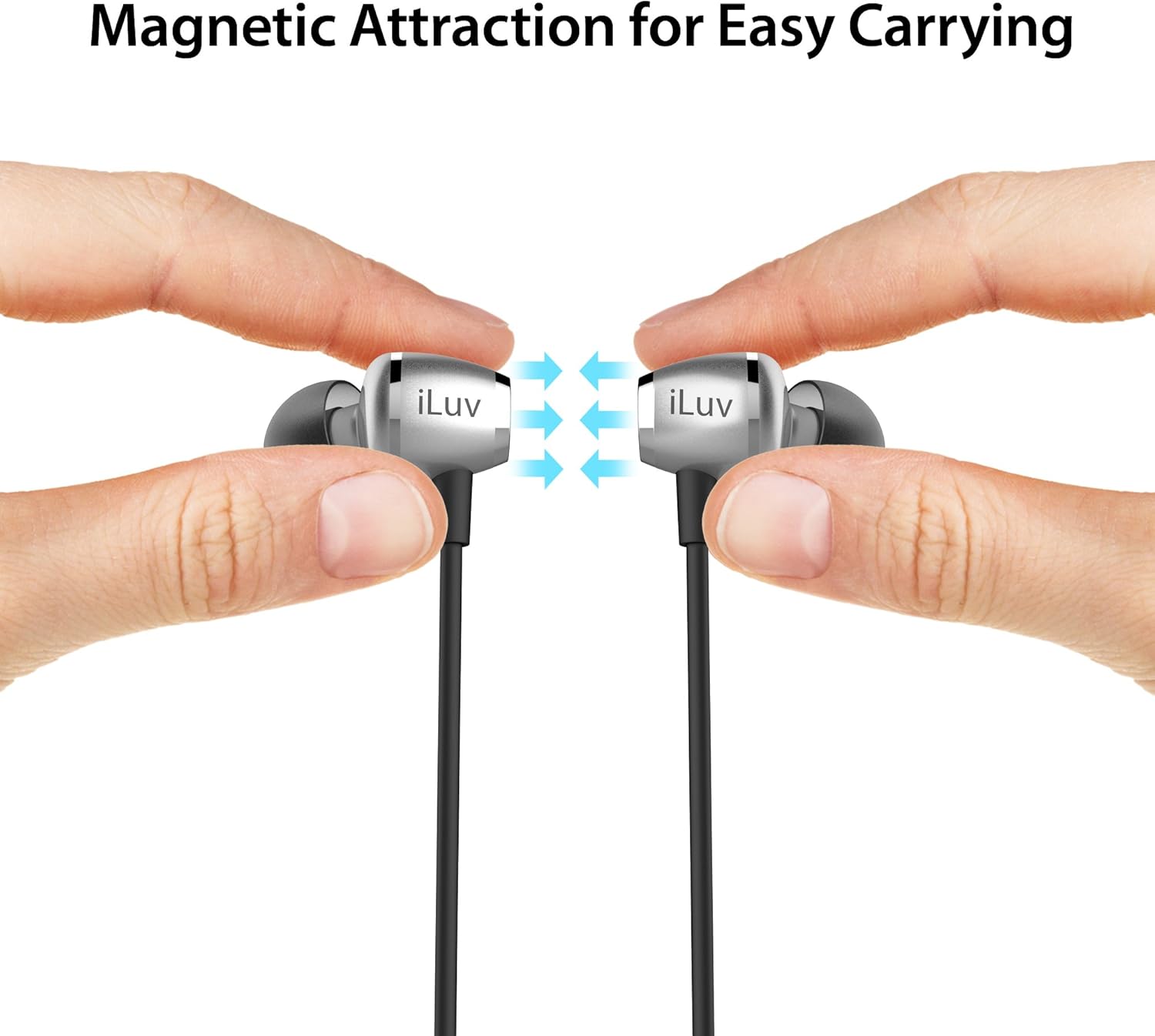
Magnetic Earbuds for Easy Carrying
The earbuds feature built-in magnets. When not in use, you can connect the two earbuds together, allowing them to rest securely around your neck and preventing tangling or loss.
Image: Two hands holding the iLuv Metal Forge Air 2 earbuds, demonstrating how the magnets attract them together for easy carrying around the neck.
Image: A man wearing the iLuv Metal Forge Air 2 earphones, showing the in-ear fit and the remote control hanging down.
Техникалык тейлөө
Тазалоо
Regularly clean your earphones to maintain sound quality and hygiene. Use a soft, dry, lint-free cloth to wipe the earbuds and cable. For ear tips, you may gently remove them and clean with a mild soap solution, then rinse thoroughly and ensure they are completely dry before reattaching.
Сактагыч
When not in use, store the earphones in a cool, dry place away from direct sunlight and extreme temperatures. Utilize the magnetic feature to keep the earbuds together and prevent tangling of the flat cable.
Sweat Proof Design
The iLuv Metal Forge Air 2 features a sweat-proof design, making them suitable for active lifestyles. However, they are not waterproof. Avoid submerging them in water or exposing them to heavy rain.
Проблемаларды чечүү
If you encounter issues with your iLuv Metal Forge Air 2 earphones, please refer to the following common solutions:
Кубат жок: Кулакчындар толук заряддалганын текшериңиз. Аларды кубат булагына туташтырып, кубаттоо индикаторун текшериңиз.
Жупташуу мүмкүн эмес:
Make sure the earphones are in pairing mode (LED flashing red and blue alternately).
Ensure Bluetooth is enabled on your device and it is within 30 feet (9 meters) of the earphones.
Try turning off and on your device's Bluetooth, or restarting your device.
Эгер мурда жупташтырылган болсоңуз, телефонуңуздун Bluetooth жөндөөлөрүнөн түзмөктү "унутуп", кайра жупташтырып көрүңүз.
Үн жок же үнү төмөн:
Наушниктердин жана туташкан түзмөгүңүздүн үнүнүн деңгээлин текшериңиз.
Кулакчындардын туура жупташтырылганын жана туташтырылганын текшериңиз.
Аудио булагы ойноп жатканын текшериңиз.
Intermittent Disconnections / Turns Off Frequently:
Ensure the earphones are fully charged. Low battery can cause unstable connections.
Наушник менен түзмөгүңүздүн ортосундагы аралыкты азайтыңыз.
Avoid obstacles (walls, large objects) that may interfere with the Bluetooth signal.
Башка зымсыз түзмөктөрдөн (Wi-Fi роутерлери, башка Bluetooth түзмөктөрү) тоскоолдуктарды азайтыңыз.
Үн сапаты начар:
Ensure the ear tips are correctly sized and seated in your ears for optimal noise isolation and sound delivery.
Clean the ear tips and speaker grilles to remove any debris.
Башка аудио булагын байкап көрүңүз же file булак маселелерин жокко чыгаруу.
Техникалык шарттар
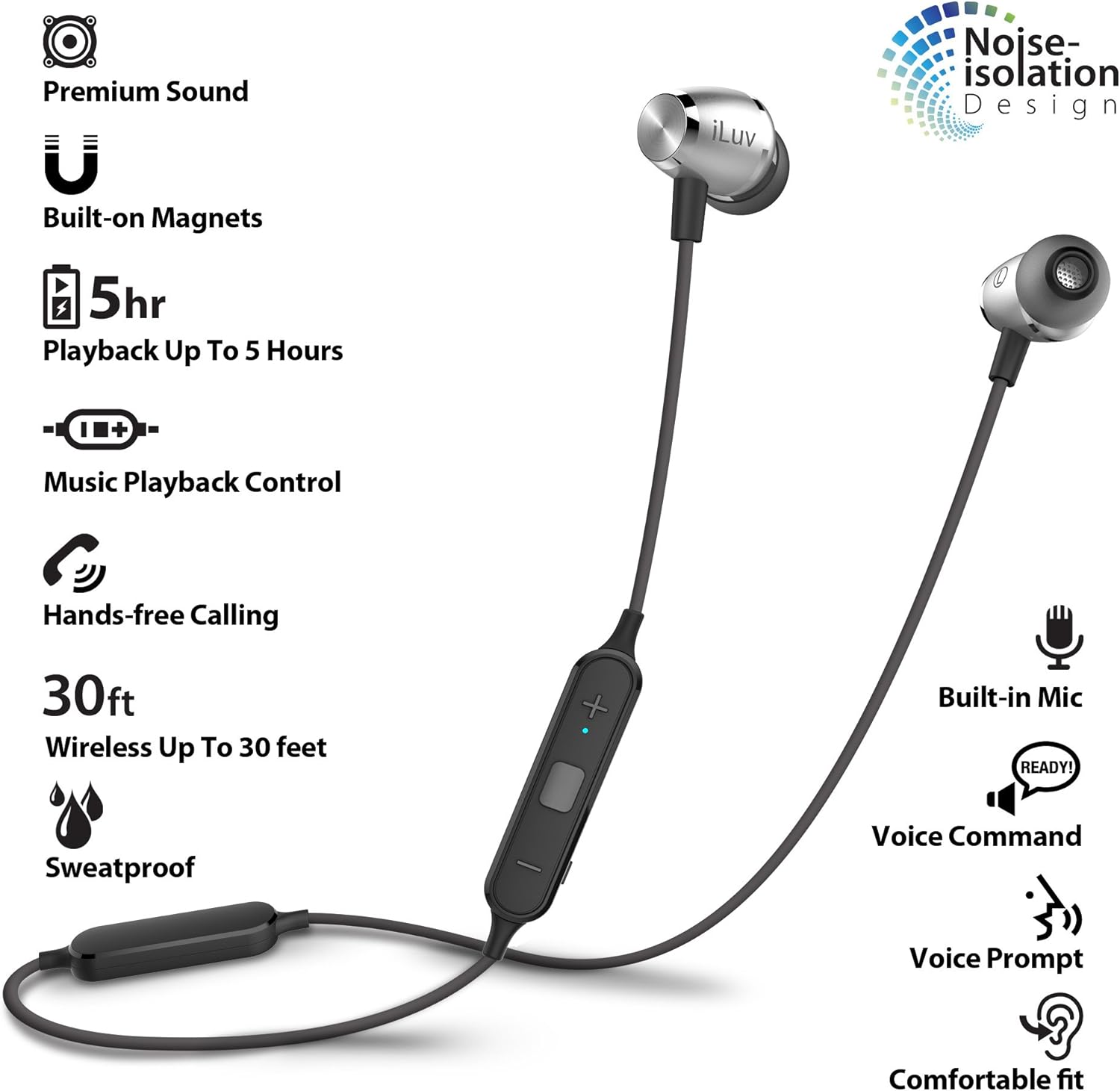
Image: An infographic highlighting key features of the iLuv Metal Forge Air 2, including premium sound, built-on magnets, 5-hour playback, music playback control, hands-free calling, 30ft wireless range, sweatproof design, built-in mic, voice command, voice prompt, and comfortable fit with noise isolation.
Өзгөчөлүк
Деталь
Модель номери
MFAIR2SI
Байланыш технологиясы
Bluetooth
Зымсыз диапазон
30 фут (9 метр) чейин
Ойнотуу убактысы
5 саатка чейин
Күтүү убактысы
200 саатка чейин
Башкаруу түрү
Remote (Multi-function, Volume Up/Down)
Башкаруу ыкмасы
Тийүү, Үн
Микрофон
Камтылган
Noise Control
Үн изоляциясы
Материал
Алюминий, металл
Элемент Салмагы
0.704 унция (0.02 килограмм)
Продукциянын өлчөмдөрү
0.39 x 0.39 x 0.39 дюйм
Батарея
1 литий-иондук батарейка (кошулган)
Шайкештик
Apple and Android smartphones/tablets supporting Bluetooth
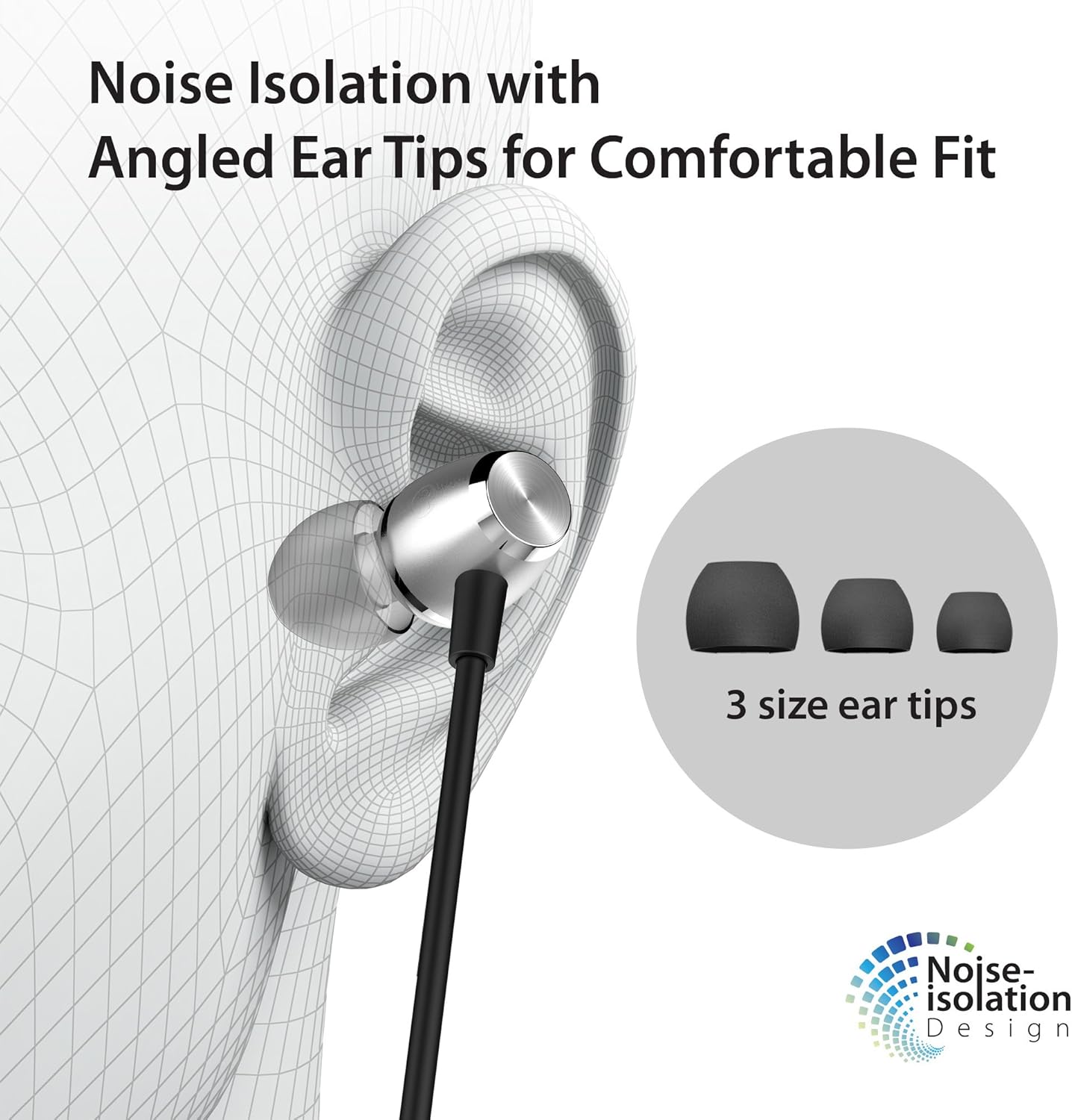
Image: A diagram showing an ear with an iLuv Metal Forge Air 2 earbud inserted, highlighting the angled ear tip design and the concept of noise isolation. Three different sizes of ear tips are also shown.
Кепилдик жана колдоо
iLuv is committed to providing quality products and customer satisfaction. For any questions or support needs, please refer to the following resources:
Жардам керекпи?
If you are experiencing any problems, please contact us through the official iLuv seller page for assistance. Our support team is available to help with product issues.
For compatibility inquiries or other questions, you can leave a question on the product page in the customer questions & answers section.
30 күндүк кайтаруу саясаты
Эгер сиз канааттандырбасаңыз же маселени чече албасаңыз, бардык өнүмдөр сатып алгандан кийин 30 күндүн ичинде акчаны эч кандай кыйынчылыксыз кайтарып алууга укуктуу.
Ask a question about this manual
Ask about setup, troubleshooting, compatibility, parts, safety, or missing instructions. Manuals+ will review the question and use this page’s manual context to help answer it.