
1. Продукт бүтүп калдыview
The TP-Link Archer CR1900 is an all-in-one cable modem and Wi-Fi router designed to provide high-speed internet access and robust wireless connectivity. It supports DOCSIS 3.0 technology with 24x8 channel bonding, enabling download speeds up to 1000 Mbps. The device features AC1900 Wi-Fi speeds, combining 2.4GHz (up to 600 Mbps) and 5GHz (up to 1300 Mbps) bands for seamless streaming and gaming. A 1 GHz dual-core processor ensures smooth Wi-Fi connections even with multiple devices connected. This modem router is certified for major cable internet providers such as XFINITY from Comcast and Spectrum, offering reliable coverage for up to 2,500 square feet.
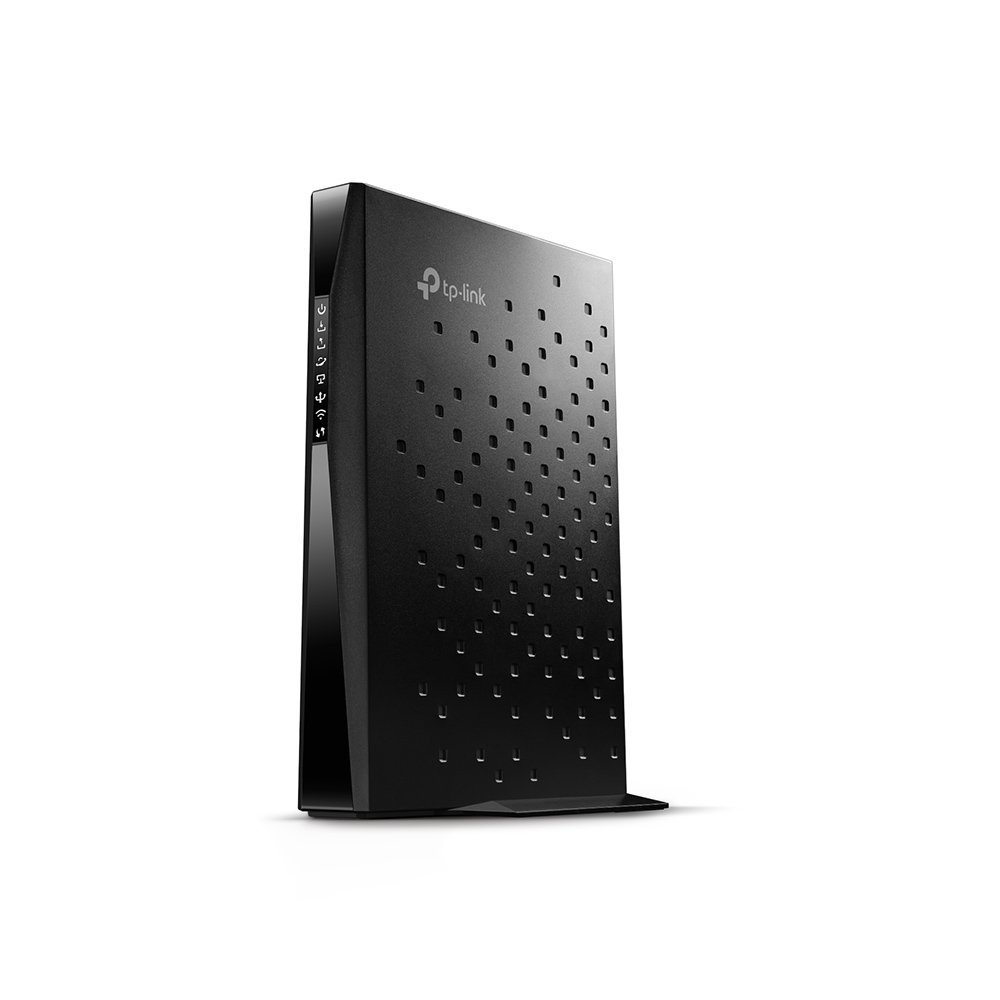
Сүрөт 1: Алдыңкы view of the TP-Link Archer CR1900 Cable Modem Router.

Сүрөт 2: Арткы view of the TP-Link Archer CR1900, showing the coaxial, Ethernet, and power ports.
2. Орнотуу жана орнотуу
Setting up your Archer CR1900 is designed to be straightforward. Follow these general steps for installation:
- Коаксиалдык кабелди туташтыруу: Connect one end of a coaxial cable to the cable wall outlet and the other end to the 'Cable' port on the back of your Archer CR1900.
- Туташуу кубаты: Plug the power adapter into the 'Power' port on the modem router and then into a standard electrical outlet. Wait for the device to power on and the indicator lights to stabilize.
- Connect to a Computer/Router:
- For a single computer: Connect an Ethernet cable from one of the LAN ports on the Archer CR1900 to the Ethernet port on your computer.
- For a separate Wi-Fi router: Connect an Ethernet cable from one of the LAN ports on the Archer CR1900 to the WAN/Internet port on your Wi-Fi router.
- Activate with Your Internet Service Provider (ISP): The Archer CR1900 requires activation with your cable internet provider. This can typically be done through a hassle-free online activation process or by calling your ISP's customer support. Provide them with the modem's MAC address, usually found on a sticker on the device.
- Configure Wi-Fi (if using as a router): Once activated, you can manage your Wi-Fi settings using the TP-Link Tether app on your mobile device. The app allows for easy configuration of network names (SSIDs) and passwords.
Видео 1: Расмий продукт бүттүview video from the seller, demonstrating the features and setup of a similar cable modem router. This video provides a visual guide to the device's capabilities and initial connection steps.
3. Иштөө нускамалары
The Archer CR1900 is designed for optimal performance and ease of use:
- Жогорку ылдамдыктагы туташуу: Enjoy Wi-Fi speeds up to 1900 Mbps, with 600 Mbps on the 2.4 GHz band and 1300 Mbps on the 5 GHz band. This dual-band capability allows for efficient traffic distribution, ensuring smooth performance for all your devices.
- DOCSIS 3.0 Channel Bonding: The 24 downstream and 8 upstream channels provide robust and fast internet, supporting download speeds up to 1000 Mbps, ideal for 4K streaming and online gaming.
- Күчтүү процессор: The integrated 1 GHz dual-core processor manages multiple connections simultaneously, preventing slowdowns when many devices are active on the network.
- Кеңейтилген Wi-Fi диапазону: Three internal antennas combined with high-powered amplifiers enhance signal strength and reduce interference, providing reliable Wi-Fi coverage across up to 2,500 square feet.
- Tether App Management: Use the TP-Link Tether app to easily manage your network from your smartphone. This includes setting up parental controls, guest networks, and monitoring connected devices.
4. Техникалык тейлөө
To ensure the longevity and optimal performance of your Archer CR1900, consider the following maintenance tips:
- Жайгашкан жери: Position the modem router in a central location, away from obstructions and other electronic devices that may cause interference. Ensure it has adequate ventilation to prevent overheating.
- Кадимки кайра жүктөөлөр: Periodically reboot your modem router (unplug from power for 30 seconds, then plug back in) to clear its memory and refresh network connections. This can resolve minor performance issues.
- Программалык камсыздоонун жаңыртуулары: TP-Linkти текшериңиз website or the Tether app for available firmware updates. Keeping your device's firmware up-to-date ensures you have the latest features, security patches, and performance improvements.
- Тазалык: Keep the device clean and free from dust buildup, especially around ventilation areas, to maintain proper airflow.
5. Кыйынчылыктарды
If you encounter issues with your Archer CR1900, try the following troubleshooting steps:
- Интернет байланышы жок:
- Бардык кабелдер (коаксиалдык, Ethernet, кубат) коопсуз туташтырылганын текшериңиз.
- Check the indicator lights on the modem router. Refer to the user manual for light status definitions.
- Reboot the modem router and any connected devices.
- Кызмат абалын жана модемди активдештирүүнү ырастоо үчүн Интернет Кызмат Провайдериңизге (ISP) кайрылыңыз.
- Жай Wi-Fi ылдамдыгы:
- Ensure your device is connected to the appropriate Wi-Fi band (5GHz for faster speeds, 2.4GHz for wider coverage).
- Reduce interference by moving the modem router away from other electronics or large metal objects.
- Тармагыңыздагы активдүү түзмөктөрдүн санын же өткөрүү жөндөмдүүлүгүн көп талап кылган иш-аракеттерди чектеңиз.
- Микропрограмма жаңыртууларын текшериңиз.
- Үзгүлтүксүз туташуу:
- Кабелдик туташуулардын боштугун текшериңиз.
- Monitor for environmental interference.
- Perform a factory reset (refer to the full manual for instructions, as this will erase all custom settings).
6. Техникалык шарттар
| Өзгөчөлүк | Деталь |
|---|---|
| Бренд | TP-Link |
| Модель аты | Archer CR1900 (Cable Modem Router(AC1900 Gateway)) |
| Зымсыз түрү | 802.11ac |
| Жыштык тилкесинин классы | Кош тилкелүү (2.4 ГГц жана 5 ГГц) |
| Wi-Fi ылдамдыгы | Up to 1900Mbps (2.4GHz: 600Mbps, 5GHz: 1300Mbps) |
| DOCSIS стандарты | DOCSIS 3.0 (24x8 канал байланышы) |
| Макс жүктөө ылдамдыгы | 1000 Мбит/сек чейин |
| Процессор | 1 ГГц эки ядролук |
| Антенна түрү | 3x Internal Antennas |
| Камтуу аймагы | 2,500 чарчы футка чейин |
| Байланыш технологиясы | Wi-Fi |
| Шайкеш түзмөктөр | Персоналдык компьютер |
| Операциялык системанын шайкештиги | Windows 8/7/Vista/XP; Mac OS; Linux |
| Элемент Салмагы | 3.7 фунт |
| Продукциянын өлчөмдөрү | 9 x 6.3 x 1.5 дюйм |
| Түс | Кара |
7. Кепилдик жана колдоо
The TP-Link Archer CR1900 comes with a 2 жылдык кепилдик. Ар кандай техникалык жардам же колдоо үчүн TP-Link сунуштайт акысыз 24/7 техникалык колдоо. You can also find additional resources and manage your device through the TP-Link Tether app or by visiting the official TP-Link support webсайт.