
1. Киришүү
Welcome to the user manual for your Kechaoda K66 mobile phone. This device is designed for portability and ease of use, featuring a slim, credit card-sized form factor. This manual will guide you through the setup, operation, and maintenance of your new phone.
2. Продукт бүтүп калдыview
The Kechaoda K66 is a compact mobile phone equipped with a 1.44-inch QQVGA display, single SIM support, and Bluetooth connectivity. It is ideal for users seeking a basic, highly portable communication device.
Сүрөт 1: Алдыңкы view of the Kechaoda K66 mobile phone, displaying its screen and keypad.
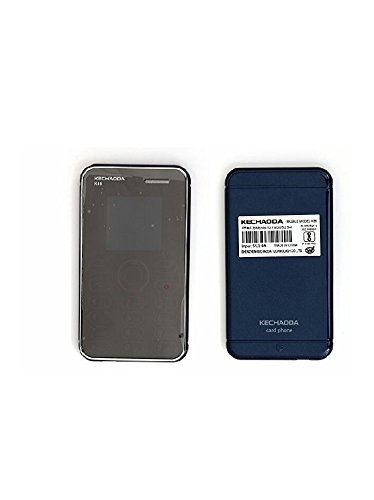
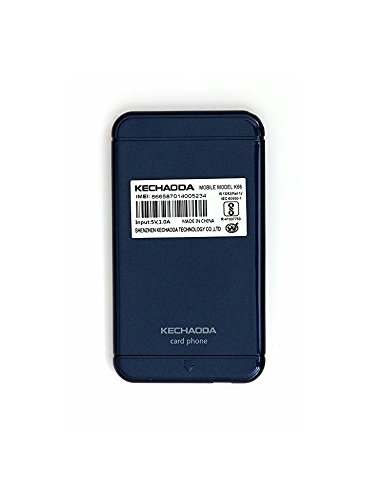
2-сүрөт: Артка view of the Kechaoda K66 mobile phone, featuring the product label with essential information.
3. Кутуда эмне бар
Upon opening your Kechaoda K66 package, you should find the following items:
- One (1) Kechaoda K66 Mobile Phone
- One (1) Charging Cable (Micro USB)
Please note: A wall charger and earphones are not included in the box.
4. Орнотуу колдонмосу
4.1 SIM картаны салуу
- SIM картанын уячасын, адатта капталынан же батареянын капкагынын астынан табыңыз.
- Carefully insert your GSM Single SIM card into the designated slot. Ensure it is correctly oriented.
- If applicable, replace the battery and battery cover.
4.2 Аппаратты заряддоо
- Connect the provided Micro USB charging cable to the phone's charging port.
- Кабелдин экинчи учун туура келген USB кубат адаптерине (кошумча эмес) же компьютердин USB портуна туташтырыңыз.
- The phone will indicate charging status on its display. Allow the phone to charge fully before first use.
4.3 Күйгүзүү/өчүрүү
- Күйгүзүү үчүн: Экран күйгөнгө чейин Күйгүзүү/Чалууну бүтүрүү баскычын басып, кармап туруңуз.
- Өчүрүү үчүн: Press and hold the Power/End Call button until the power-off options appear, then select 'Power Off'.
5. Иштөө нускамалары
5.1 Негизги навигация
Use the keypad for input and navigation. The directional keys (up, down, left, right) are used to move through menus, and the center key typically acts as a selection or confirmation button.
5.2 Чалууларды кабыл алуу жана кабыл алуу
- Чалуу үчүн: Enter the phone number using the keypad and press the Call button (usually a green phone icon).
- Чакырууну кабыл алуу үчүн: When the phone rings, press the Call button to answer.
- Чалууну аяктоо үчүн: Press the End Call button (usually a red phone icon).
5.3 Кабарлашуу
Access the 'Messages' menu to compose and send SMS messages. Use the keypad to type your message and select the recipient.
5.4 Bluetooth байланышы
The Kechaoda K66 supports Bluetooth for connecting to other devices, such as headsets or for using the BT Dialer feature. To enable Bluetooth:
- Go to the 'Settings' menu and select 'Bluetooth'.
- Bluetooth'ду күйгүзүңүз.
- Издөө жеткиликтүү түзмөктөрдү тандап, каалаган түзмөгүңүз менен жупташтырыңыз.
The BT Dialer feature allows you to sync with your smartphone, enabling you to make and receive calls on the K66 while using your smartphone for other functions.
5.5 Мультимедиа функциялары
The phone supports MP3 and MP4 playback. You can store media files on an external memory card (up to 8GB) and access them through the respective media players. An FM radio is also included for listening to local broadcasts.
6. Техникалык шарттар
| Бренд | Кечаода |
| Модель аты | K66 |
| Screen Size | 1.44 Inches QQVGA |
| Дисплей түрү | LCD |
| SIM карта уячаларынын саны | Жалгыз SIM |
| Уюлдук технология | 2G (GSM) |
| Network Connectivity | Bluetooth, GPRS |
| Процессор | MTK6261D Chipset |
| Эстутум сактоо сыйымдуулугу | Expandable up to 8 GB |
| Батарея сыйымдуулугу | 400 мАч литий-ион |
| Туташтыргыч түрү | Микро USB |
| Human Interface Types | Баскычтоп |
| Форма фактору | Smartphone (Basic Mobile) |
| Элементтин өлчөмдөрү | 9.1 x 1.4 x 12.2 сантиметр |
| Элемент Салмагы | 150 грамм |
7. Техникалык тейлөө жана кам көрүү
- Keep the phone dry. Moisture can damage the device.
- Бекитилген аксессуарларды гана колдонуңуз.
- Do not attempt to disassemble or repair the phone yourself. This may void your warranty.
- Экранды жана корпусту жумшак, кургак чүпүрөк менен тазалаңыз. Күчтүү химиялык заттардан алыс болуңуз.
8. Кыйынчылыктарды
8.1 Phone Does Not Power On
- Батарея заряддалганын текшериңиз. Телефонду заряддагыч түзүлүшкө туташтырып, кайра күйгүзүүгө аракет кылуудан мурун бир нече мүнөт күтө туруңуз.
- Verify the battery is properly inserted.
8.2 No Network Signal
- SIM карта туура салынганын текшериңиз.
- Тармактын камтуусу бар аймакта экениңизди текшериңиз.
- Телефонду кайра күйгүзүңүз.
8.3 Bluetooth туташуу маселелери
- Ensure Bluetooth is enabled on both the K66 and the device you are trying to connect to.
- Make sure both devices are within close proximity.
- Түзмөктөрдү ажыратып, кайра жупташтырып көрүңүз.
9. Продукт видеосу бүттүview
Бул видеодо кыскача маалымат берилетview of the Kechaoda K66 mobile phone, highlighting its key features such as display, memory, processor, and special functionalities like single SIM, Bluetooth connectivity, and slim credit card size. It also shows what is included in the box.
10. Кепилдик жана колдоо
Your Kechaoda K66 mobile phone comes with a standard brand warranty. For specific warranty terms, conditions, and support, please refer to the warranty card included with your product or visit the official Kechaoda support website. For further product information, you may also visit the product detail page on Amazon.in.