
1. Киришүү
This manual provides essential information for the safe and efficient operation of your Vestel ST49U01 49-inch Full HD LED Digital Signage Flat Panel. Please read this manual thoroughly before using the product and retain it for future reference. This display is designed for professional digital signage applications, offering a vibrant Full HD resolution and versatile connectivity options.
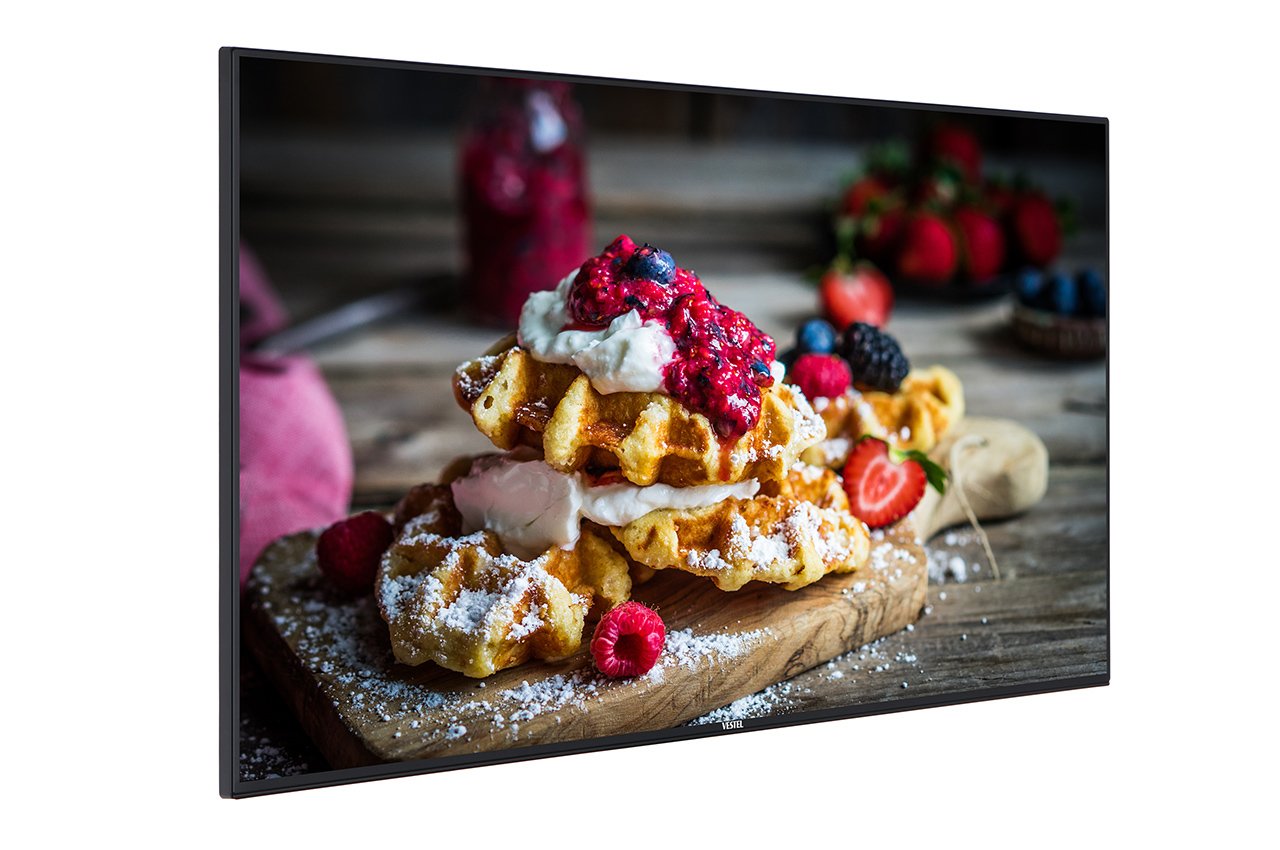
Figure 1: Vestel ST49U01 Digital Signage Flat Panel. This image shows the front view of the 49-inch display, highlighting its slim bezel and large screen area suitable for various digital signage content.
2. Коопсуздук нускамалары
Коопсуз эксплуатацияны камсыз кылуу жана зыян келтирбөө үчүн төмөнкү коопсуздук чараларын сактаңыз:
- Кубат булагы: Дисплейди туура вольту бар жерге туташтырылган розеткага гана туташтырыңызtagе буюмдун этикеткасында көрсөтүлгөндөй.
- Вентиляция: Желдетүүчү тешиктерди жаппаңыз. Ашыкча ысып кетүүнүн алдын алуу үчүн дисплейдин айланасында абанын туура айланышы үчүн жетиштүү орун болушун камсыз кылыңыз.
- Суюктук таасири: Дисплейди суюктуктардан алыс кармаңыз. Аны жамгырга же нымга тийгизбеңиз.
- Тазалоо: Unplug the display before cleaning. Use a soft, dry cloth. Avoid liquid cleaners or aerosol sprays.
- Монтаждоо: Use appropriate mounting hardware and follow installation instructions carefully. Ensure the mounting surface can support the display's weight.
- Тейлөө: Бул продуктту өзүңүз тейлөөгө аракет кылбаңыз. Бардык тейлөөнү квалификациялуу тейлөө кызматкерлерине тапшырыңыз.
- Температура: Operate the display within the specified temperature range. Avoid extreme heat or cold.
3. Пакеттин мазмуну
Пакетте бардык буюмдар бар экенин текшериңиз:
- Vestel ST49U01 Digital Signage Flat Panel
- Электр кабели
- Батареялар менен алыстан башкаруу
- Quick Start Guide
- Кепилдик картасы
- HDMI кабели (аймакка жараша өзгөрүшү мүмкүн)
Эскертүү: If any items are missing or damaged, contact your retailer or Vestel customer support immediately.
4. Орнотуу
4.1 Пакеттен чыгаруу
- Дисплейди таңгагынан этияттык менен алып салыңыз.
- Place the display face down on a soft, clean surface to avoid scratching the screen.
4.2 Дисплейди орнотуу
The Vestel ST49U01 supports VESA mounting standards for wall mounts or stands. Refer to the specific instructions provided with your mounting kit.
- Ensure the mounting bracket is compatible with the display's VESA pattern (e.g., 400x400mm).
- Use screws of appropriate length and diameter to secure the bracket to the display.
- Mount the display securely to a sturdy wall or stand, ensuring it is level and stable.
4.3 Перифериялык түзүлүштөрдү туташтыруу
Connect your input sources and network cables to the appropriate ports on the display's rear panel.
- HDMI: Connect an HDMI cable from your media player or computer to one of the display's HDMI ports. The display has 2 HDMI ports.
- Ethernet: For wired network connectivity, connect an Ethernet cable to the LAN port.
- USB: For local content playback or firmware updates, insert a USB storage device into the USB port.
- Күч: Connect the power cable to the display's power input and then to a grounded electrical outlet.
4.4 Баштапкы күйгүзүү
- Бардык байланыштар коопсуз экенин текшериңиз.
- Дисплейдеги же алыстан башкаруу пультундагы кубат баскычын басыңыз.
- Follow the on-screen prompts for initial setup, including language selection, time zone, and network configuration.
5. Дисплейди иштетүү
5.1 Негизги башкаруу каражаттары
The display can be controlled using the physical buttons on the unit or the included remote control.
- Кубат баскычы: Дисплейин күйгүзөт же өчүрөт.
- Киргизүү/Булак баскычы: Cycles through available input sources (HDMI1, HDMI2, USB, etc.).
- Меню баскычы: Экрандагы дисплей (OSD) менюсуна кирет.
- Чабыттоо баскычтары: Used to navigate through OSD menu options.
- Үн баскычтары: Adjusts the audio volume (if speakers are connected or built-in).
5.2 Экрандагы дисплей (OSD) менюсу
The OSD menu allows you to configure various display settings:
- басыңыз Меню button on the remote control or display.
- Use the navigation buttons to select categories such as Сүрөт, Үн, Network, Система, жана Signage Settings.
- Басыңыз OK or the right navigation button to enter a sub-menu.
- Adjust settings using the navigation buttons and confirm with OK.
- Басыңыз Чыгыңыз or Меню again to close the OSD.
5.3 Digital Signage Features
The ST49U01 is designed for digital signage. Key features include:
- Content Scheduling: Set schedules for content playback via the internal media player or connected external sources.
- Тармакты башкаруу: Configure network settings (wired Ethernet or Wi-Fi) to manage content remotely.
- USB ойнотуу: Медиа ойнотуу fileтүздөн-түз USB сактагычтан.
- Input Source Management: Automatically switch between input sources based on schedule or signal detection.
6. Техникалык тейлөө
6.1 Дисплейди тазалоо
- Turn off the display and unplug the power cable.
- Экранды жумшак, түксүз чүпүрөк менен акырын сүртүңүз. өжөр белгилери үчүн, бир аз гampen the cloth with water or a specialized screen cleaner (non-ammonia based).
- Wipe the frame and back panel with a dry, soft cloth.
- Do not spray cleaners directly onto the screen or into ventilation openings.
6.2 Жалпы кам көрүү
- Дисплейге оор буюмдарды коюудан алыс болуңуз.
- Do not expose the display to direct sunlight for extended periods.
- Жылуулуктун топтолушуна жол бербөө үчүн туура желдетүүнү камсыз кылыңыз.
7. Кыйынчылыктарды
Кардарларды колдоо кызматына кайрылуудан мурун, жалпы маселелер боюнча төмөнкү чечимдерди колдонуп көрүңүз:
| Көйгөй | Мүмкүн себеп | Чечим |
|---|---|---|
| Күч жок | Power cable not connected; Power outlet faulty; Display off | Check power cable connection; Try a different outlet; Press the power button |
| Сигнал жок | Incorrect input source selected; Input cable loose or faulty; Source device off | Select correct input source; Check/replace input cable; Ensure source device is on |
| Сүрөт бурмаланган же түшүнүксүз | Resolution mismatch; Cable quality; Source device issue | Adjust source device resolution to 1920x1080; Use a high-quality HDMI cable; Test with another source device |
| Тармакка туташуу маселелери | Ethernet cable loose; Wi-Fi password incorrect; Router/modem issue | Check Ethernet cable; Re-enter Wi-Fi password; Restart router/modem |
If the problem persists after trying these solutions, contact Vestel customer support.
8. Техникалык шарттар
| Өзгөчөлүк | Деталь |
|---|---|
| Бренд | Vestel |
| Модель номери | ST49U01 |
| Screen Size | 49 дюйм (124.5 см) |
| Дисплей технологиясы | LED |
| Резолюция | 1920 x 1080 (Full HD) |
| Max Display Resolution | 1920 x 1080 пиксел |
| Аспект катышы | 16:9 |
| Жооп убактысы | 6 миллисекунд |
| Viewбурч | 170 градус |
| Байланыш технологиясы | Ethernet |
| Аппараттык байланыш | USB, HDMI (2 ports) |
| Элемент Салмагы | 35.05 фунт (болжол менен 15.9 кг) |
| ASIN | B07489H8R5 |
| Эл аралык макала кодекси | 03700410340761 |
9. Кепилдик жана колдоо
For warranty information, please refer to the warranty card included in your product package or visit the official Vestel webсайт. Кепилдик дооматтар үчүн сатып алганыңыздын далилин сактаңыз.
For technical support, service, or replacement parts, please contact Vestel customer service through their official channels. Contact details can typically be found on the Vestel webсайтында же продукт документациясында.