
1. Киришүү
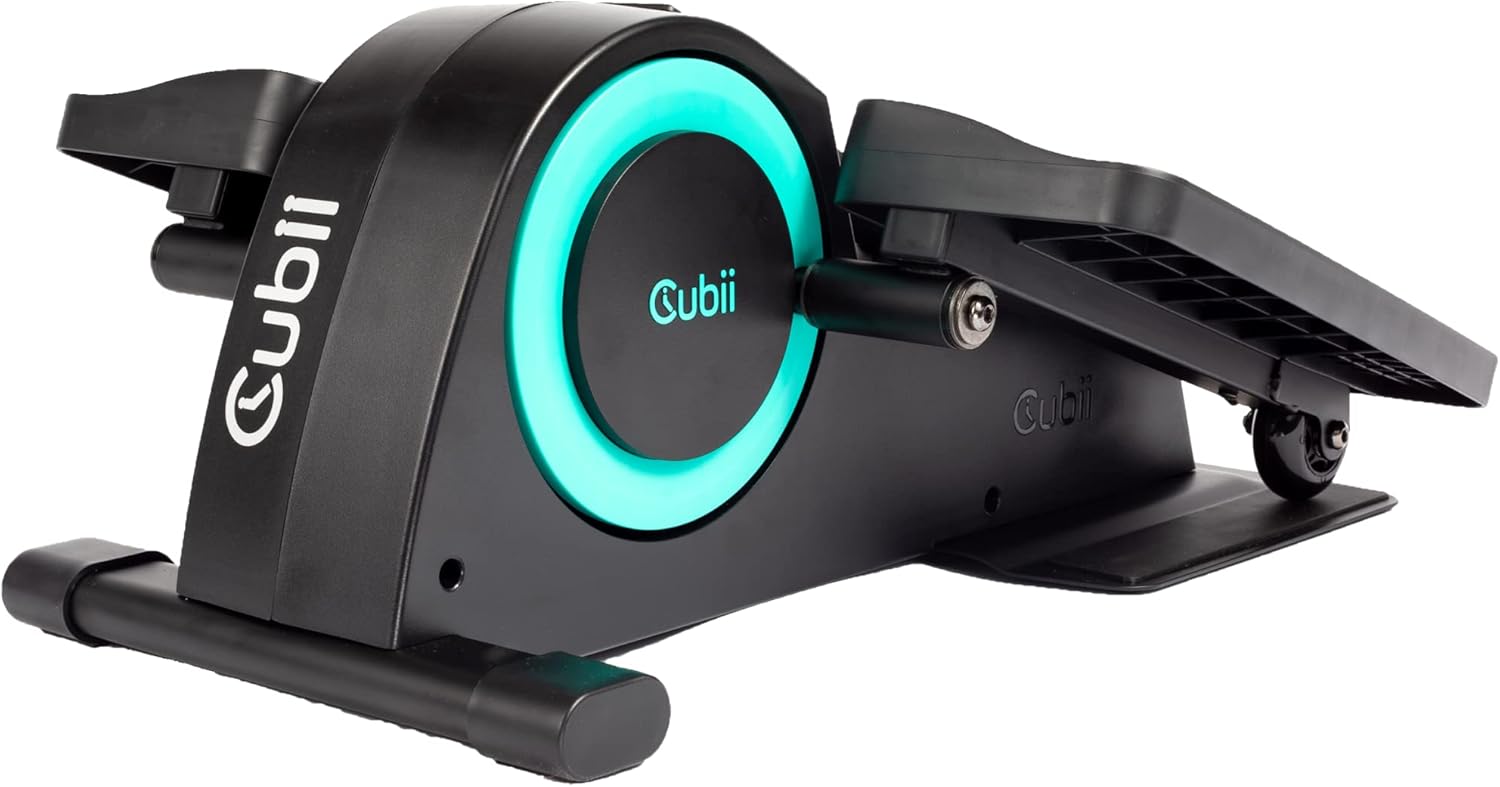
The Cubii JR1 is a compact, ergonomic under-desk elliptical designed to facilitate physical activity while seated. This manual provides essential information for the safe and effective use of your Cubii JR1, including assembly, operation, maintenance, and troubleshooting.
2. Коопсуздук боюнча көрсөтмөлөр
- Consult with a healthcare professional before beginning any new exercise program.
- Ensure the Cubii JR1 is placed on a stable, level surface.
- Maintain a clear area around the device during use.
- The maximum recommended user weight for this device is 150 pounds.
- Колдорду жана буттарды кыймылдуу бөлүктөрдөн алыс кармаңыз.
- Аппараттын үстүндө турбаңыз. Ал отурганда гана колдонуу үчүн иштелип чыккан.
- Эгерде сиз ооруну же ыңгайсыздыкты сезсеңиз, колдонууну дароо токтотуңуз.
3. Пакеттин мазмуну
Пакетте бардык компоненттер бар экенин текшериңиз:
- Cubii JR1 Main Unit
- Сол педаль
- Оң педаль
- Screwdriver
- Көрсөтмө (бул документ)
4. Монтаждоо боюнча нускамалар
The Cubii JR1 requires minimal assembly. Follow these steps to attach the pedals:
- Бардык компоненттерди таңгактан кылдаттык менен алып салыңыз.
- Identify the left and right pedals. They are typically marked.
- Align the left pedal with the left crank arm on the main unit.
- Insert the provided screws and tighten them securely using the included screwdriver.
- Repeat the process for the right pedal on the right crank arm.
- Ensure both pedals are firmly attached before use.

5. Операция
5.1 Орнотуу
Position the Cubii JR1 under your desk or in front of your chair. Ensure there is enough space for your knees to move freely without hitting the underside of the desk.

5.2 Каршылыкты жөндөө
The Cubii JR1 features 8 levels of resistance. To adjust the resistance, turn the dial located on the front of the unit. Turn clockwise for increased resistance and counter-clockwise for decreased resistance. Start with a lower resistance level and gradually increase as your fitness improves.

5.3 ЖК дисплейди колдонуу
The built-in LCD display tracks various metrics during your exercise session, including:
- Күйгөн калориялар
- Strides Pedaled
- Кеткен аралык
- Убакыт өттү
Press the button on the display to cycle through the different metrics or to reset the data.
5.4 Мобилдик тиркемелерди интеграциялоо
The Cubii mobile app can be used to manually enter data from your LCD display to track progress over time. Download the Cubii app from your device's app store for additional features and workout tracking capabilities.

6. Өзгөчөлүктөрү
- Үстөлдүн дизайнында: Compact and ergonomic for use while seated.
- Аз таасирдүү көнүгүү: Provides a smooth, joint-friendly motion.
- Жөнгө салынуучу каршылык: 8 levels to customize workout intensity.
- Интеграцияланган LCD дисплей: Tracks calories, strides, distance, and time.
- Тынч иштөө: Designed for minimal noise during use.
- Мобилдик колдонмонун шайкештиги: Manual data entry for progress tracking.
7. Техникалык тейлөө
Regular maintenance ensures the longevity and optimal performance of your Cubii JR1:
- Тазалоо: Бирдикти жарнама менен сүртүңүзamp ар бир колдонуудан кийин кездеме. Абразивдүү тазалагычтардан же эриткичтерден качыңыз.
- Текшерүү: Мезгил-мезгили менен бардык бурамалар менен байланыштарды текшерип, алардын бекемдигин текшерип туруңуз. Керек болсо кайра тартыңыз.
- Сактагыч: Колдонулбаган учурда, түзмөктү салкын, кургак жерде, күн нуру түз тийбеген жерде сактаңыз.
8. Кыйынчылыктарды
If you encounter issues with your Cubii JR1, refer to the following common problems and solutions:
| Көйгөй | Мүмкүн себеп | Чечим |
|---|---|---|
| Squeaking or noise during operation | New unit, components settling, or loose parts. | A slight squeal may occur when starting, which often dissipates as the machine warms up. Ensure all screws are tightened. If persistent, contact customer support. |
| Unit slides on the floor during use | Smooth flooring surface. | Place the unit on a non-slip mat or carpet. Cubii offers a Grippii Floor Mat designed to prevent sliding. |
| LCD дисплей иштебейт | Battery depletion or loose connection. | Check and replace the battery in the LCD unit. Ensure the display is securely connected. |
9. Продукттун спецификациялары
| Спецификация | Деталь |
|---|---|
| Модель аты | JR1 |
| Бренд | Cubii |
| Продукциянын өлчөмдөрү (LxWxH) | 23.15" x 17.56" x 10" |
| Материал | Металл, пластик |
| Каршылык көрсөтүү механизми | Manual |
| Максималдуу салмак боюнча сунуш | 150 фунт |
| Каршылык деңгээлдердин саны | 8 |
| UPC | 861062000243, 852811008030 |
| Бөлүмдүн номери | 01386 |
10. Кепилдик маалыматы
The Cubii JR1 comes with a warranty. Please refer to the specific warranty details provided on the product packaging or contact Cubii customer support for more information regarding coverage and terms.
11. Байланыш жана колдоо
For further assistance, technical support, or inquiries regarding your Cubii JR1, please visit the official Cubii webсайтка же продуктунун таңгагында көрсөтүлгөн байланыш маалыматына кайрылыңыз.