
1. Киришүү
This manual provides instructions for the proper use and maintenance of your KECHAODA K115 Dual SIM mobile phone. Please read this manual carefully before operating your device to ensure optimal performance and longevity.

Сүрөт 1: Алдыңкы view of the KECHAODA K115 mobile phone, showing the display and keypad.

2-сүрөт: Каптал view of the KECHAODA K115 mobile phone, illustrating its slim profile.
2. Пакеттин мазмуну
Пакетте бардык буюмдар бар экенин текшериңиз:
- 1 KECHAODA K115 Mobile Phone
- 1 Батарея
- 1 USB кабели
- 1 Кепилдик картасы
Note: Earphones/headphones and a wall charger are not included with this product.

Figure 3: Illustration indicating that earphones are not included.

Figure 4: Illustration indicating that a wall charger is not included.
3. Орнотуу
3.1. Батареяны орнотуу
- Телефондун арткы капкагын алып салыңыз.
- Insert the 800 mAh Lithium Ion battery into the battery compartment, ensuring the contacts align.
- Арткы жапкычты ордуна коюңуз.

5-сүрөт: Арткы view of the KECHAODA K115, showing the battery cover and camera lens.
3.2. SIM карталарды орнотуу
The KECHAODA K115 supports Dual SIM functionality.
- Арткы капкак жана батарейка алынып салынгандан кийин, SIM карта уячаларын табыңыз.
- Insert your GSM SIM cards into the designated slots.
- Ensure the SIM cards are correctly seated.
- Батареяны жана арткы капкакты кайра орнотуңуз.
3.3. Батареяны заряддоо
Биринчи жолу колдонуудан мурун, телефондун батарейкасын толугу менен заряддаңыз.
- Connect the provided USB cable to the phone's charging port.
- USB кабелинин экинчи учун шайкеш келген USB дубал адаптерине (кошулмада жок) же компьютердин USB портуна туташтырыңыз.
- Экранда заряддоо индикатору пайда болот.
- Батарея толук заряддалгандан кийин заряддагычты ажыратыңыз.
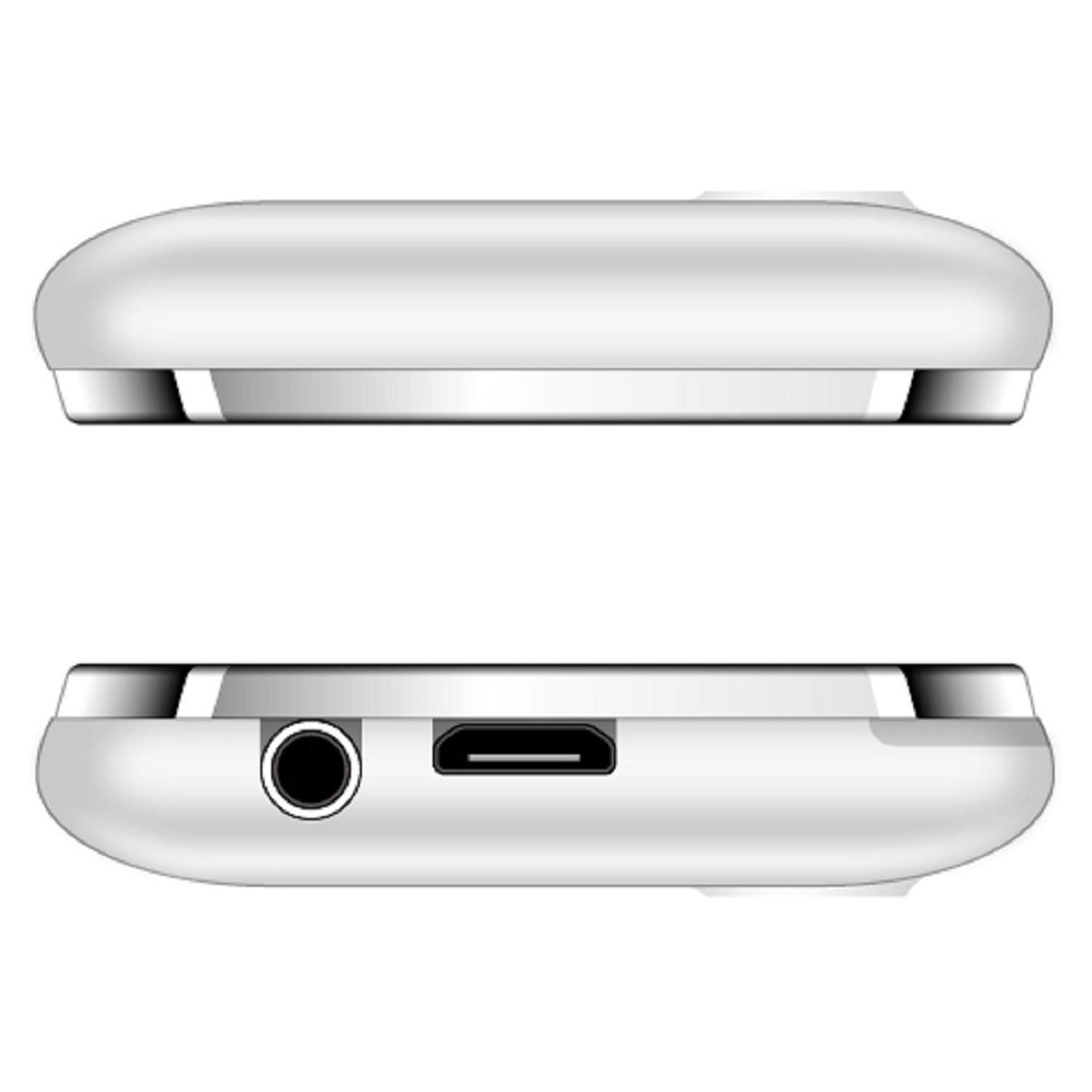
6-сүрөт: үстү жана асты views of the KECHAODA K115, showing the 3.5mm audio jack and micro USB charging port.
4. Иштөө нускамалары
4.1. Күйгүзүү/өчүрүү
- To power on, press and hold the Power/End Call key until the screen lights up.
- To power off, press and hold the Power/End Call key until the power off options appear, then select 'Power off'.
4.2. Телефондун негизги функциялары
- Чалууларды жасоо: Ариптакта аркылуу телефон номерин киргизип, Чакыруу баскычын басыңыз.
- Чалууларга жооп берүү: Телефон шыңгыраганда Чакыруу баскычын басыңыз.
- Кабарларды жөнөтүү: Navigate to the 'Messages' menu, select 'Write message', enter your text, and send to the desired recipient.
- Тез терүү: Configure speed dial numbers in the phone settings for quick access.
4.3. Мультимедиа функциялары
- FM радиосу: Access the FM Radio application from the main menu. Ensure a 3.5mm audio device is connected to act as an antenna for optimal reception. The phone supports FM recording.
- Аудио ойноткуч: Play MP3, AMR, and WAV audio files.
- Видео ойноткуч: Play MP4, 3GP, and AVI video files.
- Сүрөт Viewэ: View stored image files.
- Үн жазгыч: Record audio using the built-in sound recorder.
4.4. Байланыш
- Bluetooth: To pair with other Bluetooth devices (e.g., headsets), navigate to the Bluetooth settings, turn Bluetooth on, and search for available devices. The phone supports Bluetooth v2.1.
4.5. Башка өзгөчөлүктөр
- Дүйнөлүк саат: View ар кандай убакыт алкактарындагы убакыт.
- EBook Reader: Read electronic books.
- Ойготкуч: Бир нече ойготкучтарды коюу.
- File Менеджер: Уюштуруу files stored on the phone or memory card.
- Алыстан кабарлоочу: Functionality for remote notifications.
- Тилди колдоо: The phone supports Hindi, English, Tamil, and Kannada languages.
5. Техникалык тейлөө
- Аппаратты кургак кармаңыз. Нымдуулук электрондук схемаларды бузушу мүмкүн.
- Аппаратты экстремалдуу температурага дуушар кылбаңыз.
- Телефонду жумшак, кургак чүпүрөк менен тазалаңыз. Күчтүү химиялык заттарды колдонбоңуз.
- Handle the battery with care. Do not puncture, disassemble, or expose to high temperatures.
- Бекитилген аксессуарларды гана колдонуңуз.
6. Кыйынчылыктарды
| Көйгөй | Мүмкүн чечим |
|---|---|
| Телефон күйбөйт. | Батарея туура орнотулганын жана заряддалганын текшериңиз. Телефонду жок дегенде 30 мүнөт заряддап көрүңүз. |
| Чалуулар учурунда үн сапаты начар. | Check network signal strength. Ensure the earpiece/speaker is not obstructed. Restart the phone. |
| Батарея бат эле түгөнөт. | Reduce screen brightness. Close unused applications. Limit background processes. Ensure the battery is fully charged before use. |
| Bluetooth түзмөгүнө туташа албай жатат. | Ensure Bluetooth is enabled on both devices and they are within range. Make sure the other device is in pairing mode. Restart both devices. |
| FM радиосу иштебейт. | Ensure a 3.5mm audio device (like headphones) is connected, as it acts as the antenna. |
7. Техникалык шарттар
| Өзгөчөлүк | Деталь |
|---|---|
| Модел | K115 |
| Дисплей | 1.44 inch QQVGA LCD |
| Операция системасы | Symbian 9.1 |
| RAM | 32 MB |
| Ички эс тутум | 64 MB |
| SIM колдоо | Dual SIM (GSM) |
| Батарея | 800 mAh Lithium Ion (Removable) |
| Talk Time | 2.5 саатка чейин |
| Күтүү убактысы | 4.5 күнгө чейин |
| Байланыш | Bluetooth v2.1, Cellular (GSM) |
| Аудио Jack | 3.5 мм |
| Өзгөчөлүктөр | Dual SIM, Light Sensor, MP3, Radio, Rear Camera, Vibration, Speed Dialing |
| Продукциянын өлчөмдөрү | 9.5 x 4 x 0.9 см |
| Элемент Салмагы | 100 г |
| Өндүрүүчү | DHARAM & COMPANY, Shenzhen Kechaoda Technology Co. Ltd |
8. Кепилдик жана колдоо
Your KECHAODA K115 mobile phone comes with a warranty card included in the package. Please refer to the warranty card for specific terms and conditions of the warranty.
For technical support or service inquiries, please contact your retailer or the manufacturer directly using the contact information provided on the warranty card or product packaging.