
1. Киришүү
The Stealth Cam STC-PX14X is a high-performance hunting game and trail camera designed to capture images and videos of wildlife. Featuring a 10.0 Megapixel sensor and 14 IR emitters, it offers a 50-foot infrared range for clear night vision. The camera records HD video in 15-second clips at a 16:9 wide ratio and includes a burst mode that captures 1-6 images per triggering event. Recovery time can be set between 5-59 seconds or 5-59 minutes, allowing for flexible monitoring. This manual provides detailed instructions for setting up, operating, maintaining, and troubleshooting your STC-PX14X camera.
2. Орнотуу
2.1 Пакеттен чыгаруу
Carefully remove all components from the packaging. Ensure that the camera, mounting strap, and any included documentation are present. Inspect the camera for any signs of damage before proceeding with installation.
2.2 Батареяны орнотуу
The STC-PX14X camera requires 8 AA batteries for operation. To install batteries:
- Open the camera housing latch located on the side of the unit.
- Locate the battery compartment inside the camera.
- Insert 8 fresh AA batteries, ensuring correct polarity (+/-) as indicated within the compartment.
- Батарея уясынын капкагын бекем жабыңыз.
2.3 SD картаны орнотуу
A standard SD card (not included) is required to store captured images and videos. For optimal performance and to avoid potential issues, use a standard SD card. Avoid using Ultra, Pro, Max, or Extreme labeled SD cards, as these may cause compatibility problems.
- Камера корпусу ачык турганда, SD карта уячасын табыңыз.
- Insert the SD card into the slot with the metal contacts facing down until it clicks into place.
- Алып салуу үчүн, картаны ал чыгып кеткенче акырын басыңыз.
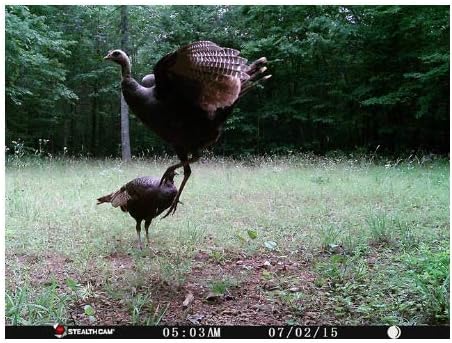
Image: The Stealth Cam STC-PX14X with its side compartment open, showing the internal control panel, screen, and battery/SD card access area.
2.4 Камераны орнотуу
The STC-PX14X is designed for outdoor use and can be mounted using the included strap or a wall mount (not included).
- Тазалоону камсыз кылган ылайыктуу жерди тандаңыз view сиз көзөмөлдөгүңүз келген аймак.
- Орнотуучу боону камеранын арткы жагындагы уячалардан өткөрүңүз.
- Securely fasten the camera to a tree or post, ensuring it is stable and pointed in the desired direction.
- Камера бурчун керек болсо тууралаңыз.
3. Иштөө нускамалары
3.1 Күйгүзүү/өчүрүү
To power on the camera, slide the power switch to the 'ON' position. The camera will perform a brief self-test. To power off, slide the switch to the 'OFF' position.
3.2 Негизги орнотуулар
Access the camera's menu using the control buttons inside the housing to adjust settings such as:
- Режим: Select between Photo, Video, or Burst mode.
- Чечим: Set image resolution (up to 10 MP) or video resolution (1080p).
- Жаруу режими: Configure the number of images (1-6) to capture per trigger.
- Калыбына келтирүү убактысы: Set the delay between triggered events (5-59 seconds or 5-59 minutes).
- Дата/Убакыт: Так убакытты көрсөтүү үчүн учурдагы датаны жана убакытты коюңузamps on captures.

Сүрөт: алдыңкы view of the Stealth Cam STC-PX14X camera, highlighting the lens and IR emitter array.
3.3 Фото жана видео тартуу
Once configured, the camera will automatically capture images or videos when motion is detected within its sensor range. The 14 IR emitters ensure effective capture even in low-light or nighttime conditions, with a range of up to 50 feet.

Сүрөт: мурункуample of a daytime photograph captured by the Stealth Cam STC-PX14X, showing a deer in a grassy field.
4. Техникалык тейлөө
4.1 Тазалоо
To ensure optimal performance, periodically clean the camera's exterior, especially the lens and IR emitter area. Use a soft, dry cloth. For stubborn dirt, a slightly damp cloth can be used, but ensure no moisture enters the camera housing.
4.2 Батареяны алмаштыруу
Replace all 8 AA batteries when the low battery indicator appears on the screen or when performance degrades. Always replace with a fresh set of high-quality alkaline or lithium batteries for best results.
4.3 SD картаны башкаруу
Regularly check the SD card capacity. When the card is full, the camera will stop recording. Transfer captured media to a computer and format the SD card periodically to maintain performance. Always format the SD card using the camera's internal formatting function if available, or a computer, before reinserting it.
5. Кыйынчылыктарды
If you encounter issues with your Stealth Cam STC-PX14X, refer to the following common problems and solutions:
- Камера күйбөй жатат:
- Ensure batteries are inserted correctly with proper polarity.
- Replace all 8 AA batteries with fresh ones.
- Check that the power switch is firmly in the 'ON' position. - Poor Picture/Video Quality:
- Ensure the camera lens is clean and free from dirt or condensation.
- Verify that you are using a standard SD card. High-speed cards (Ultra, Pro, Max, Extreme) may cause compatibility issues and result in poor image quality.
- Check lighting conditions. Extreme backlighting or very dark environments can affect quality. - No Night Photos/Videos:
- Check battery level; low batteries can affect IR emitter performance.
- Ensure the camera's IR settings are enabled (if configurable).
- Verify that the IR emitters are not obstructed. - Камера иштебей жатат:
- Adjust the sensor sensitivity setting in the camera menu.
- Ensure the camera is positioned correctly, with no obstructions directly in front of the sensor.
- Батареянын деңгээлин текшериңиз. - SD карта катасы:
- Ensure the SD card is properly inserted.
- Try formatting the SD card using the camera's menu or a computer.
- Test with a different, known-good standard SD card.
6. Техникалык шарттар
| Модель аты | STC-PX14X |
| Натыйжалуу дагы эле чечим | 10 депутат |
| Видео тартуунун резолюциясы | 1080p |
| Video Length | 15 seconds (16:9 wide ratio) |
| IR эмиттери | 14 IR emitters |
| IR диапазону | 50 фут |
| Burst Mode | Ар бир триггерде 1-6 сүрөт |
| Калыбына келтирүү убактысы | 5-59 seconds / 5-59 minutes |
| Суу өткөрбөйт рейтинги | IP54 |
| Power Source | 8 AA batteries required (AC/DC optional) |
| Өлчөмдөр | 1 x 1 x 1 дюйм |
| Элемент Салмагы | 1.17 фунт |
| Байланыш технологиясы | Зымсыз, Wi-Fi |
| Ички/тышкы колдонуу | Сыртта |
| Тоо түрү | Дубалга орнотуу |
7. Кепилдик маалыматы
For detailed warranty information regarding your Stealth Cam STC-PX14X camera, please refer to the warranty card included with your product or visit the official Stealth Cam website. Warranty terms and conditions may vary and are subject to change by the manufacturer.
8. Кардарларды колдоо кызматы
If you require further assistance or have questions not covered in this manual, please contact Stealth Cam customer support. You can typically find contact information, including phone numbers and email addresses, on the official Stealth Cam webсайт (www.stealthcam.com) or within the product packaging.