
1. Киришүү
The Blaupunkt IRD 30c is a versatile internet radio designed to provide a wide range of audio entertainment. It features Internet Radio, DAB+, and FM reception, allowing access to over 18,000 internet radio stations and 12,000 podcasts worldwide, alongside traditional digital and analog broadcasts. With its WLAN connectivity, color display, and remote control, it offers intuitive operation and a rich listening experience. The device also includes an AUX input for connecting external audio sources, an alarm clock, and a sleep function, making it suitable for various environments like the living room, kitchen, or bedroom.
2. Коопсуздук маалыматы
- Аппаратты колдонуудан мурун бардык нускамаларды кылдат окуп чыгыңыз.
- Келечекте маалымат алуу үчүн колдонмону сактаңыз.
- Аппаратты жамгырдын, нымдуулуктун же экстремалдык температуранын таасиринде калтырбаңыз.
- Ашыкча ысып кетүүнүн алдын алуу үчүн туура желдетүүнү камсыз кылыңыз.
- Берилген кубат адаптерин гана колдонуңуз.
- Аппаратты өзүңүз ачууга же оңдоого аракет кылбаңыз. Бардык тейлөөлөрдү квалификациялуу кызматкерлерге тапшырыңыз.
- Балдар жетпеген жерде сактаңыз.
3. Пакеттин мазмуну
Пакетте бардык буюмдар бар экенин текшериңиз:
- Blaupunkt IRD 30c Internet Radio Unit
- Алыстан башкаруу
- Кубаттуу адаптер
- User Manual

4. Продукт бүтүп калдыview
Familiarize yourself with the various parts of your Blaupunkt IRD 30c Internet Radio.
4.1 алдыңкы панели
The front panel features the color display, the main control knob (for navigation and selection), and several function buttons (MENU, FAV, HOME).

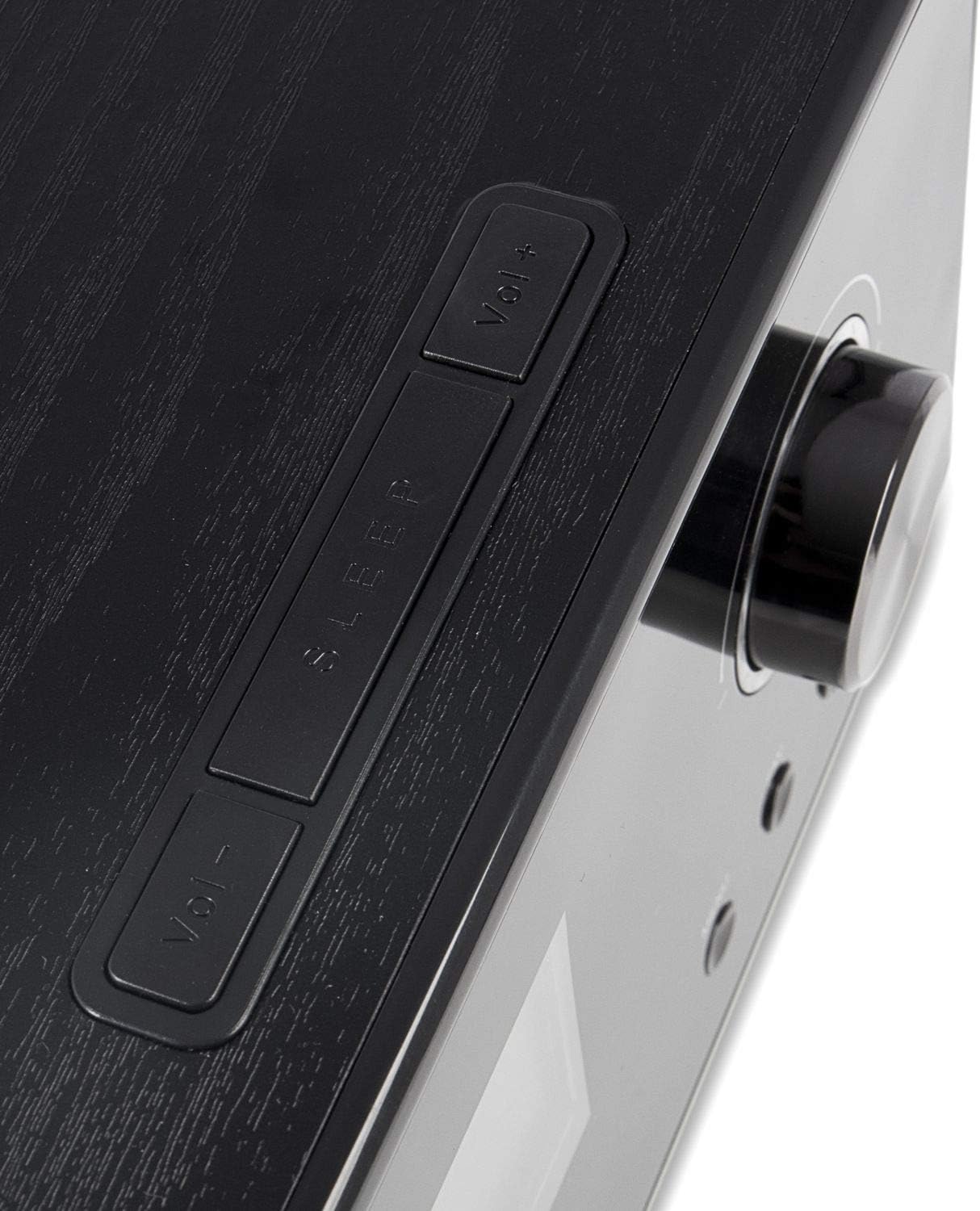
4.2 Жогорку панель
The top panel includes additional control buttons, such as Volume Up/Down and Sleep.
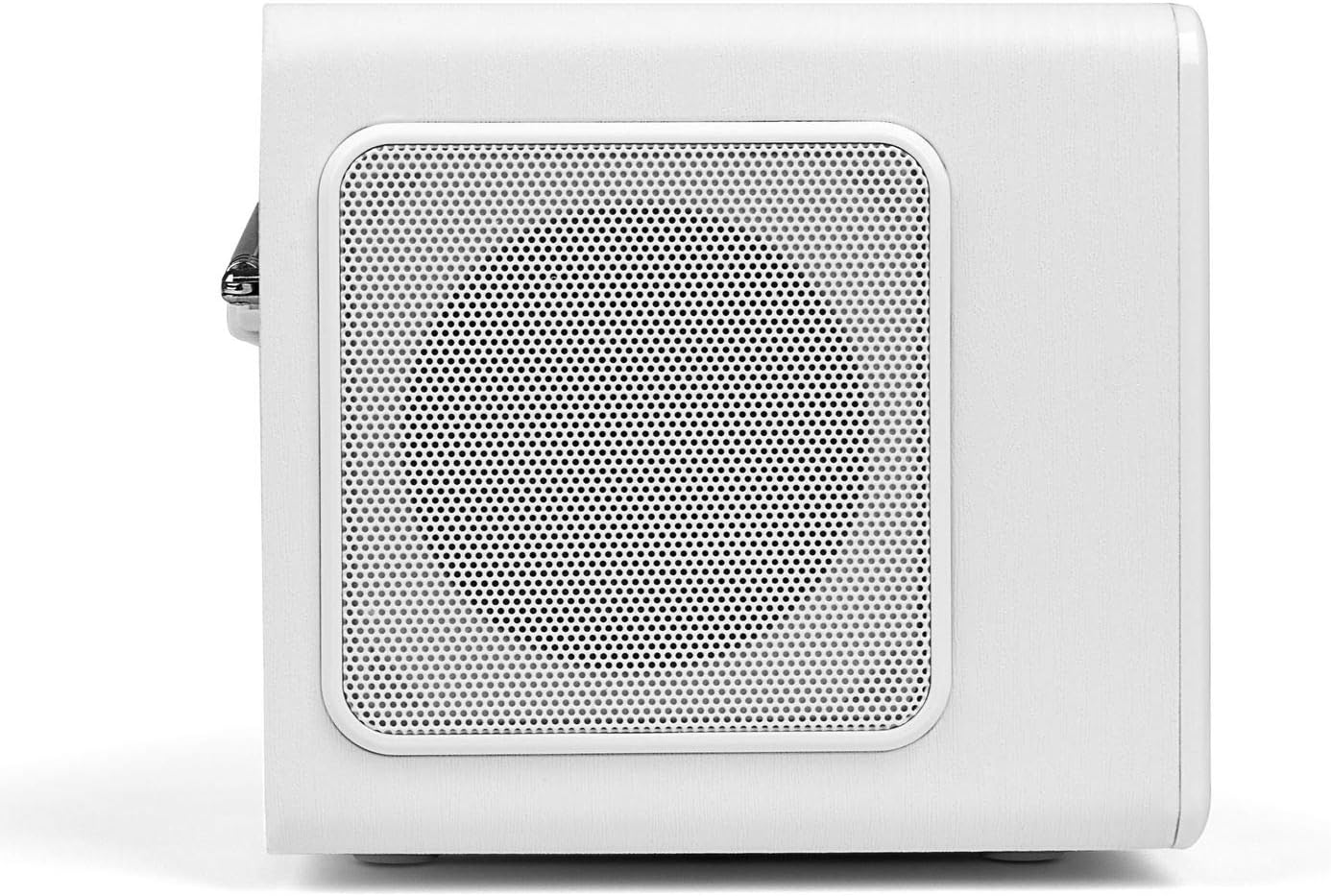
4.3 Каптал панели
The side panels feature integrated speakers for stereo sound output.
4.4 Арткы панель
The rear panel houses the telescopic antenna, power input, Line Out, and AUX input ports.

5. Орнотуу
Follow these steps to set up your Blaupunkt IRD 30c Internet Radio for the first time.
- Аппаратты таңгактан чыгаруу: Бардык компоненттерди таңгактан кылдаттык менен алып салыңыз.
- Туташуу кубаты: Plug the power adapter into the DC 12V input on the rear of the radio, then connect it to a power outlet.
- Антеннаны узартуу: Fully extend the telescopic antenna for optimal DAB+ and FM reception.
- Баштапкы күйгүзүү: The radio will power on automatically or require a press of the power button.
- Network Setup (WLAN): Wi-Fi тармагыңызга туташуу үчүн экрандагы көрсөтмөлөрдү аткарыңыз. Сизге тармактын аталышы (SSID) жана сырсөз керек болот.
- Убакыт жана дата: The device will usually synchronize time and date automatically via the internet.
Watch the following video for a visual guide on unboxing and initial setup:
Video 5.1: Unboxing and basic setup of the Blaupunkt IRD 30c Internet Radio, demonstrating power connection, antenna extension, and initial menu navigation.
6. Иштөө нускамалары
6.1 Интернет радиосу
Access thousands of stations and podcasts from around the world.
- басыңыз ҮЙ button to navigate to the main menu.
- Select "Internet Radio" using the control knob and press to confirm.
- You can browse stations by location, genre, or use the search function.
- To save a favorite station, tune into the desired station and press the FAV button. Follow the on-screen instructions to store it.
6.2 DAB+ санариптик радиосу
Жогорку сапаттагы санариптик радио берүүлөрдөн ырахат алыңыз.
- басыңыз МЕНЮ button and select "DAB Radio".
- Perform a "Full Scan" to find all available DAB+ stations in your area.
- Use the control knob to scroll through the station list and select your desired station.
6.3 FM радиосу
Салттуу аналогдук FM берүүлөрүн угуңуз.
- басыңыз МЕНЮ button and select "FM Radio".
- You can perform an automatic scan or manually tune to a frequency using the control knob.
- For best reception, ensure the telescopic antenna is fully extended.
6.4 AUX киргизүү
Смартфондор же MP3 ойноткучтар сыяктуу тышкы аудио түзмөктөрдү туташтырыңыз.
- Тышкы түзмөгүңүздү туташтырыңыз AUX IN port on the rear of the radio using a 3.5mm audio cable.
- басыңыз МЕНЮ button and select "AUX In" mode.
- Тышкы түзмөгүңүздөн ойнотууну көзөмөлдөө.
6.5 Alarm Clock and Sleep Function
Use the radio as an alarm clock or set a sleep timer.
- Ойготкуч: Access the alarm settings via the main menu to set up to two independent alarms with customizable sources (buzzer, internet radio, DAB+, FM).
- Уйку таймери: басыңыз УЙКУ button on the top panel or remote control to set a timer (e.g., 15, 30, 60 minutes) after which the radio will automatically turn off.
6.6 Sound Customization (Equalizer)
Adjust the audio output to your preference.
The IRD 30c features an equalizer with preset genres (e.g., Rock, Pop, Classical, HipHop) and a custom setting to adjust bass and treble levels. Access the equalizer settings through the menu or directly via the remote control.
7. Техникалык тейлөө
To ensure the longevity and optimal performance of your Blaupunkt IRD 30c, follow these maintenance guidelines:
- Тазалоо: Радионун сыртын тазалоо үчүн жумшак, кургак чүпүрөктү колдонуңуз. Абразивдүү тазалоочу каражаттарды, момдорду же эриткичтерди колдонбоңуз.
- Чаң: Regularly dust the speaker grilles and control areas to prevent accumulation.
- Жайгашкан жери: Радиону туруктуу, тегиз жерге, күн нуру түз тийбеген, жылуулук булактарынан жана ашыкча нымдуулуктан алыс коюңуз.
- Антенна: Телескопиялык антеннаны ийилип же сындырып албаш үчүн этияттык менен кармаңыз.
8. Кыйынчылыктарды
Радиоңузда көйгөйлөргө туш болсоңуз, төмөнкү жалпы көйгөйлөрдү жана аларды чечүү жолдорун караңыз:
| Көйгөй | Мүмкүн себеп | Чечим |
|---|---|---|
| Күч жок | Кубат адаптери туташкан эмес же туура эмес розетка. | Check power connections and try a different outlet. Ensure the power button is pressed correctly. |
| No internet radio reception | WLAN connection issue, weak signal, or incorrect network settings. | Verify your Wi-Fi password. Check router status. Move the radio closer to the router or use a Wi-Fi extender. Reconfigure network settings. |
| DAB+/FM кабыл алуу начар | Антенна узартылган эмес, сигнал алсыз же тоскоолдук бар. | Fully extend the telescopic antenna. Reposition the radio. Perform a new station scan. |
| AUX киргизүүдөн үн жок | Incorrect mode selected, cable issue, or external device volume. | Ensure "AUX In" mode is selected. Check the 3.5mm audio cable connection. Increase volume on both the radio and the external device. |
| Пульт иштебей жатат | Dead batteries, obstruction, or remote not pointed at sensor. | Replace batteries. Remove any obstructions between the remote and the radio. Ensure direct line of sight. |
| Blue ring light around control knob is too bright/distracting | This is a design feature and cannot be permanently turned off. | The light typically illuminates for a few seconds after interaction and turns off in standby. Consider placement if used in a dark room like a bedroom. |
9. Техникалык шарттар
| Өзгөчөлүк | Деталь |
|---|---|
| Бренд | BLAUPUNKT |
| Модел | IRD 30 C |
| Байланыш технологиясы | AUX, WLAN (802.11 b/g/n) |
| Tuner Technology | Digital (FM, DAB+) |
| Колдоого алынган радио тилкелери | Internet Radio, FM, DAB+ |
| Power Source | Электр зымдары |
| Аудио чыгаруу күчү | 2 x 7 Watts RMS (14 Watts total) |
| Дисплей | Color Display (dimmable) |
| Аппараттык интерфейс | 3.5mm Audio (AUX In, Line Out) |
| Элемент Салмагы | 3.09 фунт (болжол менен 1.4 кг) |
| Өлчөмдөрү (болжол менен) | Height: 13 cm, Depth: 12.9 cm, Width: 21.2 cm |
| Өзгөчөлүктөрү | Alarm Clock, Sleep Function, Equalizer, Remote Control |
10. Кепилдик жана колдоо
For warranty information and customer support, please refer to the documentation included with your product or visit the official Blaupunkt webсайт. Ар кандай кепилдик дооматтары үчүн сатып алганыңыздын далилин сактаңыз.
If you require technical assistance or have questions not covered in this manual, please contact Blaupunkt customer service.