
1MORE H1005
1MORE H1005 VR оюн гарнитурасынын колдонуучу колдонмосу
Модели: H1005
Introduction
This manual provides detailed instructions for the setup, operation, and maintenance of your 1MORE H1005 VR Gaming Headset. Designed for an immersive audio experience, this headset features 7.1 stereo surround sound, a dual-mic noise cancellation system, and customizable LED lighting. Please read this manual thoroughly to ensure proper use and to maximize your headset's performance.
Пакеттин мазмуну
Пакетиңизде бардык буюмдар бар экенин текшериңиз:
- 1MORE Spearhead VR Gaming Headset
- 3.5 мм аудио кабель
- USB кабели
- Колдонуучунун Колдонмосу (бул документ)
- Soft Carry сумка

Сүрөт: The 1MORE H1005 VR Gaming Headset displayed with its included accessories: a 3.5mm audio cable, a USB cable, and a soft carry bag.
Жайгашуу
1. Connecting to a PC (USB)
- Connect the USB cable to the USB port on your 1MORE H1005 headset.
- USB кабелинин экинчи учун компьютериңиздеги жеткиликтүү USB портуна сайыңыз.
- Your computer should automatically detect the headset. For optimal performance and to customize LED lighting, download and install the 1MORE gaming software from the official 1MORE webсайт.
- Ensure the headset is selected as the default audio input and output device in your computer's sound settings.
2. Connecting to Other Devices (3.5mm Audio Jack)
- Connect the 3.5mm audio cable to the audio jack on your 1MORE H1005 headset.
- Plug the other end of the 3.5mm audio cable into the headphone jack of your device (e.g., smartphone, tablet, gaming console controller).
- Note that some advanced features like 7.1 surround sound and LED customization may not be available when connected via the 3.5mm audio jack, as these typically require a USB connection and specific software.

Сүрөт: Алдыңкы бети view of the 1MORE H1005 VR Gaming Headset, highlighting its over-ear design and integrated microphone.
Иштөө нускамалары
1. Ыңгайлуулук үчүн тууралоо
- Баш боосун жөндөө: The headset features an adjustable headband. Gently slide the earcups up or down to find a comfortable fit that rests securely on your head without excessive pressure.
- Кулак төшөктөрү: The memory-foam ear pads are designed for extended wear. Ensure they fully cover your ears for optimal sound isolation and comfort.
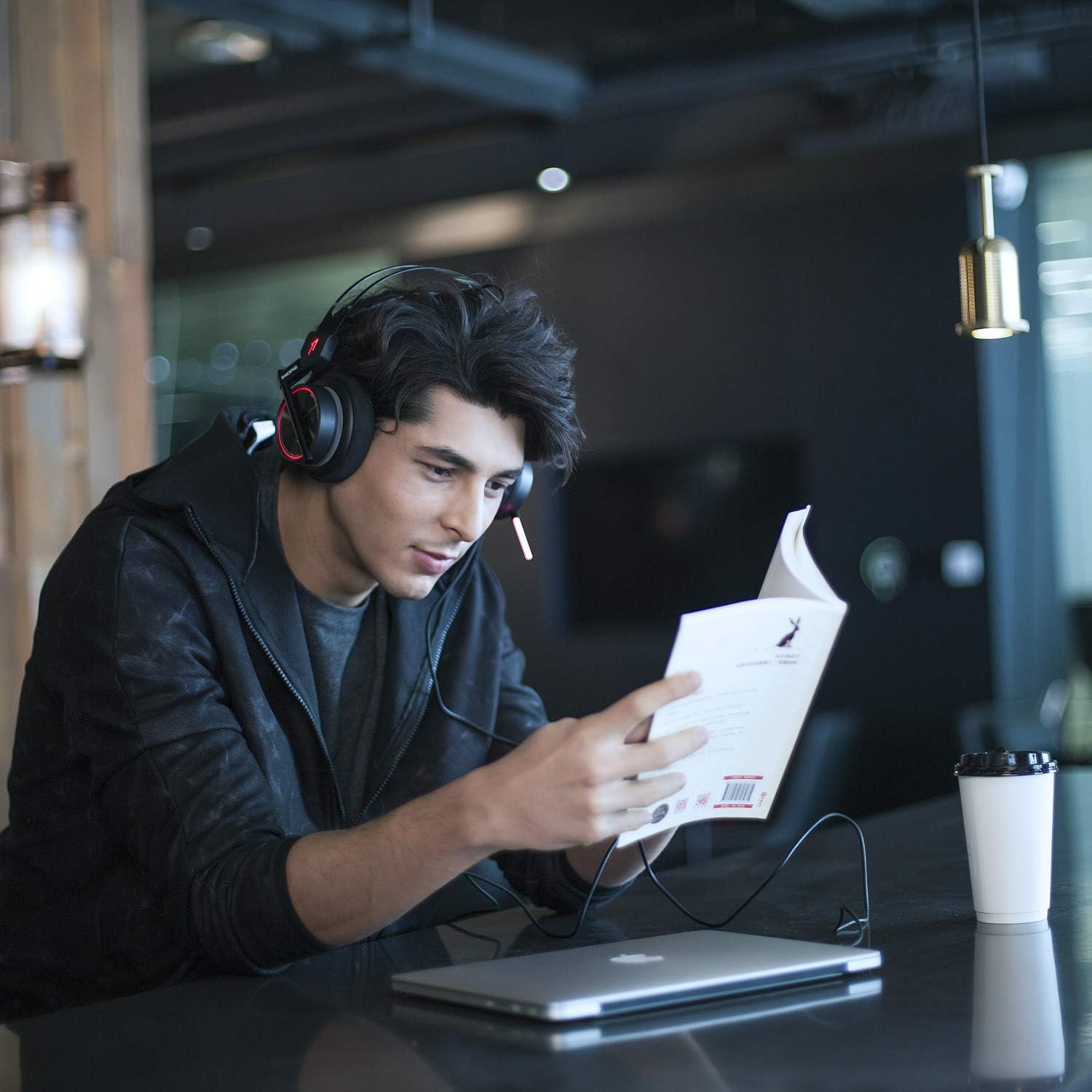
Сүрөт: A person wearing the 1MORE H1005 VR Gaming Headset, demonstrating its comfortable fit during use.
2. Аудио башкаруу
- Үндү көзөмөлдөө: Locate the volume wheel or buttons on the headset or inline control (if applicable) to adjust the audio output level.
- Микрофондун үнүн өчүрүү: A dedicated button or switch on the headset allows you to mute or unmute the microphone.
3. Микрофонду колдонуу
- The headset features a retractable microphone with dual-mic noise cancellation. Extend the microphone boom when speaking.
- Position the microphone approximately 1-2 inches from your mouth for clear voice pickup.
- Микрофондун үнү өчүрүлбөгөнүн текшериңиз.
4. LED Lighting Customization
- When connected via USB to a PC, the LED lights can be customized using the 1MORE gaming software.
- The software allows you to select colors and twinkling modes to personalize your headset's appearance.
Техникалык тейлөө
- Тазалоо: Use a soft, dry cloth to wipe the headset. For ear pads, a slightly damp чүпүрөктү колдонсо болот, бирок алар колдонуудан мурун толугу менен кургак болушун камсыз кылыңыз. Катуу химиялык заттарды же абразивдүү тазалагычтарды колдонбоңуз.
- Сактагыч: Store the headset in the provided soft carry bag or a clean, dry place away from extreme temperatures and direct sunlight. Avoid placing heavy objects on the headset.
- Кабельге кам көрүү: Зыян келтирбөө үчүн кабелдерди кескин ийүүдөн же ашыкча тартуудан алыс болуңуз.
Проблемаларды чечүү
| Көйгөй | Мүмкүн себеп | Чечим |
|---|---|---|
| Гарнитурадан үн жок |
|
|
| Микрофон иштебей жатат |
|
|
| LED lights not working/customizing |
|
|
If you encounter issues not listed here or if the suggested solutions do not resolve your problem, please contact 1MORE customer support for further assistance.
Техникалык шарттар
| Модель аты | H1005 |
| Байланыш технологиясы | Зымдуу (USB, 3.5 мм уяча) |
| Noise Control | Активдүү ызы-чууну жокко чыгаруу (кош микрофон) |
| Frequency Response | 20Гц - 20кГц |
| Импеданс | 32 Ом |
| Наушник уясы | 3.5 мм Джек |
| Шайкеш түзмөктөр | PC, PS4, XBOX, Smartphones |
| Материал | Stainless Steel (frame) |
| Элемент Салмагы | 16 унция (болжол менен 453 грамм) |
| Продукциянын өлчөмдөрү (LxWxH) | 54 x 6 x 8 inches (Note: These dimensions may refer to packaging.) |
Эскертүү: Техникалык мүнөздөмөлөр эскертүүсүз өзгөртүлүшү мүмкүн.
Кепилдик жана колдоо
Your 1MORE H1005 VR Gaming Headset is covered by a limited warranty. For specific warranty terms and conditions, please refer to the warranty card included in your product packaging or visit the official 1MORE webсайт.
For technical support, troubleshooting assistance, or to inquire about warranty service, please contact 1MORE customer support through their official webсайт же продукт документациясында көрсөтүлгөн байланыш маалыматы.
Онлайн ресурстар: Amazon'догу 1MORE дүкөнүнө баш багыңыз
Ask a question about this manual
Ask about setup, troubleshooting, compatibility, parts, safety, or missing instructions. Manuals+ will review the question and use this page’s manual context to help answer it.