
Andoer HDV-534K
Andoer HDV-534K 4K 48 MP WiFi Digital Video Camera User Manual
Model: HDV-534K
Introduction
This manual provides comprehensive instructions for the operation and maintenance of your Andoer HDV-534K 4K 48 MP WiFi Digital Video Camera. Please read this manual thoroughly before using the camera to ensure proper functionality and to maximize your user experience.
The Andoer HDV-534K is a high-definition digital video camera capable of recording 4K (2880 x 2160) video at 24 frames per second (interpolated) and capturing still photos at 48MP (9212 x 5184) (interpolated). It features a 3-inch capacitive touchscreen for intuitive control and vivid display.
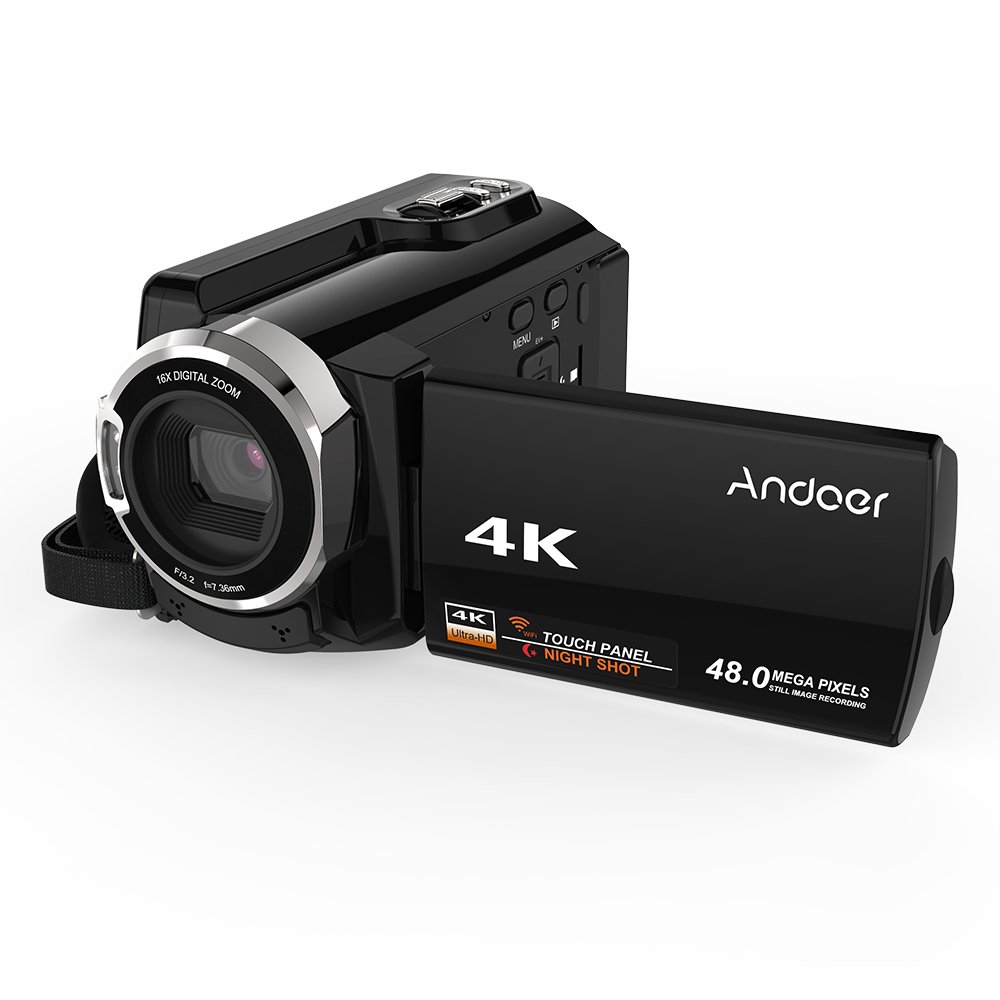
Figure 1: Andoer HDV-534K Digital Video Camera. This image shows the camera from the front-right, with the screen open, displaying the "4K" and "Andoer" branding.
Продукт компоненттери жана башкаруу элементтери
Familiarize yourself with the various parts and controls of your Andoer HDV-534K camera.

Figure 2: Detailed diagram of the Andoer HDV-534K camera, highlighting key components and controls such as the 3-inch touchscreen, MENU button, Playback button, T/W (Telephoto/Wide) zoom, Photo button, Mode button, Up/EV+, Right/IR, T-Flash Card Slot, AV/USB/HD Port, Left/Timed, Power button, Display/WiFi, Down/EV-, Infrared Light (IR), Lens, Mic, Secure Digital Memory Card Slot, Power Light, Charging Light, Start/Stop button, Strap, and Battery compartment.
Негизги компоненттер:
- Объектив: Captures images and video.
- Инфракызыл жарык (IR): Used for night vision recording.
- 3 дюймдук сыйымдуулугу сенсордук экран: үчүн viewменюларды иштетүү жана навигациялоо.
- Батарея бөлүмү: Кайра заряддоого болгон батарейканы камтыйт.
- Secure Digital Memory Card Slot: For inserting SD/SDHC memory cards (not included).
- AV/USB/HD Port: Multi-functional port for connecting to external devices.
- 1/4" штатив жиби: Located at the bottom for mounting on a tripod.
Орнотуу колдонмосу
1. Батареяны заряддоо
Before first use, fully charge the camera's battery. The Andoer HDV-534K uses a 3.8V 2500mAh lithium polymer battery, designed for longer service time.
- Insert the battery into the battery compartment, ensuring correct orientation.
- Connect the camera to a power source using the provided USB cable and power adapter.
- The Charging Light will indicate the charging status. Refer to the camera's display for battery level.

Figure 3: Image showing the camera with the battery inserted, emphasizing the "Bigger Capacity Longer Service Time" feature of the 3.8V 2500mAh lithium polymer battery.
2. Эстутум картасын салуу
The camera requires an SD/SDHC memory card (not included) to store photos and videos.
- Locate the Secure Digital Memory Card Slot on the camera.
- Insert the memory card with the metal contacts facing the correct direction until it clicks into place.
- Алып салуу үчүн, картаны ал чыгып кеткенче акырын басыңыз.
3. Баштапкы күйгүзүү
- LCD экранды ачыңыз.
- басып, кармап туруңуз Күч button until the camera turns on.
- Follow any on-screen prompts for initial setup, such as setting date and time.
Иштөө нускамалары
Видеолорду жаздыруу
- Ensure the camera is in video recording mode. If not, press the Mode которуштуруу үчүн баскыч.
- Frame your shot using the 3-inch touchscreen.
- басыңыз Start/Stop Жаздырууну баштоо үчүн баскычын басыңыз. Экранда жаздыруу индикатору пайда болот.
- басыңыз Start/Stop жазууну токтотуу үчүн кайра баскычын басыңыз.

Figure 4: The Andoer HDV-534K camera held in hand, displaying a 4K Ultra HD picture on its screen, demonstrating its video recording capability.
Сүрөт тартуу
- Switch to photo mode by pressing the Mode баскычы.
- Compose your shot.
- басыңыз Сүрөт button to capture an image.
Zoom функциясы
The camera features 16x digital zoom.
- колдонуу T/W (Telephoto/Wide) button to zoom in (T) or zoom out (W).
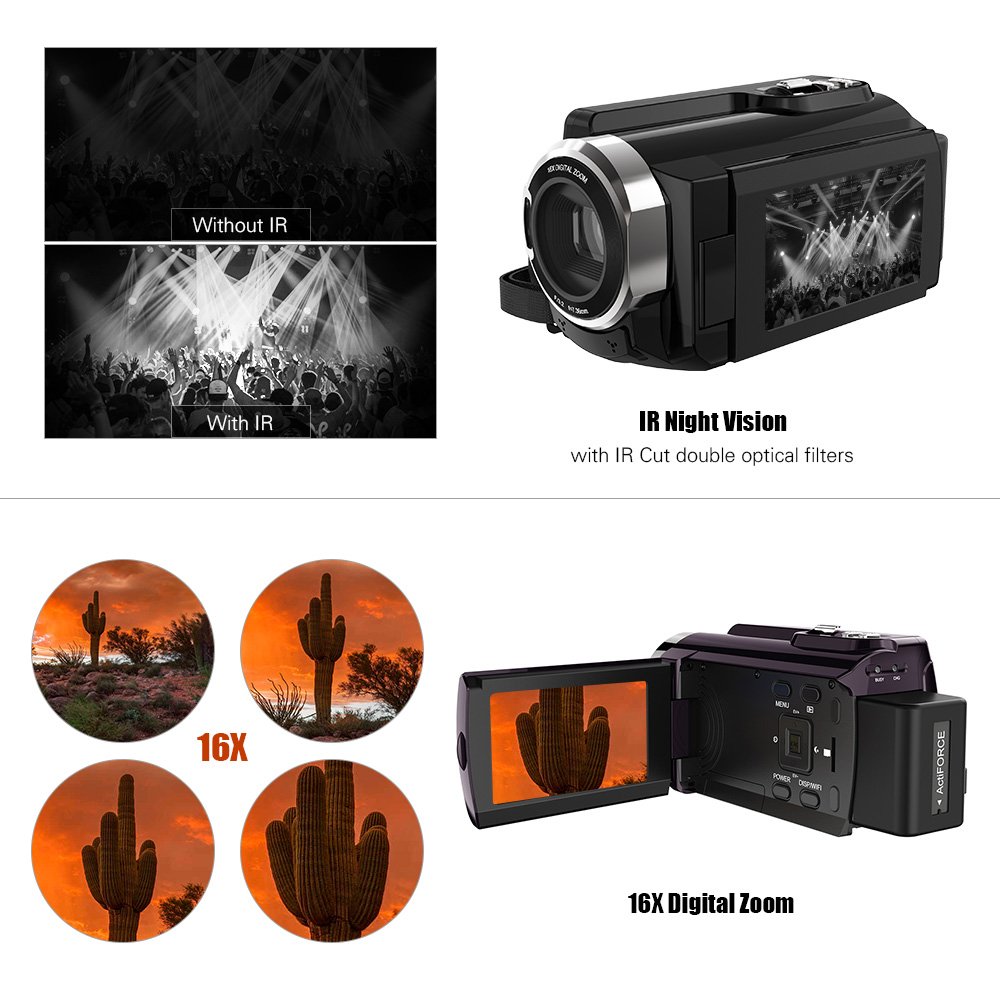
Figure 5: Illustration of the 16x digital zoom capability, showing four magnified views of a cactus, and a comparison of video quality with and without IR night vision.
Инфракызыл (ИК) түнкү көрүү
Activate IR night vision for recording in low-light or dark conditions.
- басыңыз Right/IR button to toggle IR night vision on or off.
Connecting to Other Devices (WiFi & USB/HDMI)
The camera supports WiFi connectivity for wireless transfer and control, and can also connect via AV/USB/HD cable.
- WiFi: басыңыз Display/WiFi button to activate WiFi. Use the dedicated app on your smartphone or tablet to connect and transfer files.
- AV/USB/HD Cable: Connect the camera to a computer or TV using the appropriate cable for file transfer or direct viewing.

Figure 6: Diagram illustrating the connectivity options of the Andoer HDV-534K, showing connection via AV/USB/HD Cable to a laptop and via WiFi to smartphones.
Техникалык тейлөө
Камераны тазалоо
- Камеранын корпусун тазалоо үчүн жумшак, кургак чүпүрөктү колдонуңуз.
- For the lens and touchscreen, use a specialized lens cleaning cloth and solution to avoid scratches.
- Күчтүү жуучу каражаттарды же эриткичтерди колдонбоңуз.
Батареяга кам көрүү
- Батареяны колдонбогондо салкын, кургак жерде сактаңыз.
- Батареянын иштөө мөөнөтүн узартуу үчүн бат-баттан толук зарядсыздануудан качыңыз.
- Узак мөөнөткө сактасаңыз, батарейканы болжол менен 50% сыйымдуулугуна чейин заряддаңыз.
Сактагыч
- Store the camera in a dust-free environment, preferably in a camera bag.
- Ашыкча температурадан жана жогорку нымдуулуктан алыс болуңуз.
Проблемаларды чечүү
| Көйгөй | Мүмкүн себеп | Чечим |
|---|---|---|
| Камера күйбөйт. | Батарея түгөнүп калган же туура эмес салынган. | Батареяны толук заряддаңыз. Батарея туура полярдуулук менен салынганын текшериңиз. |
| Видео жаздыруу/сүрөткө тартуу мүмкүн эмес. | Эстутум картасы толгон, салынбаган же бузулган. | Check memory card. Delete unnecessary files or insert a new card. Format the card if necessary (this will erase all data). |
| Сүрөт/видео сапаты начар. | Линза кир. Жарык жетишсиз. Туура эмес жөндөөлөр. | Clean the lens. Ensure adequate lighting or activate IR night vision. Check resolution settings. |
| WiFi туташуу маселелери. | Incorrect WiFi settings. App issues. | Ensure WiFi is enabled on camera and device. Restart both devices. Reinstall the camera's companion app. |
Техникалык шарттар
The following are the technical specifications for the Andoer HDV-534K Digital Video Camera:
| Өзгөчөлүк | Деталь |
|---|---|
| Модел | HDV-534K |
| Видео тартуунун резолюциясы | 4K (2880 x 2160) 24fps (interpolation) |
| Сүрөттүн резолюциясы | 48MP (9212 x 5184) (interpolation) |
| Screen Size | 3 Inches Capacitive Touchscreen |
| Digital Zoom | 16x |
| Байланыш технологиясы | Wi-Fi |
| Фото сенсор технологиясы | CMOS |
| Максималдуу диафрагма | 1.8 f |
| Flash эс тутум түрү | SmartMedia, SDHC |
| Видео тартуу форматы | MP4 |
| Колдоого алынган аудио формат | MP4 (AAC/MP3) |
| Элемент Салмагы | 640 г |
| Өндүрүүчү | кытай |
| Биринчи жеткиликтүү күн | 11-жылдын 2017-октябры |
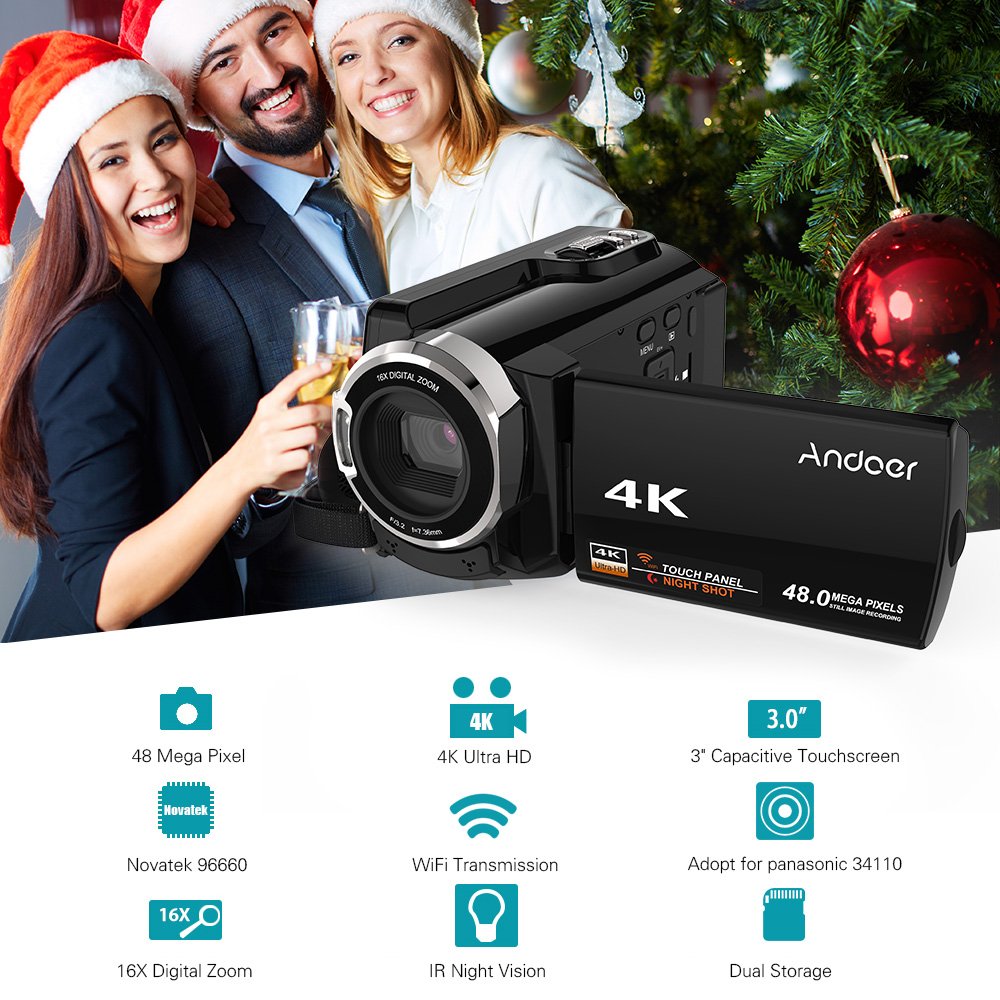
Figure 7: Infographic summarizing key features of the Andoer HDV-534K, including 48 Megapixel, 4K Ultra HD, 3.0" Capacitive Touchscreen, Novatek 96660 processor, 16X Digital Zoom, WiFi Transmission, IR Night Vision, and Dual Storage.
Кепилдик жана колдоо
For warranty information and customer support, please refer to the documentation included with your purchase or contact Andoer customer service directly. Specific warranty terms and conditions may vary by region and retailer.
Сураныч, кепилдик дооматтар үчүн сатып алуу далилиңизди сактап коюңуз.
Ask a question about this manual
Ask about setup, troubleshooting, compatibility, parts, safety, or missing instructions. Manuals+ will review the question and use this page’s manual context to help answer it.