
1. Киришүү
Сатып алганыңыз үчүн рахматasing the Newpal NP100 Projector. This LED projector is designed for home theater use, offering a bright, high-definition image with integrated Android 6.01, Wi-Fi, and Bluetooth capabilities. This manual provides essential information for setting up, operating, and maintaining your projector to ensure optimal performance and longevity.
Проекторду колдонуудан мурун бул колдонмону кылдат окуп чыгып, келечекте колдонуу үчүн сактап коюңуз.
2. Продукт бүтүп калдыview
2.1 Негизги өзгөчөлүктөрү
- Жарыктык: 3500 Lumens for clear, vibrant images.
- Түпкү резолюция: 1280 x 768 pixels, supporting Full HD 1920 x 1080.
- Операция системасы: Android 6.01 for smart functionality and app downloads.
- Байланыш: Integrated Wi-Fi and Bluetooth 4.0.
- Экранды чагылдыруу: Supports Miracast and Airplay for seamless device synchronization.
- Проекциянын өлчөмү: 38 дюймдан 120 дюймга чейин жөнгө салынат.
- Негизги ташты оңдоо: Built-in +/-40 vertical keystone correction.
- Үн: Built-in HiFi level stereo speaker with SRS sound technology.
2.2 Projector Components and Ports
Familiarize yourself with the various ports and controls on your Newpal NP100 projector.

2.2.1-сүрөт: Арткы жана каптал view of the Newpal NP100 Projector, highlighting the ON/OFF switch, Audio/IR port, USB port, HDMI port, RJ45-LAN port, VGA port, Keystone Correction dial, and Focus ring.
- ON/OFF которуу: Проекторду күйгүзөт же өчүрөт.
- Audio/IR Port: For audio output and infrared remote receiver.
- USB порт: Медиа ойнотуу үчүн USB сактагыч түзмөктөрдү туташтырыңыз.
- HDMI порту: Connect devices like laptops, DVD players, or gaming consoles.
- RJ45-LAN Port: Зымдуу тармак туташуусу үчүн.
- VGA порту: Connect older computers or devices.
- Негизги ташты оңдоо: Adjusts image distortion when the projector is not perpendicular to the screen.
- Фокус шакеги: Проекцияланган сүрөттү курчутат.
2.3 Mounting Points
The projector features screw holes on the bottom for ceiling or tripod mounting.

Сүрөт 2.3.1: Төмөнкү view of the Newpal NP100 Projector, indicating the locations of the screw holes for mounting.
2.4 Пакеттин мазмуну
Пакетте бардык буюмдар бар экенин текшериңиз:

Image 2.4.1: Contents of the Newpal NP100 Projector package, including the projector unit, remote control, AC3 cable, power cable, VGA cable, and user manual.
- Newpal NP100 Projector Unit
- Алыстан башкаруу
- AC3 Cable
- Электр кабели
- VGA кабели
- Колдонуучунун Колдонмосу (бул документ)
3. Орнотуу
3.1 Орнотуу
Place the projector on a stable, flat surface or mount it securely. Ensure adequate ventilation around the projector. The optimal projection distance varies, but the projector can display images from 38 to 120 inches at distances ranging from 4.1 to 17.4 feet.
3.2 Кубат туташтыруу
- Электр кабелин проектордун кубат киресине туташтырыңыз.
- Электр кабелинин экинчи учун ылайыктуу электр розеткасына сайыңыз.
3.3 Фокустоо жана Keystone коррекциясы
- Проекторду күйгүзүңүз.
- тууралаңыз Фокус шакеги (refer to Image 2.2.1) until the projected image is sharp and clear.
- Сүрөт трапеция түрүндө болсо, колдонуңуз Keystone Correction dial (refer to Image 2.2.1) to correct the image geometry, making it rectangular. The projector supports +/-40 degrees vertical keystone correction.
4. Иштөө нускамалары
4.1 Күйгүзүү/өчүрүү
- Күйгүзүү үчүн: Press the ON/OFF switch on the projector or the power button on the remote control.
- Өчүрүү үчүн: Press the ON/OFF switch or the power button on the remote control. Confirm shutdown if prompted.
4.2 Navigating the Android System
The Newpal NP100 Projector runs on Android 6.01. Use the remote control to navigate the interface. The main screen provides access to installed applications, settings, and input sources.
- Use the arrow keys to move between options.
- Press the 'OK' or 'Enter' button to select an item.
- Use the 'Back' button to return to the previous screen.
- Access system settings to configure Wi-Fi, Bluetooth, display, and sound options.
4.3 Киргизүү булагын тандоо
To switch between different input sources (HDMI, VGA, USB, AV), navigate to the input source selection menu on the Android interface or use the dedicated input button on the remote control.
5. Байланыш
5.1 Wi-Fi туташуусу
- Go to the Android system settings.
- "Wi-Fi" тандап, аны күйгүзүңүз.
- Choose your desired network from the list of available networks.
- Суралган болсо, сырсөздү киргизип, туташыңыз.
5.2 Bluetooth жупташтыруу
The projector supports Bluetooth 4.0 for connecting compatible devices like external speakers or headphones.
- Go to the Android system settings.
- "Bluetooth" тандап, аны күйгүзүңүз.
- Bluetooth түзмөгүңүз жупташтыруу режиминде экенин текшериңиз.
- Select your device from the list and confirm pairing.
5.3 Miracast / Airplay
The projector supports Miracast for Android devices and Airplay for iOS devices, allowing you to mirror your smartphone or tablet screen wirelessly.
- Мобилдик түзмөгүңүз да, проекторуңуз да бир Wi-Fi тармагына туташкандыгын текшериңиз.
- On the projector, launch the Miracast or Airplay application (usually found on the main Android interface).
- Мобилдик түзмөгүңүздө экранды чагылдырууну иштетиңиз (мисалы, "Акылдуу" View' on Android, 'Screen Mirroring' on iOS).
- Туташууну орнотуу үчүн жеткиликтүү түзмөктөрдүн тизмесинен проекторду тандаңыз.
5.4 Зымдуу байланыштар
- HDMI: Connect an HDMI cable from your source device (e.g., laptop, game console) to the projector's HDMI port.
- VGA: Компьютериңизден VGA кабелин проектордун VGA портуна туташтырыңыз.
- USB: Медиа ойнотуу үчүн USB флэш-дискти USB портуна салыңыз fileтүздөн-түз с.
- RJ45-LAN: Connect an Ethernet cable for a stable wired internet connection.
6. Техникалык тейлөө
6.1 Линзаны тазалоо
Use a soft, lint-free cloth or lens cleaning paper to gently wipe the projector lens. Do not use abrasive cleaners or excessive force, as this can scratch the lens. For stubborn smudges, a small amount of lens cleaning solution can be applied to the cloth, not directly to the lens.
6.2 Проектордун корпусун тазалоо
Wipe the exterior of the projector with a soft, dry cloth. Avoid using liquid cleaners or solvents that could damage the finish.
6.3 Вентиляция
Ensure that the ventilation openings on the projector are not blocked. Proper airflow is crucial to prevent overheating and extend the lifespan of the projector's components.
6.4 Сактоо
Проекторду узак убакыт бою колдонбогон учурда, аны салкын, кургак, чаңсыз жерде сактаңыз. Бузулуп калбашы үчүн түпнуска таңгагын же коргоочу капты колдонуңуз.
7. Кыйынчылыктарды
Проекторуңузда көйгөйлөргө туш болсоңуз, төмөнкү жалпы көйгөйлөрдү жана чечимдерди караңыз:
- Сүрөт жок:
- Кубат туташуусун текшерип, проектор күйгүзүлгөнүн текшериңиз.
- Киргизүү булагынын туура тандалганын текшериңиз (HDMI, VGA, USB ж.б.).
- Түзмөктүн күйгүзүлгөнүн жана сигнал чыгарып жатканын текшериңиз.
- бүдөмүк сүрөт:
- Adjust the Focus Ring until the image is sharp.
- Use Keystone Correction to correct any trapezoidal distortion.
- Проекциялык беттин тегиз жана жылмакай экенине ынаныңыз.
- Үн жок:
- Проектордогу жана булак түзмөгүндөгү үн жөндөөлөрүн текшериңиз.
- Ensure external audio devices (if connected via Bluetooth or audio jack) are properly paired/connected and powered on.
- Булак түзмөгүндөгү аудио чыгаруу орнотуулары туура экенин текшериңиз.
- Wi-Fi/Bluetooth туташуу маселелери:
- Restart the projector and your network router/Bluetooth device.
- Ensure the projector is within range of the Wi-Fi network or Bluetooth device.
- Check Wi-Fi password and Bluetooth pairing status.
- Алыстан башкаруу жооп бербейт:
- Пульттагы батарейкаларды алмаштырыңыз.
- Пульт менен проектордун IR ресиверинин ортосунда эч кандай тоскоолдуктар жок экенин текшериңиз.
8. Техникалык шарттар
The following table outlines the technical specifications of the Newpal NP100 Projector:
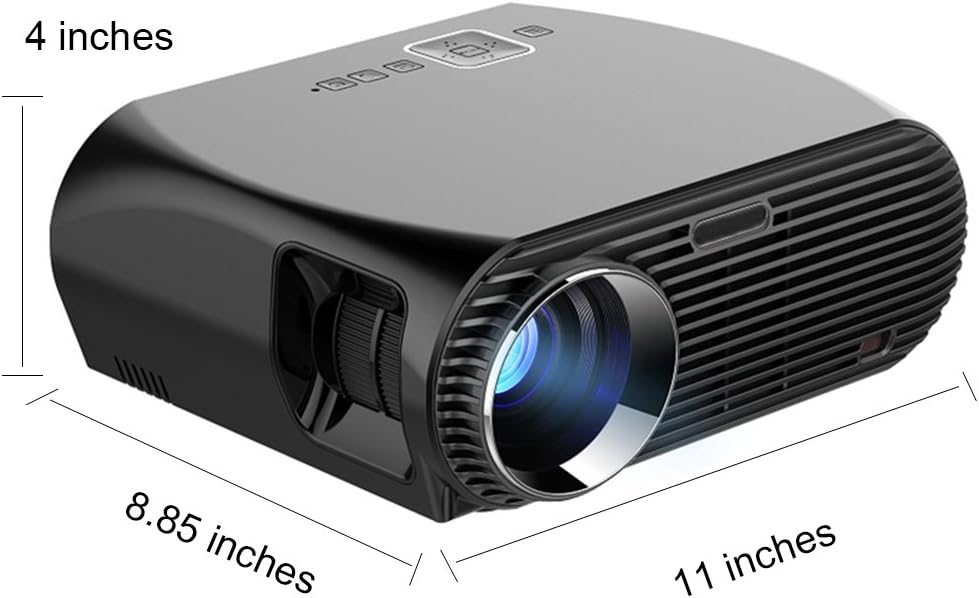
Image 8.1: Dimensions of the Newpal NP100 Projector (approximately 11 x 8.85 x 4 inches).
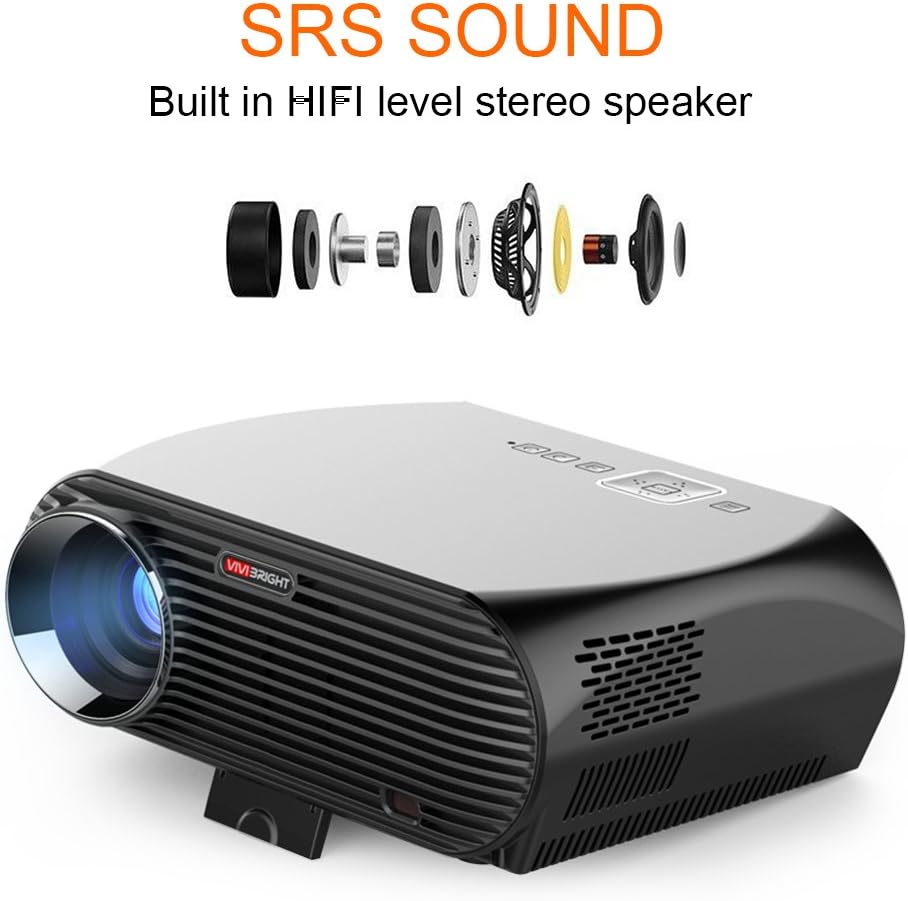
Image 8.2: Internal components illustrating the built-in HiFi level stereo speaker with SRS sound technology.
| Өзгөчөлүк | Спецификация |
|---|---|
| Модел | NP100 |
| Жарыктык | 3500 Lumens |
| Native Resolution | 1280 x 768 пиксел |
| Колдоого алынган резолюция | 1920 x 1080 чейин (Full HD) |
| Контраст катышы | 4000:1 |
| Дисплей түрү | LED |
| Операция системасы | Android 6.01 |
| Wi-Fi | Ооба |
| Bluetooth | 4.0 |
| Экранды чагылдыруу | Miracast, Airplay |
| Проекциянын өлчөмү | 38" - 120" |
| Проекциялык аралык | 4.1 фут - 17.4 фут |
| Keystone Correction | +/-40 Vertical |
| Lamp Жашоо | 30,000 саат |
| Аудио | Built-in HiFi level stereo speaker, SRS Sound |
| Киргизүү интерфейстери | USB, HDMI, VGA, AV, RJ45-LAN |
| Энергияны керектөө | 5 watts (speaker wattage) |
| Өлчөмдөрү (L x W x Y) | 26.67 x 22.86 x 10.16 см (болжол менен 11 x 8.85 x 4 дюйм) |
| Салмагы | 3.31 кг |
9. Кепилдик жана колдоо
The Newpal NP100 Projector comes with a standard manufacturer's warranty. Please refer to the warranty card included in your package for specific terms and conditions, including the warranty period and coverage details.
For technical support, troubleshooting assistance beyond this manual, or warranty claims, please contact NewPal customer service through the contact information provided on your purchase documentation or the official NewPal webсайт.