
iFrogz IFFAWL-BL0
IFROGZ Aurora Wireless Headphones User Manual
Бренд: iFrogz | Модел: IFFAWL-BL0
Introduction
The IFROGZ Aurora Wireless Headphones are designed to provide a high-quality audio experience with the convenience of wireless connectivity. Featuring 40mm drivers for rich sound and a comfortable, foldable design, these headphones are suitable for various uses, including listening to music and taking calls on the go. This manual provides detailed instructions for setup, operation, and maintenance to ensure optimal performance and longevity of your headphones.
Пакеттин мазмуну
Пакетте бардык буюмдар бар экенин текшериңиз:
- IFROGZ Aurora Wireless Headphones
- USB заряддоо кабели
- 3.5 мм аудио Jack кабели
- Колдонуучунун Колдонмосу (бул документ)
Продукт бүттүview

1-сүрөт: Бурчтуу view of the IFROGZ Aurora Wireless Headphones, highlighting the overall design and earcups.

2-сүрөт: Side view of the headphones, illustrating the placement of control buttons for volume and track navigation.

3-сүрөт: Фронт view кулакчындардын, шоуasing the iFrogz logo and the sleek design of the earcups.
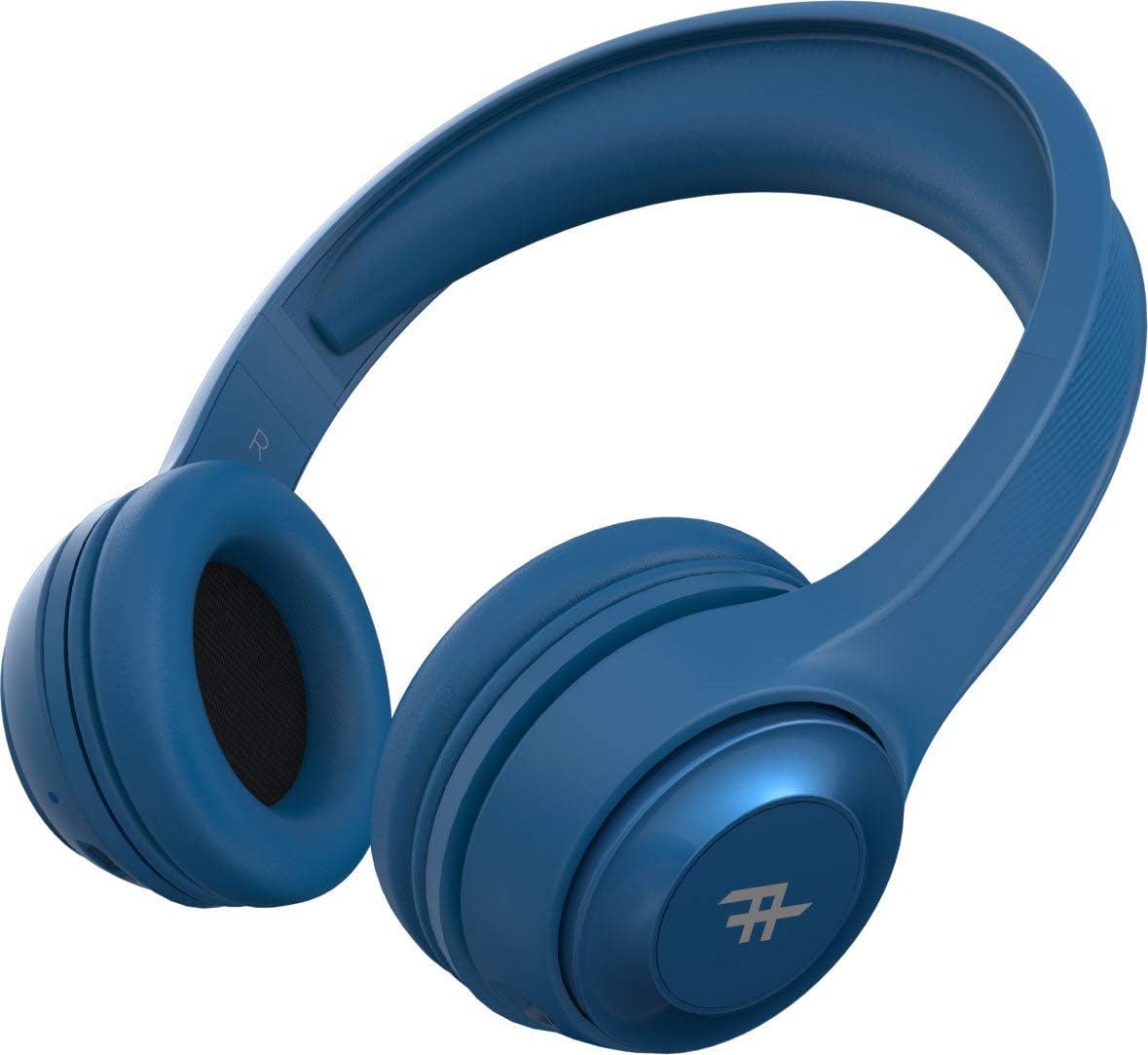
4-сүрөт: Жогорку view of the headphones, demonstrating the adjustable headband for a comfortable fit.
Негизги өзгөчөлүктөрү:
- Зымсыз Bluetooth байланышы: Enjoy freedom from cords with seamless Bluetooth pairing.
- Премиум үн: Equipped with 40mm drivers for rich and powerful audio output.
- Гарнитурадагы башкаруу элементтери: Intuitive controls located on the earcup for easy management of music and calls.
- Батареянын узак иштөө мөөнөтү: Бир кубаттоо менен 12 саатка чейин ойнотуу.
- Интегралдык микрофон: Allows for hands-free calling.
- Бүктөлүүчү Дизайн: Compact and easy to store, ideal for travel.
- Convertible Use: Can be used wirelessly via Bluetooth or wired with the included 3.5mm audio jack cable.
- Пассивдүү ызы-чуу изоляциясы: AeroFoam padding on earcups provides comfort and helps reduce ambient noise.
Орнотуу жана баштапкы колдонуу
1. Наушниктерди заряддоо
Before first use, fully charge your headphones. Connect the small end of the USB charging cable to the charging port on the headphone earcup and the larger end to a USB power source (e.g., computer USB port, wall adapter). The LED indicator will show charging status and turn off or change color when fully charged.
2. Күйгүзүү / Өчүрүү
- Күйгүзүү үчүн: Press and hold the Power button (usually the multi-function button) for approximately 3 seconds until the LED indicator lights up and you hear an audible prompt.
- Өчүрүү үчүн: LED индикатору өчүп, сиз уккулуктуу эскертүү угулганга чейин кубат баскычын болжол менен 5 секунд басып туруңуз.
3. Bluetooth Жупташтыруу
- Наушниктердин өчүрүлгөнүн текшериңиз.
- Press and hold the Power button for about 5-7 seconds until the LED indicator flashes rapidly, indicating pairing mode.
- Түзмөгүңүздө (смартфон, планшет, компьютер) Bluetooth иштетип, жеткиликтүү түзмөктөрдү издеңиз.
- Select "IFROGZ Aurora" from the list of found devices.
- Once paired, the LED indicator will stop flashing and remain solid blue, and you will hear a confirmation tone.
- Эгер сырсөз суралса, "0000" киргизиңиз.
Эскертүү: Наушник күйгүзүлгөндө акыркы жупташтырылган түзмөккө автоматтык түрдө кайра туташуу аракетин көрөт.
4. Зымдуу туташуу (милдеттүү эмес)
If the battery is depleted or you prefer a wired connection, you can use the included 3.5mm audio jack cable. Plug one end into the audio input port on the headphone earcup and the other end into your device's 3.5mm audio output jack. The headphones will function as passive wired headphones in this mode.
Иштөө нускамалары
Музыка ойнотууну башкаруу
- Ойнотуу/тындыруу: Press the Multi-function button (usually the iFrogz logo button).
- Кийинки трек: Press and hold the "Next" button (usually marked with >).
- Мурунку трек: Press and hold the "Previous" button (usually marked with <).
- Көлөмү: "+" баскычын кыска басыңыз.
- Үнүн азайтуу: "-" баскычын кыска басыңыз.
Чалууларды башкаруу
- Чалууга жооп берүү/аяктоо: Көп функциялуу баскычты басыңыз.
- Чакырууну четке кагуу: Көп функциялуу баскычты 2 секунд басып туруңуз.
- Акыркы номерди кайра терүү: Көп функциялуу баскычты эки жолу басыңыз.
Кароо жана тейлөө
- Тазалоо: Наушниктерди жумшак, кургак чүпүрөк менен сүртүңүз. Абразивдүү тазалагычтарды же эриткичтерди колдонбоңуз.
- Сактагыч: Колдонулбаганда, наушниктерди салкын, кургак жерде, тике күндүн нурунан жана өтө температурадан алыс сактаңыз. Бүктөлүүчү дизайн компакт сактоого мүмкүндүк берет.
- Батареяга кам көрүү: To preserve battery life, charge the headphones at least once every three months if not used regularly. Avoid fully discharging the battery frequently.
- Суу таасири: These headphones are not waterproof. Avoid exposure to liquids, moisture, or rain.
Проблемаларды чечүү
| Көйгөй | Мүмкүн себеп | Чечим |
|---|---|---|
| Кулакчындар күйбөйт. | Батарея аз. | Наушниктерди толук заряддаңыз. |
| Bluetooth түзмөгү менен жупташтыруу мүмкүн эмес. | Кулакчындар жупташтыруу режиминде эмес; түзмөк Bluetooth өчүк; аппараттан өтө алыс. | Ensure headphones are in pairing mode (flashing LED). Turn on Bluetooth on your device. Move headphones closer to the device (within 10 meters). |
| Үн жок же үнү төмөн. | Volume too low on headphones or device; incorrect audio source; headphones not connected. | Increase volume on both headphones and device. Ensure headphones are properly paired or connected via audio cable. Check audio output settings on your device. |
| Үндүн бузулушу. | Too far from Bluetooth device; interference; audio file сапаты. | Move closer to the Bluetooth device. Avoid strong electromagnetic interference. Try a different audio file. |
| Микрофон иштебей жатат. | Түзмөктө микрофондун үнү өчүрүлгөн; кулакчындар киргизүү түзмөгү катары тандалган эмес. | Check microphone settings on your device. Ensure the headphones are selected as the audio input device during calls. |
Техникалык шарттар
| Өзгөчөлүк | Деталь |
|---|---|
| Модель номери | IFFAWL-BL0 |
| Байланыш | Зымсыз (Bluetooth), Зымдуу (3.5 мм аудио уяча) |
| Зымсыз технология | Bluetooth |
| Батарея түрү | Литий-полимер (1 камтылган) |
| Батареянын иштөө мөөнөтү | 12 саатка чейин |
| Форма фактору | Ашыкча кулак |
| Түс | Көк |
| Материал | Пластик (PU) |
| Өзгөчөлүктөр | Foldable design, Integrated microphone |
| Өндүрүүчү | ZAGG |
| Пакеттин өлчөмдөрү | 8.4 x 19 x 21.2 см |
| Пакет Салмагы | 0.28 кг |
Кепилдик жана колдоо
For warranty information and customer support, please refer to the warranty card included in your product packaging or visit the official iFrogz webсайт. Ар кандай кепилдик дооматтары үчүн сатып алганыңыздын далилин сактаңыз.
For further assistance or technical inquiries, please contact iFrogz customer service.
Ask a question about this manual
Ask about setup, troubleshooting, compatibility, parts, safety, or missing instructions. Manuals+ will review the question and use this page’s manual context to help answer it.