
Introduction
Thank you for choosing Symphonized Wireless Sport Earbuds. These headphones are designed to provide a high-fidelity audio experience with the convenience of wireless connectivity, ideal for sports, exercise, and daily use. This manual will guide you through the setup, operation, maintenance, and troubleshooting of your new earbuds.
Пакеттин мазмуну
Пакетиңизде бардык буюмдар бар экенин текшериңиз:
- Symphonized Wireless Sport Earbuds
- Additional Ear Tips (S/M/L)
- Заряддоо кабели (USB)
- User Manual
Продукт бүттүview


Негизги компоненттер:
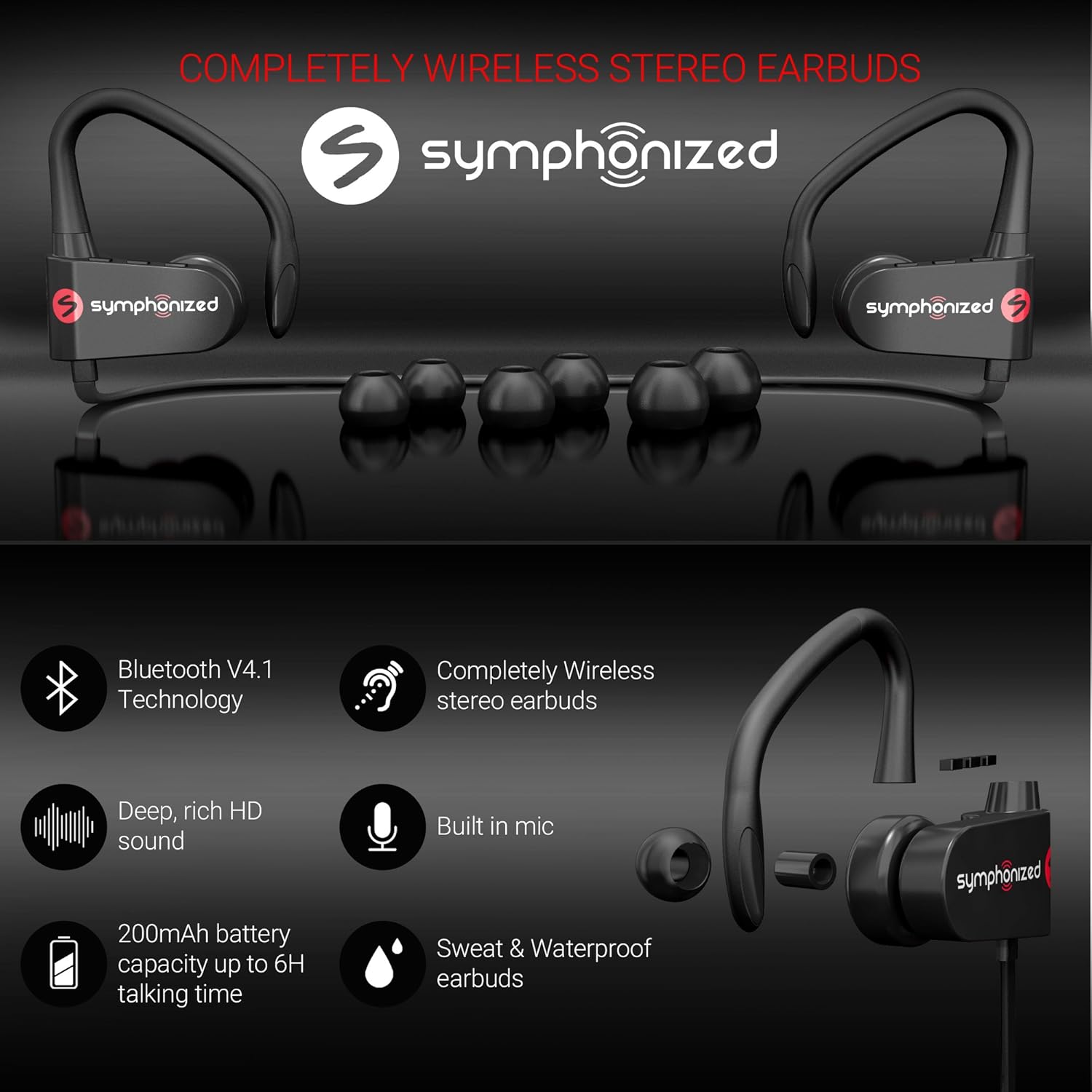
- Кулакчындар: Left and right earpieces with integrated ear hooks.
- Neckband Cable: Connects the two earbuds and houses the battery and main controls.
- Башкаруу панели: Located on one of the earbuds, typically includes Power/Multi-function button, Volume Up/Next Track, Volume Down/Previous Track.
- Микрофон: Үнсүз чалуу үчүн орнотулган.
- Заряддоо порту: Заряддоо үчүн микро USB порту.
Жайгашуу
1. Кулакчындарды заряддоо
Before first use, fully charge your earbuds. Connect the provided USB charging cable to the charging port on the earbuds and the other end to a USB power source (e.g., computer USB port, wall adapter). The charging time is approximately 2 саат толук заряд үчүн.
An indicator light will typically show red during charging and turn blue or off when fully charged.
2. Bluetooth Жупташтыруу
Кулакчындарды түзмөккө туташтыруу үчүн:
- Кулакчындардын өчүрүлгөнүн текшериңиз.
- Press and hold the Multi-function button (usually the power button) for approximately 5-7 seconds until the indicator light flashes red and blue alternately. This indicates pairing mode.
- Түзмөгүңүздө (смартфон, планшет, ноутбук) Bluetooth иштетип, жаңы түзмөктөрдү издеңиз.
- Select "Symphonized PWR" or a similar name from the list of available devices.
- Once connected, the indicator light on the earbuds will typically flash blue slowly or turn off. You will also hear an audible confirmation.
The earbuds use Bluetooth V4.1 technology and have a wireless range of up to 10 метр (33 фут) in an open environment.

3. Кулакчын тагынуу
For optimal sound quality and comfort, choose the correct size ear tips from the included options (S/M/L). The ear hooks are designed to provide a secure fit, especially during physical activity.
- Select the ear tips that create a comfortable seal in your ear canal.
- Place the earbud into your ear, ensuring the ear hook goes over the top of your ear.
- Adjust the earbud and hook until it feels secure and comfortable.

Иштөө нускамалары
Күйгүзүү/өчүрүү
- Күйгүзүү: Press and hold the Multi-function button for approximately 3 seconds until the indicator light flashes blue and you hear a power-on prompt.
- Өчүрүү: Press and hold the Multi-function button for approximately 3-5 seconds until the indicator light flashes red and you hear a power-off prompt.
Музыканы ойнотуу
- Ойнотуу/тындыруу: Көп функциялуу баскычты кыска басыңыз.
- Көлөмү: "+" баскычын кыска басыңыз.
- Үнүн азайтуу: "-" баскычын кыска басыңыз.
- Кийинки трек: "+" баскычын көпкө басыңыз.
- Мурунку трек: "-" баскычын көпкө басыңыз.
Чалууларды башкаруу
- Чалууга жооп берүү/аяктоо: Көп функциялуу баскычты кыска басыңыз.
- Чакырууну четке кагуу: Көп функциялуу баскычты көпкө басыңыз.
- Акыркы номерди кайра терүү: Көп функциялуу баскычты эки жолу басыңыз.
Үн жардамчысы (Siri/Google Жардамчысы)
If supported by your device, a quick triple-press of the Multi-function button may activate your device's voice assistant.
Техникалык тейлөө жана кам көрүү
- Тазалоо: Use a soft, dry cloth to clean the earbuds. Do not use harsh chemicals or abrasive materials. Regularly clean ear tips to prevent wax buildup.
- Сактагыч: Кулакчындарды салкын, кургак жерде, өтө жогорку температурадан жана түз күн нурунан алыс сактаңыз.
- Суу каршылык: Кулакчындар Сууга чыдамдуу, making them suitable for workouts and light rain. Do not submerge them in water or expose them to heavy downpours. Ensure the charging port cover is securely closed when not charging.
- Батареяга кам көрүү: To prolong battery life, avoid fully discharging the battery frequently. Charge the earbuds regularly, even if not in use for extended periods.
Проблемаларды чечүү
| Көйгөй | Мүмкүн себеп | Чечим |
|---|---|---|
| Кулакчындар күйбөйт. | Батарея аз. | Кулакчындарды толук заряддаңыз. |
| Түзмөк менен жупташтыруу мүмкүн эмес. | Кулакчындар жупташтыруу режиминде эмес; түзмөктө Bluetooth өчүк; аппарат өтө алыс. | Ensure earbuds are in pairing mode (flashing red/blue). Turn on Bluetooth on your device. Move device closer to earbuds (within 10m). Forget previous pairings on your device and try again. |
| Үн жок же үнү төмөн. | Volume too low on earbuds or device; earbuds not connected. | Increase volume on both earbuds and your device. Reconnect the earbuds to your device. |
| үзгүлтүктүү байланыш. | Тоскоолдук; түзмөк өтө алыс; тоскоолдуктар. | Move closer to your device. Avoid environments with strong Wi-Fi or other Bluetooth signals. Remove obstacles between earbuds and device. |
Техникалык шарттар
| Өзгөчөлүк | Деталь |
|---|---|
| Модель аты | pwr_black |
| Байланыш технологиясы | Зымсыз (Bluetooth) |
| Bluetooth версиясы | 4.1 |
| Bluetooth диапазону | 10 метр |
| Батареянын иштөө мөөнөтү | 6 саатка чейин (ойнотуу) |
| Заряддоо убактысы | 2 саат |
| Жыштык диапазону | 18Гц-22кГц |
| Сууга туруктуулук деңгээли | Сууга чыдамдуу |
| Башкаруу түрү | Үндү башкаруу, тийүү |
| Наушник формасы | In-Ear with Ear Hooks |
| Материал | Металл, силикон |
| Элемент Салмагы | 3.2 унция |
| UPC | 700600921889 |
Кепилдик жана колдоо
Symphonized products are designed for durability and performance. For information regarding product warranty, please refer to the documentation included with your purchase or visit the official Symphonized website. For customer support, troubleshooting assistance, or to inquire about returns, please contact Symphonized directly through their official channels.
You can visit the Symphonized brand store on Amazon for more information: Symphonized Store
Маанилүү эскертүүлөр
Берилген маалыматтардын негизинде кыстаруу үчүн сатуучудан расмий продукт видеолору жеткиликтүү эмес.