
1. Продукт бүтүп калдыview
The NEWTRY Dial Torque Wrench is a precision instrument designed for accurate torque measurement and application. It features a clear dial indicator for easy reading, a robust alloy steel construction for durability, and a comfortable non-slip handle. This model, YX-284, has a torque range of 1-10 N.m and comes with a set of interchangeable sockets.

Figure 1.1: The NEWTRY Dial Torque Wrench with its accompanying set of sockets (4-14mm).
Негизги өзгөчөлүктөрү:
- Жогорку тактык: Provides measurements with an accuracy of up to ±3%, minimizing estimation errors.
- Dual Direction Measurement: Supports both clockwise and counter-clockwise torque application.
- Эң жогорку эс тутум функциясы: The driven needle retains the peak torque value for easy reference after force is removed.
- Туруктуу курулуш: Made from high-strength alloy steel with a frosted, non-slip handle for stable operation.
- Портативдик дизайн: Compact size and includes a portable tool kit for convenient storage and transport.
2. Компоненттер жана пакеттин мазмуну
Upon opening the package, verify that all components are present and undamaged. The standard package for the NEWTRY Dial Torque Wrench (Model YX-284) includes:
- 1 x NEWTRY Dial Torque Wrench (1-10 N.m)
- 1 x Set of Sockets (4mm, 5mm, 5.5mm, 6mm, 7mm, 8mm, 9mm, 10mm, 11mm, 12mm, 13mm, 14mm)
- 1 x Көчмө көтөрүүчү сумка

Figure 2.1: The torque wrench is compatible with various sockets and screws, including those provided.
The wrench features a 1/4-inch (6.3mm) drive square tenon, allowing compatibility with a wide range of standard sockets and sleeves beyond those included, such as hexagon, cross, or one-shaped sleeves.
3. Орнотуу жана калибрлөө
Before using the torque wrench, it is essential to perform a zero adjustment to ensure accurate readings.
3.1. Нөлдү тууралоо
- Align Main Pointer: Rotate the dial case until the zero line on the dial aligns precisely with the main pointer (the primary needle that moves with applied force).
- Adjust Driven Pointer: Carefully adjust the mental knob (or small adjustment screw) to move the driven pointer (the secondary needle that retains the peak reading) clockwise or counter-clockwise until it is close to, but not touching, the main pointer. This ensures it can accurately track the peak torque.

Figure 3.1: Step-by-step guide for performing zero adjustment on the dial indicator.
3.2. Розеткаларды бекитүү
Select the appropriate socket size for your application from the provided set (4-14mm) or use any compatible 1/4-inch drive socket. Firmly push the socket onto the square drive of the torque wrench until it clicks into place, ensuring a secure connection.
4. Иштөө нускамалары
Follow these steps for accurate torque measurement and application:
4.1. Reading the Dial Indicator
The dial features two pointers:
- Main Pointer: This needle moves in real-time as force is applied to the wrench. It indicates the current torque being exerted.
- Driven Pointer (Follower Pointer): This needle is pushed by the main pointer and remains at the maximum torque value achieved during the operation, even after the main pointer returns to zero. This is the "peak memory" function, facilitating easy readout of the highest torque applied.

Figure 4.1: Understanding the main and follower pointers for accurate torque readings.
4.2. Моментти колдонуу
- Attach the appropriate socket to the torque wrench.
- Place the socket onto the fastener (nut or bolt) you intend to tighten or measure.
- Apply force to the wrench handle slowly and steadily. Observe the main pointer on the dial as it moves to indicate the applied torque.
- Continue applying force until the main pointer reaches the desired torque value. The driven pointer will follow and hold this peak value.
- Once the desired torque is reached, slowly release the force. The main pointer will return to zero, while the driven pointer will remain at the peak torque achieved, allowing for easy verification.

Figure 4.2: The torque wrench supports both clockwise and counter-clockwise operation for versatility.
4.3. Important Notes on Use
- Slow Force Application: For optimal accuracy, apply force slowly and smoothly. The closer you get to the target torque, the slower the application should be.
- Peak Memory: Utilize the driven pointer to confirm the peak torque applied. This feature is particularly useful for repetitive tasks or when precise verification is needed.
- Not for Loosening: This torque wrench is designed for measuring and applying torque for tightening. It should not be used to loosen or remove screws or fasteners. Always select appropriate tools for removal tasks.
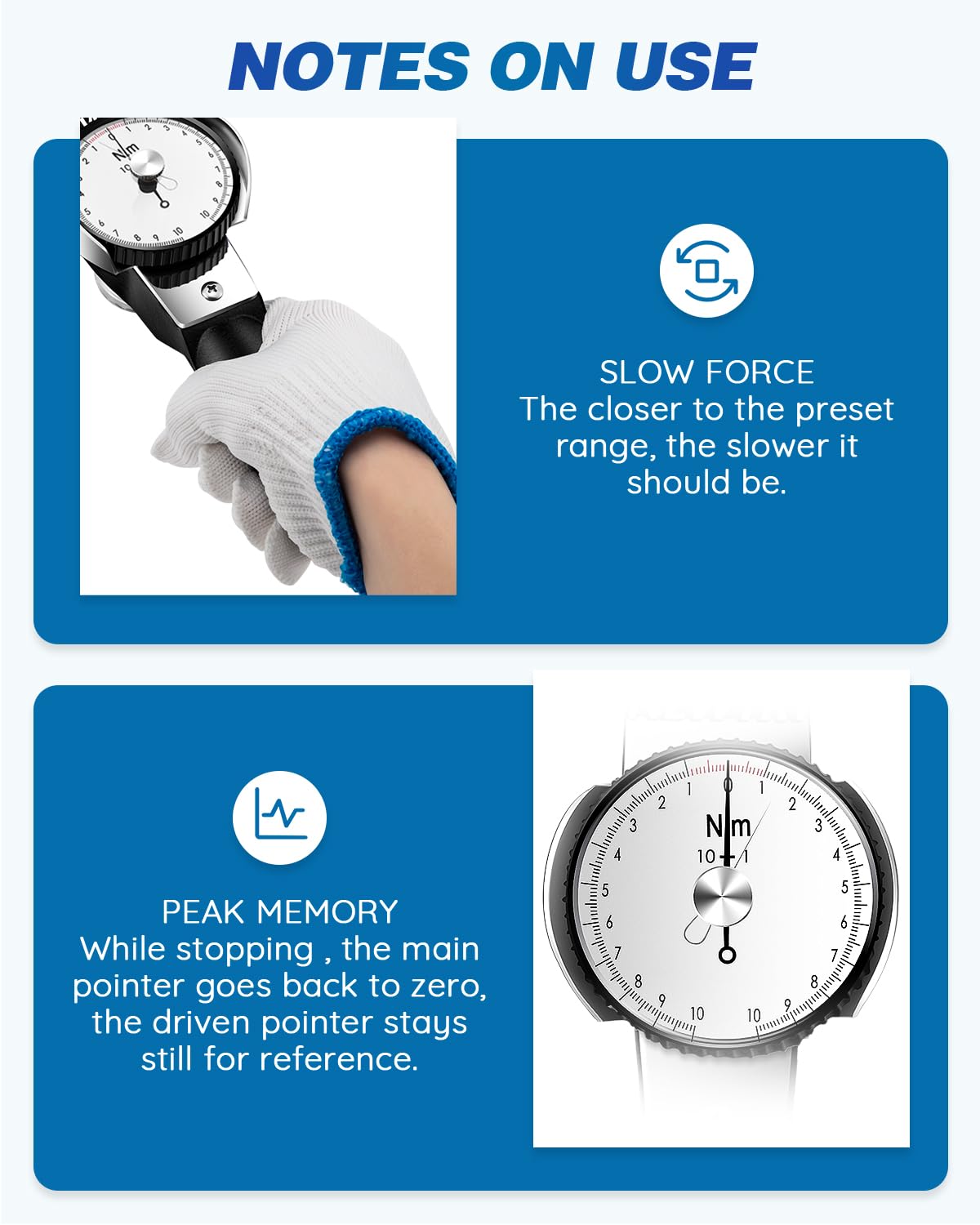
Figure 4.3: Key operational considerations: applying slow force and utilizing the peak memory feature.
5. Техникалык тейлөө
Proper maintenance ensures the longevity and accuracy of your NEWTRY Dial Torque Wrench.
5.1. Тазалоо
After each use, wipe down the torque wrench with a clean, dry cloth to remove any dirt, grease, or debris. Avoid using harsh chemicals or abrasive cleaners, as these can damage the finish or the dial mechanism.
5.2. Сактоо
Store the torque wrench in its portable carrying case when not in use. This protects it from dust, moisture, and physical damage. Store in a dry environment at room temperature.

Figure 5.1: Always store the torque wrench in its dedicated carrying case to ensure protection.
5.3. Калибрлөө
While dial torque wrenches are generally robust, regular calibration by a certified professional is recommended to maintain peak accuracy, especially if the tool is used frequently or subjected to harsh conditions. Consult the manufacturer for recommended calibration intervals and services.
6. Кыйынчылыктарды
This section addresses common issues you might encounter with your dial torque wrench.
- Туура эмес окуулар:
- Ensure the zero adjustment was performed correctly before use.
- Verify that the socket is securely attached to the drive.
- Ensure force is applied slowly and steadily, without sudden jerks.
- Check for any visible damage to the wrench or dial mechanism. If damage is present, discontinue use and contact support.
- Driven Pointer Not Holding Peak:
- Check if the driven pointer is bent or obstructed.
- Ensure the adjustment knob for the driven pointer is not loose.
- Dial Movement Feels Stiff or Gritty:
- The internal mechanism may have accumulated dirt or debris. Do not attempt to disassemble the wrench.
- Contact NEWTRY customer support for professional inspection and service.
For issues not covered here, or if troubleshooting steps do not resolve the problem, please contact NEWTRY customer support.
7. Техникалык шарттар
Detailed technical specifications for the NEWTRY Dial Torque Wrench (Model YX-284):
| Спецификация | Нарк |
|---|---|
| Модель номери | YX-284 |
| Бренд | NEWTRY |
| Момент диапазону | 1-10 Нм |
| Minimum Measurement Unit (Division Value) | 0.1 Нм |
| Тактык | ±3% |
| Drive Size | 1/4 дюйм (6.3 мм) |
| Материал | Эритме болот (металл) |
| Элементтин узундугу | 12 inches (approx. 30cm) |
| Элемент Салмагы | 2.5 фунт |
| Пакеттин өлчөмдөрү | 13.66 x 4.72 x 4.06 дюйм |
| Элементтин пакетинин саны | 1 |

Figure 7.1: Key dimensions and drive size of the torque wrench.

Figure 7.2: Summary of important technical parameters.
8. Кепилдик жана колдоо
NEWTRY products are manufactured to high-quality standards. For specific warranty terms and conditions, please refer to the documentation included with your product or visit the official NEWTRY webсайт.
Кардарларды колдоо:
If you have any questions, require technical assistance, or need to arrange for service or calibration, please contact NEWTRY customer support directly. Contact information can typically be found on the product packaging, in the included documentation, or on the official NEWTRY brand webсайт.
Жалпы суроолор боюнча, сиз ошондой эле кайрылсаңыз болот NEWTRY Store on Amazon.