
1. Киришүү
Thank you for choosing the Hanwha Techwin Wisenet QND-6020R 2 Megapixel Network Camera. This manual provides essential information for the safe and efficient installation, operation, and maintenance of your new surveillance camera. Please read this manual thoroughly before using the product and retain it for future reference.
2. Коопсуздук маалыматы
Травматизмди же буюмга зыян келтирбөө үчүн төмөнкү коопсуздук чараларын сактаңыз:
- Кубат булагы: Use only the specified power adapter (AC/DC) for this device. Incorrect voltage өрт же электр шок алып келиши мүмкүн.
- Орнотуу: Ensure the camera is securely mounted to prevent it from falling. Wall mounting is recommended.
- Суу жана ным: This camera has an IP65 waterproof rating, meaning it is protected against dust and low-pressure water jets. However, avoid submerging the camera in water or exposing it to high-pressure water.
- Тазалоо: Тазалоодон мурун электр кубатынан ажыратыңыз. Жумшак, кургак чүпүрөктү колдонуңуз. Суюк же аэрозольдук тазалагычтарды колдонбоңуз.
- Иштөө температурасы: Do not operate the camera outside its specified temperature range.
- Тейлөө: Бул продуктту өзүңүз тейлөөгө аракет кылбаңыз. Бардык тейлөөнү квалификациялуу тейлөө кызматкерлерине тапшырыңыз.
3. Пакеттин мазмуну
Пакетте бардык буюмдар бар экенин текшериңиз:
- Hanwha Techwin Wisenet QND-6020R Network Camera
- Монтаждоо бурамалар жана анкерлер
- Орнотуу боюнча колдонмо
- Кубат адаптери (AC/DC)
4. Продукт бүтүп калдыview
The Hanwha Techwin Wisenet QND-6020R is a 2-megapixel network dome camera designed for reliable surveillance. It features advanced video compression (H.264, H.265, Motion JPEG), 1080p video capture, and a 3.60 mm lens. Key features include night vision up to 65.62 ft and motion detection capabilities.
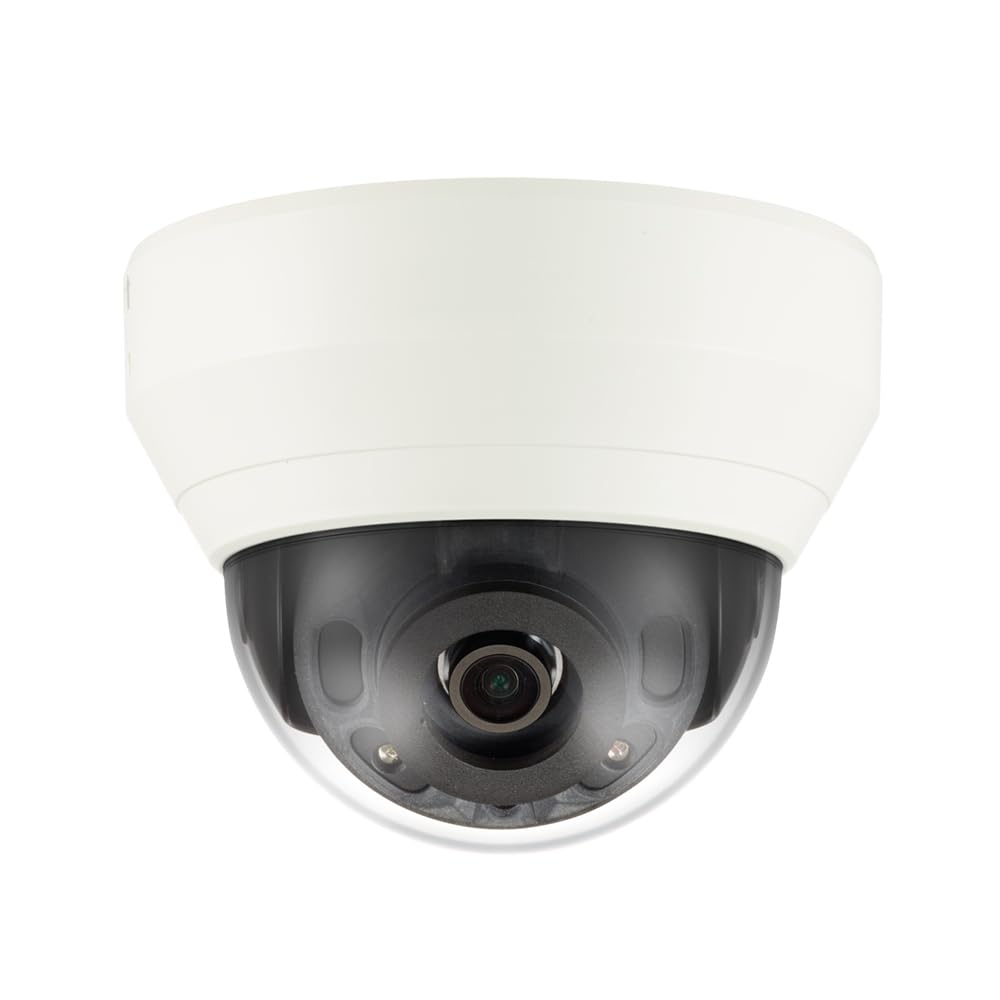
4.1-сүрөт: Фронт view of the Hanwha Techwin Wisenet QND-6020R 2 Megapixel Network Dome Camera. This image shows the compact dome design, suitable for discreet surveillance installations. The camera features a dark housing and a clear dome covering the lens, indicating its robust construction for various environments.
5. Орнотуу
5.1 Камераны орнотуу
- Жайгашкан жерди тандаңыз: Choose a suitable wall location for optimal surveillance coverage. Ensure the surface is strong enough to support the camera.
- Бургулоо тешиктери: Use the provided mounting template (if applicable) to mark and drill pilot holes for the mounting screws.
- Тоону камсыз кылуу: Attach the camera's mounting base to the wall using the screws and anchors.
- Бурчту тууралоо: Орнотулгандан кийин, камераны тууралаңыз viewзарыл болгон бурч.
5.2 Электр энергиясы жана тармакка туташуу
- Кубат туташуу: Connect the supplied AC/DC power adapter to the camera's power input port and then to a power outlet.
- Тармак туташуусу (Зымдуу): For a wired connection, connect an Ethernet cable from the camera's network port to your network router or switch.
- Тармактык туташуу (Wi-Fi): For Wi-Fi connectivity, refer to the camera's initial setup wizard or the dedicated network configuration section in the full digital manual for pairing instructions. The camera supports Wi-Fi connectivity.
5.3 Баштапкы конфигурация
After connecting power and network, the camera will boot up. Access the camera's web interface via a browser using its IP address (refer to your network's DHCP client list or use the manufacturer's discovery tool). Follow the on-screen prompts to set up administrator credentials, network settings, and initial video configurations.
6. Иштөө нускамалары
6.1 Live View жана Жаздыруу
Камеранын түз эфирине кирүү view анын аркылуу web interface or a compatible network video recorder (NVR) / surveillance software. Configure recording schedules, motion-triggered recording, and continuous recording settings as desired. Video is captured at 1080p resolution in MP4 format.
6.2 Кыймылды аныктоо
The camera features a motion sensor. Configure motion detection zones and sensitivity settings within the camera's web interface. You can set up alerts (e.g., email notifications) to be triggered upon motion detection.
6.3 Түнкү көрүнүш
The QND-6020R is equipped with night vision capabilities, providing clear images in low-light conditions up to 65.62 ft. The camera automatically switches between day and night modes based on ambient light levels. Night vision is in color.
7. Техникалык тейлөө
7.1 Тазалоо
Regularly clean the camera's lens and housing with a soft, dry cloth to ensure optimal image quality. Avoid using harsh chemicals or abrasive materials.
7.2 Микропрограмма жаңыртуулары
Hanwha Techwinди мезгил-мезгили менен текшерип туруңуз webмикропрограммалык камсыздоону жаңыртуу сайты. Камераңыздын микропрограммасын жаңыртып туруу оптималдуу иштөөнү, коопсуздукту жана жаңы функцияларга жетүүнү камсыз кылат.
8. Кыйынчылыктарды
- Кубат жок: Кубат адаптери камерага да, иштеп жаткан розеткага да бекем туташтырылганын текшериңиз. Розеткада кубат бар экенин текшериңиз.
- Видео жок/Оффлайн: Check network cable connections (if wired) or Wi-Fi signal strength (if wireless). Verify the camera's IP address and network settings. Restart the camera and your network router.
- Сүрөттүн сапаты начар: Камера линзасын тазалаңыз. Камеранын линзасынын айланасында эч кандай тоскоолдуктар жок экенин текшериңиз. view. Check lighting conditions.
- Кыймылды аныктоо иштебей жатат: Review motion detection zone settings and sensitivity in the camera's web interface. Ensure the feature is enabled.
- Кирүү мүмкүн эмес Web Интерфейс: Verify the camera's IP address. Ensure your computer is on the same network segment as the camera. Try a different web браузер.
9. Техникалык шарттар
| Өзгөчөлүк | Description |
|---|---|
| Модель номери | QND-6020R |
| Бренд | ХАНВХА |
| Сунушталган Колдонуулар | Көзөмөл |
| Өзгөчөлүктөр | Кыймыл сенсору, Түнкү көрүү |
| Power Source | AC/DC |
| Connectivity Protocol | Wi-Fi |
| Controller Type | H.264 |
| Тоо түрү | Дубалга орнотуу |
| Эскертүү түрү | Кыймыл гана |
| Суу өткөрбөйт рейтинги | IP65 |
| Зымсыз технология | Wi-Fi |
| Фото сенсор технологиясы | CMOS |
| Видео тартуунун резолюциясы | 1080p |
| Видео тартуу форматы | MP4 |
| Түнкү көрүнүш | Түнкү түс |
| Өндүрүүчү | Hanwha Group |
10. Кепилдик жана колдоо
This Hanwha Techwin product is covered by a manufacturer's warranty provided by Hanwha Group. For detailed warranty terms and conditions, please refer to the warranty card included with your product or visit the official Hanwha Techwin website. For technical support, troubleshooting assistance, or service inquiries, please contact Hanwha Techwin customer support through their official channels.