
1. Киришүү
Welcome to the user manual for your Braeburn 7205 Digital Programmable Wi-Fi Thermostat. This device is designed to provide efficient and convenient control over your home's heating and cooling system. Featuring Wi-Fi connectivity, you can manage your climate settings remotely using the Braeburn BlueLink app on your smartphone or tablet. The thermostat supports 7-day programming and is compatible with conventional HVAC equipment, often without requiring a common wire.

Figure 1.1: Contents of the Braeburn 7205 thermostat package, including the thermostat unit, batteries, and mounting hardware.
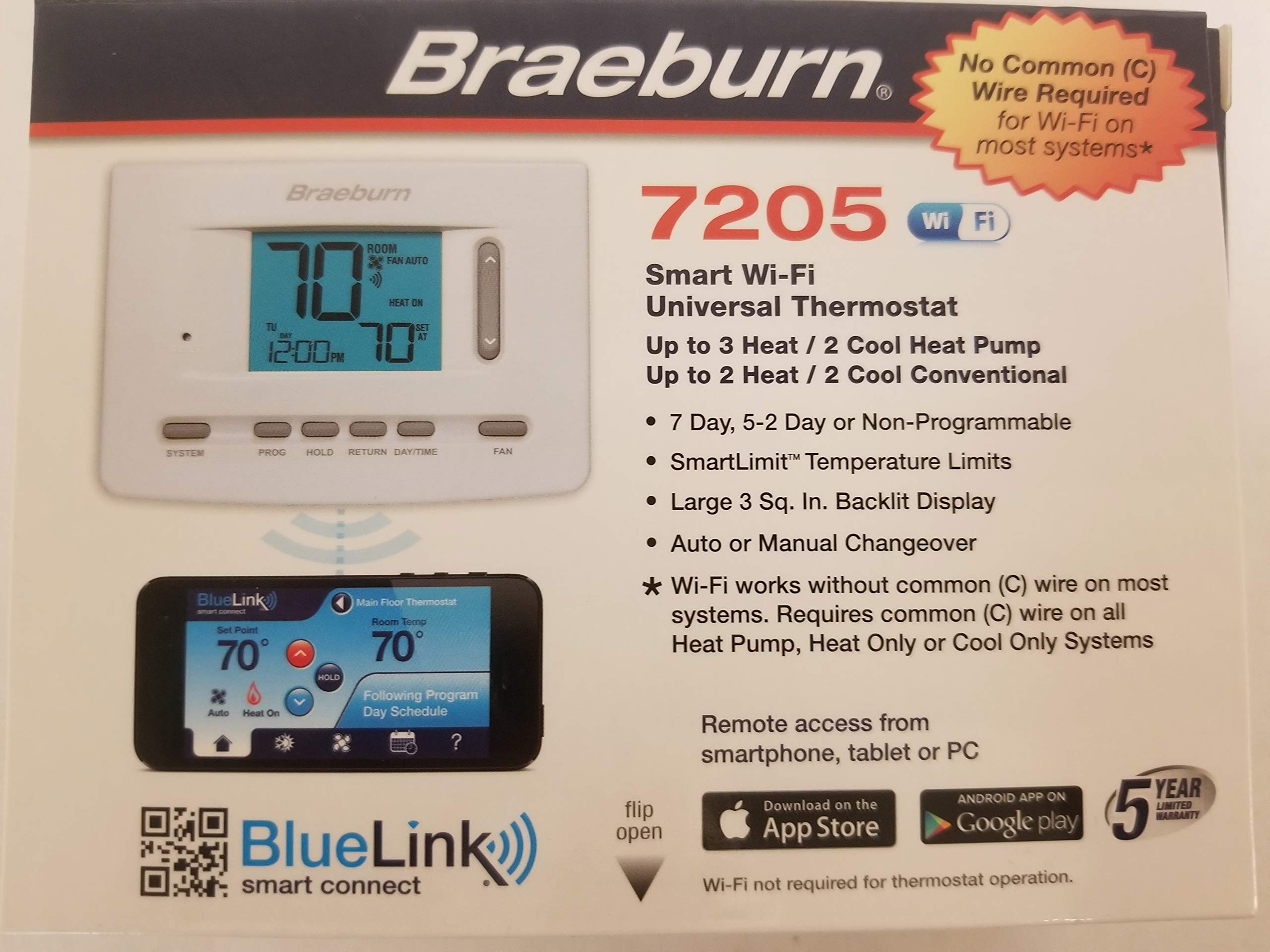
Figure 1.2: ашыкview of Braeburn BlueLink app features for smart control and scheduling. Download the app from goo.gl/9jhYnT.
2. Орнотуу жана орнотуу
2.1 Пакеттин мазмуну
Орнотууну баштоодон мурун, бардык компоненттер бар экенин текшериңиз:
- Braeburn 7205 Thermostat Unit
- Монтаждоочу жабдуулар (буроолор жана дубал анкерлери)
- AA Батарейки (2)
- Орнотуу жана иштетүү нускамалары
2.2 Орнотуу кадамдары
Follow these general steps for installation. Refer to the detailed wiring diagrams included with your product for specific connections.
- Өчүрүү: Turn off the power to your heating and cooling system at the main circuit breaker.
- Эски термостатты алып салуу: Carefully remove your old thermostat from the wall. Take a picture of the wiring connections for reference.
- Термостаттын базасы: Install the new Braeburn 7205 thermostat base plate to the wall using the provided mounting hardware.
- Зым байланыштары: Connect the HVAC system wires to the appropriate terminals on the new thermostat base. The Braeburn 7205 can operate without a common (C) wire on most conventional systems, but a C-wire is recommended for consistent Wi-Fi operation.
- Термостат орнотуу: Attach the thermostat unit to its base plate.
- Батареяларды салыңыз: Install the two AA batteries into the designated compartment.
- Күйгүзүү: Restore power to your heating and cooling system at the circuit breaker.

Сүрөт 2.1: Алдыңкы view of the Braeburn 7205 thermostat, showing the digital display and control buttons.

2.2-сүрөт: Арткы view of the Braeburn 7205 thermostat, displaying wiring terminals and FCC information.
2.3 Wi-Fi туташуусу
To enable Wi-Fi features and remote control:
- Download the Braeburn BlueLink app from the Apple App Store or Google Play Store.
- Каттоо эсебин түзүңүз же сизде мурунтан эле бар болсо кириңиз.
- Follow the in-app instructions to add your new Braeburn 7205 thermostat to your account and connect it to your home Wi-Fi network.
3. Иштөө нускамалары
3.1 Негизги башкаруу каражаттары
The Braeburn 7205 features several buttons for direct control:
- СИСТЕМА: Cycles through system modes: OFF, HEAT, COOL, AUTO, EM HEAT (if applicable).
- ПРОГ: Accesses programming settings for scheduling.
- КОЛДО: Initiates or cancels a temporary temperature hold.
- КАЙТУУ: Navigates back through menus or confirms selections.
- КҮН/УБАКЫТ: Sets the current day and time.
- Күйөрман: Cycles through fan modes: AUTO (fan runs only when heating/cooling) or ON (fan runs continuously).
- Өйдө/төмөн жебелер: Adjusts temperature setpoints or navigates menu options.
3.2 Программалоо графиги
The thermostat allows for 7-day programmable scheduling to optimize energy usage and comfort. To set a program:
- басыңыз ПРОГ баскычы.
- колдонуу Өйдө/төмөн жебелер to select the day or group of days you wish to program.
- Follow the on-screen prompts to set desired temperatures for different time periods (e.g., Wake, Leave, Return, Sleep).
- колдонуу КАЙТУУ button to confirm settings and exit programming mode.
3.3 кармап туруу функциясы
The HOLD function allows you to temporarily override the programmed schedule. This is useful if you are home during a time you would normally be away, or vice versa.
- To initiate a hold: Adjust the temperature using the Өйдө/төмөн жебелер. The thermostat will automatically enter a temporary hold. Press БЕРҮҮ to make it a permanent hold until cancelled.
- To cancel a hold: Press the БЕРҮҮ button again. The thermostat will revert to its programmed schedule.
4. Техникалык тейлөө
4.1 Батареяны алмаштыруу
The Braeburn 7205 uses two AA alkaline batteries for backup power and can also operate on hardwired 24V power. When the battery indicator appears on the display, replace the batteries promptly.
- Gently pull the thermostat unit away from its wall plate.
- Эски АА батарейкаларын бөлүмдөн чыгарыңыз.
- Туура полярдуулукту камсыз кылуу менен эки жаңы AA щелочтуу батарейканы салыңыз.
- Snap the thermostat unit back onto its wall plate.
4.2 Тазалоо
To clean your thermostat, gently wipe the exterior with a soft, damp кездеме. Абразивдүү тазалагычтарды же эриткичтерди колдонбоңуз, алар дисплейге зыян келтириши мүмкүн же вasing.
5. Кыйынчылыктарды
If you experience issues with your Braeburn 7205 thermostat, refer to the following common problems and solutions:
| Көйгөй | Мүмкүн себеп | Чечим |
|---|---|---|
| Термостаттын дисплейи бош | No power (batteries dead or 24V power off) | Replace batteries. Check circuit breaker for HVAC system. Ensure 24V wiring is secure. |
| Система термостаттын жөндөөлөрүнө жооп бербей жатат | Incorrect wiring, system mode incorrect, safety lockout | Verify wiring connections. Ensure SYSTEM mode is set to HEAT or COOL. Wait 5 minutes for system lockout to reset. |
| Wi-Fi туташуу маселелери | Weak signal, incorrect password, router issues | Ensure thermostat is within Wi-Fi range. Re-enter Wi-Fi password in the BlueLink app. Restart your home router. Ensure a C-wire is connected for stable Wi-Fi. |
| Температураны окуу туура эмес көрүнөт | Thermostat exposed to drafts or direct sunlight | Термостаттын күн нуру түз тийбегенин же жылуулук булактарынын/шамалдын жанында эместигин текшериңиз. |
| Cannot program schedule | In HOLD mode, or incorrect button sequence | Cancel HOLD mode. Refer to Section 3.2 for programming steps. |
If problems persist, you may need to reset the thermostat. A small RESET button is located on the front of the unit (refer to Figure 2.1). Use a small pointed object to press it.
6. Техникалык шарттар
| Өзгөчөлүк | Деталь |
|---|---|
| Бренд | Braeburn |
| Модель номери | 7205 |
| Байланыш технологиясы | Wi-Fi |
| Power Source | Dual Powered (Battery/Hardwire) |
| Тtage | 24 вольт |
| Дисплей түрү | Санарип |
| Screen Size | 3 дюйм |
| Башкаруу түрү | Push Button, Remote (via app) |
| Монтаж түрү | Дубалга орнотуу |
| Арткы жарык | Ооба |
| Батареялар | 2 AA батарейка (кошулган) |
| Элемент Салмагы | 15.2 унция |
| Өзгөчө өзгөчөлүк | Programmable (7-day) |
| Продукт үчүн атайын колдонуу | Heat Pump, Conventional HVAC |
| UPC | 833732001799 |
| FCC ID | 2ADX6-7205 |
7. Кепилдик жана колдоо
Your Braeburn 7205 Digital Programmable Wi-Fi Thermostat is backed by a manufacturer's warranty. Please refer to the warranty card included in your product packaging for specific terms and conditions. For technical support, troubleshooting assistance, or to learn more about your thermostat's features, please visit the official Braeburn website or contact their customer service department. The BlueLink Smart Connect app also provides additional support resources.