
1. Киришүү
This manual provides essential information for the safe and effective use of your Amcrest IP8M-2493EB Outdoor PoE Bullet Camera. Please read these instructions thoroughly before installation and operation to ensure optimal performance and to prevent damage to the device.
2. Продукт бүтүп калдыview
2.1 Негизги өзгөчөлүктөрү
- 2MP IP PoE Bullet Camera
- 1920x1080p @30fps Video Resolution
- Nightvision up to 98 feet (30 meters)
- IP67 Weatherproof Rating for outdoor use
- Cloud Storage Capability
- Wall Mount Design
- 4K Video Capture Resolution (for recording)
- Motion Sensor Special Feature
2.2 Пакеттин мазмуну
Сиздин пакетте бардык компоненттер бар экенин текшериңиз:
- Amcrest IP8M-2493EB Outdoor PoE Bullet Camera
- Монтаждоочу жабдуулар (буроолор, анкерлер)
- Ыкчам баштоо колдонмосу (бул колдонмо)
2.3 Камеранын компоненттери
Камеранын физикалык компоненттери менен таанышыңыз:

Сүрөт 1: Алдыңкы view of the Amcrest IP8M-2493EB Bullet Camera, showing the lens, IR LEDs, and housing.
3. Орнотуу
3.1 Баштоодон мурун
Ensure you have the following items and conditions:
- A Power over Ethernet (PoE) switch or PoE injector (802.3af/at compliant)
- Cat5e or Cat6 Ethernet cable
- A stable internet connection (recommended for remote viewing and cloud features)
- A drill and screwdriver for mounting
3.2 Физикалык орнотуу
- Монтаждоо ордун тандаңыз: Select a suitable wall location that provides the desired viewing angle and is within reach of your Ethernet cable.
- Бургулоо тешиктерин белгилөө: Use the provided mounting template (if included) or the camera base to mark the positions for drilling.
- Бургулоо тешиктери: Drill pilot holes and insert wall anchors if mounting on drywall or masonry.
- Камераны коргоо: Камеранын негизин берилген бурамалар менен дубалга бекитиңиз.
- Бурчту тууралоо: Loosen the adjustment screws on the camera body to position the camera for optimal coverage, then tighten them securely.
3.3 Тармактык туташуу
Connect one end of the Ethernet cable to the camera's Ethernet port and the other end to a PoE port on your PoE switch or injector. The camera will power on automatically.
3.4 Баштапкы конфигурация
For initial setup and configuration, download the Amcrest View Pro app on your mobile device or use the Amcrest web interface via a computer connected to the same network. Follow the on-screen instructions to discover and add your camera to your system.
4. Камераны иштетүү
4.1 Accessing Live View
Access the live video feed through the Amcrest View Pro app or the web interface. This allows real-time monitoring of your surveillance area.
4.2 Жазуу жана сактоо
The camera supports various recording options:
- Жергиликтүү сактагыч: If equipped with a microSD card slot (card sold separately), recordings can be stored directly on the camera.
- Тармактык видео жазгыч (NVR): Connect the camera to a compatible Amcrest NVR for continuous recording and extended storage.
- Булуттагы сактагыч: Utilize Amcrest Cloud services for off-site storage of event-triggered recordings. Refer to the Amcrest website for subscription details.
4.3 Кыймылды аныктоо
Configure motion detection settings via the camera's interface. You can define detection zones, sensitivity levels, and set up alerts (e.g., email notifications, push notifications to your phone) when motion is detected.
4.4 Түнкү көрүнүш
The camera features infrared (IR) LEDs for night vision, providing clear surveillance footage in low-light or no-light conditions up to 98 feet. The camera automatically switches between day and night modes.
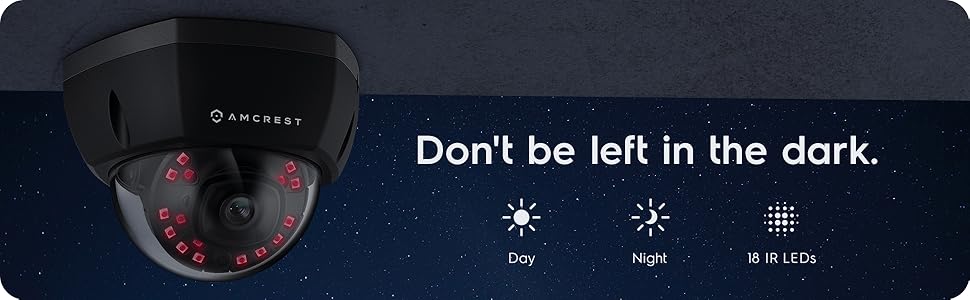
2-сүрөт: Мисample of night vision capability, illustrating clear image capture in dark conditions.
5. Техникалык тейлөө
5.1 Тазалоо
Мезгил-мезгили менен камеранын линзасын жана корпусун жумшак, гamp кездеме. Линзаны чийип же капталын бузуп коюшу мүмкүн болгон катуу химиялык заттарды же абразивдүү материалдарды колдонуудан алыс болуңуз.
5.2 Микропрограмма жаңыртуулары
Regularly check for and install firmware updates from the Amcrest webсайт. Микропрограммалык камсыздоонун жаңыртуулары көбүнчө иштин натыйжалуулугун жакшыртууларды, жаңы функцияларды жана коопсуздукту жакшыртууларды камтыйт.
5.3 Аба ырайын коргоо
The IP8M-2493EB camera has an IP67 weatherproof rating, meaning it is protected against dust ingress and can withstand immersion in water up to 1 meter for 30 minutes. While designed for outdoor use, ensure all cable connections are properly sealed to maintain water resistance.
6. Кыйынчылыктарды
6.1 Жалпы маселелер жана чечимдер
- No Power/No Video: Ensure the Ethernet cable is securely connected to both the camera and a functioning PoE port. Check the PoE switch/injector for power.
- Сүрөттүн сапаты начар: Clean the camera lens. Check network bandwidth. Adjust resolution and compression settings in the camera interface. Ensure sufficient lighting for optimal image clarity.
- Night Vision Halo Effect: This can occur if the IR light reflects off nearby surfaces or the camera housing. Ensure there are no obstructions close to the lens.
6.2 Video Support
For visual guidance on resolving common issues, including potential IR reflection, please refer to the following video:
Video 1: This video from Amcrest Direct provides instructions on resolving IR reflection issues that can affect night vision clarity in Amcrest cameras.
7. Техникалык шарттар
| Өзгөчөлүк | Спецификация |
|---|---|
| Модель аты | IP8M-2493EB |
| Ички/тышкы колдонуу | Сыртта |
| Power Source | AC/DC (via PoE) |
| Connectivity Protocol | Ethernet |
| Монтаж түрү | Дубалга орнотуу |
| Видео тартуунун резолюциясы | 4K |
| Түс | Кара |
| Элементтердин саны | 1 |
| Каналдардын саны | 1 |
| Зымсыз байланыш технологиясы | POE (Power over Ethernet) |
| Форма фактору | Ок |
| Түнкү көрүү диапазону | 98 Фут (30 метр) |
| Frame Rate | 30 кадр/сек |
| Элементтин өлчөмдөрү (L x W x Y) | 6.1 x 6.1 x 5.4 дюйм |
| Элемент Салмагы | 1.3 фунт |
| Батареялар керекпи? | Жок |
| Төмөн жарык технологиясы | Түнкү түс |
| Эл аралык коргоо рейтинги | IP67 |
| Максималдуу Webcam Image Resolution | 2 депутат |
| Башкаруу ыкмасы | Колдонмо |
| Продукт үчүн сунушталган колдонуу | Тышкы коопсуздук |
| Байланыш технологиясы | Зымдуу |
| Өзгөчө өзгөчөлүк | Motion Sensor |
8. Кепилдик жана колдоо
Amcrest products typically come with a limited warranty. For specific warranty terms, registration, and technical support, please visit the official Amcrest website or contact Amcrest customer service directly. Keep your purchase receipt for warranty claims.
Amcrest колдоо: https://amcrest.com/support