
1. Киришүү
This manual provides essential information for the safe and efficient use of your ZTE Trek 2 HD K88 Tablet. The ZTE Trek 2 HD K88 is an 8-inch tablet featuring an HD display, an Octa-core processor, 2GB RAM, 16GB internal storage (expandable), and a 4600mAh battery. It operates on Android 6.0 Marshmallow and supports Wi-Fi and 4G-LTE connectivity.
Please read this manual thoroughly before operating your device to ensure proper functionality and to understand its features.

Сүрөт 1.1: Артка view of the ZTE Trek 2 HD K88 Tablet, showing the AT&T logo and product labels.
2. Орнотуу
2.1. Батареяны заряддоо
Before first use, fully charge the tablet's battery. Connect the included power adapter to the tablet's charging port and then to a power outlet. The battery indicator on the screen will show charging status.
- Use only the power adapter provided with your device.
- A full charge can take several hours.
2.2. Күйгүзүү / Өчүрүү
- Күйгүзүү үчүн: Press and hold the Power button until the ZTE logo appears.
- Өчүрүү үчүн: Кубат параметрлеринин менюсу пайда болгонго чейин Кубат баскычын басып, кармап туруңуз, андан кийин "Өчүрүү" дегенди тандаңыз.
2.3. Баштапкы орнотуу
Upon first power-on, follow the on-screen prompts to configure basic settings:
- Каалаган тилиңизди тандаңыз.
- Wi-Fi тармагына туташыңыз.
- Google аккаунтуңуз менен кириңиз же жаңысын түзүңүз.
- Review жана шарттарды кабыл алуу.
2.4. MicroSD картасын салуу (кошумча)
The tablet supports expandable memory up to 128GB via a microSD card. Locate the microSD card slot, typically on the side of the device. Carefully insert the card with the gold contacts facing down until it clicks into place.

Сүрөт 2.1: Каптал view of the ZTE Trek 2 HD K88 Tablet, illustrating its thin design. The microSD slot is typically located on one of the side edges.
3. Иштөө нускамалары
3.1. Негизги навигация
The ZTE Trek 2 HD K88 features a responsive touchscreen. Use the following gestures:
- таптаңыз: Бир нерсени тандоо же колдонмону ачуу.
- Тийип кармап туруу: Контексттик менюга кирүү же элементтерди жылдыруу үчүн.
- Серпүү: Экрандарды же тизмелерди сыдыруу үчүн.
- Чымчуу: To zoom in or out on content like photos or web барактар.
3.2. Home Screen and Apps
The home screen displays your favorite apps, widgets, and notifications. Swipe left or right to access additional home screens. Tap the "Apps" icon to view бардык орнотулган колдонмолор.

Сүрөт 3.1: Алдыңкы view of the ZTE Trek 2 HD K88 Tablet with the display active, showing the Android home screen with various application icons.
3.3. Wi-Fiга туташуу
- барыңыз Орнотуулар > Wi-Fi.
- Wi-Fi которуштуруу On.
- Тизмеден каалаган тармакты тандаңыз.
- Эгер суралса, сырсөздү киргизиңиз, андан кийин таптаңыз Туташуу.
3.4. Камераны колдонуу
The tablet is equipped with 5 MP front and rear cameras. Open the Camera app to capture photos and videos.
- Сүрөткө тартуу үчүн жапкычты басыңыз.
- Камераны которуштуруу сүрөтчөсүн колдонуп, алдыңкы жана арткы камералардын ортосунда которуштуруу.
- Камера колдонмосундагы ар кандай режимдерди жана жөндөөлөрдү изилдеңиз.
3.5. Аудио өзгөчөлүктөрү
The ZTE Trek 2 HD K88 features Dolby Audio powered dual front-facing speakers for an enhanced audio experience. Adjust volume using the physical volume buttons on the side of the tablet or through the on-screen volume controls.
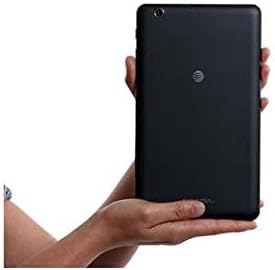
Image 3.2: The ZTE Trek 2 HD K88 Tablet held horizontally in two hands, demonstrating its comfortable and portable 8-inch form factor.
4. Техникалык тейлөө
4.1. Аспапты тазалоо
To clean your tablet, use a soft, lint-free cloth. For stubborn marks, slightly dampen the cloth with water. Avoid using harsh chemicals, abrasive cleaners, or aerosol sprays, as these can damage the screen and finish.
4.2. Программалык камсыздоону жаңыртуу
Планшетиңизде эң акыркы функциялар жана коопсуздук жаңыртуулары бар экенин текшерүү үчүн программалык камсыздоонун жаңыртууларын мезгил-мезгили менен текшерип туруңуз. Орнотуулар > Планшет жөнүндө > Системанын жаңыртуулары.
4.3. Сактагычты башкаруу
Regularly manage your tablet's storage to maintain optimal performance. Delete unnecessary files, колдонулбаган колдонмолорду чыгарып салуу жана чоң медиа файлдарды жылдыруу files to a microSD card or cloud storage. Go to Орнотуулар > Сактагыч жана USB чейин view сактоо пайдалануу.
4.4. Батареяга кам көрүү
Батареянын иштөө мөөнөтүн узартуу үчүн:
- Ашыкча температурадан сактаныңыз.
- Батареянын бат-баттан түгөнүп калышына жол бербеңиз.
- Батарея толгондон кийин заряддагычты сууруп алыңыз.
- Adjust screen brightness and disable unused features like Wi-Fi or Bluetooth when not needed.
5. Кыйынчылыктарды
5.1. Жалпы маселелер жана чечүү жолдору
| Маселе | Чечим |
|---|---|
| Планшет күйбөйт | Батарея заряддалганын текшериңиз. Өчүрүп күйгүзүүгө мажбурлоо үчүн Кубат баскычын жок дегенде 10-15 секунд басып, кармап туруңуз. |
| Wi-Fi туташуу маселелери | Планшетти жана Wi-Fi роутериңизди өчүрүп-күйгүзүңүз. Wi-Fi жөндөөлөрүнөн тармакты унутуп, кайра туташыңыз. |
| Колдонмолор бузулуп же катып калууда | Close and reopen the app. Clear the app's cache (Settings > Apps > [App Name] > Storage > Clear cache). Restart the tablet. |
| Жай аткаруу | Close unused apps. Clear cache. Free up storage space. Restart the tablet. |
5.2. Заводдук абалга кайтаруу
If issues persist, a factory reset may resolve them. This will erase all data on your tablet, so back up important information first. Go to Орнотуулар > Камдык көчүрмөнү сактоо жана баштапкы абалга келтирүү > Заводдук дайындар баштапкы абалга келтирилди.
6. Техникалык шарттар
| Өзгөчөлүк | Деталь |
|---|---|
| Бренд | ZTE |
| Модель аты | K88 |
| Операция системасы | Android 6.0 Marshmallow |
| Screen Size | 8 дюйм |
| Display Resolution | 1280 x 800 (HD) |
| Процессор | Qualcomm Snapdragon 617 Окта ядролуу (1.5 ГГц) |
| RAM эс тутуму | 2 ГБ |
| Сактоо сыйымдуулугу | 16 GB (expandable up to 128 GB with microSD) |
| Арткы камера | 5 депутат |
| Алдыңкы камера | 5 депутат |
| Батарея сыйымдуулугу | 4600 mAh (up to 10 hours average life) |
| Байланыш | Wi-Fi (802.11n), 4G-LTE (AT&T) |
| Аудио | Dolby Audio, Dual Front-Facing Speakers |
| Салмагы | 1.3 фунт |
| Камтылган аксессуарлар | Кубаттуу адаптер |
7. Кепилдик жана колдоо
7.1. Кепилдик маалыматы
This ZTE Trek 2 HD K88 Tablet comes with a 90-day limited warranty. Please refer to your purchase documentation for specific terms and conditions regarding warranty claims.
7.2. Кардарларды колдоо кызматы
For further assistance, technical support, or warranty inquiries, please contact the retailer or ZTE customer service. You may also visit the official ZTE support webКөп берилүүчү суроолор жана кошумча ресурстар үчүн сайт.