Introduction
C тандаганыңыз үчүн рахматamp Chef SmokePro XT Wood Pellet Grill Smoker. This manual provides essential information for the safe assembly, operation, maintenance, and troubleshooting of your new pellet grill. Please read all instructions carefully before use to ensure optimal performance and safety.
Коопсуздук маалыматы
ЭСКЕРТҮҮ: For outdoor use only. Do not operate this appliance indoors. Failure to follow these instructions could result in fire, explosion, or burn hazard, which could cause property damage, personal injury, or death.
- Always operate the grill on a level, non-combustible surface.
- Maintain a minimum clearance of 10 feet from combustible materials.
- Иштеп жаткан учурда балдарды жана үй жаныбарларын грильден алыс кармаңыз.
- Never use gasoline, kerosene, or alcohol for lighting or relighting.
- Туура желдетүүнү камсыз кылыңыз.
- Always unplug the grill before cleaning or servicing.
- Refer to local codes and regulations for installation and use.
Орнотуу жана чогултуу
Сиздин Camp Chef SmokePro XT grill requires minimal assembly. Ensure all components are present and undamaged before proceeding.
Component Overview

Сүрөт 1: Алдыңкы view Camp Chef SmokePro XT Wood Pellet Grill Smoker.
Pellet Hopper Installation and Filling
The pellet hopper is located on the left side of the grill. Open the hopper lid and fill with food-grade wood pellets. Do not overfill.

2-сүрөт: Каптал view showing the pellet hopper.

Figure 3: Wood pellets loaded into the hopper.
Power Connection
Connect the power cord to a grounded electrical outlet. Ensure the outlet is protected from weather elements.
Иштөө нускамалары
Башкаруу панелиview
The digital control panel allows you to manage temperature settings and monitor internal temperatures.

Figure 4: Digital control panel for temperature and probe readings.
Initial Startup (First Burn-in)
- Ensure the pellet hopper is filled.
- Plug in the grill and turn the power switch to ON.
- Set the temperature dial to 350°F (175°C).
- Allow the grill to run for 30-45 minutes to burn off any manufacturing oils.
- Turn off the grill and allow it to cool completely.
Стандарттык операция
- Fill the pellet hopper.
- Plug in the grill and turn the power switch to ON.
- Set the desired temperature using the dial (range 160°F to 500°F).
- Allow the grill to preheat to the set temperature. The digital display will show the current chamber temperature.
- Use the included meat probes to monitor internal food temperature.
- The Smart Smoke Technology minimizes temperature swings for consistent cooking.
Side Grill Operation (Optional Accessory)
The SmokePro XT is compatible with an optional side grill attachment for direct flame grilling. This attachment uses a separate propane tank.
Figure 5: The SmokePro XT grill with the optional side grill attachment.
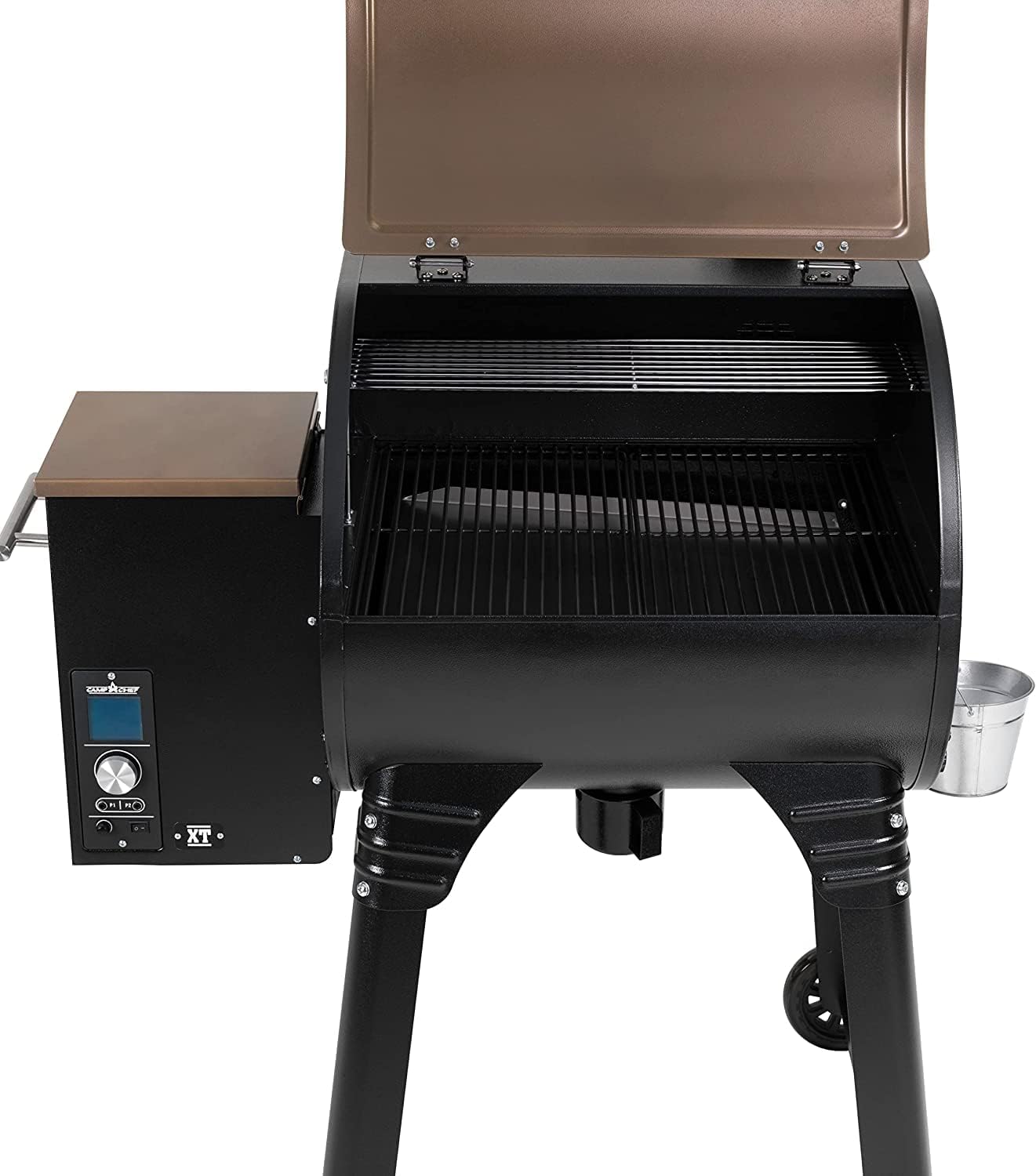
Figure 6: Interior cooking grates of the main grill chamber.
Техникалык тейлөө
Ash Clean-Out System
The patented Ash Clean-Out Cup System simplifies cleaning. After the grill has cooled, pull the ash clean-out knob to empty ash into the removable cup.

Figure 7: Ash clean-out cup for easy ash removal.
Жалпы тазалоо
- Regularly clean cooking grates with a grill brush.
- Жарнама менен сырткы беттерди сүртүңүзamp кездеме.
- Periodically inspect and clean the grease management system.
- Ensure the grill is completely cool before cleaning.
Проблемаларды чечүү
| Көйгөй | Мүмкүн себеп | Чечим |
|---|---|---|
| Гриль жылытылбайт | No power, empty pellet hopper, igniter issue | Check power connection, refill pellets, consult support |
| Температуранын өзгөрүшү | Low pellets, strong winds, dirty temperature probe | Ensure sufficient pellets, position grill away from wind, clean probe |
| Ашыкча түтүн | Wet pellets, improper startup | Use dry pellets, follow startup procedure |
| Auger not feeding pellets | Pellet jam, motor issue | Clear pellet jam, contact customer support |
Техникалык шарттар
- Модель аты: SmokePro XT 24 Pellet Grill
- Модель номери: PG24XTB
- Бренд: Camp Ашпозчу
- Кубат булагы: Wood Pellet
- Күйүүчү май түрү: Жыгач
- Сырткы материал: Дат баспаган болот
- Элемент Салмагы: 133 фунт
- Продукциянын өлчөмдөрү: 50"D x 24.5"W x 47.5"H
- Температура диапазону: 160°F - 500°F
- BTU: 25,000 BTU
- Негизги өзгөчөлүктөрү: Patented Ash Clean-Out System, Smart Smoke Technology, Digital Controller

Сүрөт 8: Продукциянын өлчөмдөрү.
Кепилдик жана колдоо
Camp Chef products are designed for durability and performance. For specific warranty details, please refer to the warranty card included with your product or visit the official Camp Ашпозчу website. For technical assistance, replacement parts, or customer service, please contact Camp Chef customer support.
Байланыш маалыматы: Please refer to your product packaging or the official Camp Ашпозчу webакыркы байланыш маалыматы үчүн сайт.