
Introduction
This manual provides comprehensive instructions for the Zerone Universal Remote Control, designed as a replacement for various Smart TV models including AA59-00582A, AA59-00580A, AA59-00581A, AA59-00638A, and AA59-00583A. Please read this manual carefully to ensure proper setup and operation of your new remote control.
Жайгашуу
1. Батареяны орнотуу
Алыстан башкаруу пульту эки AAA батарейкасын талап кылат (кошулмага кирбейт). Аларды орнотуу үчүн төмөнкү кадамдарды аткарыңыз:
- Пульттун артындагы батарея отсегин табыңыз.
- Батарея бөлүкчөсүнүн капкагын ачуу үчүн ылдый жылдырыңыз.
- Оң (+) жана терс (-) терминалдары бөлүмдүн ичиндеги диаграммаларга дал келишин камсыз кылып, эки AAA батарейкасын салыңыз.
- Батарея бөлүкчөсүнүн капкагын бекем чыккыча ордуна жылдырыңыз.

Image: Back of the remote control with the battery compartment visible. This shows where to open the cover to insert batteries.

Image: The remote control with its battery compartment open, revealing the slots for two AAA batteries. This illustrates the correct orientation for battery insertion.
2. No Programming Required
This remote control is designed to work immediately with compatible Smart TV models without any programming or setup. Simply insert the batteries, and it is ready for use.
Иштөө нускамалары
The Zerone Universal Remote Control features dedicated buttons for various functions. The remote operates within a distance of up to 10 meters (approximately 33 feet) with stable performance.
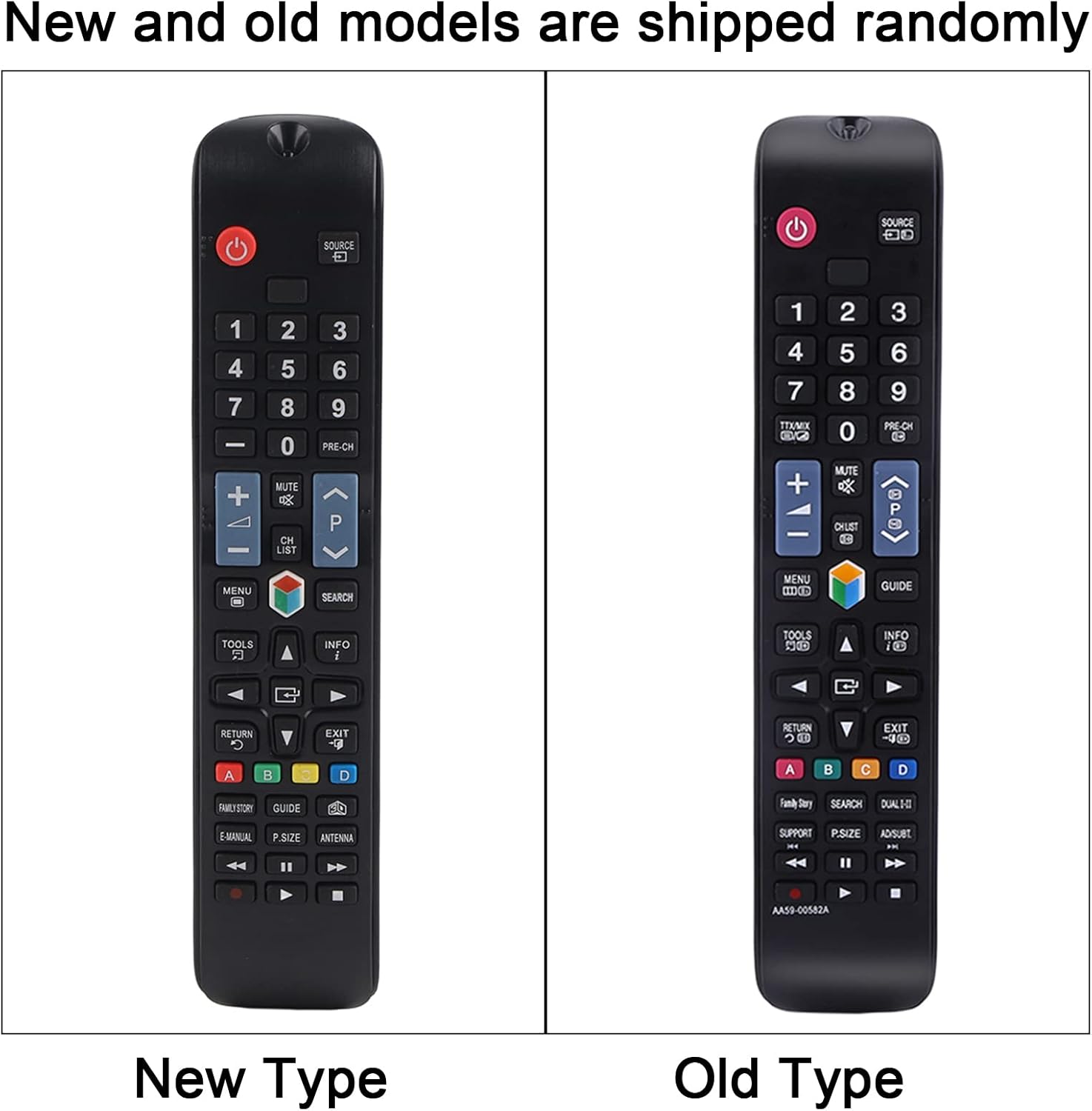
Сүрөт: ачык фронт view of the remote control, displaying all its buttons and their labels. This provides a visual guide to the remote's layout.
Негизги функциялары:
- Кубат баскычы (●): Телевизорду күйгүзөт же өчүрөт.
- Сан баскычтары (0-9): Direct channel access.
- Үнүн жогорулатуу/төмөндөтүү (+/-): Телевизордун үнүн тууралайт.
- Каналдын өйдө/ылдый жагы (CH +/-): Телеканалдарды өзгөртөт.
- Үнсүз баскыч: Телевизордун үнүн өчүрөт же өчүрөт.
- Меню баскычы: Телевизордун негизги менюсуна кирет.
- Navigation Buttons (Up, Down, Left, Right, Enter): Navigates through menus and selections.
- Source/Input Button: Киргизүү булагын өзгөртөт (HDMI, AV ж.б.).
- Чыгуу баскычы: Учурдагы менюдан же функциядан чыгат.
- Жетектөө баскычы: Электрондук программалык көрсөтмөнү көрсөтөт.
- Түстүү баскычтар (A, B, C, D): Functionality varies depending on the TV model and current application.
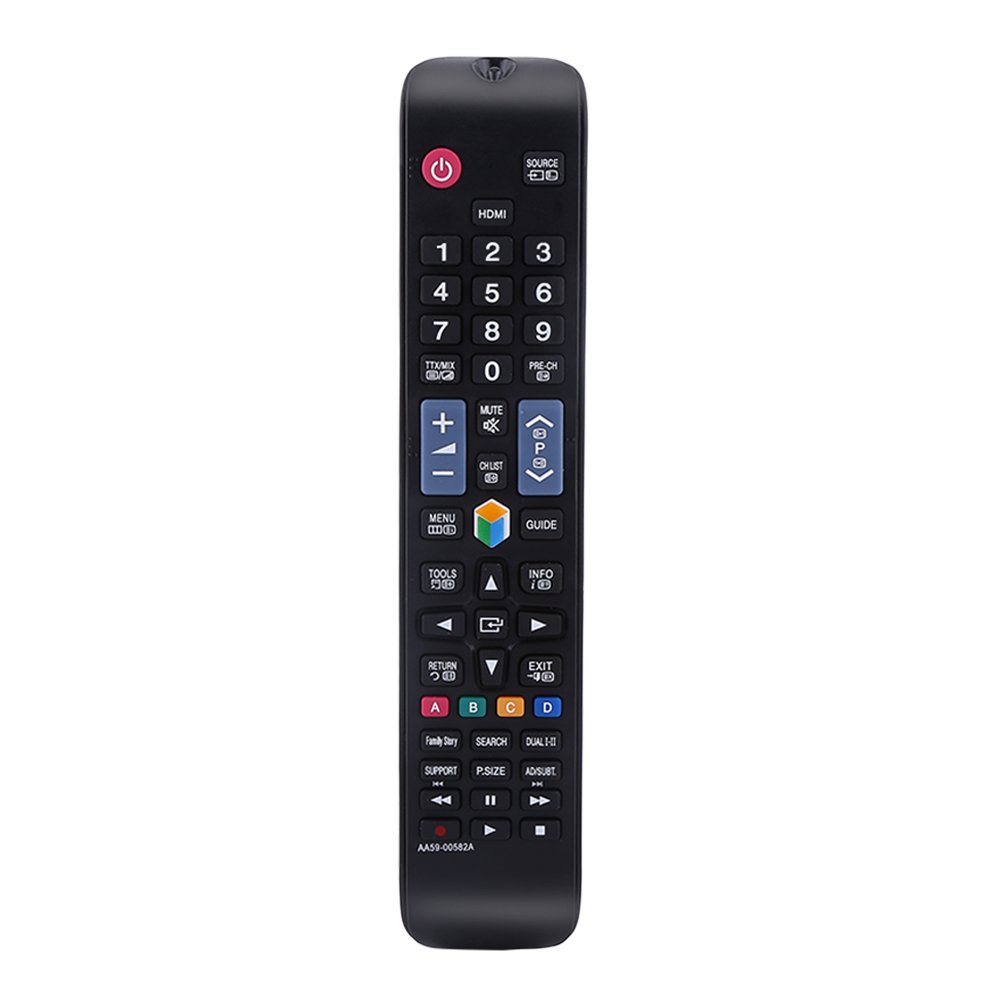
Image: The remote control being held, highlighting the power button, number pad, and the infrared emitter at the top. This demonstrates typical usage and the remote's design.
Техникалык тейлөө
Батареяны алмаштыруу:
When the remote control's performance degrades or it stops responding, replace the AAA batteries. Always replace both batteries at the same time with new ones. Do not mix old and new batteries, or different types of batteries.
Тазалоо:
Пультту тазалоо үчүн жумшак, кургак чүпүрөктү колдонуңуз. Суюк тазалоочу каражаттарды, чачыраткычтарды же абразивдүү материалдарды колдонбоңуз, анткени алар пульттун бетине же ички компоненттерине зыян келтириши мүмкүн.
Проблемаларды чечүү
- Пульт жооп бербей жатат:
- Батареялардын туура полярдуулукта жана туура орнотулганын текшериңиз.
- Батареяларды жаңыларына алмаштырыңыз.
- Алыстан башкаруу пульту менен телевизордун инфракызыл кабыл алгычынын ортосунда эч кандай тоскоолдуктар жок экенин текшериңиз.
- Make sure you are within the operating distance of 10 meters.
- Баскычтар жабышчаак же жооп бербей жатат:
- This may indicate dirt or debris under the buttons. Clean the remote as described in the Maintenance section.
Техникалык шарттар
| Продукт аты | Remote Controller |
| Type | TV Remote Controller |
| Модел | AA59-00582A (Compatible with AA59-00580A, AA59-00581A, AA59-00638A, AA59-00583A) |
| Power Source | 2 x AAA Батареялар (киргизилген эмес) |
| Операциялык аралык | Within 10 meters (33 feet) |
| Материал | ABS |
| Түс | Кара |
| Өлчөмдөрү (L x W x Y) | 23 x 4.7 x 2 см (9 x 1.85 x 0.79 дюйм) |
| Байланыш технологиясы | Инфракызыл |
| Controller Type | Control Button |

Image: The remote control displayed with its length, width, and height measurements indicated. This provides a visual reference for the physical dimensions of the device.
Кепилдик жана колдоо
For any questions or concerns regarding your Zerone Universal Remote Control, please contact our customer support. We are committed to providing assistance and follow-up services to ensure your satisfaction.