
Arteck
Arteck 2.4G Wireless Keyboard
User Manual
Модел: HW192
1. Киришүү
Thank you for choosing the Arteck 2.4G Wireless Keyboard. This ultra-slim, full-size keyboard with a numeric keypad is designed for comfortable and quiet typing, offering seamless connectivity and a long-lasting rechargeable battery. This manual provides detailed instructions to help you set up, operate, and maintain your new keyboard.
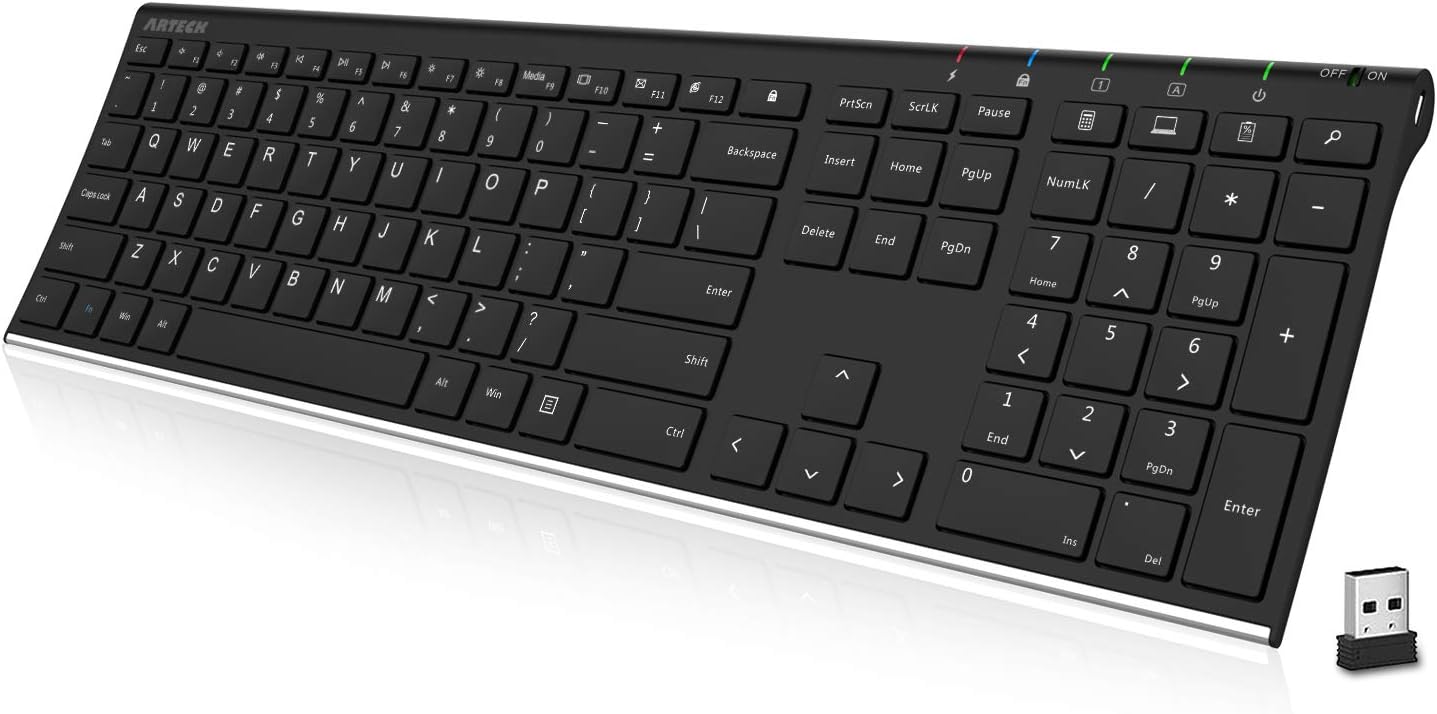
Figure 1: Arteck 2.4G Wireless Keyboard and USB receiver.
2. Пакеттин мазмуну
- Arteck Stainless 2.4G Wireless Keyboard
- Nano USB кабыл алгыч
- USB заряддоо кабели
- Welcome Guide
3. Орнотуу нускамалары
- Клавиатураны кубаттоо: Before first use, connect the keyboard to a USB power source using the provided USB charging cable. The charging indicator light will illuminate. Once fully charged, the light will change or turn off.
- USB кабылдагычты салыңыз: Locate the nano USB receiver. Insert the receiver into an available USB port on your computer, desktop, PC, laptop, Surface, or Smart TV.
- Күйгүзүү: Locate the ON/OFF switch on the keyboard, typically on the top right edge. Slide the switch to the 'ON' position.
- Автоматтык туташуу: The keyboard should automatically connect to your device within a few seconds. No additional drivers are usually required.

Figure 2: Easy setup by plugging in the nano USB receiver.
4. Иштөө нускамалары
The Arteck 2.4G Wireless Keyboard offers a comfortable and efficient typing experience with its low-profile keys and full-size layout.
- Терүү: The keyboard features a standard QWERTY layout with full-size keys, arrow keys, and a dedicated numeric keypad for comfortable and accurate typing.
- Функция баскычтары: Utilize the function keys (F1-F12) for various shortcuts. Some keys may require pressing the 'Fn' key simultaneously for their secondary function (e.g., media controls, volume adjustment).
- Тынч баскычтар: The X-structure design of the keys ensures equal pressure distribution and lower keystrokes, resulting in a quiet and comfortable typing experience.

Figure 3: Comfortable keystrokes with X-structure design.

Figure 4: Keyboard in a typical desktop setup.
5. Батарея жана заряддоо
The Arteck keyboard is equipped with a built-in rechargeable lithium battery, offering extended usage on a single charge.
- Батареянын иштөө мөөнөтү: A single charge can last for approximately 6 months, based on 2 hours of non-stop use per day.
- Заряддоо: When the battery is low, connect the keyboard to a USB power source using the provided USB charging cable. The charging indicator will show the charging status.
- Энергияны үнөмдөө: To conserve battery life, you can switch the keyboard to the 'OFF' position when not in use for extended periods.

Figure 5: The keyboard offers long battery life.
6. Техникалык тейлөө
To ensure the longevity and optimal performance of your Arteck Wireless Keyboard, follow these simple maintenance guidelines:
- Тазалоо: Клавиатуранын бетин жумшак, кургак, түксүз чүпүрөк менен сүртүңүз. Өтө кир болсо, бир аз сүртүңүз.ampчүпүрөктү суу же жумшак тазалоо эритмеси менен жууп салыңыз. Ашыкча нымдуулуктан сактаныңыз.
- Суюктуктардан алыс болуңуз: Do not spill liquids directly onto the keyboard. In case of accidental spills, immediately power off the keyboard and disconnect it from any power source. Allow it to dry completely before attempting to use it again.
- Сактагыч: Клавиатураны күн нурунан жана экстремалдык температурадан алыс, салкын, кургак жерде сактаңыз.
- Этияттык менен мамиле кылуу: While the stainless steel material provides durability, avoid dropping the keyboard or subjecting it to strong impacts.
7. Кыйынчылыктарды
If you encounter issues with your Arteck Wireless Keyboard, please refer to the following common solutions:
| Көйгөй | Мүмкүн себеп | Чечим |
|---|---|---|
| Keyboard not responding / No connection | Low battery; USB receiver not properly inserted; Receiver interference; Keyboard not powered on. | Ensure keyboard is charged and powered on. Re-insert the USB receiver firmly into a different USB port. Move the keyboard closer to the receiver. Avoid placing the receiver near other wireless devices. |
| Keys are unresponsive or typing intermittently | Low battery; Software issue; Physical obstruction under key. | Charge the keyboard fully. Restart your computer. Gently clean around the affected keys to remove any debris. |
| Батареянын иштөө мөөнөтү кыска | Frequent usage; Keyboard left on when not in use. | Ensure the keyboard is fully charged. Turn off the keyboard when not in use for extended periods. |
8. Техникалык шарттар
| Өзгөчөлүк | Деталь |
|---|---|
| Продукциянын өлчөмдөрү | 16.9"L x 4.9"W x 0.6"H (43 см x 12.5 см x 1.5 см) |
| Элемент Салмагы | 14.9 унция (422 г) |
| Модель номери | HW192 |
| Батареялар | 1 литий-иондук батарейка (кошулган) |
| Материал | Дат баспаган болот |
| Байланыш технологиясы | USB зымсыз (2.4G) |
| Keyboard Description | Wireless, Ergonomic, Full Size with Numeric Keypad |
| Шайкеш түзмөктөр | Computer, Desktop, PC, Laptop, Surface, Smart TV (Windows 10/8/7) |
| Ачкычтардын саны | 113 |

6-сүрөт: Баскычтоптун өлчөмдөрү жана салмагы.
9. Кепилдик жана колдоо
Arteck provides a 24 айлык кепилдик for this product, ensuring peace of mind and reliable performance. In case of any issues or questions, please contact Arteck customer service for friendly and prompt assistance. Refer to the contact information provided in your welcome guide or visit the official Arteck webколдоо чоо-жайы үчүн сайт.