
1. Киришүү
This manual provides detailed instructions for the operation and maintenance of your Picun P26 Bluetooth Over-Ear Headphones. Designed for superior audio quality and comfort, these headphones offer versatile connectivity options including Bluetooth 5.0, wired audio, and TF card playback. Please read this manual carefully before use to ensure proper functionality and to maximize your listening experience.
2. Пакеттин мазмуну
Upon opening your Picun P26 headphone package, please verify that all the following items are included:
- Picun P26 Bluetooth Headphones
- USB заряддоо кабели
- 3.5 мм аудио кабель
- User Manual
3. Продукциянын өзгөчөлүктөрү
- Hi-Fi стерео үн: Equipped with dual 40mm large aperture driver units and Bluetooth 5.0 technology for stable transmission, low latency, and high-fidelity stereo sound. The ear cushions are designed to provide an immersive audio experience.
- Узартылган ойноо убактысы: Enjoy up to 80 hours of talk time or music playback in wireless mode thanks to the high-performance rechargeable battery.
- Жайлуулукка багытталган дизайн: Features memory protein ear cushions that mimic human skin texture for lasting comfort and durability. The stainless steel slider and softly padded headband ensure a comfortable fit for various head sizes. Regular breaks (every 1-2 hours) are recommended for optimal comfort.
- Integrated Microphone and Controls: A built-in microphone allows for clear, high-definition calls in wireless mode. On-ear controls enable easy management of music playback and phone calls.
- Ergonomic and Foldable: Adjustable headband and cushioned ear pads ensure a perfect fit. The lightweight and foldable design makes the headphones portable and easy to store.
- Бир нече ойнотуу режимдери: Supports Bluetooth wireless, 3.5mm wired audio (audio cable included for continuous listening even when the battery is depleted), and TF card MP3 playback.
4. Башкаруу элементтери жана функциялар

Image 4.1: Headphone Controls Layout
This image illustrates the various buttons and ports located on the earcups of the Picun P26 headphones, including the power switch, charging port, audio jack, microphone, TF card slot, and multi-function buttons for volume, track control, and mode switching.
- ON/OFF которуу: Slide to power the headphones on or off.
- Кубаттоо порту (USB): Connect the USB charging cable here to recharge the headphones.
- Audio Jack (AUX): Insert the 3.5mm audio cable for wired listening.
- HD микрофон: Үнсүз чалуулар үчүн.
- TF порту: Insert a TF (MicroSD) card for MP3 playback.
- LED көрсөткүчү: Displays status (e.g., pairing, charging, power on).
- Үн көлөмү - / Мурунку трек: Үнүн азайтуу үчүн кыска басыңыз; мурунку трекке көпкө басыңыз.
- Play/Pause / Answer/Hang Up: Музыканы ойнотуу/тындыруу же чалууларга жооп берүү/аяктоо үчүн басыңыз.
- Көлөм + / Кийинки трек: Үнүн жогорулатуу үчүн кыска басыңыз; кийинки трекке көпкө басыңыз.
- Режим которуу (M): Press to switch between Bluetooth, TF Card, and FM Radio modes (if applicable).
5. Орнотуу жана иштетүү
5.1. Наушниктерди заряддоо
Before first use, fully charge your Picun P26 headphones. Connect the provided USB charging cable to the charging port on the headphones and the other end to a USB power source (e.g., computer, wall adapter). The LED indicator will show charging status and turn off or change color when fully charged.
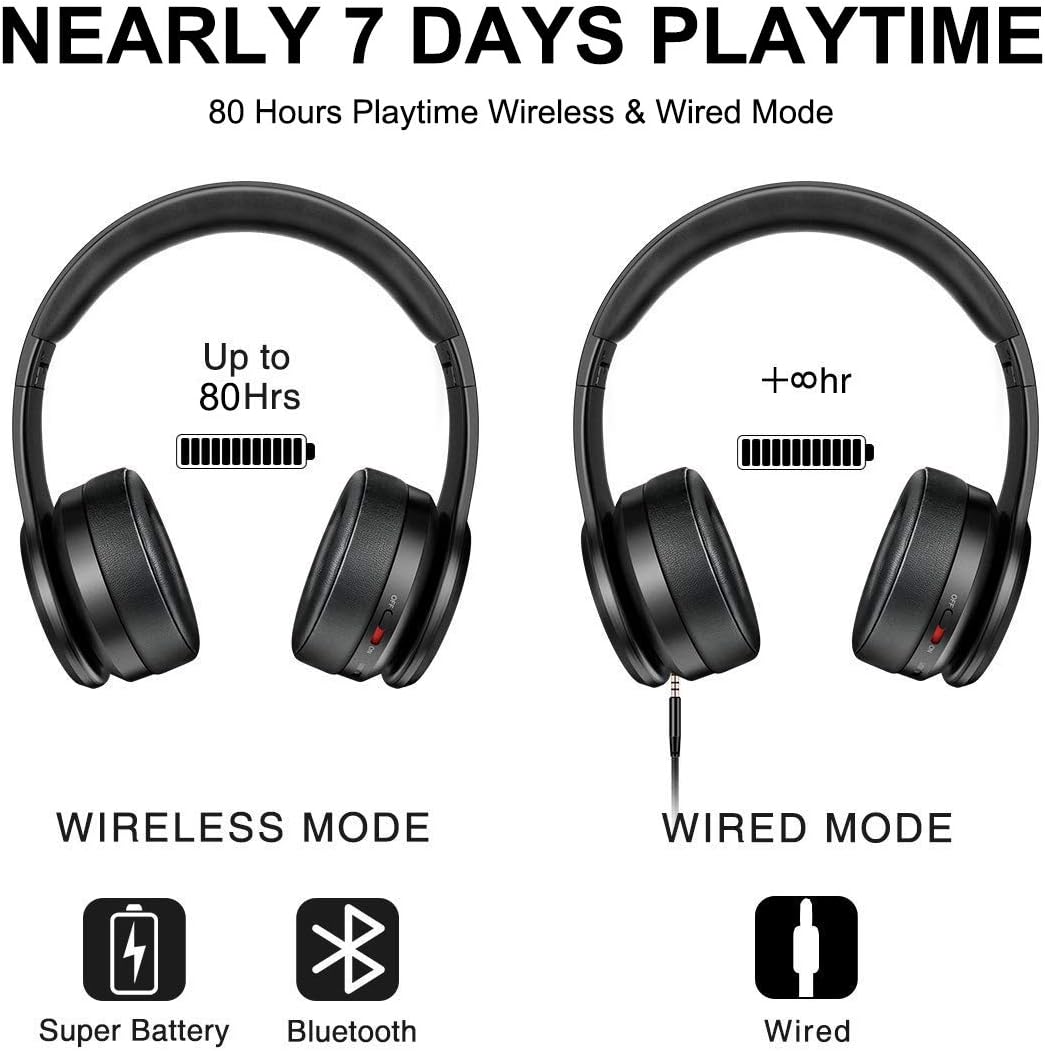
Image 5.1: Wireless and Wired Playtime
This image illustrates the impressive 80-hour playtime capability of the Picun P26 headphones in both wireless and wired modes, emphasizing battery longevity.
Толук кубаттоо 80 саатка чейин ойноо убактысын камсыз кылат.
5.2. Bluetooth Жупташтыруу
- Наушниктердин толук заряддалганын текшериңиз.
- КҮЙГҮЗҮҮ/ӨЧҮРҮҮ которгучун "КҮЙГҮЗҮҮ" абалына жылдырыңыз. LED индикатору күйүп-өчүп, жупташтыруу режимин көрсөтөт.
- Түзмөгүңүздө (смартфон, планшет, компьютер) Bluetooth иштетип, жеткиликтүү түзмөктөрдү издеңиз.
- Табылган түзмөктөрдүн тизмесинен "P26" тандаңыз.
- Once connected, the LED indicator will stop flashing or show a steady light, and you will hear an audible confirmation.
Эскертүү: For TVs without built-in Bluetooth, a Bluetooth transmitter is required.

Image 5.2: Hi-Fi Stereo Sound Technology
This image highlights the Bluetooth V5.0 connectivity and Neodymium drivers that contribute to the Hi-Fi stereo sound quality of the Picun P26 headphones.
5.3. Зымдуу режим (AUX)
To use the headphones in wired mode, connect one end of the 3.5mm audio cable to the AUX jack on the headphones and the other end to your audio source. This mode works even if the headphone battery is depleted.
5.4. TF Card MP3 Mode
MP3 аудиосу жүктөлгөн TF (MicroSD) картасын салыңыз files into the TF port on the headphones. The headphones will automatically switch to TF card mode and begin playing music. Use the control buttons to manage playback.

Image 5.3: Multiple Operating Modes
This image demonstrates the versatility of the Picun P26 headphones, showcasing their TF card, wired, and Bluetooth modes, along with their foldable design.
6. Техникалык тейлөө
- Наушниктерди дайыма жумшак, кургак чүпүрөк менен тазалап туруңуз.
- Наушниктерди экстремалдык температурага, нымдуулукка же тике күн нуруна тийгизүүдөн сактаңыз.
- Абразивдүү тазалагычтарды же эриткичтерди колдонбоңуз.
- Наушниктерди колдонбогондо салкын, кургак жерде сактаңыз. Бүктөлүүчү дизайн компакт сактоого жардам берет.
- To maintain ear cushion integrity, avoid prolonged pressure or sharp objects.

Image 6.1: Ergonomic Design Details
Бул сүрөт майда-чүйдөсүнө чейин камсыз кылат view of the ergonomic features of the Picun P26 headphones, including the soft memory-protein earmuffs, adjustable headband, and soft sung pad, all contributing to user comfort.
7. Кыйынчылыктарды
| Көйгөй | Мүмкүн себеп | Чечим |
|---|---|---|
| Кулакчындар күйбөйт. | Батарея түгөнүп калды. | Берилген USB кабелин колдонуп гарнитураны заряддаңыз. |
| Bluetooth аркылуу жупташтыруу мүмкүн эмес. | Кулакчындар жупташтыруу режиминде эмес; түзмөк Bluetooth өчүк; аппараттан өтө алыс. | Ensure headphones are on and LED is flashing; enable Bluetooth on your device; move closer to the device (within 10 meters). |
| Bluetooth режиминде үн жок. | Үнү өтө төмөн; кулакчындар туташтырылган эмес; түзмөктө туура эмес аудио чыгышы тандалды. | Increase headphone and device volume; re-pair headphones; check device audio settings. |
| Үндүн бузулушу. | Үнү өтө катуу; Bluetooth сигналы алсыз. | Lower volume; move closer to the Bluetooth source. |
| On/Off switch is stuck. | Коммутатордогу механикалык көйгөй. | Gently try to dislodge the switch. If persistent, contact customer support. |
8. Техникалык шарттар
- Модель аты: P26
- Бренд: Пикун
- Байланыш технологиясы: Зымсыз (Bluetooth), Зымдуу (3.5 мм уяча)
- Зымсыз байланыш технологиясы: Bluetooth 5.0
- Bluetooth диапазону: 10 метр
- Аудио драйвер түрү: Динамикалык драйвер
- Аудио драйверинин өлчөмү: 40 миллиметр
- Батареянын иштөө мөөнөтү: 80 саатка чейин
- Наушниктин формасы: Ашыкча кулак
- Башкаруу түрү: Чакыруу башкаруу, тийүү
- Элемент Салмагы: 7 унция (0.44 фунт)
- Продукциянын өлчөмдөрү: 6.69 x 3.14 x 7.08 дюйм
- Шайкеш түзмөктөр: Smartphones, Tablets, Computers, TVs (with Bluetooth transmitter)
9. Расмий продукт Videos
Picun P26 Bluetooth Headphones Overview
Бул видеодо толук маалымат берилетview of the Picun P26 Bluetooth Headphones, showcasing their design, key features, and highlighting the 80-hour playtime. It demonstrates the product's aesthetic and functional aspects.
Picun P26 Features and Design
This video details the various features and ergonomic design of the Picun P26 headphones, including the comfortable earcups, adjustable headband, and multi-mode functionality. It offers a closer look at the product's build quality and user-friendly aspects.
10. Кепилдик жана колдоо
Picun products are designed for durability and performance. For specific warranty information, please refer to the warranty card included in your product packaging or visit the official Picun website. For technical support, troubleshooting assistance, or inquiries about your Picun P26 headphones, please contact Picun customer service through their official channels.