
BESTEK MRZ201HU-WHGY-US
BESTEK Pure Sine Wave 220V to 110V Travel Voltage Converter
Model: MRZ201HU-WHGY-US
Instruction Manual
1. Киришүү
This manual provides essential information for the safe and efficient operation of your BESTEK Pure Sine Wave 220V to 110V Travel Voltage Converter. This device is designed to convert international voltages (110V-240V) to US voltage (110V), allowing you to safely use your electronic devices abroad. It features pure sine wave output for sensitive electronics, multiple USB charging ports including PD 35W, and comes with various international plug adapters.
2. Коопсуздук боюнча маанилүү маалымат
- Колдонуудан мурун бардык нускамаларды окуп чыгыңыз. Failure to follow instructions may result in electric shock, fire, or serious injury.
- Do not use with high-power hair dryers. This converter is not suitable for high-wattage appliances like most hair dryers. Refer to the device's power rating.
- Максималдуу кубаттуулугу: The rated power is 200W, with a peak power of 600W. Do not exceed 200W for continuous use.
- Үй ичинде гана колдонуу. Жамгырга же нымдуулукка дуушар кылбаңыз.
- Балдар жетпеген жерде сактаңыз.
- Туура желдетүүнү камсыз кылыңыз. Do not cover the converter during operation.
- Колдонулбаган учурда электр кубатынан ажыратыңыз.
- Аппаратты ажыратпаңыз же өзгөртпөңүз. Бардык тейлөөлөрдү квалификациялуу кызматкерлерге тапшырыңыз.
- Коргоо өзгөчөлүктөрү: The converter includes over-current, over-load, over-heat, and short-circuit protection. If a fault occurs, the output may shut off and an indicator light may turn red. Power cycle the converter to reset.
- USB outputs are isolated from AC power for enhanced device safety.

Figure 1: Safety Protection Features
The converter is equipped with multiple safety protections to ensure safe operation for both the device and your connected electronics. These include safeguards against overheating, short circuits, over-voltage, and over-current conditions.
3. Пакеттин мазмуну
Пакетиңизде бардык буюмдар бар экенин текшериңиз:
- BESTEK Pure Sine Wave Travel Voltage Converter
- Detachable Power Cable (EU power cable)
- UK адаптер
- US/AU Adapter
- Көрсөтмө (бул документ)
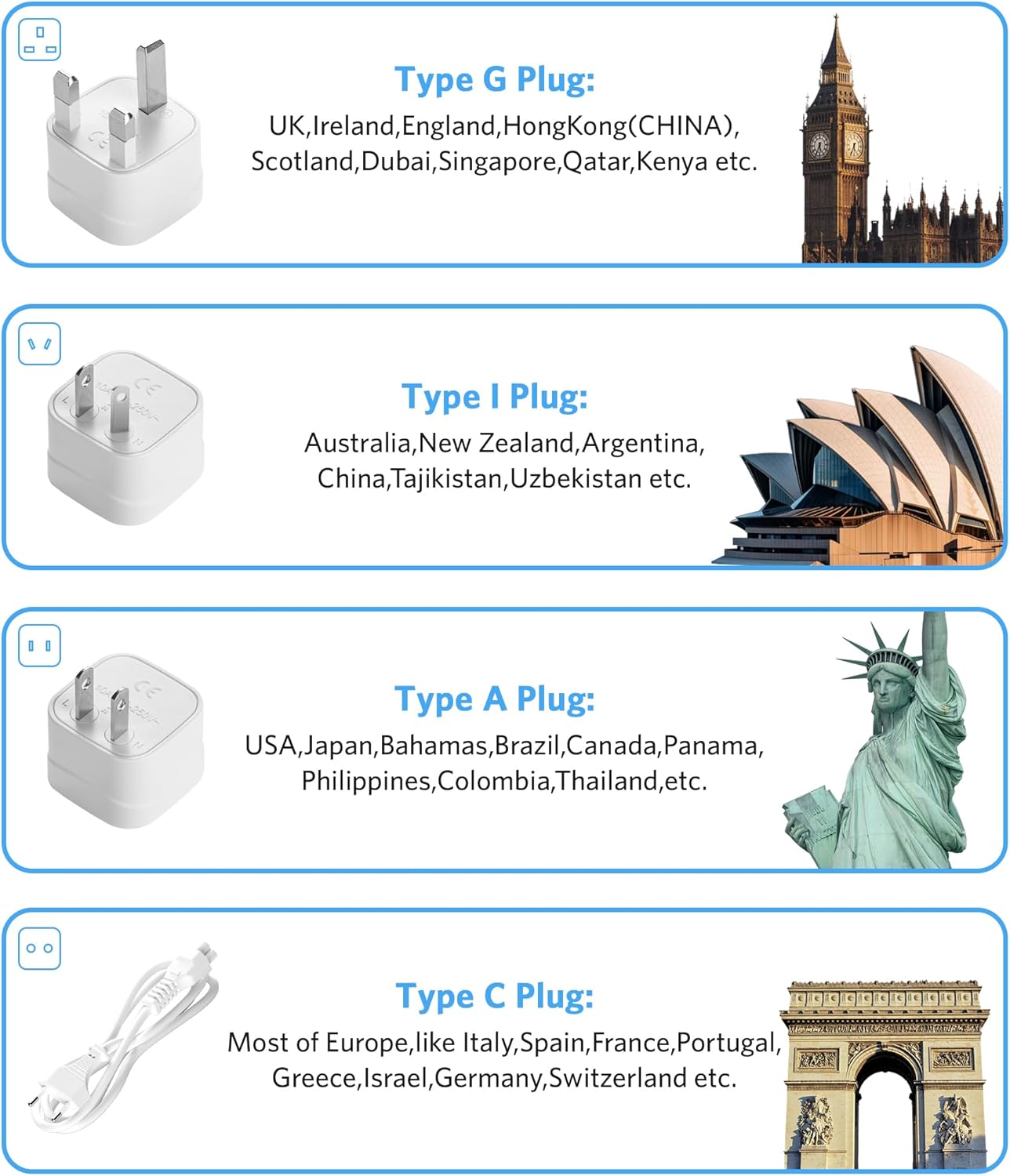
Figure 2: Converter and Included Adapters
The image displays the main converter unit, its detachable power cord, and the two primary international plug adapters provided for global compatibility.
4. Продукциянын өзгөчөлүктөрү
- Таза синус толкунунун чыгышы: туруктуу том камсыз кылатtage output, ideal for sensitive electronic devices such as phones, cameras, curling irons, hair straighteners, and electric toothbrushes within 200W.
- Worldwide Voltage Конверсия: Converts 110V-240V input to 110V US voltage.
- 6-ин-1 Дизайн: Features 2 AC outlets, 3 USB-A ports, and 1 USB-C (PD 35W) fast charging port.
- Жогорку кубаттуулугу: Maximum output power of 240W, rated power of 200W, and peak power of 600W.
- Комплекстүү коопсуздук: NRTL safety certified with protection against over-current, over-load, over-heat, and short-circuit.
- Саякатка ылайыктуу дизайн: Compact and lightweight (6.7 x 3.15 x 1.5 inches) with a detachable power cable and included UK/AU/US/EU adapters for use in over 150 countries.

Figure 3: 6-in-1 Port Configuration
This image illustrates the versatile port layout of the converter, highlighting its two AC outlets, three standard USB-A ports, and one USB-C port with Power Delivery (PD) 35W for rapid charging.
5. Орнотуу нускамалары
- Identify the Local Outlet Type: Determine the type of electrical outlet used in your travel destination.
- Туура адаптерди тандоо: Choose the appropriate plug adapter (UK, AU/US, EU) from the package. Refer to the adapter guide below.
- Кубат кабелин туташтыруу: Plug the detachable power cable into the converter's input port.
- Адаптерди тиркөө: If needed, attach the selected international plug adapter to the end of the power cable's plug.
- Дубал розеткасына сайыңыз: Insert the assembled power cable and adapter into the wall outlet.
- Күйгүзүү: Flip the power switch on the converter to the "ON" position. The indicator light should illuminate.
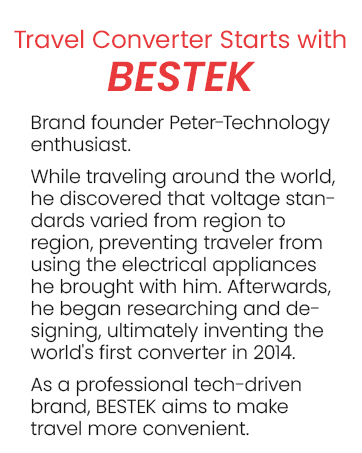
Figure 4: Type G Plug Adapter
The Type G plug adapter is designed for use in countries such as the UK, Ireland, England, Hong Kong, Scotland, Dubai, Singapore, Qatar, and Kenya.
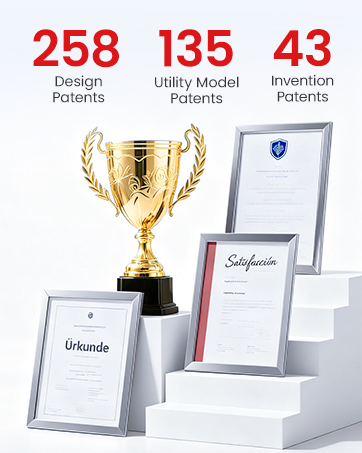
Figure 5: Type I Plug Adapter
The Type I plug adapter is compatible with outlets found in Australia, New Zealand, Argentina, China, Tajikistan, and Uzbekistan.

Figure 6: Type A Plug Adapter
The Type A plug adapter is suitable for use in the USA, Japan, Bahamas, Brazil, Canada, Panama, Philippines, Colombia, and Thailand.
Figure 7: Type C Plug Adapter
The Type C plug adapter is commonly used in most European countries, including Italy, Spain, France, Portugal, Greece, Israel, Germany, and Switzerland.
6. Иштөө нускамалары
- Түзмөктөрдү туташтыруу: Once the converter is powered on, plug your 110V AC devices into the AC outlets. For USB charging, connect your devices to the USB-A or USB-C (PD 35W) ports.
- Монитордун кубат керектөөсү: жалпы ват камсыз кылууtage of all connected AC devices does not exceed 200W for continuous use.
- Pure Sine Wave Benefit: The pure sine wave output ensures compatibility and safe operation for sensitive electronics, reducing potential damage and power loss.
- Тез кубаттоо: Utilize the USB-C PD 35W port for faster charging of compatible devices.

Figure 8: Pure Sine Wave Voltage Conversion in Use
This image demonstrates the converter in operation, providing stable 110V power to a laptop from a 220V wall outlet, highlighting the benefit of pure sine wave output for device longevity and reduced power consumption.
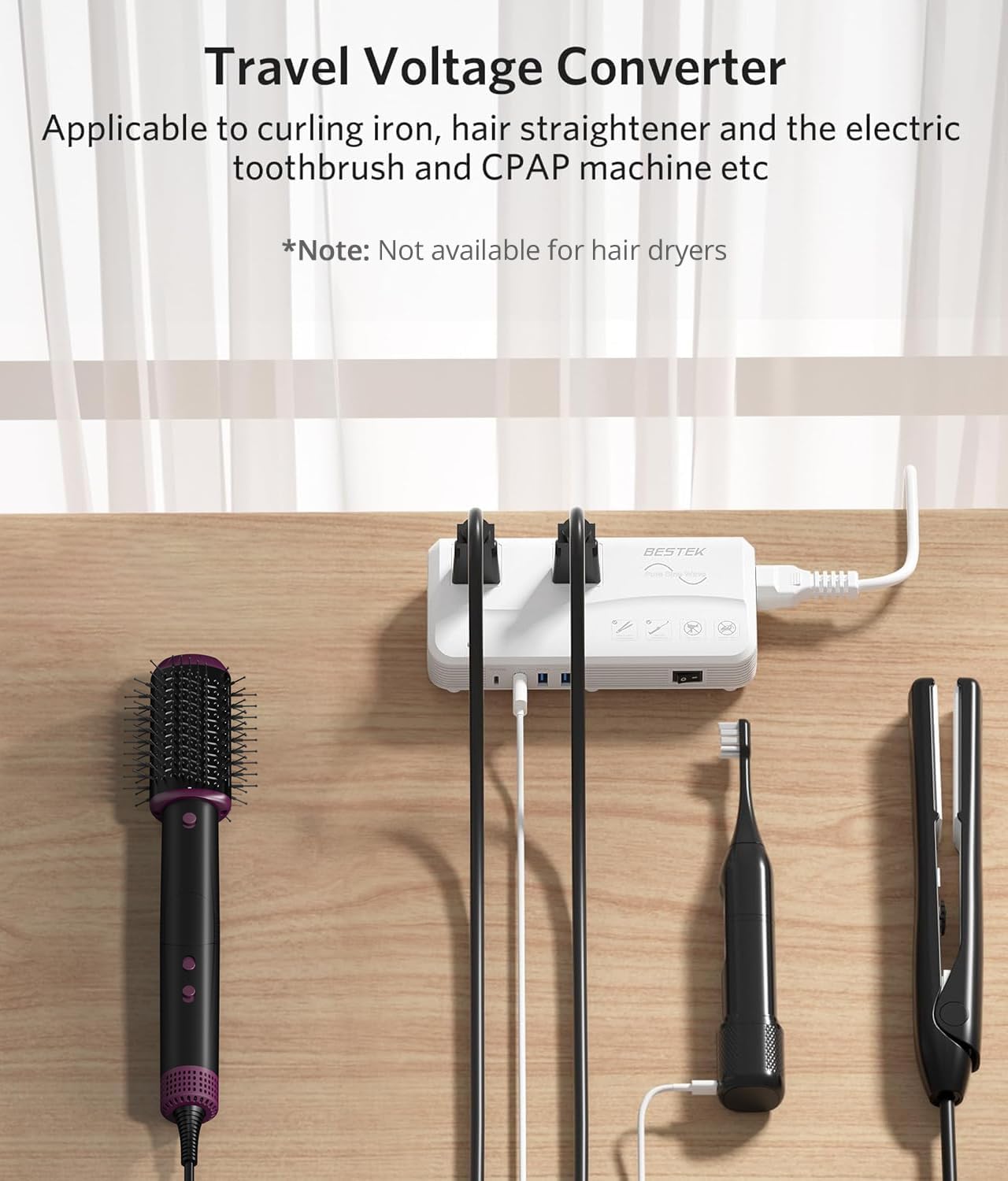
9-сүрөт: Шайкеш түзмөктөр
The converter is suitable for various travel appliances such as curling irons, hair straighteners, electric toothbrushes, and CPAP machines. Please note that it is not designed for high-power hair dryers.

10-сүрөт: Тез кубаттоо мүмкүнчүлүгү
The integrated USB-C PD 35W port allows for significantly faster charging of compatible smartphones and other devices compared to standard chargers.
7. Техникалык тейлөө
- Тазалоо: Disconnect the converter from the power source before cleaning. Use a dry, soft cloth to wipe the exterior. Do not use liquid cleaners or sprays.
- Сактагыч: Store the converter in a cool, dry place away from direct sunlight and extreme temperatures.
- Кабельге кам көрүү: Avoid sharp bends or kinks in the power cable. Do not place heavy objects on the cable.
8. Кыйынчылыктарды
| Көйгөй | Мүмкүн себеп | Чечим |
|---|---|---|
| Converter not powering on. | No power from wall outlet; power switch off; faulty cable connection. | Check wall outlet with another device. Ensure power switch is ON. Verify power cable is securely connected to both the converter and the wall outlet. |
| Түзмөктөр кубатталбай/кубатталбай жатат. | Overload protection activated; device not compatible; faulty cable/device. | Reduce the number of connected devices or their total wattage (do not exceed 200W). Power cycle the converter. Ensure your device is compatible with 110V. Test with a different cable or device. |
| Red indicator light / Converter shuts off. | Over-current, over-load, over-heat, or short-circuit protection activated. | Unplug all devices. Power cycle the converter (turn off, then on). Reconnect devices one by one, ensuring total wattage is below 200W. Allow the unit to cool if it was running hot. Check for short circuits in connected devices or cables. |
| Audible fan noise. | Normal operation under load; fan cycling at no load. | The fan operates to cool the unit, especially under load. This is normal. If the noise is excessive or unusual, ensure proper ventilation and that the fan vents are not obstructed. Some fan cycling may occur at no load. |
9. Техникалык шарттар
| Өзгөчөлүк | Деталь |
|---|---|
| Бренд | БЕСТЕК |
| Модель номери | MRZ201HU-WHGY-US |
| Түс | Ак |
| Киргизүү көлөмүtage | 220 Volts (AC) - 240 Volts (AC) |
| Output Voltage | 110 вольт (AC) |
| Номиналдуу кубаттуулук | 200 Вт |
| Чоку күч | 600 Вт |
| Соода түйүндөрүнүн саны | 2 AC Outlets, 3 USB-A Ports, 1 USB-C (PD 35W) Port (Total 6) |
| Plug Type (Included Adapters) | UK, AU/US, EU |
| Элементтин өлчөмдөрү (L x W x Y) | 6.7 x 3.3 x 1.6 дюйм |
| Коопсуздук сертификаттары | NRTL Certified |
10. Кепилдик жана колдоо
BESTEK offers various support options for your product:
- Коргоо пландары: Кошумча 2 жылдык жана 3 жылдык коргоо пландарын сатып алууга болот.
- Кайтаруу саясаты: A 30-day return policy is typically offered for refunds or replacements.
- Кардарларды тейлөө: For technical support, warranty claims, or other inquiries, please contact BESTEK customer service. Refer to the product packaging or the official BESTEK webучурдагы байланыш маалыматы үчүн сайт.
11. Продукт бүтүп калдыview Video
Video 1: BESTEK Pure Sine Wave 220V to 110V Voltage Converter Overview
Бул видео визуалдык көрүнүштү камсыз кылатview of the BESTEK Pure Sine Wave Travel Voltage Converter, showcasing its design, ports, and included accessories.
Ask a question about this manual
Ask about setup, troubleshooting, compatibility, parts, safety, or missing instructions. Manuals+ will review the question and use this page’s manual context to help answer it.