
1. Киришүү
This manual provides instructions for the assembly, operation, and maintenance of your Mount-It! MI-7969 Mobile Standing Desk. This desk is designed to offer a versatile and ergonomic workspace solution, featuring gas spring height adjustment and mobile functionality with locking wheels. It is suitable for various environments including home offices, classrooms, and healthcare settings.

Image 1.1: The Mount-It! MI-7969 Mobile Standing Desk in a standing position.
2. Коопсуздук маалыматы
Сураныч, бул өнүмдү чогултуудан же колдонуудан мурун бардык коопсуздук нускамаларын окуп, түшүнүңүз. Бул нускамаларды аткарбоо жаракатка же буюмдун бузулушуна алып келиши мүмкүн.
- Үстөлдү ар дайым туруктуу бетте кармаңыз.
- Use the locking casters to secure the desk in place when stationary.
- Exercise caution when adjusting the height to prevent injury.
- Do not expose the desk to liquids.
- Жумушчу столдо сунушталган максималдуу салмак 33 фунттан ашпашы керек.
3. Пакеттин мазмуну
The Mount-It! MI-7969 Mobile Standing Desk package typically includes all necessary hardware and tools for assembly. Please verify that all components are present and undamaged before beginning assembly. If any parts are missing or damaged, contact customer support.

Image 3.1: An assembled view of the Mount-It! MI-7969 Mobile Standing Desk, illustrating its structural components.
4. Монтаждоо боюнча нускамалар
Assembly of the Mount-It! MI-7969 Mobile Standing Desk is designed to be straightforward. All required hardware and an instruction manual are included in the packaging. It is recommended that one person performs the assembly.
- Бардык компоненттерди таңгактан чыгарып, камтылган колдонмодогу бөлүктөрдүн тизмеси менен текшериңиз.
- Attach the base to the main column using the provided hardware.
- Install the four locking casters into the base. Ensure they are securely tightened.
- Mount the desktop to the gas spring mechanism and main column.
- Колдонуудан мурун бардык туташуулардын коопсуздугун камсыз кылыңыз.
5. Иштөө нускамалары
5.1 Бийиктигин тууралоо
The desk features a gas spring lift mechanism for smooth height adjustment, allowing you to transition between sitting and standing positions. The height can be adjusted from 29 inches to 42 inches.
- To raise the desk: Gently lift the lever located under the desktop and guide the desktop upwards to your desired height. Release the lever to lock it in place.
- To lower the desk: Gently lift the lever located under the desktop and apply downward pressure on the desktop to guide it to your desired height. Release the lever to lock it in place.

Image 5.1: A user demonstrating the gas spring height adjustment feature of the desk.
5.2 Мобилдүүлүк жана туруктуулук
The desk is equipped with smooth-rolling locking casters for easy movement and secure positioning.
- To move the desk: Ensure all casters are unlocked. Gently push the desk to its new location.
- To secure the desk: Once positioned, press down on the locking mechanism on each caster to prevent movement.

Image 5.2: Detail of a locking wheel, showing the mechanism to secure the desk in place.
5.3 Tablet Notch and Storage Hook
The desktop includes a built-in tablet notch with cable holes and a storage hook on the center post for convenience.
- Tablet Notch: Place your tablet or phone in the integrated slot for hands-free viewing. Use the cable holes for charging or connecting accessories.
- Storage Hook: Utilize the hook to hang bags, cables, or other accessories, keeping your workspace tidy.

Сүрөт 5.3: деталдуу view highlighting the tablet holder, gas spring lever, bag hook, and locking wheels.
5.4 Расмий продукт Video
Video 5.4: An official video demonstrating the features and height adjustment of the Mount-It! Rolling Laptop Tray (MI-7969).
6. Техникалык тейлөө
To ensure the longevity and proper functioning of your Mount-It! Mobile Standing Desk, follow these simple maintenance guidelines:
- Тазалоо: Иш тактасын жана алкакты жумшак менен сүртүңүз, гamp кездеме. Абразивдүү тазалагычтардан же финишке зыян келтирүүчү катаал химиялык заттардан алыс болуңуз.
- Текшерүүлөр: Мезгил-мезгили менен бардык бурамалар менен байланыштарды текшерип туруңуз, алар бекем бойдон калууда. Керек болсо кайра тартыңыз.
- Кастерге кам көрүү: Дөңгөлөктөрдүн жылмакай тоголонушун камсыз кылуу үчүн, аларды таштандылардан таза кармаңыз.
7. Кыйынчылыктарды
If you encounter any issues with your Mount-It! Mobile Standing Desk, refer to the following common troubleshooting tips:
- Үстөлдүн солкулдашы: Ensure all assembly screws are tightened. Verify that the casters are fully locked when stationary. Ensure the desk is on a flat, stable surface.
- Бийиктигин тууралоо кыйынчылыгы: Check that the gas spring lever is fully engaged when attempting to adjust. Ensure no objects are obstructing the lifting mechanism. Do not exceed the maximum weight capacity.
- Дөңгөлөктөр бир калыпта жылбайт: Check for debris (hair, dust) caught in the wheels and clean as needed. Ensure the caster locks are disengaged.
For further assistance, please contact Mount-It! customer support.
8. Техникалык шарттар
Key specifications for the Mount-It! MI-7969 Mobile Standing Desk:
| Өзгөчөлүк | Деталь |
|---|---|
| Модель номери | MI-7969 |
| Бренд | Маунт-Ит! |
| Иш тактанын өлчөмдөрү | 27.5" W x 20.25" D |
| Бийиктигин тууралоо диапазону | 29-41.75" |
| Максималдуу Салмак сыйымдуулугу | 33 фунт |
| Негизги материал | Эритме болот |
| Жогорку Материал түрү | Инженердик жыгач |
| Түс | Кара |
| Ассамблея талап кылынат | Ооба (куралдар камтылган) |
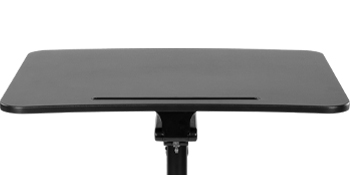
Image 8.1: Diagram illustrating the key dimensions of the Mount-It! Mobile Standing Desk.
9. Кепилдик жана колдоо
Your Mount-It! Mobile Standing Desk is backed by a lifetime warranty, ensuring peace of mind regarding product quality and durability.
- Кепилдик камтуу: The lifetime warranty covers defects in materials and workmanship under normal use. Please refer to the full warranty details provided with your product or on the Mount-It! webсайт.
- Кардарларды колдоо: For any installation questions, product support, or warranty claims, responsive US-based product specialists are available to assist you.
Contact information for Mount-It! customer support can typically be found on the product packaging or the official Mount-It! webсайт.