
1. Киришүү
The Picun H12 Bluetooth Neckband Headset offers a comfortable and high-quality audio experience for various activities, including sports and daily use. Featuring Bluetooth 4.1 connectivity, a 13mm driver for clear sound, and IPX6 water resistance, these earphones are designed for durability and convenience. The magnetic earbuds and lightweight neckband design enhance portability and ease of use.
2. Кутуда эмне бар
- Picun H12 Bluetooth Neckband Headset
- USB заряддоо кабели
- Earbuds Covers (various sizes)
- User Manual
3. Продукт бүтүп калдыview
The Picun H12 headset is engineered for superior sound and extended battery life, ensuring an immersive audio experience.

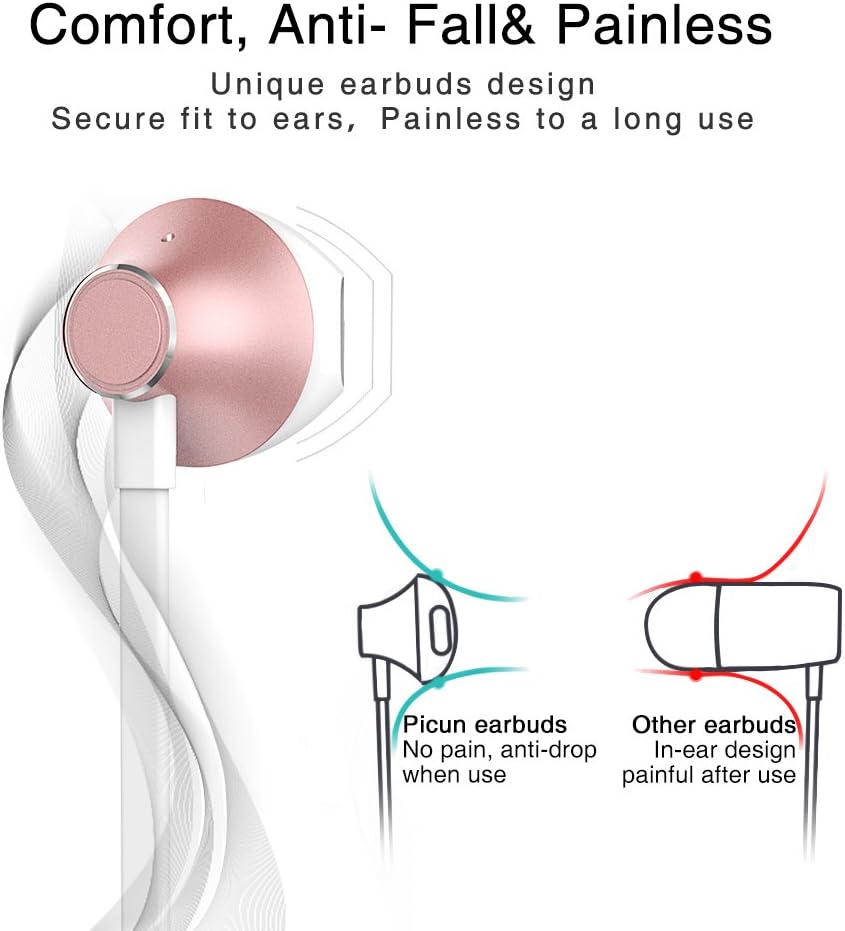
Designed for comfort, the unique earbud shape provides a secure fit without causing discomfort, even during prolonged use.
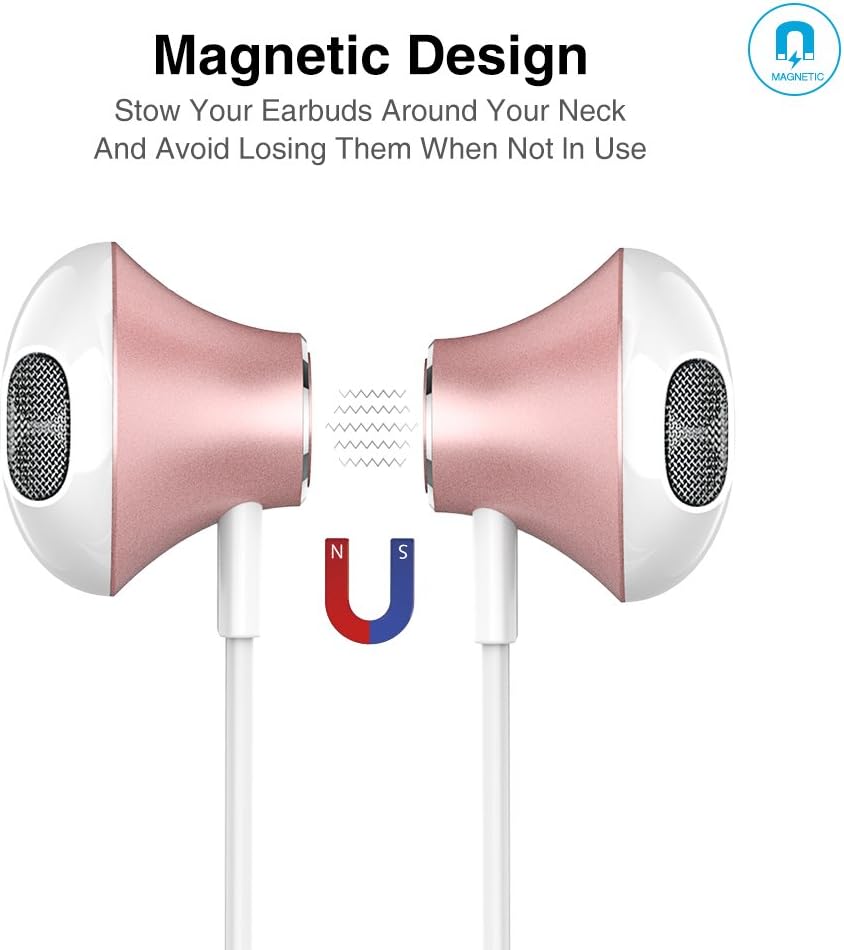
The magnetic design allows the earbuds to clip together when not in use, preventing tangles and making them easy to carry around your neck.
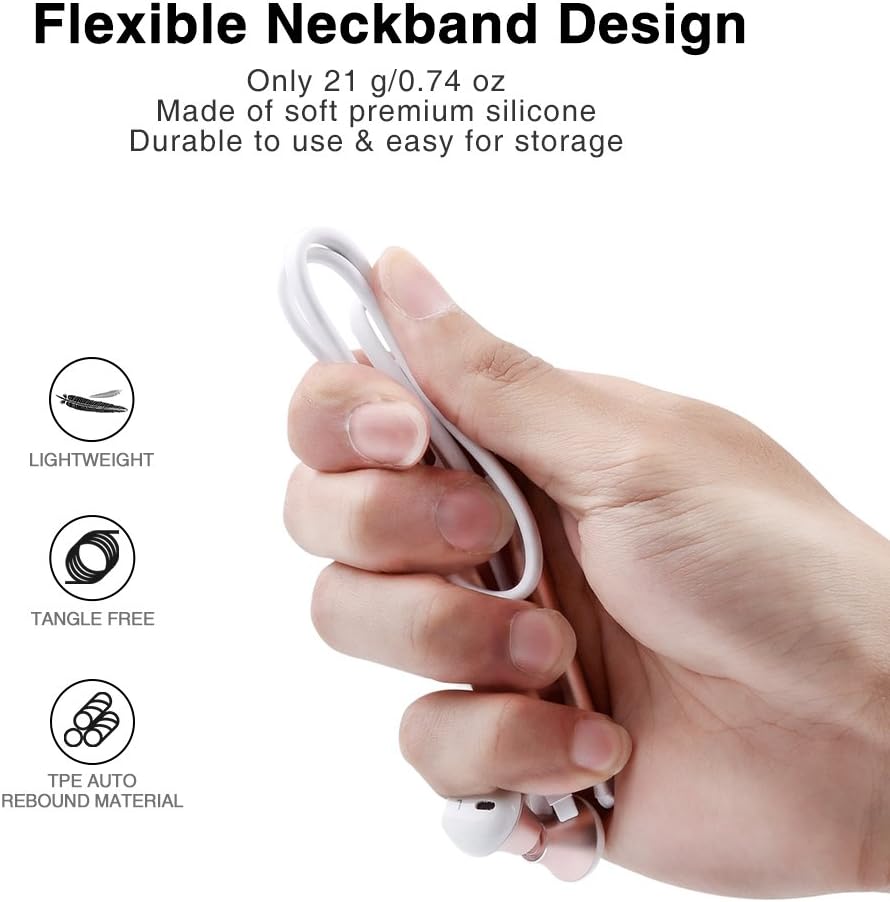
The flexible neckband is lightweight and made from TPE auto-rebound material, ensuring durability and tangle-free storage.
Control your audio and calls effortlessly with the integrated in-line remote and HD noise reduction microphone.

With an IPX6 water-resistant nano-coating, the headset is protected against sweat and rain, making it ideal for workouts.

Көрүү үчүн бул видеону көрүңүзview of the Picun H12 Bluetooth Neckband Headset's features and design.
4. Орнотуу
4.1 Гарнитураны заряддоо
- Микро USB кубаттоо кабелин гарнитуранын кубаттоо портуна туташтырыңыз.
- Кабелдин экинчи учун USB кубат булагына туташтырыңыз (мисалы, компьютер, дубал адаптер).
- The indicator light will show charging status. A full charge takes approximately 1 hour and provides up to 10 hours of playtime.
4.2 Bluetooth жупташтыруу
- Гарнитура толук заряддалганын текшериңиз.
- Press and hold the multi-function button (usually the center button on the in-line remote) until the indicator light flashes red and blue, indicating pairing mode.
- Түзмөгүңүздө (смартфон, планшет ж.б.) Bluetooth иштетиңиз жана жеткиликтүү түзмөктөрдү издеңиз.
- Select "Picun H12" from the list of found devices.
- Once paired, the indicator light will typically turn solid blue or flash blue slowly. A voice prompt may confirm successful connection.
5. Иштөө нускамалары
5.1 Күйгүзүү/өчүрүү
- Күйгүзүү: Press and hold the multi-function button for approximately 3 seconds until the indicator light flashes blue and a voice prompt confirms power on.
- Өчүрүү: Press and hold the multi-function button for approximately 3-5 seconds until the indicator light flashes red and a voice prompt confirms power off.
5.2 Музыканы ойнотуу
- Ойнотуу/тындыруу: Көп функциялуу баскычты кыска басыңыз.
- Кийинки ыр: Long press the "V+" button.
- Мурунку ыр: Long press the "V-" button.
- Көлөмү: Short press the "V+" button.
- Үнүн азайтуу: Short press the "V-" button.
5.3 Чалууларды башкаруу
- Чакырууга жооп берүү: Short press the multi-function button when a call comes in.
- Чакырууну аяктоо: Short press the multi-function button during a call.
- Чакырууну четке кагуу: Long press the multi-function button when a call comes in.
- Акыркы номерди кайра терүү: Көп функциялуу баскычты эки жолу басыңыз.
6. Техникалык тейлөө
- Тазалоо: Гарнитураны тазалоо үчүн жумшак, кургак чүпүрөктү колдонуңуз. Абразивдүү тазалагычтарды же эриткичтерди колдонбоңуз.
- Суу каршылык: The headset is IPX6 water-resistant, meaning it can resist high-pressure, heavy sprays of water. It is not designed for submersion. Dry thoroughly if exposed to water or sweat.
- Сактагыч: When not in use, store the headset in a cool, dry place. The magnetic earbuds help prevent tangling.
- Батареяга кам көрүү: Батареянын иштөө мөөнөтүн узартуу үчүн, бат-баттан батарейканы толук зарядсыздандырбаңыз. Гарнитураны узак убакыт бою колдонбосо дагы, дайыма заряддап туруңуз.
7. Кыйынчылыктарды
| Маселе | Мүмкүн чечим |
|---|---|
| Гарнитура күйбөй жатат | Ensure the headset is fully charged. Connect to a power source and try again. |
| Түзмөк менен жупташтыруу мүмкүн эмес | Ensure the headset is in pairing mode (flashing red and blue light). Turn off and on Bluetooth on your device. Move closer to the headset. |
| Үн жок же үнү төмөн | Check volume levels on both the headset and your connected device. Ensure the headset is properly paired. Try re-pairing. |
| үзгүлтүктүү байланыш | Ensure no obstacles are between the headset and your device. Stay within the 33-foot (10-meter) Bluetooth range. Avoid strong electromagnetic interference. |
| Заряддоо маселеси | Check the charging cable and USB power source. Try a different cable or power adapter. Ensure the charging port is clean and free of debris. |
8. Техникалык шарттар
- Бренд: Пикун
- Модел: H12
- Байланыш технологиясы: Зымсыз (Bluetooth)
- Bluetooth версиясы: 4.1
- Зымсыз диапазон: 33 фут (10 метр) чейин
- Оюн убактысы: 10 саатка чейин
- Заряддоо убактысы: Болжол менен 1 саат
- Айдоочунун көлөмү: 13 MM Neodymium
- Жыштык жообу: 20 Гц - 20 кГц
- Суу каршылык: IPX6 (Sweatproof and splash-resistant)
- Кулак жайгаштыруу: Кулакта
- Форма фактору: Моюн боосу
- Башкаруу түрү: In-line Volume Control, Multi-function button
- Микрофон: Built-in HD noise reduction mic
- Салмагы: 0.05 фунт (болжол менен 21 г)
- Материал: Силикон, термопластикалык эластомер (TPE)
9. Кепилдик жана колдоо
The Picun H12 Bluetooth Neckband Headset comes with a 10-month guarantee period from the date of purchase. For any product-related inquiries, technical support, or warranty claims, please contact Picun customer service. Refer to the contact information provided on the product packaging or the official Picun webжардам үчүн сайт.