
Inateck BCST-50_black
Inateck BCST-50 Barcode Scanner User Manual
Model: BCST-50 Black
1. Киришүү
The Inateck BCST-50 is a versatile 1D and 2D barcode scanner designed for efficient data collection. It supports various barcode types including QR, Data Matrix, PDF417, UPC/EAN, and Code 128. This scanner is capable of reading barcodes directly from digital screens, such as those on phones and laptops. It offers multiple connectivity options and operational modes to suit diverse user needs.
2. Кутуда эмне бар
- Inateck BCST-50 штрих-код сканери
- USB кабели
- Instruction Manual
- 2.4GHz Wireless Adapter
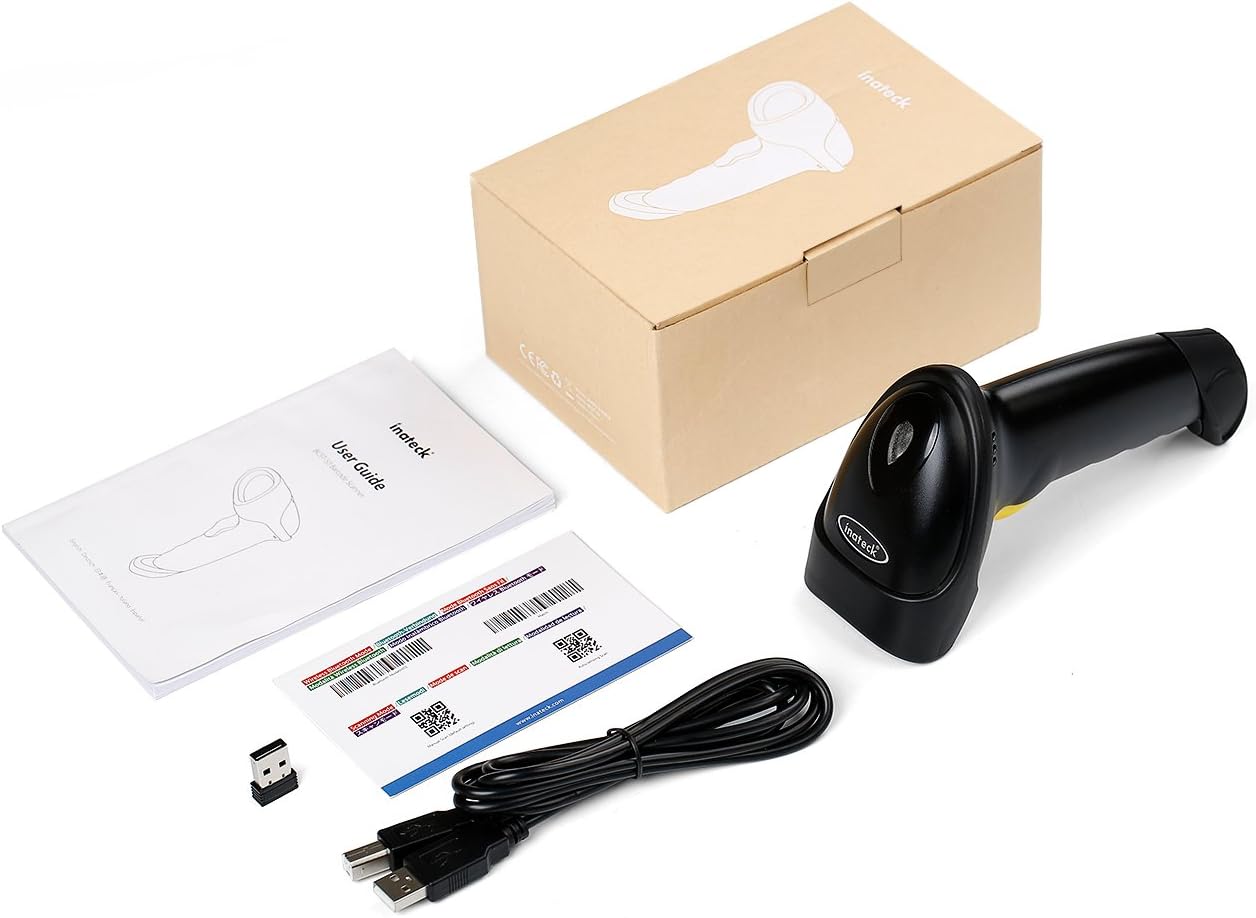
2.1-сүрөт: Package contents of the Inateck BCST-50 barcode scanner.
3. Орнотуу жана туташуу
The BCST-50 scanner offers three primary connection modes for versatile use with various devices.
3.1 Туташуу режимдери

3.1-сүрөт: The three available connection modes for the BCST-50 scanner.
- 2.4 ГГц зымсыз туташуу: Connects to a computer using the included 2.4GHz USB adapter. This mode provides a stable wireless connection.
- Bluetooth байланыш: Allows connection to mobile phones, tablets, and other Bluetooth-enabled devices. This offers flexibility for on-the-go scanning.
- Зымдуу USB туташуу: Connects directly to a computer via the USB cable. This mode is plug-and-play and also charges the scanner.
To switch between wireless Bluetooth and 2.4GHz modes, scan the corresponding barcodes provided in the physical instruction manual or on the product packaging. For example, to enable Bluetooth mode, scan the "Wireless Bluetooth Mode" barcode. To enable 2.4GHz mode, scan the "2.4G Mode" barcode.

3.2-сүрөт: The BCST-50 scanner and its accessories, including setup barcodes.
4. Сканерди иштетүү
4.1 Barcode Reading Capabilities
The BCST-50 is designed to read a wide range of 1D and 2D barcodes efficiently.

4.1-сүрөт: Supported 1D and 2D barcode types.
- 1D штрих коддору: UPC/EAN, Code 128, Code 39, Code 93, Code 11, Interleaved 2 of 5, Industrial 2 of 5, Matrix 2 of 5, Standard 2 of 5, Codabar, MSI, etc.
- 2D штрих коддору: QR Code, Data Matrix, PDF417, MicroPDF417, Micro QR Code, Aztec, MaxiCode, Rectangular Data Matrix, etc.
4.2 Screen Barcode Reading
A key feature of the BCST-50 is its ability to read barcodes directly from digital displays, making it suitable for scanning e-tickets, mobile coupons, and other screen-based barcodes.

4.2-сүрөт: The BCST-50 scanner reading a barcode from a digital screen.
4.3 Иштөө режимдери
The scanner supports three operational modes to optimize workflow:
- Touch-Activation Mode: The scanner activates and scans when the trigger button is pressed.
- Автоматтык сезүү режими: The scanner automatically detects and scans barcodes when they are presented within its scanning range.
- Inventory Mode (Offline Data Storage): This mode allows the scanner to store scanned data internally when not connected to a host device. It has 2MB of internal memory, capable of storing approximately 50,000 24-digit barcodes. Data can be uploaded later.
4.4 Маалыматтарды жүктөө режимдери
Data collected by the scanner can be uploaded in two ways:

4.3-сүрөт: Тез жүктөө режими жана оффлайн сактоо режими.
- Ыкчам жүктөө режими: Scanned barcodes are immediately transmitted to the connected device.
- Оффлайн сактоо режими: Scanned barcodes are saved to the scanner's internal memory. This data can be uploaded to a device at a later time by scanning a specific upload barcode (refer to the full instruction manual for details).
4.5 Батареянын иштөө мөөнөтү
The BCST-50 is equipped with a 2000mAh built-in battery, providing extended operational time.
4.4-сүрөт: Battery life estimates for the BCST-50 scanner.
- Болжол менен 15 consecutive days of use under Bluetooth connection.
- Болжол менен 30 consecutive days of use under 2.4GHz connection.
Battery life may vary based on usage patterns and environmental conditions.
5. Техникалык тейлөө жана туруктуулук
The Inateck BCST-50 is designed with durability in mind to withstand daily use.

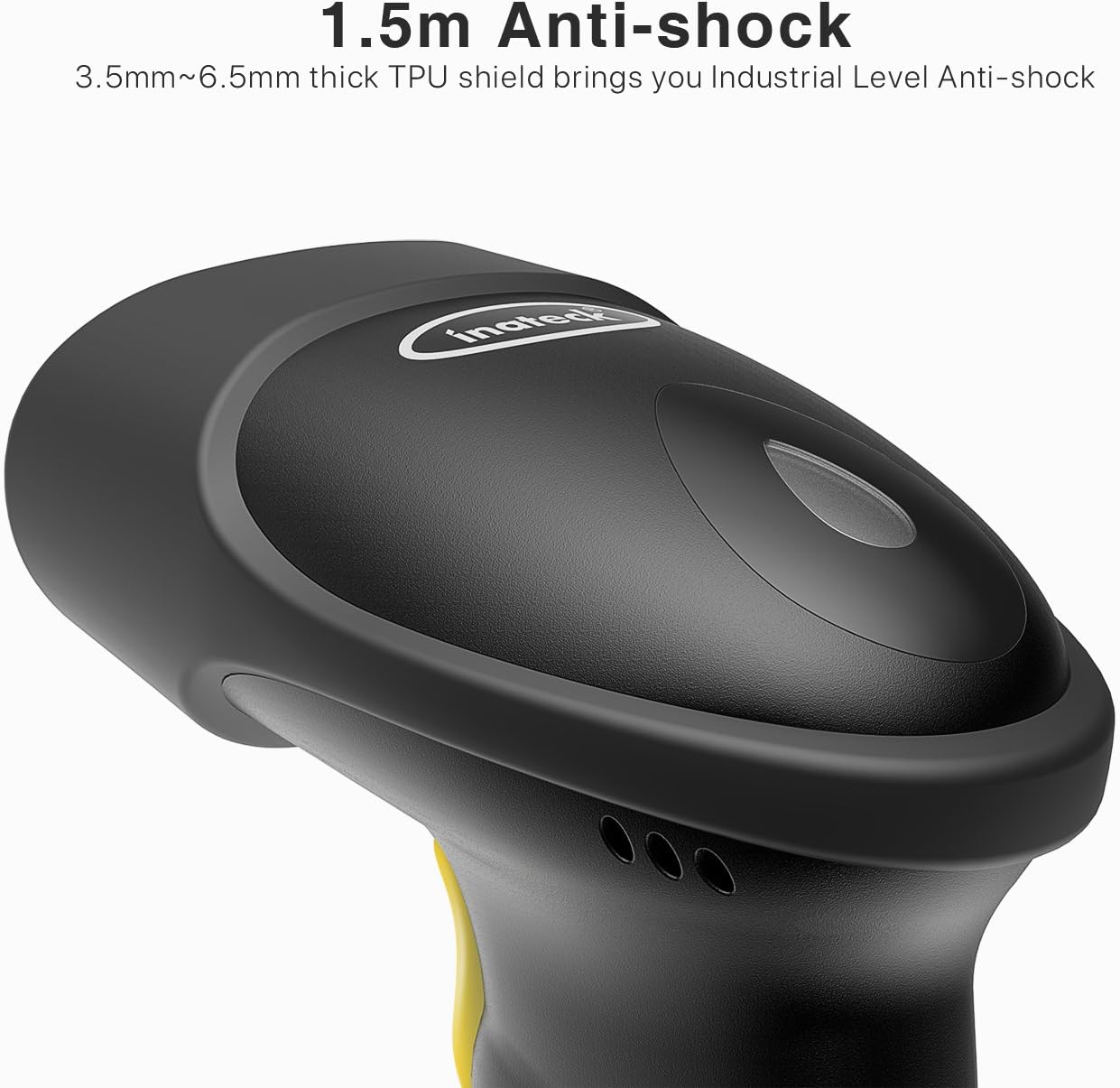
5.1-сүрөт: The anti-shock design of the BCST-50 scanner.
- Шокко каршы дизайн: Features a 3.5mm to 6.5mm thick TPU shield, providing industrial-level anti-shock protection against drops and impacts.
- Тазалоо: Use a soft, dry cloth to clean the scanner's exterior. Do not use abrasive cleaners or solvents. For the scanning window, use a lens cleaning cloth.
- Сактагыч: Сканерди күн нурунан жана экстремалдык температурадан алыс салкын, кургак жерде сактаңыз.
6. Кыйынчылыктарды
If you encounter issues with your Inateck BCST-50 scanner, refer to the following common troubleshooting steps:
| Көйгөй | Мүмкүн себеп | Чечим |
|---|---|---|
| Сканер күйбөйт. | Батарея аз же заряды жок. | Connect the scanner to a power source using the USB cable and allow it to charge. |
| Сканер Bluetooth/2.4 ГГц аркылуу туташпай жатат. | Incorrect pairing mode, out of range, or interference. | Ensure the scanner is in the correct pairing mode (Bluetooth or 2.4GHz) by scanning the appropriate setup barcode. Move closer to the host device. Check for other wireless devices causing interference. Re-pair the device. |
| Scanner reads barcodes but no data is transmitted to the computer/device. | Incorrect output mode, driver issue, or software conflict. | Ensure the scanner is not in Inventory Mode if you expect instant transmission. Check if the scanner is recognized as a keyboard device. Try connecting to a different USB port or computer. Reset the scanner to factory defaults (refer to the full manual for the reset barcode). |
| Cannot read certain barcode types. | Barcode type not enabled or damaged barcode. | Refer to the full instruction manual to enable specific barcode symbologies. Ensure the barcode is clear and undamaged. Adjust scanning distance. |
For more detailed troubleshooting or advanced configurations, please refer to the complete user guide provided with your product or visit the Inateck support webсайт.
7. Техникалык шарттар
| Өзгөчөлүк | Деталь |
|---|---|
| Модель номери | BCST-50_black |
| Штрихкод түрлөрү колдоого алынат | 1D (UPC/EAN, Code 128, etc.), 2D (QR, Data Matrix, PDF417, etc.) |
| Байланыш технологиясы | Bluetooth, 2.4 ГГц зымсыз, USB кабели |
| Зымсыз түрү | Bluetooth |
| Ички эс тутум | 2MB (approx. 50,000 24-digit barcodes) |
| Батарея сыйымдуулугу | 2000 мАч литий полимери |
| Операциялык системанын шайкештиги | Windows, macOS |
| Аппараттык платформа | PC, Tablets, iPad |
| Элемент Салмагы | 5.9 унция (болжол менен 167 г) |
| Продукциянын өлчөмдөрү (LxWxH) | 6.38 x 3.54 x 2.4 дюйм (болжол менен 16.2 x 9.0 x 6.1 см) |
| Түс | Кара |
| Өндүрүүчү | Inateck Technology Inc |
8. Кепилдик жана колдоо
Inateck products are designed for reliability and performance. For warranty information and technical support, please refer to the warranty card included with your product or visit the official Inateck webсайт.
Инатектин расмий өкүлү Webсайт: www.inateck.com
For customer service inquiries, please contact Inateck support through their webсайт же продукт документациясында көрсөтүлгөн байланыш маалыматы.